The Wolfram Emerging Leaders Program: High School (WELP:HS) is a remote, semester-long program designed for exceptional graduates from the Wolfram High School Summer Research Program to continue to develop their skills. Students work in a small group over the course of a semester to do either a research-based project or a product development–based project under the guidance of expert mentors. Projects are centered around a topic at the intersection of the group’s interests.
Authors
Authors
Abstract
Abstract
In this paper, we created a graphical simulation that represents the phenom of rocks skipping on water. Through this graphical interface the user is allowed to change different parameters such as velocity of the stone, mass of the stone, tilt angle, etc. Through these changes the user can play around and find the optimal configuration for a stone skipping on water with a better understanding of why that is.
Introduction
Introduction
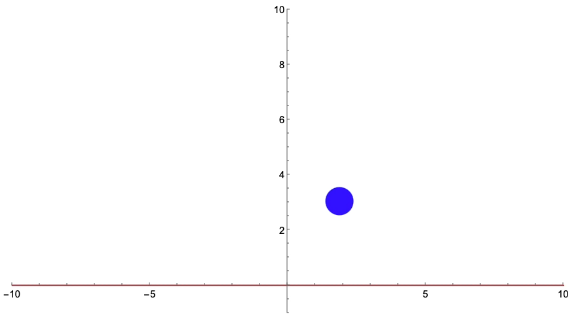
The process of skipping stones breaks down into two parts. The time the rock is still in the air and the time the rock hits the water. The problem of the rock in the air comes down to projectile motion with linear drag. We approximated the acceleration using a small time value to repeatedly calculate the position. Once the rocks make contact with the water we tackle the second part of the problem. We use the differential equations for this interaction to calculate how long the rock stays in the water. Once the rock exits the water we switch back to projectile motion with linear drag. We keep repeating this process until the stone sinks.
Setting up variables
Setting up variables
To start, we need to define the key variables that will play a role in our equations. These include:
◼
The value of gravity
◼
The rock’s mass
◼
The rock’s position
◼
The rock’s starting velocity
◼
The constant of fluid resistance for linear drag (b)
◼
Elasticity (coefficient of restitution)
◼
A small time increment (delta time) for numerical approximation
All of these variables will be wrapped in a dynamic module, as the simulation is designed to update in real time. Additionally, a temporary variable called “x” will be used for logical operations within the simulation.
We chose realistic values for these variables to closely represent the physical properties of a typical rock. For example:
◼
Rock mass: 0.1 kilograms
◼
Elasticity (coefficient of restitution): 0.7
◼
Rock height: 0.02 meters
◼
Rock width: 0.1 meters
These values aim to strike a balance between realism and flexibility, allowing for experimentation and accurate behavior in the simulation.
In[]:=
DynamicModule[{mass=1,rockPos={0,5},rockVel={3,0},dt=0.02,elasticity=0.5,width=0.1,height=0.02,b=0.00306,gravity=9.81},DynamicModule[{horizontalAcc,verticalAcc,motionAngle=0},Dynamic[x]]];
Projectile motion with linear drag
Projectile motion with linear drag
First we need to define our coordinate system. Up will be positive and right will be positive. After we sum up all the forces on the stone, we get this equation =-m*g- where represents the drag force, m is the mass, and g is the value of gravity. As we know, Net Force is equal to mass times acceleration, which then results in this new formula: . Now we break this up into x and y components. For the x component, we get . We isolate for the acceleration and we get . For the y component, we get . Now isolating for the acceleration, we obtain the equation . Since we are using linear drag, we substitute into our equation for . This results in the final equations being and .
F
Net
F
d
F
d
m*a=-m*g-
F
d
m*a=-
F
d
a=-/m
F
d
m*a=-m*g-
F
d
a=(-m*g-)/m
F
d
b*v
F
d
a=-(b*v)/m
a=(-m*g-b*v)/m
DynamicModule[{mass=1,rockPos={0,5},rockVel={3,0},dt=0.02,elasticity=0.5,width=0.5,height=0.1,b=0.00306,gravity=9.81},DynamicModule[{horizontalAcc,verticalAcc,motionAngle=0},Dynamic[(*Calculateaccelerationcomponents*)horizontalAcc=(-rockVel[[1]]/Abs[rockVel[[1]]+0.00000000000000001])*b*rockVel[[1]]/mass;verticalAcc=(-rockVel[[2]]/Abs[rockVel[[2]]+0.00000000000000001])*b*rockVel[[2]]-gravity]]];
Updating the Stone’s Characteristics
Updating the Stone’s Characteristics
After calculating the stone’s acceleration we can find the new velocity using the formula =a*t+ and then we can use this new velocity to update the stone’s position using
v
final
v
initial
d=v*t
In[]:=
model=DynamicModule[{mass=1,rockPos={0,5},rockVel={3,0},dt=0.02,elasticity=0.5,width=0.5,height=0.1,b=0.00306,gravity=9.81},DynamicModule[{horizontalAcc,verticalAcc,motionAngle=0},Dynamic[(*Calculateaccelerationcomponents*)horizontalAcc=(-rockVel[[1]]/Abs[rockVel[[1]]+10^-15])*b*rockVel[[1]]/mass;verticalAcc=(-rockVel[[2]]/Abs[rockVel[[2]]+10^-15])*b*rockVel[[2]]-gravity;(*Updatevelocities*)rockVel[[1]]+=horizontalAcc*dt;rockVel[[2]]+=verticalAcc*dt;(*Updateposition*)rockPos+=rockVel*dt;(*Simplevisualizationtotrackthemotion*)Graphics[{Blue,Disk[rockPos,width],(*Therock*)Red,Line[{{-10,0},{10,0}}](*Theground*)},PlotRange->{{-10,10},{-1,10}},Axes->True,ImageSize->Large]]]]
Out[]=
Changing the Rock’s Shape and Implementing Graphics
Changing the Rock’s Shape and Implementing Graphics
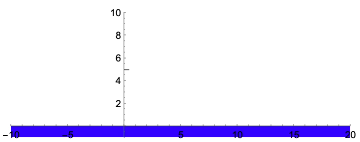
In real life when we throw rocks, the most desirable trait for a skipping rock is that it’s mostly flat. For our rock design we will make it a rectangle to further replicate real life skipping rocks.
In[]:=
DynamicModule[{mass=1,rockPos={0,5},rockVel={3,0},dt=0.02,elasticity=0.5,width=0.5,height=0.1,b=0.00306,gravity=9.81},DynamicModule[{horizontalAcc,verticalAcc,motionAngle=0},Dynamic[(*Calculateaccelerationcomponents*)horizontalAcc=(-rockVel[[1]]/Abs[rockVel[[1]]+0.00000000000000001])*(Cos[ArcTan[rockVel[[2]],rockVel[[1]]]]*b*rockVel[[2]]^2)/mass;verticalAcc=(-rockVel[[2]]/Abs[rockVel[[2]]+0.00000000000000001])*Sin[ArcTan[rockVel[[2]],rockVel[[1]]]]*b*rockVel[[2]]^2-gravity;(*Updatevelocities*)rockVel[[1]]+=horizontalAcc*dt;rockVel[[2]]+=verticalAcc*dt;(*Updateposition*)rockPos+=rockVel*dt;(*GraphicswithRotationTransform*)Graphics[{Gray,GeometricTransformation[Rotate[Rectangle[{-width/2,-height/2},{width/2,height/2}],motionAngle],rockPos],Blue,Rectangle[{-10,-1},{20,0}]},PlotRange->{{-10,20},{-1,10}},Axes->True]],Initialization:>(Refresh[Pause[dt],TrackedSymbols:>{rockPos,rockVel}])]]
Out[]=
Creating Collisions
Creating Collisions
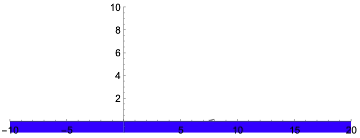
Now that we have our shapes to represent the rock and the water, we add in physical properties like gravity and elasticity. We can detect when the rock collides with our water (represented with a blue rectangle) by saying if the center of mass of the rock is equal to or less than half its height, it counts as a collision. And following this collision we make the rectangular rock spring back up using elasticity to determine what portion of its energy is conserved.
In[]:=
DynamicModule[{mass=1,rockPos={0,5},rockVel={3,0},dt=0.02,elasticity=0.5,width=0.5,height=0.1,b=0.00306,gravity=9.81},DynamicModule[{horizontalAcc,verticalAcc,motionAngle=0},Dynamic[(*Calculateaccelerationcomponents*)horizontalAcc=(-rockVel[[1]]/Abs[rockVel[[1]]+0.00000000000000001])*(Cos[ArcTan[rockVel[[2]],rockVel[[1]]]]*b*rockVel[[2]]^2)/mass;verticalAcc=(-rockVel[[2]]/Abs[rockVel[[2]]+0.00000000000000001])*Sin[ArcTan[rockVel[[2]],rockVel[[1]]]]*b*rockVel[[2]]^2-gravity;(*Updatevelocities*)rockVel[[1]]+=horizontalAcc*dt;rockVel[[2]]+=verticalAcc*dt;(*Updateposition*)rockPos+=rockVel*dt;(*Calculatemotionanglebasedonvelocitydirection*)If[Norm[rockVel]>0,motionAngle=ArcTan[rockVel[[1]],rockVel[[2]]]];(*Checkforgroundcollision*)If[rockPos[[2]]<=height/2,rockVel[[2]]=-elasticity*rockVel[[2]];rockPos[[2]]=height/2;];(*GraphicswithRotationTransform*)Graphics[{Gray,GeometricTransformation[Rotate[Rectangle[{-width/2,-height/2},{width/2,height/2}],motionAngle],rockPos],Blue,Rectangle[{-10,-1},{20,0}]},PlotRange->{{-10,20},{-1,10}},Axes->True]],Initialization:>(Refresh[Pause[dt],TrackedSymbols:>{rockPos,rockVel,motionAngle}])]]
Out[]=
Rock’s Interactions with Water
Rock’s Interactions with Water
Lift Forces
Lift Forces
The interaction between the rock and water can be examined through the notion of Newton’s third law, which states that every action has a equal and opposite reaction. When the rock hits the water, it exerts a force on the water. The water responds accordingly with a force equal but in the opposite direction. This force that the water exerts on the rock is called the lift force. Here, we calculate the lift forces components.
The factors that influence the lift forces are: the mass of the stone, the water density, the velocity of the stone squared, the surface-area (how much the stone is immersed in the water), the coefficient of lift and the coefficient of drag, and finally the tilt angle of the stone (represented here with theta).
In[]:=
liftx[mass_,waterdensity_,totalv_,surfacearea_,cLift_,cDrag_,theta_]:=(-0.5*waterdensity*totalv^2*surfacearea*(cLift*Sin[thetaDegree]+cDrag*Cos[thetaDegree]))/mass;
In[]:=
lifty[mass_,waterdensity_,totalv_,surfacearea_,cLift_,cDrag_,theta_]:=(-0.5*waterdensity*totalv^2*surfacearea*(cLift*Cos[thetaDegree]-cDrag*Sin[thetaDegree])-mass*9.8)/mass;
Rock Immersion
Rock Immersion
The second aspect of this interaction between the rock and the water is how immersed the rock is during each skip. This is important since after a critical amount of the rock has become immersed in the water, it will sink.
Now in our case the area that rock is immersed is governed by the equation , where a is length of an edge of the rock and w is represented by the equation w=-m*g-ρ**C*(a*v/Sin(θ)). W in this equation represents the characteristic frequency.
Area=a*w/Sin(θ)
2
2
t
1
2
v
x
Characteristic frequency
Characteristic frequency
Here we define a function for w by solving the equation w=-m*g-ρ**C*(a*v/Sin(θ))
2
2
t
1
2
v
x
In[]:=
w[velX_,cLift_,a_,mass_,theta_,waterdensity_]:=Sqrt[(cLift*waterdensity*velX^2*a)/(2*mass*Sin[thetaDegree])];
Immersed Function
Immersed Function
To calculate the surface area X and Y lift forces we need to create a function for how far into the water the rock is immersed. The general equation can be described by (length of an edge) * (maximum depth)/ Sin(theta) of the rock and the water. After this step, we have all the variables necessary for calculating the lift and drag forces of the rock and can calculate change in velocity.
Immersed[t_,a_,g_,vy_,w_,theta_]:=a*Abs[-(g/w^2)+(g/w^w)Cos[w]t+(vy/w)Sin[w]t]/Sin[thetaDegree]
Graphical Aspect
Graphical Aspect
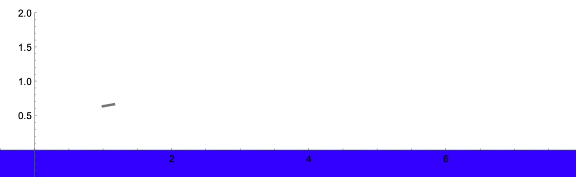
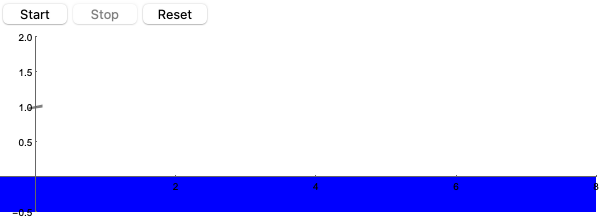
Now we create a graphical visualization of the stone. Using a similar base as our earlier simulations, we add the lift forces to better simulate the skipping motion of the rock.
In[]:=
DynamicModule[{(*Simulationparameters*)rockPos={0,1.0},(*Initialposition*)rockVel={6,-1.0},(*Initialvelocity*)dt=0.01,(*Timeresolution*)elasticity=0.7,(*Portionofmotionretainedaftercollision*)width=0.1,height=0.02,b=0.003,(*Coefficientofairresistance*)gravity=9.81,cLift=1.2,cDrag=1.0,waterDensity=1,(*Messwithtochangecollisionbehavior*)deltaVy=0,deltaVx=0,motionAngle=10,(*Initialrotationawayfromstandardposition*)surfaceAr=0,(*Toavoidduplicatecounting,especiallywhenrockisclosetosurface*)userMass=0.1,userTilt=10,userInitialX=0,userInitialY=10.0,userInitialVx=6,userInitialVy=-1.0,rightXBoundary=8(*Adjustableright-handx-axisboundary*)},DynamicModule[{horizontalAcc=0,verticalAcc=0,scaleFactor=0.01},Dynamic[(*Airresistanceandgravity*)horizontalAcc=-rockVel[[1]]*b/userMass;verticalAcc=-rockVel[[2]]*b/userMass-gravity;(*Collisiondetection*)If[rockPos[[2]]<=height/2&&rockVel[[2]]<0,(*Registeraskipifverticalvelocityisabovethreshold*)surfaceAr=Immersed[3,height,gravity,rockVel[[2]],w[rockVel[[1]],cLift,width,userMass,motionAngle,waterDensity],motionAngle];(*Calculateliftanddragforces*)deltaVy=scaleFactor*lifty[userMass,waterDensity,Norm[rockVel],surfaceAr,cLift,cDrag,motionAngle];deltaVx=scaleFactor*liftx[userMass,waterDensity,Norm[rockVel],surfaceAr,cLift,cDrag,motionAngle];(*Applyforcesandpreventsinking*)rockVel[[2]]+=deltaVy;rockVel[[1]]+=deltaVx;rockPos[[2]]=height/2;(*Addbouncewithenergyloss*)rockVel[[1]]*=elasticity;rockVel[[2]]*=-elasticity;];(*Updatepositionandvelocity*)rockVel[[1]]+=horizontalAcc*dt;rockVel[[2]]+=verticalAcc*dt;(*Clampvelocities*)rockVel[[1]]=Clip[rockVel[[1]],{-50,50}];rockVel[[2]]=Clip[rockVel[[2]],{-50,50}];(*Updateposition*)rockPos+=rockVel*dt;(*Renderthestoneandwatersurface*)Graphics[{Gray,GeometricTransformation[Rotate[Rectangle[{-width,-height},{width,height}],motionAngleDegree],rockPos],Blue,Rectangle[{-10,-0.5},{rightXBoundary,0}]},PlotRange->{{-0.5,rightXBoundary},{-0.5,2}},ImageSize->600,(*Enlargedforbettervisibility*)Axes->True]]]]
Out[]=
Adding Interface Buttons
Adding Interface Buttons
To make our simulation easier to use, we can add buttons to start, stop, and reset the simulation. Variables like running and sunk help us conditionally start and stop the module by associating every button to a ‘switch’ variable.
The simulation concludes when the rock is considered “sunk.” This occurs when its position falls below half the height of the water (representing a basic collision with the water, as previously mentioned) and its upward velocity drops below a certain threshold. This threshold prevents oscillation and ensures the rock is no longer skipping.
Since this simulation does not account for angular momentum, we assume the rock is always in rotational motion. Consequently, we cannot determine when the rock has completely stopped spinning. To address this, we establish a threshold for upward velocity; if the velocity falls below this small value, the rock is deemed to have sunk.
The running variable is not tied to specific conditions but is used for easier simulation control. It is set to True while the simulation is active and False when it is stopped, simplifying the logic for simulation loops.
In[]:=
DynamicModule[{rockPos={0,1.0},rockVel={6,-1.0},dt=0.01,elasticity=0.7,width=0.1,height=0.02,b=0.003,gravity=9.81,cLift=1.2,cDrag=1.0,waterdensity=1,elapsedTime=0,running=False,sunk=False,initialState,deltaVy=0,deltaVx=0,motionAngle=10,surfaceAr=0,skipCount=0,skipRegistered=False,userMass=0.1,userTilt=10,userInitialX=0,userInitialY=1.0,userInitialVx=6,userInitialVy=-1.0,rightXBoundary=8},initialState={rockPos,rockVel,elapsedTime,deltaVy,deltaVx,motionAngle,sunk,surfaceAr,skipCount,skipRegistered};Column[{Row[{Button["Start",(rockPos={userInitialX,userInitialY};rockVel={userInitialVx,userInitialVy};motionAngle=userTilt;skipCount=0;skipRegistered=False;running=True;),Enabled->Dynamic[!running]],Button["Stop",running=False,Enabled->Dynamic[running]],Button["Reset",({rockPos,rockVel,elapsedTime,deltaVy,deltaVx,motionAngle,sunk,surfaceAr,skipCount,skipRegistered}=initialState;rockPos={userInitialX,userInitialY};rockVel={userInitialVx,userInitialVy};motionAngle=userTilt;skipCount=0;skipRegistered=False;running=False;)]}],DynamicModule[{horizontalAcc=0,verticalAcc=0,scaleFactor=0.01},Dynamic[If[!sunk&&running,(elapsedTime+=dt;horizontalAcc=-rockVel[[1]]*b/userMass;verticalAcc=-rockVel[[2]]*b/userMass-gravity;If[rockPos[[2]]<=height/2&&rockVel[[2]]<0,(If[!skipRegistered&&Abs[rockVel[[2]]]>0.1,(skipCount++;skipRegistered=True;)];surfaceAr=Immersed[3,height,gravity,rockVel[[2]],w[rockVel[[1]],cLift,width,userMass,motionAngle,waterdensity],motionAngle];deltaVy=scaleFactor*lifty[userMass,waterdensity,Norm[rockVel],surfaceAr,cLift,cDrag,motionAngle];deltaVx=scaleFactor*liftx[userMass,waterdensity,Norm[rockVel],surfaceAr,cLift,cDrag,motionAngle];rockVel[[2]]+=deltaVy;rockVel[[1]]+=deltaVx;rockPos[[2]]=height/2;rockVel[[2]]=-elasticity*rockVel[[2]];),skipRegistered=False];rockVel[[1]]+=horizontalAcc*dt;rockVel[[2]]+=verticalAcc*dt;rockVel[[1]]=Clip[rockVel[[1]],{-50,50}];rockVel[[2]]=Clip[rockVel[[2]],{-50,50}];rockPos+=rockVel*dt;If[(rockPos[[2]]<height/2&&Abs[rockVel[[2]]]<0.012),sunk=True];)];Graphics[{Gray,GeometricTransformation[Rotate[Rectangle[{-width,-height},{width,height}],motionAngleDegree],rockPos],Blue,Rectangle[{-10,-0.5},{rightXBoundary,0}],If[sunk,Inset[Style["ROCK SUNK",20,Red],{rightXBoundary/2,1},Center],{}]},PlotRange->{{-0.5,rightXBoundary},{-0.5,2}},ImageSize->600,Axes->True]]]}]]
Out[]=
Adding Sliders/Dynamic Variables
Adding Sliders/Dynamic Variables
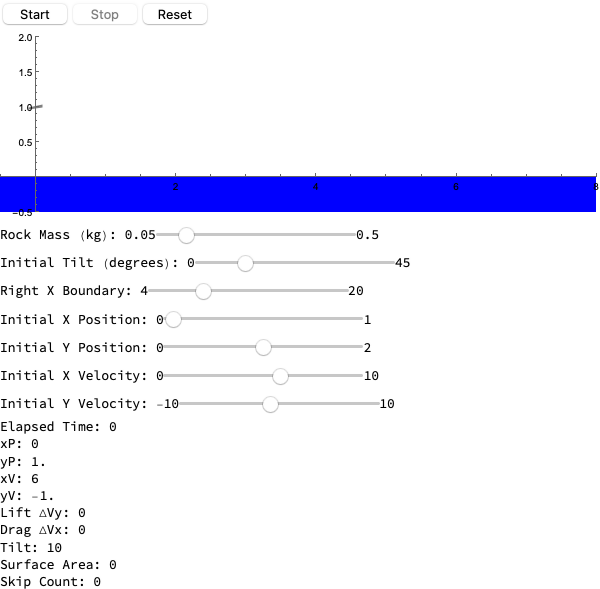
Adding sliders for the initial variables enhances the simulation by allowing users to manipulate and experiment with different scenarios.
To better analyze the results, we can implement a skip counter to track how many times the rock skips on the water. A skip is detected when the rock collides with the water while moving downward. To achieve this, we introduce a boolean variable, skipRegistered, which is set to True whenever these conditions are met. During each skip, we perform the necessary collision calculations (as described earlier), increment the skipCount counter, and then reset skipRegistered to False. The value of skipCount is displayed to allow users to see the total number of skips.
Key variables for manipulation include:
◼
Starting horizontal position and velocity
◼
Starting vertical position and velocity
◼
Rock mass
◼
Initial tilt angle
Additionally, we aim to record the following variables for deeper analysis:
◼
Time elapsed
◼
Lift and drag forces during each collision
◼
Surface area of the rock submerged at each collision
In[]:=
DynamicModule[{rockPos={0,1.0},rockVel={6,-1.0},dt=0.01,elasticity=0.7,width=0.1,height=0.02,b=0.003,gravity=9.81,cLift=1.2,cDrag=1.0,waterdensity=1,elapsedTime=0,running=False,sunk=False,initialState,deltaVy=0,deltaVx=0,motionAngle=10,surfaceAr=0,skipCount=0,skipRegistered=False,userMass=0.1,userTilt=10,userInitialX=0,userInitialY=1.0,userInitialVx=6,userInitialVy=-1.0,rightXBoundary=8},initialState={rockPos,rockVel,elapsedTime,deltaVy,deltaVx,motionAngle,sunk,surfaceAr,skipCount,skipRegistered};Column[{Row[{Button["Start",(rockPos={userInitialX,userInitialY};rockVel={userInitialVx,userInitialVy};motionAngle=userTilt;skipCount=0;skipRegistered=False;running=True;),Enabled->Dynamic[!running]],Button["Stop",running=False,Enabled->Dynamic[running]],Button["Reset",({rockPos,rockVel,elapsedTime,deltaVy,deltaVx,motionAngle,sunk,surfaceAr,skipCount,skipRegistered}=initialState;rockPos={userInitialX,userInitialY};rockVel={userInitialVx,userInitialVy};motionAngle=userTilt;skipCount=0;skipRegistered=False;running=False;)]}],DynamicModule[{horizontalAcc=0,verticalAcc=0,scaleFactor=0.01},Dynamic[If[!sunk&&running,(elapsedTime+=dt;horizontalAcc=-rockVel[[1]]*b/userMass;verticalAcc=-rockVel[[2]]*b/userMass-gravity;If[rockPos[[2]]<=height/2&&rockVel[[2]]<0,(If[!skipRegistered&&Abs[rockVel[[2]]]>0.1,(skipCount++;skipRegistered=True;)];surfaceAr=Immersed[3,height,gravity,rockVel[[2]],w[rockVel[[1]],cLift,width,userMass,motionAngle,waterdensity],motionAngle];deltaVy=scaleFactor*lifty[userMass,waterdensity,Norm[rockVel],surfaceAr,cLift,cDrag,motionAngle];deltaVx=scaleFactor*liftx[userMass,waterdensity,Norm[rockVel],surfaceAr,cLift,cDrag,motionAngle];rockVel[[2]]+=deltaVy;rockVel[[1]]+=deltaVx;rockPos[[2]]=height/2;rockVel[[2]]=-elasticity*rockVel[[2]];),skipRegistered=False];rockVel[[1]]+=horizontalAcc*dt;rockVel[[2]]+=verticalAcc*dt;rockVel[[1]]=Clip[rockVel[[1]],{-50,50}];rockVel[[2]]=Clip[rockVel[[2]],{-50,50}];rockPos+=rockVel*dt;If[(rockPos[[2]]<0.1&&Abs[rockVel[[2]]]<0.012),sunk=True];)];Graphics[{Gray,GeometricTransformation[Rotate[Rectangle[{-width,-height},{width,height}],motionAngleDegree],rockPos],Blue,Rectangle[{-10,-0.5},{rightXBoundary,0}],If[sunk,Inset[Style["ROCK SUNK",20,Red],{rightXBoundary/2,1},Center],{}]},PlotRange->{{-0.5,rightXBoundary},{-0.5,2}},ImageSize->600,Axes->True]]],Row[{"Rock Mass (kg): ",Row[{"0.05",Slider[Dynamic[userMass],{0.05,0.5}],"0.5"}]}],Row[{"Initial Tilt (degrees): ",Row[{"0",Slider[Dynamic[userTilt],{0,45}],"45"}]}],Row[{"Right X Boundary: ",Row[{"4",Slider[Dynamic[rightXBoundary],{4,20}],"20"}]}],Row[{"Initial X Position: ",Row[{"0",Slider[Dynamic[userInitialX],{0,1}],"1"}]}],(*Allthesecanbeadjustedforwhatwewant*)Row[{"Initial Y Position: ",Row[{"0",Slider[Dynamic[userInitialY],{0,2}],"2"}]}],Row[{"Initial X Velocity: ",Row[{"0",Slider[Dynamic[userInitialVx],{0,10}],"10"}]}],Row[{"Initial Y Velocity: ",Row[{"-10",Slider[Dynamic[userInitialVy],{-10,10}],"10"}]}],(*Displaynumericaloutputsdynamically*)Row[{"Elapsed Time: ",Dynamic[elapsedTime]}],Row[{"xP: ",Dynamic[rockPos[[1]]]}],Row[{"yP: ",Dynamic[rockPos[[2]]]}],Row[{"xV: ",Dynamic[rockVel[[1]]]}],Row[{"yV: ",Dynamic[rockVel[[2]]]}],Row[{"Lift ΔVy: ",Dynamic[deltaVy]}],Row[{"Drag ΔVx: ",Dynamic[deltaVx]}],Row[{"Tilt: ",Dynamic[motionAngle]}],Row[{"Surface Area: ",Dynamic[surfaceAr]}],Row[{"Skip Count: ",Dynamic[skipCount]}]}]]
Out[]=
Conclusion
Conclusion
In this project, we created a simulation using Wolfram Language to simulate rocks skipping on water. The projects prompts the user to set up their scenario with different adjustable parameters such as mass, x/y velocity etc. and then they are able to see in real time how these changes will have an effect on the amount of skips the stone is able to perform.
Applications
Applications
Using our simulation, we can figure out the best settings for skipping rocks to maximize the amount of skips. Maximizing the tilt angle, how fast to throw it at the start and where to start are all important factors that contribute to the sport of rock skipping.
Further Additions
Further Additions
To expand our project we would like to make it more realistic. First, we would bring our rendering into 3D to better represent our world. Then we would give the user more freedom for the shape of their stone since stones do not all have the same shapes and by allowing distinct shapes we can better understand the correlation between the rock’s characteristics and its skip count.
Implementing angular motion and including variables like angular momentum, velocity and acceleration would also make our simulation more accurate. These variables account for how much the rock is spinning, which is a factor in how well it skips. Right now, our simulation assumes that the rock is always spinning, which is definitely a limitation.
Implementing angular motion and including variables like angular momentum, velocity and acceleration would also make our simulation more accurate. These variables account for how much the rock is spinning, which is a factor in how well it skips. Right now, our simulation assumes that the rock is always spinning, which is definitely a limitation.
Acknowledgments
Acknowledgments
We would like to thank Adam Millar for his guidance throughout the project. He provided us with advice and countless resources. Additionally, we would like to thank Rory and Eryn for facilitating the Wolfram Emerging Leaders Program.
References
References
Bocquet, Lyd´eric . "The Physics of Stone Skipping." ArXiv, 3 Oct . 2002, https://arxiv.org/pdf/physics/0210015
CITE THIS NOTEBOOK
CITE THIS NOTEBOOK
Analyzing and modeling optimal fluid dynamics of skipping rocks on water
by Wolfram Education Programs
Wolfram Community, STAFF PICKS, February 21, 2025
https://community.wolfram.com/groups/-/m/t/3398425
by Wolfram Education Programs
Wolfram Community, STAFF PICKS, February 21, 2025
https://community.wolfram.com/groups/-/m/t/3398425