CITE THIS NOTEBOOK: Generating art images from text by Arnoud Buzing. Wolfram Community JAN 25 2023.
Please note: This post was generated with the help of ChatGPT, a large language model developed by OpenAI.
In this project, I wrote a function in the Wolfram Language that utilizes the “openjourney” text-to-image generation model to create new and unique “artworks”. The function allows users to input text, and the model generates corresponding images based on the input. This function provides an exciting new way to generate artistic imagery, allowing users to explore the intersection of language and art in a unique and powerful way.
This function uses an API from “Hugging Face” to access the “openjourney” text-to-image generation model. The API allows the function to send text input to the model and receive the corresponding generated images. To use this function, an API key is required. The API key is used to authenticate the user and allow access to the model. The key can be obtained from “Hugging Face” by creating an account. Once obtained, the key can be added to the function, allowing it to securely access the model and generate new artistic imagery.
The Wolfram Language function, named GenerateImage, converts an Association to a corresponding JSON expression. The association is a data structure in the Wolfram Language that stores key-value pairs, similar to a dictionary in other languages. By converting the association to a JSON expression, the function can format the input data in a way that the “Hugging Face” API can understand and process. JSON (JavaScript Object Notation) is a lightweight data-interchange format that is easy for humans to read and write and easy for machines to parse and generate. It is commonly used to transmit data between a server and a web application and is also used to store data in NoSQL databases. By converting the input data to a JSON expression, the function can send it to the “Hugging Face” API for processing and receive the generated image in response. This allows the function to seamlessly integrate with the API and take advantage of the capabilities of the “openjourney” text-to-image generation model to generate new and unique artwork.
The ImportByteArray function from the Wolfram Language is used to import raw image data from the server and convert it to an Image expression.The “Hugging Face” API will return the generated image as raw data, in the form of bytes. The ImportByteArray function can take this raw data as input and convert it into an Image expression that can be displayed or manipulated in the Wolfram Language. This function takes an array of bytes and an option which specify the format of image data, such as “JPEG” or “PNG”. For example, in the case of the GenerateImage function, the API call to the “Hugging Face” server will return the image data in bytes, and we use the ImportByteArray function to convert it into an Image expression. Once the image data is converted to an Image expression, it can be displayed, saved, or manipulated with the built-in image processing functions in the Wolfram Language. This allows users to easily work with the generated images and incorporate them into their projects or analysis:
GenerateImage[prompt_]:=Module[{response},response=URLRead[HTTPRequest["https://api-inference.huggingface.co/models/prompthero/openjourney",<|Method->"POST","Body"->ExportString[<|"inputs"->prompt|>,"RawJSON"],"Headers"->{"Authorization"->"Bearer "<>SystemCredential["HuggingFace"]}|>]];ImportByteArray[response["BodyByteArray"],response["ContentType"]]]
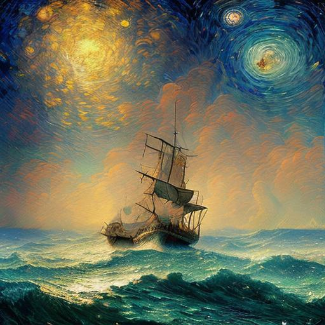
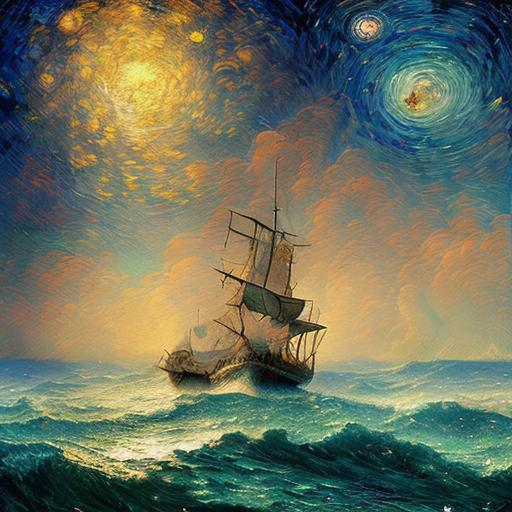
The following image was generated by using the prompt “mdjrny-v4 style astonishing dutch seascape artwork from the year 2104, fusion between cell-shading and oil painting, influenced by van gogh” as input for the GenerateImage function. The function takes this input and converts it into a JSON expression to be sent to the “Hugging Face” API. The “openjourney” text-to-image generation model, which is hosted by “Hugging Face”, uses the input prompt to generate a corresponding image. The model uses deep learning techniques to generate the image, such as Generative Adversarial Networks (GANs), and it is trained on a large dataset of images and captions. The model uses the input prompt to generate an image that represents the idea of a “dutch seascape artwork from the year 2104”, which may include elements such as a seascape, a Dutch-inspired windmill, and imagery that would be indicative of a future year. Once the image is generated by the model, it is returned as raw image data in the form of bytes. The GenerateImage function then uses the ImportByteArray function to convert this data into an Image expression that can be displayed, saved or manipulated in the Wolfram Language. In summary, the GenerateImage function uses the “openjourney” text-to-image generation model to create an image that represents the idea of a “dutch seascape artwork from the year 2104” using text input and returns it as an image expression.
In[]:=
GenerateImage["mdjrny-v4 style astonishing dutch seascape artwork from the year 2104, fusion between cell-shading and oil painting, influenced by van gogh"]
Out[]=
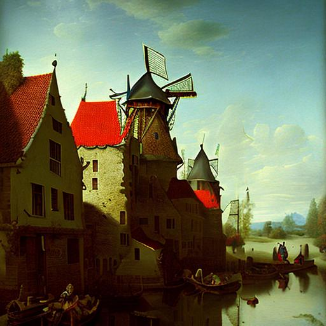
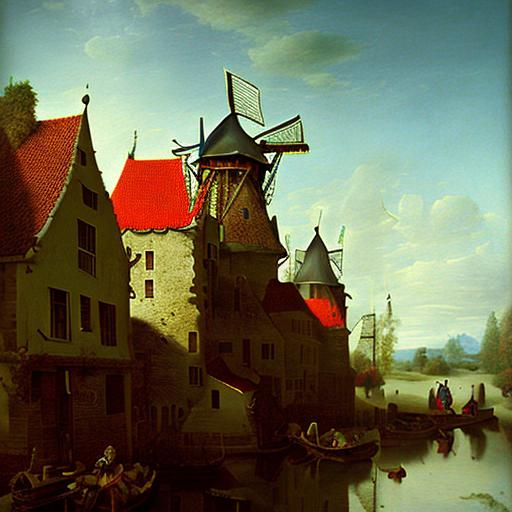
Here is another example of using the GenerateImage function using the prompt “dutch landscape influenced by the painter Vermeer”. The function takes this input and converts it into a JSON expression, which is then sent to the “Hugging Face” API. The “openjourney” text-to-image generation model uses this input to generate a corresponding image that represents the idea of a “dutch landscape influenced by the painter Vermeer”. The model generates an image that includes elements that are commonly associated with landscapes painted by Vermeer, such as winding canals, traditional Dutch architecture, and a sense of serenity and tranquility. The model uses the input prompt to generate an image that is evocative of Vermeer’s style, which is characterized by the use of light, shadow and reflections to create a sense of depth and realism. The model may also pay attention to color palettes and composition often used by Vermeer in his paintings.
In[]:=
GenerateImage["mdjrny-v4 style cool dutch landscape artwork from the year 1702, fusion between cell-shading and oil painting, influenced by Vermeer"]
Out[]=
In conclusion, the Wolfram Language provides a powerful tool for generating new and unique artwork by calling the “openjourney” text-to-image generation model via the “hugging face” API. The GenerateImage function allows users to input text prompts, and the model generates corresponding images based on the input. The function seamlessly integrates with the API and allows users to take advantage of the capabilities of the “openjourney” model to generate new and unique artwork. The ImportByteArray function is used to import the raw image data from the server and convert it to an Image expression, allowing the user to easily work with and manipulate the generated images. This approach provides an exciting new way to explore the intersection of language and art and opens up a wide range of possibilities for creative projects and analysis.