GreenUP Green Space Detector
Jessica Shi, Anwesha Das, Aranyo Ray, and Claire Morton
We recently submitted this project to the Hack the Helyx Hackathon this past weekend. The theme of the competition was “Sustainability”. Our goal was to create a tool that could determine if your community meets sufficient criteria as per internationally agreed upon standards of green space. With this power of information, we hope that this will encourage advocacy towards green space development.
To visit our webpage that links to our Wolfram interactive tools: https://green-up.weebly.com
To visit our webpage that links to our Wolfram interactive tools: https://green-up.weebly.com
Generate satellite image
In[]:=
createmap[place_,radius_]:=map=GeoImage[GeoRangeQuantity[radius,"kilometers"],GeoCenterplace]
In[]:=
chicagomap=createmap,2.5
Out[]=
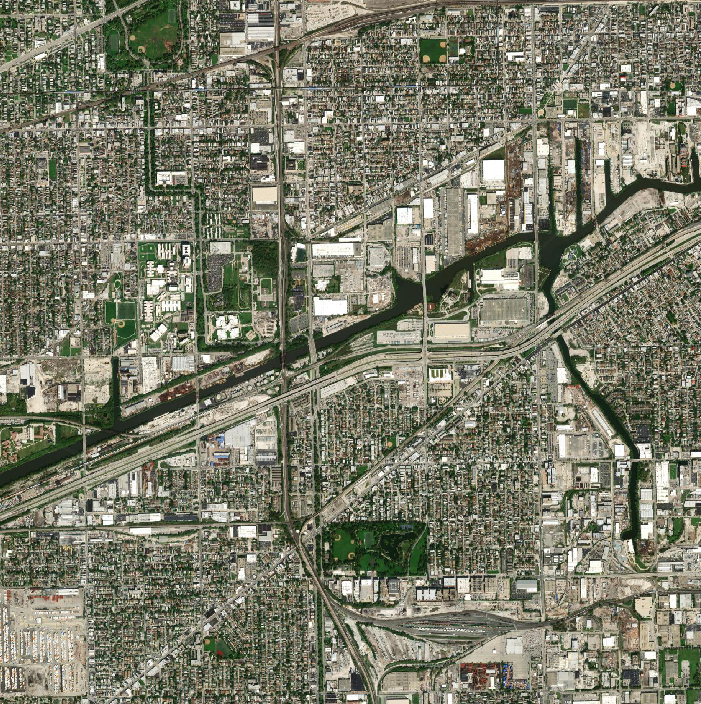
Next, we wanted to be able to more easily visually the green areas.
Replace green pixels with red
In[]:=
gmap[map_]:=map2=ColorReplace[map,GreenRed,.26]
In[]:=
chicagomap2=gmap[chicagomap]
Out[]=
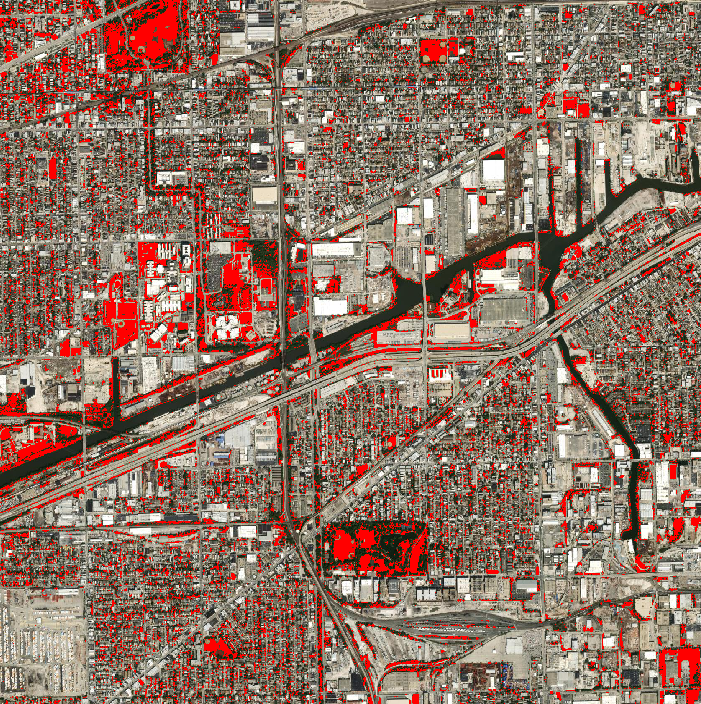
The following piece will return the total number of green pixels in the satellite image, the ratio between green pixels and total pixels, and the area in kilometers-squared of green.
Count the number of red pixels from the new map
In[]:=
gpixelcalc[map2_]:=greenpixel=Length@PixelValuePositions[map2,Red,.1]
In[]:=
chicagopixel=gpixelcalc[chicagomap2]
Out[]=
55815
Calculate the proportion of green pixels out of the total pixels
In[]:=
pixelratios[greenpixel_,map2_]:=pixelratio=1.0*greenpixel/(Times@@ImageDimensions[map2])
In[]:=
chicagoratio=pixelratios[chicagopixel,chicagomap2]
Out[]=
0.113099
Multiply the proportion by the real-life area (distance squared)
In[]:=
areacalc[pixelratio_,distance_]:=area=Quantity[(2*distance)^2,"kilometers squared"]*pixelratio
In[]:=
chicagoarea=areacalc[chicagoratio,2.5]
Out[]=
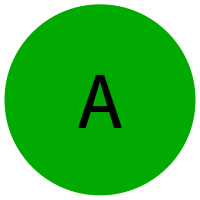
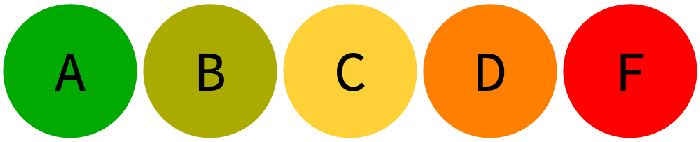
We also wanted to use this information to give an easy-to-understand letter grading system to indicate how “green” an area is.
Create the grading letter graphics with color
In[]:=
lettergen[{letter_,color_}]:=Rasterize[Overlay[{Graphics[{color,Disk[]},ImageSizeTiny],Style[letter,40]},Alignment->Center],RasterSize200]
In[]:=
lettergen[{"A",Darker@Green}]
Out[]=
Use the proportion and assign it a grade
In[]:=
grade[ratio_]:=Which[0≤ratio<.05,lettergen[{"F",Red}],.05≤ratio<.1,lettergen[{"D",Orange}],.1≤ratio<.15,lettergen[{"C",RGBColor[1.,0.82,0.21]}],.15≤ratio<.2,lettergen[{"B",Darker@Yellow}],.2≤ratio≤1,lettergen[{"A",Darker@Green}]]
In[]:=
grade[chicagoratio]
Out[]=

Create a graphic for the grade scale
In[]:=
Rasterize[Row[Map[lettergen[#]&,{{"A",Darker@Green},{"B",Darker@Yellow},{"C",RGBColor[1.,0.82,0.21]},{"D",Orange},{"F",Red}}]],RasterSize700]
Out[]=
We also discovered the function DistanceTransform which can visualize distance to the background using value. By highlighting the green spaces with white and making everything else black, the function could be used. This image was then made semi-transparent and overlaid on the satellite image.
Create visual indicating distance to green space
In[]:=
gmap2[map_]:=Show[{map,SetAlphaChannel[DistanceTransform@ColorNegate@Binarize[ColorReplace[ColorReplace[map,WhiteBlack,.2],GreenWhite,.26],.7]//ImageAdjust,0.6]}]
In[]:=
gmap2[chicagomap]
Out[]=
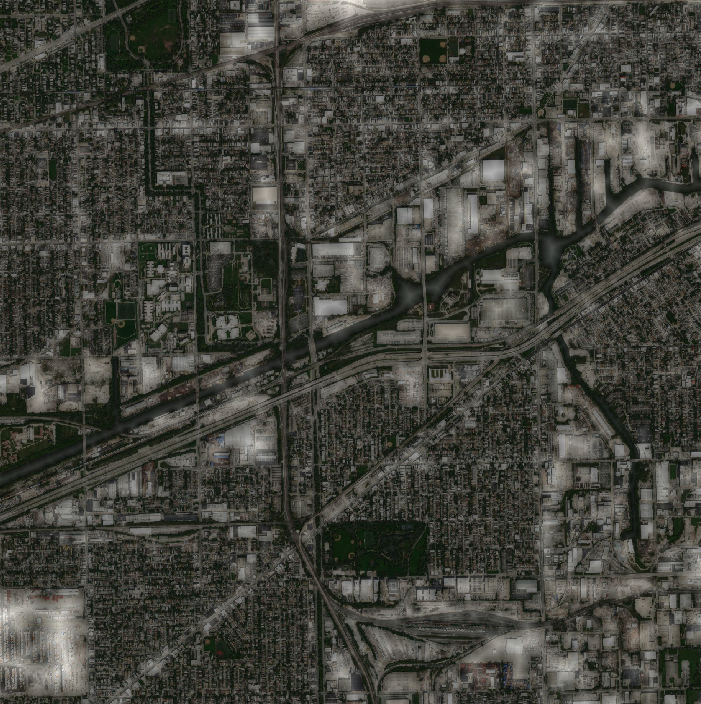
Finally, we created the form pages formatting them for cloud deploy that allow the input of a location and a distance. The first one allows the user to type in an address or the name of a city, while the second one utilizes the users location.
Cloud deploy a form allowing an input of location and distance
In[]:=
CloudDeployFormPage{"location""Location","distance""Number"},Grid[{{"Satellite Image","Red Pixels Pinpoint Detected Green Spaces"},{createmap[#location,#distance],gmap[map]},{"Total Number of Green Pixels",gpixelcalc[map2]},{"Ratio of green pixels to total pixels",pixelratios[greenpixel,map2]},{"Estimated area of green space",areacalc[pixelratio,#distance]},{"Total area in map",Quantity[(2*#distance)^2,"kilometers squared"]},{"Greeness grade for this community",grade[pixelratio]},{"Distance from greenspace map (White/Bright areas indicate furthest distance from greenspace)",gmap2[map]}}]&,AppearanceRules<|"Title"
,"Description""In the location box, type in a city name, street address, or other location name. This will be the center point of the satellite image. In the distance box, type a number in kilometers which will be the radius of the area around the center point in the satellite image; it is recommended to choose a value between 1-5, to ensure that the green can be detected. Press submit to view results."|>,PageTheme"White",Permissions"Public"

Out[]=
Cloud deploy a form asking for permission to use location and allowing an input of current location and distance
In[]:=
CloudDeployFormPage{EmbeddedHTML@StringJoin["<script>function initYourPosition( position ) { document.getElementsByName('yourPosition')[0].value = ''+position.coords.latitude+','+position.coords.longitude;}</script>","<script>navigator.geolocation.getCurrentPosition(initYourPosition)</script>"],"yourPosition""Location","distance""Number"},Grid[{{"Satellite Image","Red Pixels Pinpoint Detected Green Spaces"},{createmap["navigator.geolocation",#distance],gmap[map]},{"Total Number of Green Pixels",gpixelcalc[map2]},{"Ratio of green pixels to total pixels",pixelratios[greenpixel,map2]},{"Estimated area of green space",areacalc[pixelratio,#distance]},{"Total area in map",Quantity[(2*#distance)^2,"kilometers squared"]},{"Greeness grade for this community",grade[pixelratio]},{"Distance from greenspace map (White/Bright areas indicate furthest distance from greenspace)",gmap2[map]}}]&,AppearanceRules<|"Title"
,"Description""Your web browser will prompt you for permission to use your location, coordinates will automatically be inputted into the yourPosition box. In the distance box, type a number in kilometers which will be the radius of the area around the center point in the satellite image; it is recommended to choose a value between 1-5, to ensure that the green can be detected. Press submit to view results."|>,PageTheme"White",CreateUUID["temp/"],Permissions"Public"

In the future, we hope to:
◼
Refine our algorithm by also identifying polygons and larger green spaces
◼
Attempt to classify them as private or public green spaces
◼
Modify our letter-grading system such that it is not solely dependent on the ratio of green area to total area, but also takes in factors like size, distance from the user, and the quality of green spaces into account
Check it out! https://green-up.weebly.com