Wolfram Cloud
Resource Object
Example Resource
Analyze Fitness Data
Source Notebook
Inspect steps-per-day data for trends
Examples
Example Notebook
Open in Cloud
Download Notebook
Fitness data can be retrieved stored and retrieved many ways including with
D
a
t
a
b
i
n
,
S
e
r
v
i
c
e
E
x
e
c
u
t
e
, or
I
m
p
o
r
t
on a raw data file. Import the data:
I
n
[
1
]
:
=
s
t
e
p
c
o
u
n
t
s
=
R
e
s
o
u
r
c
e
D
a
t
a
,
"
D
a
i
l
y
S
t
e
p
C
o
u
n
t
"
O
u
t
[
1
]
=
T
i
m
e
S
e
r
i
e
s
T
i
m
e
:
0
6
J
a
n
2
0
1
0
G
M
T
-
6
t
o
1
4
N
o
v
2
0
2
2
G
M
T
-
6
D
a
t
a
p
o
i
n
t
s
:
4
5
2
1
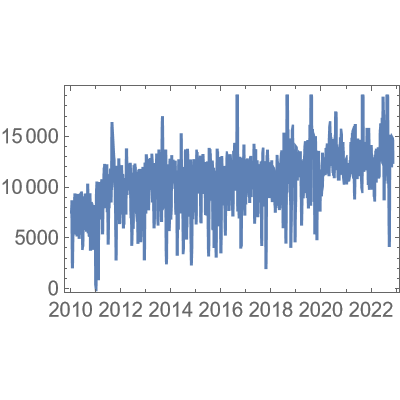
Plot steps per day as a function of time:
I
n
[
2
]
:
=
D
a
t
e
L
i
s
t
P
l
o
t
[
s
t
e
p
c
o
u
n
t
s
]
O
u
t
[
2
]
=
Make a histogram of the results:
I
n
[
3
]
:
=
H
i
s
t
o
g
r
a
m
[
s
t
e
p
c
o
u
n
t
s
]
O
u
t
[
3
]
=
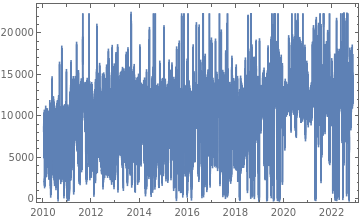
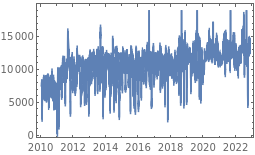
Plot the weekly moving average. It looks as if there was at least a slight upward trend:
I
n
[
4
]
:
=
D
a
t
e
L
i
s
t
P
l
o
t
M
o
v
i
n
g
A
v
e
r
a
g
e
s
t
e
p
c
o
u
n
t
s
,
1
w
k
O
u
t
[
4
]
=
Source Metadata
Publisher Information
Contributed By:
Wolfram Staff