Introduction:
Introduction:
In this project, I aim to analyze public opinion of the coronavirus in different Geographic regions of Chennai, the city in which I live. Thanks to Mathematica’s ability to get tweets from twitter, I was able to extract several hundred tweets on twitter which were about the coronavirus, and analyze their sentiment. Then, I tried to separate different parts of the city into equally sized areas, and map the sentiment about covid in each one of them.
First Steps:
First Steps:
The very first thing we must do is to connect to twitter. This an be done by creating a variable twitter, and using ServiceConnect to set up a new connection from Mathematica to your twitter account.
In[]:=
twitter=ServiceConnect["Twitter","New"]
Out[]=
ServiceObject

After that, the twitter API needs to be activated, and to that end, I created a variable twitter in order to connect to Twitter, so that I’d be able to scrape tweets from its website.
Then, I focused on gathering the data. To this end, I created a variable tweets, and into it, inputted the query, location, radius of the area I was looking for results in, and the language of the tweets which I wanted to select. This last step was necessary since the Classify function which I would use to get the sentiment of the tweet is best used on tweets which were already in English.
Then, I focused on gathering the data. To this end, I created a variable tweets, and into it, inputted the query, location, radius of the area I was looking for results in, and the language of the tweets which I wanted to select. This last step was necessary since the Classify function which I would use to get the sentiment of the tweet is best used on tweets which were already in English.
In[]:=
tweets=twitter"TweetSearch","Query"->"covid",GeoLocation->,"Radius"->,"Language"->
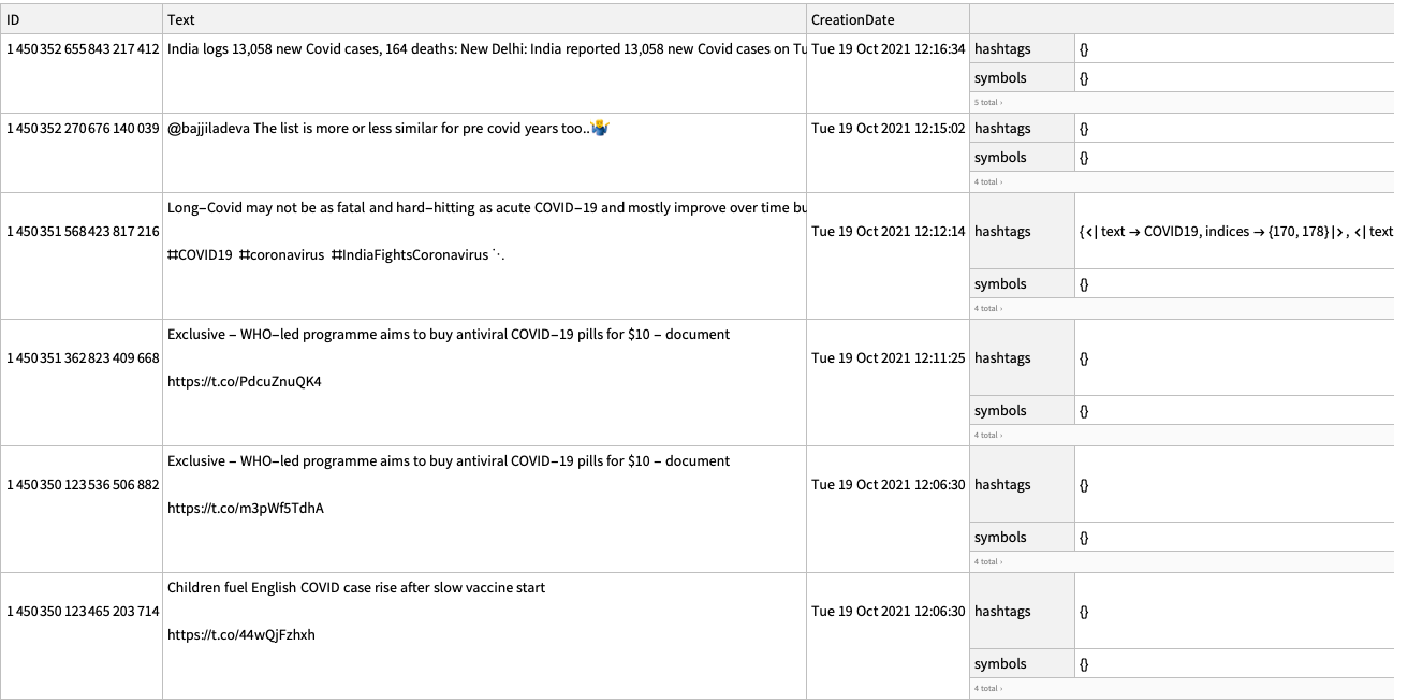
The TweetSearch function automatically filters for the most recent tweets, meaning that using said function wouldn’t allow us to get covid sentiment from specific time periods (e.g. in March 2020, when lock downs were initially imposed). This is understandable, since over five hundred million tweets are sent per day, but it also limits us from gathering data over time to look at how sentiment about coronavirus has changed. Since the majority of Chennai residents are not tweeting in English at any given moment, we always run the risk of getting anomalous data, and that could hinder decision making, about, say, reopening certain parts of the city. The most obvious solution to this problem is to simply get the tweets over a certain time period, say weekly on Saturday, and plot a line graph of the sentiments in order to figure out the trend of covid sentiment.
In order to make sure that Mathematica’s natural language processor delivers accurate sentiment scores, we have to ensure that we ‘clean’ the tweets. The tweets which most often confuse these systems are tweets which contain URLs. To solve this problem, we should either remove tweets which contain URLs, or find a way to remove URLs while still retaining the bulk of the tweet (provided that the tweet is not solely composed of a URL). Since hashtags and mentions often appear at the end of a tweet, we should remove them as well.
Let us take a sample tweet that pops up when we get some tweets of twitter:
In order to make sure that Mathematica’s natural language processor delivers accurate sentiment scores, we have to ensure that we ‘clean’ the tweets. The tweets which most often confuse these systems are tweets which contain URLs. To solve this problem, we should either remove tweets which contain URLs, or find a way to remove URLs while still retaining the bulk of the tweet (provided that the tweet is not solely composed of a URL). Since hashtags and mentions often appear at the end of a tweet, we should remove them as well.
Let us take a sample tweet that pops up when we get some tweets of twitter:
In[]:=
toStringText="The Government has approved extending the benefit of @Pradhan Mantri Garib Kalyan package that provides 50 lakh insurance package to healthcare workers in the line of #covid19 duty to workers and helpers https://t.co/fX42mAYPte"
Out[]=
The Government has approved extending the benefit of @Pradhan Mantri Garib Kalyan package that provides 50 lakh insurance package to healthcare workers in the line of #covid19 duty to workers and helpers https://t.co/fX42mAYPte
This tweet has a URL, mention, and hashtag, and we should remove them.
In[]:=
afterHashtagRemoved=StringDelete[toStringText,StringCases[toStringText,"#"~~_~~Except[WhitespaceCharacter]..]]
Out[]=
The Government has approved extending the benefit of @Pradhan Mantri Garib Kalyan package that provides 50 lakh insurance package to healthcare workers in the line of duty to workers and helpers https://t.co/fX42mAYPte
In[]:=
afterURLRemoved=StringDelete[afterHashtagRemoved,StringCases[afterHashtagRemoved,"https://"~~Except[WhitespaceCharacter]..]]
Out[]=
The Government has approved extending the benefit of @Pradhan Mantri Garib Kalyan package that provides 50 lakh insurance package to healthcare workers in the line of duty to workers and helpers
In[]:=
afterATmentionsRemoved=StringReplace[afterURLRemoved,"@"~~Except[WhitespaceCharacter]..->""]
Out[]=
The Government has approved extending the benefit of Mantri Garib Kalyan package that provides 50 lakh insurance package to healthcare workers in the line of duty to workers and helpers
If we were to wrap all of these up into a function, it would look something like:
In[]:=
cleanTweetText[tweetText_String]:=Module[{afterHashtagRemoved,afterURLRemoved,afterATmentionsRemoved},afterHashtagRemoved=StringDelete[tweetText,StringCases[tweetText,"#"~~_~~Except[WhitespaceCharacter]..]];afterURLRemoved=StringDelete[afterHashtagRemoved,StringCases[afterHashtagRemoved,"https://"~~Except[WhitespaceCharacter]..]];afterATmentionsRemoved=StringReplace[afterURLRemoved,"@"~~Except[WhitespaceCharacter]..->""];afterATmentionsRemoved]
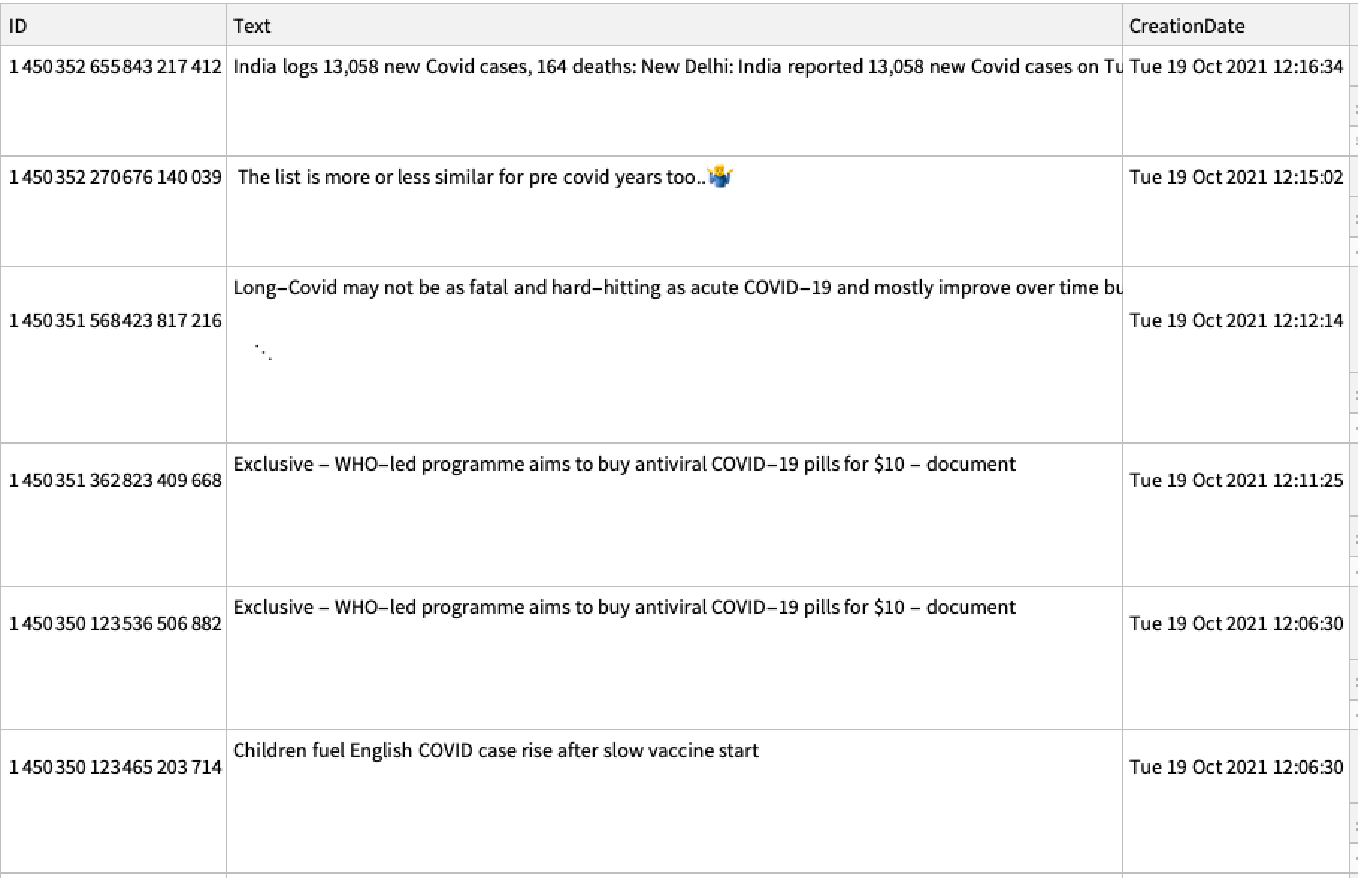
Applying this function onto the tweets we’ve gotten gives us ‘clean’ tweets:
In[]:=
cleanTweets=Query[All,{"Text"->cleanTweetText}]@tweets
In[]:=
Normal@Keys@tweets[[1]]
Out[]=
{ID,Text,CreationDate,Entities,Language,FavoriteCount,RetweetCount}
Since Twitter does not give out Locations along with each tweet, presumably for privacy purposes, I had to look at tweets from different regions manually in order to plot sentiment for different areas of Chennai.
Getting Locations and Plotting Disks
Getting Locations and Plotting Disks
The first function we have to define is the function to get the locations of the disks which we want to plot.
An example of the the type of function which is needed to accomplish this task:
An example of the the type of function which is needed to accomplish this task:
In[]:=
getLocations[geoRange_,diskSize_,distanceBetweenDisks_]:=Module[{nestedLists},nestedLists=Table[GeoDisk[GeoPosition[{lat,long}],diskSize],{lat,geoRange[[1,1]],geoRange[[1,2]],distanceBetweenDisks},{long,geoRange[[2,1]],geoRange[[2,2]],distanceBetweenDisks}];Flatten[nestedLists,1]]
Where geoRange is represented by:
In[]:=
geoCenter=GeoPosition
Out[]=
GeoPosition[{13.09,80.27}]
The variable geoCenter, which we can see in the code above has been defined as the GeoPosition of Chennai, and geoRange will be defined with respect to the geoPosition of Chennai.
In[]:=
geoRange={{geoCenter[[1,1]]-.15,geoCenter[[1,1]]+.15},{geoCenter[[1,2]]-.15,geoCenter[[1,2]]+.05}};
Now let’s try to view the disks which we’ve plotted onto the city. We can do that by defining a function which takes geoCenter, geoRange, disk size, and the distance between the disks into account while plotting the disks onto geographical regions of the city. A function like that would look somewhat like this:
In[]:=
viewDisks[geoCenter_,geoRange_,diskSize_,distanceBetweenDisks_]:=GeoGraphics[{getLocations[geoRange,diskSize,distanceBetweenDisks]},GeoCentergeoCenter,GeoRangegeoRange,AxesTrue]
If we chose to run viewDisks, the output would be something that looks like this:
We can change these values if we want to, in order to better fit the regions in which we want to map the sentiment.
Getting the Tweets
Getting the Tweets
In the first part of this post, we tried to get tweets about covid, but realized that since tweet locations aren’t given out, we’d have to find some other way to do it. One way to do this is to create a function which gets the tweets in the locations in which we want them. Such as a function getTweets may be defined as:
In this piece of text, we’ve entered our query, which is the keyword that our getTweets function will search for on twitter. However, there are several other keywords that tweeters may use instead of covid, such as “coronavirus” and “Covid-19”. If we want to accurately detect covid sentiment at a given time, we’ll have to get the covid sentiment using queries to get the tweets in which people use some of the most common keywords to reference covid.
Now, we have to figure out a way to run the getTweets function in such a way that it gets tweets from different “disks”, which make up different parts of Chennai.
Next, we should use the getLocations function in order to set the value of geoDisks, and follow it up by running the getTweets function to get the tweets off twitter:
On running allTweets, Mathematica will promptly start loading the most recent covid tweets which have been put out by various twitter users into the areas which we’re looking at. The next step we’ll have to take is to figure out the different sentiments of the tweets which we’re going to analyze.
Getting Tweet Sentiments
Getting Tweet Sentiments
The next step is to get the sentiment of each tweet and append it, in order to link the tweet and its attitude. To do this, we need to add a new key to the database which twitter already gives us, and map the sentiment for all of the tweets already stored in the allTweets variable, which we can do with the function below:
In the function above, we’re mapping sentiment using the inbuilt classify function, and appending it onto allTweets. You’ll also notice that we’re cleaning the text before we append the sentiment in order to get more accurate sentiment scores.
Saving our Data
Saving our Data
Now that we’ve gotten all our essential data and cleaned it, we’ll have to save it so that our functions won’t have to keep scraping tweets of twitter, and can instead simply utilise the database that we’ll have cached. Another reason saving our data is useful is that the twitter API only allows a certain number of “calls” during any short time period, and cacheing the data would save time. Also, let us not forget that at this point, we’ll have run the getTweets functions multiple times in order to get different sets of tweets which we’ll have to store as separate databases, and eventually merge when we plot of our final graph.
Here, we’ve created a function which takes the data in allTweets as well as the file’s name into account in order to create a .put file in which to store said data:
Here, we’ve created a function which takes the data in allTweets as well as the file’s name into account in order to create a .put file in which to store said data:
The next thing which needs to be done is to create a function to load the tweets from the cached file, which we need to use in the end when we finally plot covid sentiment regionally. The function needs to join the location of the file with its name, and store it in the variable location, which can then be called on.
The last step we need to take in saving our tweets is to create a function listCaches, in order to display the file’s names:
Plotting Coronavirus Sentiment
Plotting Coronavirus Sentiment
The final function we’ll have to plot is one plotting covid sentiment onto the map we created earlier. To do this, we’ll have to figure out the number of negative tweets in each given area we cover, figure out the proportion of negative tweets in said area, and change the coloring of the disk in that area to reflect said percentage. In order to leave out empty tweets, we’ll have to take the tweet into account only if it has a length which is not equal to zero.
Now, we should append the sentiment onto allTweets, in which our data is stored, and cache it so that we can call upon it later. In the code below, we’re also renaming the data file using GeoCenter, radius, spacing, etc.
Now, we should append the sentiment onto allTweets, in which our data is stored, and cache it so that we can call upon it later. In the code below, we’re also renaming the data file using GeoCenter, radius, spacing, etc.
Next, we should merge the various .put documents which we have gotten upon running the getTweets function multiple times with different queries. To do this, we will have to get the data files from the location in which we’ve stored them by taking files that end in .put and “merging” their contents. This helps us avoid having to run sentimentPlot for each file individually.
Next, we should merge the various .put documents which we have gotten upon running the getTweets function multiple times with different queries. To do this, we will have to get the data files from the location in which we’ve stored them by taking files that end in .put and “merging” their contents. This helps us avoid having to run sentimentPlot for each file individually.
◼
Output : {"/Users/jayanthiprakash/Downloads/Load Many/data/1covid.put", "/Users/jayanthiprakash/Downloads/Load Many/data/2covid.put", "/Users/jayanthiprakash/Downloads/Load Many/data/3covid.put"}
And finally, we can plot the Sentiment for all of these by running sentimentPlot:
And finally, we can plot the Sentiment for all of these by running sentimentPlot:
If we chose to, we could run sentimentPlot for each data file individually by running listCaches, choosing the file which we wanted to utilize, running loadTweets, and finally using sentimentPlot to plot the heat map.
Conclusion
Conclusion
As we can see from the heat map, covid sentiment in most of Chennai is either neutral or positive, but there are some very negative sentiments in the Eastern and Southern Regions of Chennai. As we can see in the heat map, a lot of the darker regions overlap, which suggests that at least a couple of the negative tweets, and this presumably affects positive and neutral tweets as well, are common to multiple disks. We could have removed the overlap completely had we increased the spacing between the disks, but we would have run the risk of missing tweets, as we would have much larger uncovered areas between the disks. Ultimately, keeping smaller disks which have small overlaps with surrounding disks is worth it, since it gives more accurate data on covid sentiment, and does not ignore large chunks of the city.
Another limitation of the code which we’ve run is that it only gathers tweets which are written in English. Even though this was necessary, as the classify function in Mathematica works best on English text, most people in Chennai only speak Tamil, which is the local language, fluently. While most residents have a rudimentary knowledge of English, English is the first language only for the upper middle and upper class. Therefore, when we try to analyze covid sentiment, we have to understand that the sentiment we’re analyzing is that of the upper middle and upper class. If we had used a translation tool in order to translate tweets in Tamil to English, and analyzed those translations, we might have gotten a more representative sample of tweeters.
Another limitation of the code which we’ve run is that it only gathers tweets which are written in English. Even though this was necessary, as the classify function in Mathematica works best on English text, most people in Chennai only speak Tamil, which is the local language, fluently. While most residents have a rudimentary knowledge of English, English is the first language only for the upper middle and upper class. Therefore, when we try to analyze covid sentiment, we have to understand that the sentiment we’re analyzing is that of the upper middle and upper class. If we had used a translation tool in order to translate tweets in Tamil to English, and analyzed those translations, we might have gotten a more representative sample of tweeters.
Extensions
Extensions
One of things I could have done was measure covid sentiment in different states in India. In Wolfram, states are classified as administrative regions and have clearly defined boundaries. By changing the location(s) in which we gathered our tweets, we could comb tweets from different states and assign a ‘negativity’ value to them, and plot our results using GeoRegionValuePlot. Since the Indian government collects covid infection rates by district, we could compare the sentiment in major cities, which tend to be located in their own districts, with each other, and compare it with the death/infection rates in those cities to see if there is a correlation.
Another possible modification to this project would have been to use twitter’s inbuilt sentiment analyser to analyse the sentiment of the tweet, instead of relying on Mathematica’s classify function. Sentiment analysis could also have been done for other covid related procedures, such as vaccinations, and lockdowns.
Another possible modification to this project would have been to use twitter’s inbuilt sentiment analyser to analyse the sentiment of the tweet, instead of relying on Mathematica’s classify function. Sentiment analysis could also have been done for other covid related procedures, such as vaccinations, and lockdowns.
Acknowledgements
Acknowledgements
I’d like to thank my mentor, Dr. Kyle Keane, for guiding me through every part of the process, and helping make the process as enjoyable and educational as it has been.