LinkObject errors with natural language input
LinkObject errors with natural language input
24.01.2023, Werner Geiger, WernerGg@t-online.de
On Windows 10 Pro 22H2
On Windows 10 Pro 22H2
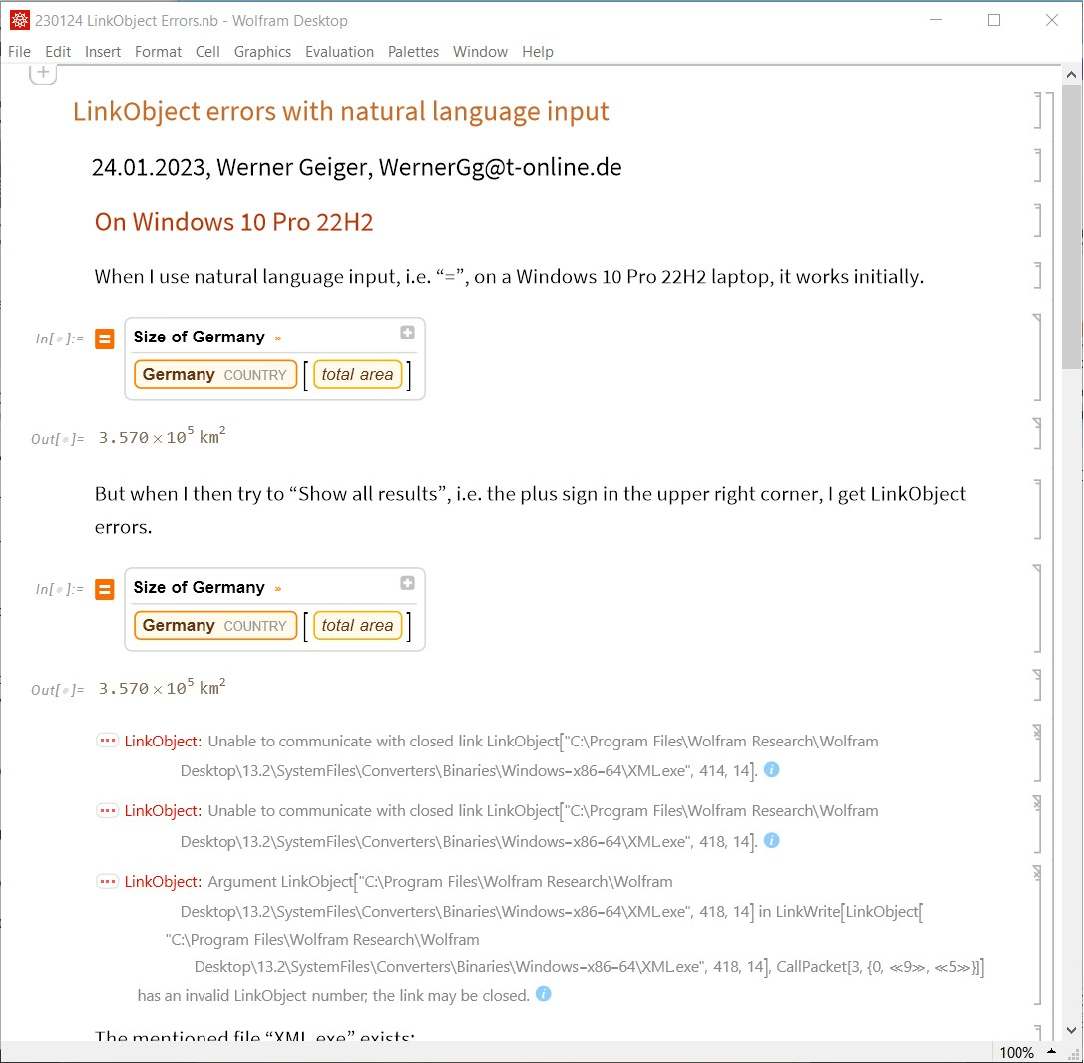
When I use natural language input, i.e. “=”, on a Windows 10 Pro 22H2 laptop, it works initially.
In[]:=
Out[]=
But when I then try to “Show all results”, i.e. the plus sign in the upper right corner, I get LinkObject errors.
In[]:=
Out[]=

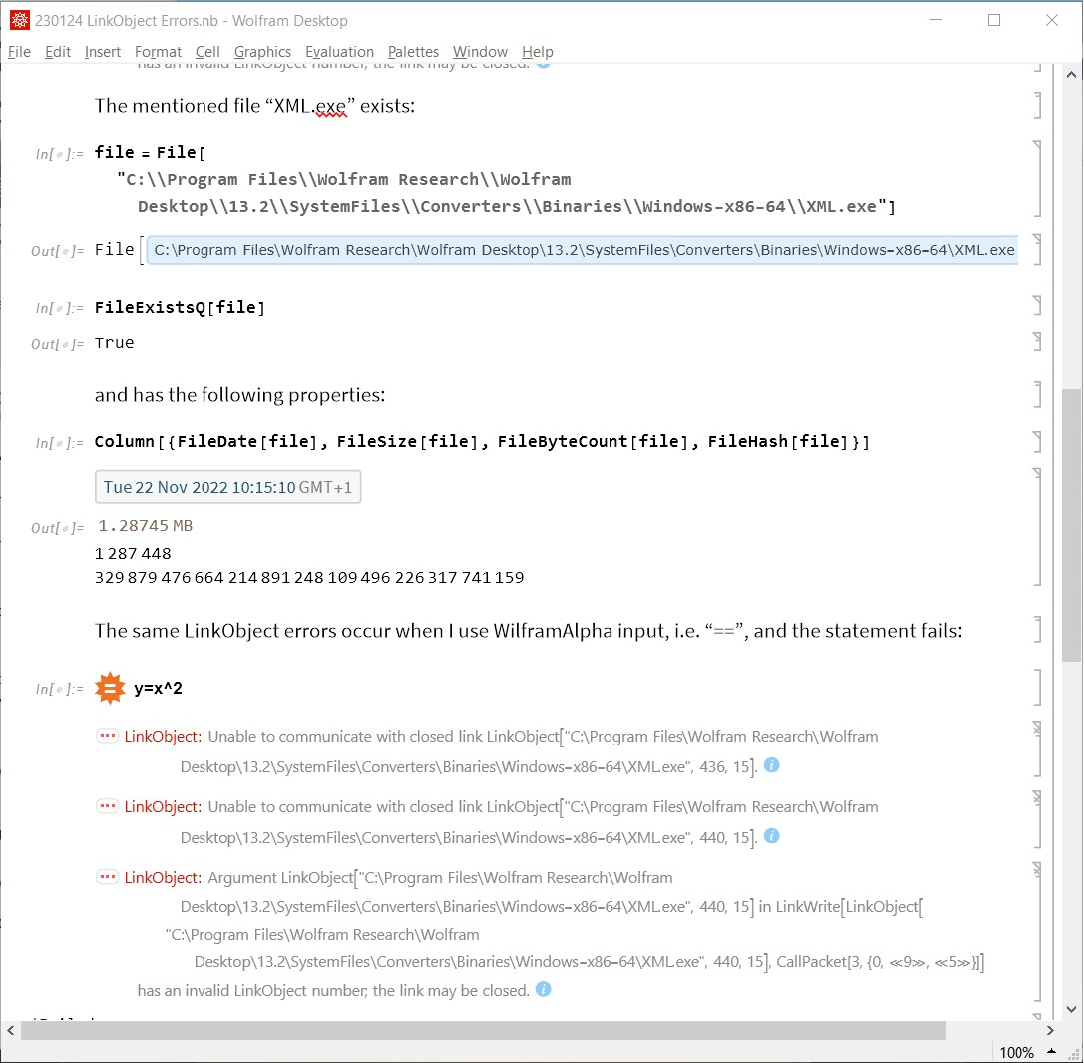
The mentioned file “XML.exe” exists:
In[]:=
file=File["C:\\Program Files\\Wolfram Research\\Wolfram Desktop\\13.2\\SystemFiles\\Converters\\Binaries\\Windows-x86-64\\XML.exe"]
Out[]=
File
In[]:=
FileExistsQ[file]
Out[]=
True
and has the following properties:
In[]:=
Column[{FileDate[file],FileSize[file],FileByteCount[file],FileHash[file]}]
Out[]=
1287448 |
329879476664214891248109496226317741159 |
The same LinkObject errors occur when I use WilframAlpha input, i.e. “==”, and the statement fails:
In[]:=
y=x^2
$Failed
On Windows 11 Pro 22H2
On Windows 11 Pro 22H2
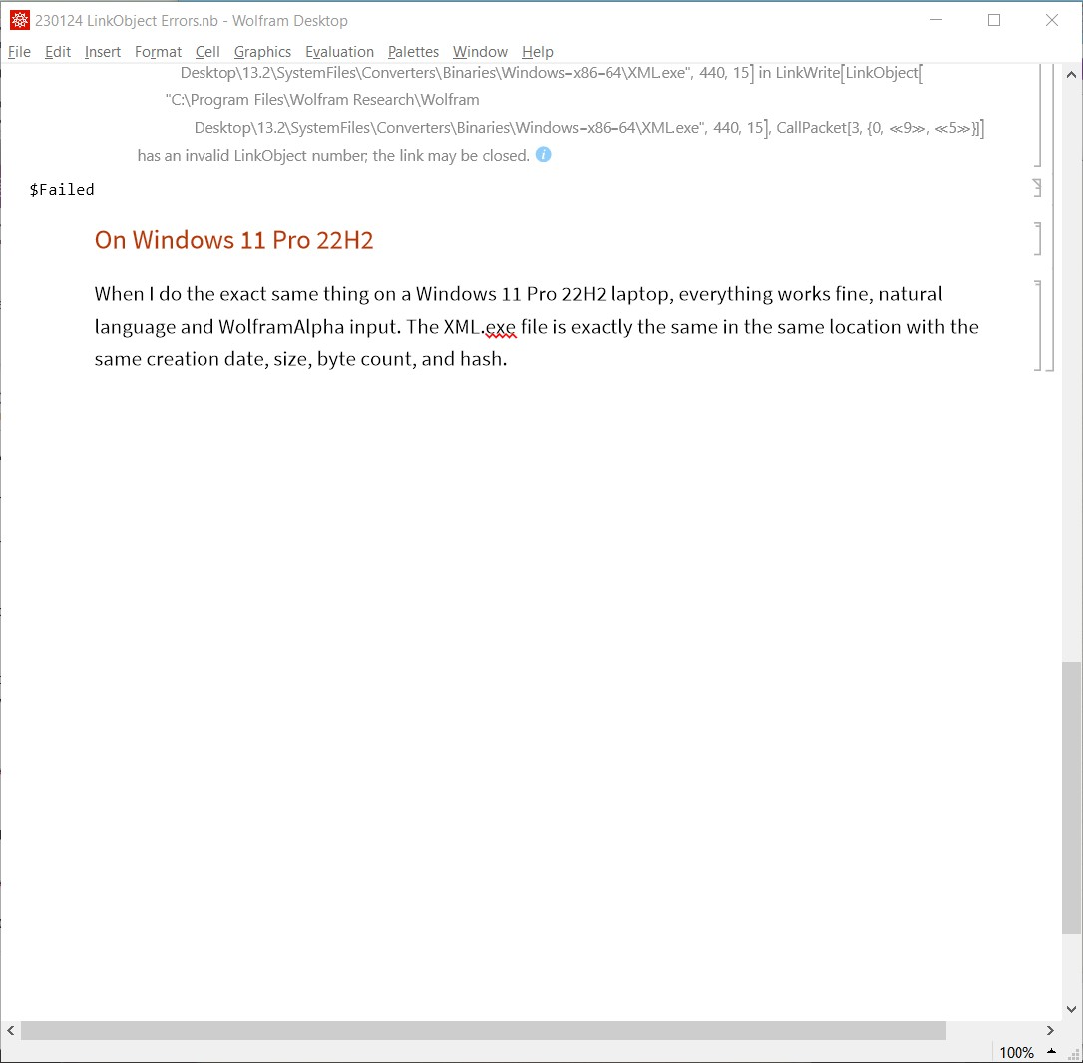
When I do the exact same thing on a Windows 11 Pro 22H2 laptop, everything works fine, natural language and WolframAlpha input. The XML.exe file is exactly the same in the same location with the same creation date, size, byte count, and hash.
Screenshots
Screenshots
From Windows 10 Pro 22H2
From Windows 10 Pro 22H2
In[]:=
SetDirectory[FileNameJoin[{$HomeDirectory,"OneDrive\\WolframHome\\Base\\Support\\230124 LinkObject Errors"}]]Column[Image[Import[#],ImageSize->650]&/@FileNames["230124 W10*.jpg"]]
Out[]=
C:\Users\Werner\OneDrive\WolframHome\Base\Support\230124 LinkObject Errors
Out[]=
From Windows 11 Pro 22H2
From Windows 11 Pro 22H2