Developing complex graphics and plots incrementally can help to better understand a visualization. Especially in a digital teaching environment an automated procedure to generate “explanatory videos”, i.e. that build up a particular plot rather than just displaying it, can help to communicate concepts and improve learning outcomes.
In this project we have laid out the foundations to generate animated videos from standard Graphics. To achieve this, we have dissected some fundamental Graphics objects in the Wolfram Language into their underlying graphics atoms, and plotted them in a sequence, thereby constructing the visualization.
We have built functions like videoGraphics which convert a Graphics object into an animation or video.
In this project we have laid out the foundations to generate animated videos from standard Graphics. To achieve this, we have dissected some fundamental Graphics objects in the Wolfram Language into their underlying graphics atoms, and plotted them in a sequence, thereby constructing the visualization.
We have built functions like videoGraphics which convert a Graphics object into an animation or video.
INTRODUCTION:
INTRODUCTION:
We have all been to restaurants that show us a menu of options, take down our order, and serve us the cooked delicacies directly at the table. While it is the traditional way of serving food, there are other styles of restaurants like the teppanyaki grill that take a more visual approach. These grills cook the food in front of their customers, giving a more enhanced experience. The customers have more fun and come out with a deeper appreciation for the process of cooking. Visualizations possess the power of converting something mundane to something more enjoyable. They have become an essential tool across all industries and have proven to be an effective way of communicating ideas to audiences from different backgrounds. Conveying a complex idea is much harder if pictures are just shown on a presentation slide. The mind feels more connected to the subject if it can visualize the process sequentially. Moreover, the learner comes out with an enriched understanding of the subject matter. The mind is able to comprehend and grasp the complexity of the subject matter if things are “drawn” out sequentially. In this project, we have attempted to lay the framework for visualizations of various Graphics primitives within the Wolfram Language and develop tools to draw these objects out sequentially (as opposed to showing these objects on a screen).
VISUALIZING FUNDAMENTAL GRAPHICS PRIMITIVES:
VISUALIZING FUNDAMENTAL GRAPHICS PRIMITIVES:
While there are numerous Graphics Primitives within the Wolfram Language and the task of visualizing all of them might seem daunting at first, there are only a few fundamental primitives that make up the majority of the other graphics objects in Mathematica. In this project we try to construct the visualizations of those fundamental primitives that can be extrapolated to visualize other derived graphics objects.
NOTE: If the animations do not render in the cloud, please download the notebook and test it on your local machine. The notebook is self-contained and does not need any external resources to be executed.
POINTS:
POINTS:
Among all the Graphics objects, the point is the easiest to visualize and that is the starting point (pun intended) of our project.
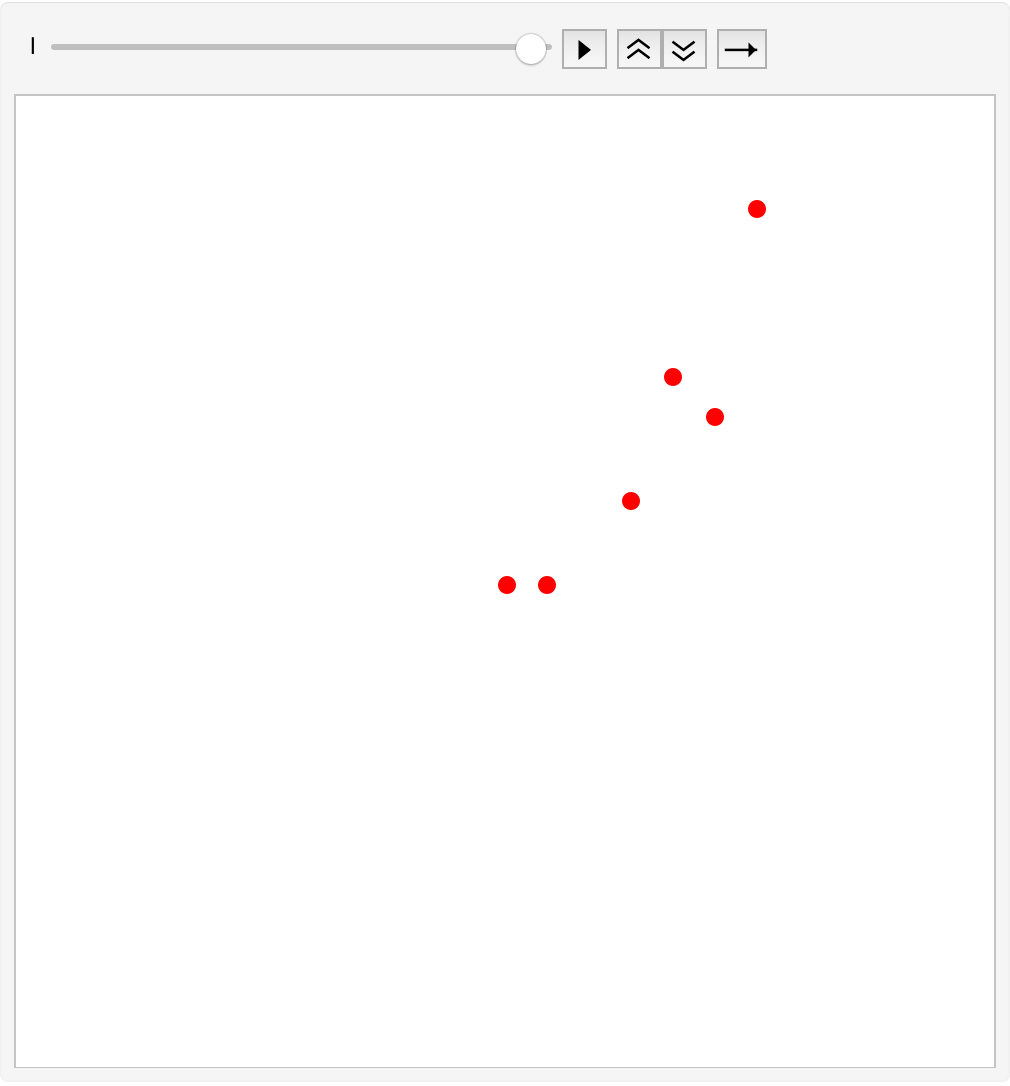
animatePoints takes in a range of coordinate points and some optional arguments like color and point size. It displays the points on the canvas sequentially.
In[]:=
animatePoints[points_,color_:Black,pointsize_:0.01]:=Animate[Graphics[Style[{PointSize[pointsize],Table[Point[points[[i]]],{i,l}]},color],PlotRange{{-1.2*Max[points],1.2*Max[points]},{-1.2*Max[points],1.2*Max[points]}}],{l,1,Length[points],1},AnimationRunningTrue,AnimationRepetitions1,DeployedTrue,SaveDefinitionsTrue]
SIMPLE EXAMPLE:
SIMPLE EXAMPLE:
In[]:=
pts={{0,0},{1,0},{5,4},{3,2},{6,9},{4,5}};
In[]:=
animatePoints[pts,Red,0.02]
Out[]=
LINES:
LINES:
The issue of visualizing lines is a bit more complicated but achievable. Drawing arbitrary number of lines at the same time is not a tough job. The challenge comes in when these visualizations need to be done sequentially. However, the Wolfram Language has a wonderful function (Interpolation) that is very useful in this case.
HELPER FUNCTION:
HELPER FUNCTION:
For the visualizations of lines, we need a helper function:
the interp function produces a list of the norm of the differences between successive points and produces a list of the sums in that “difference” list. It further goes on to produce an Interpolation function between difference list and the points
In[]:=
interp[points_]:=Module[{d},d=Prepend[Accumulate[Norm/@SetPrecision[Differences@points,MachinePrecision]],0];Interpolation[Transpose@{List/@d,points},InterpolationOrder->1]]
MAIN FUNCTION:
MAIN FUNCTION:
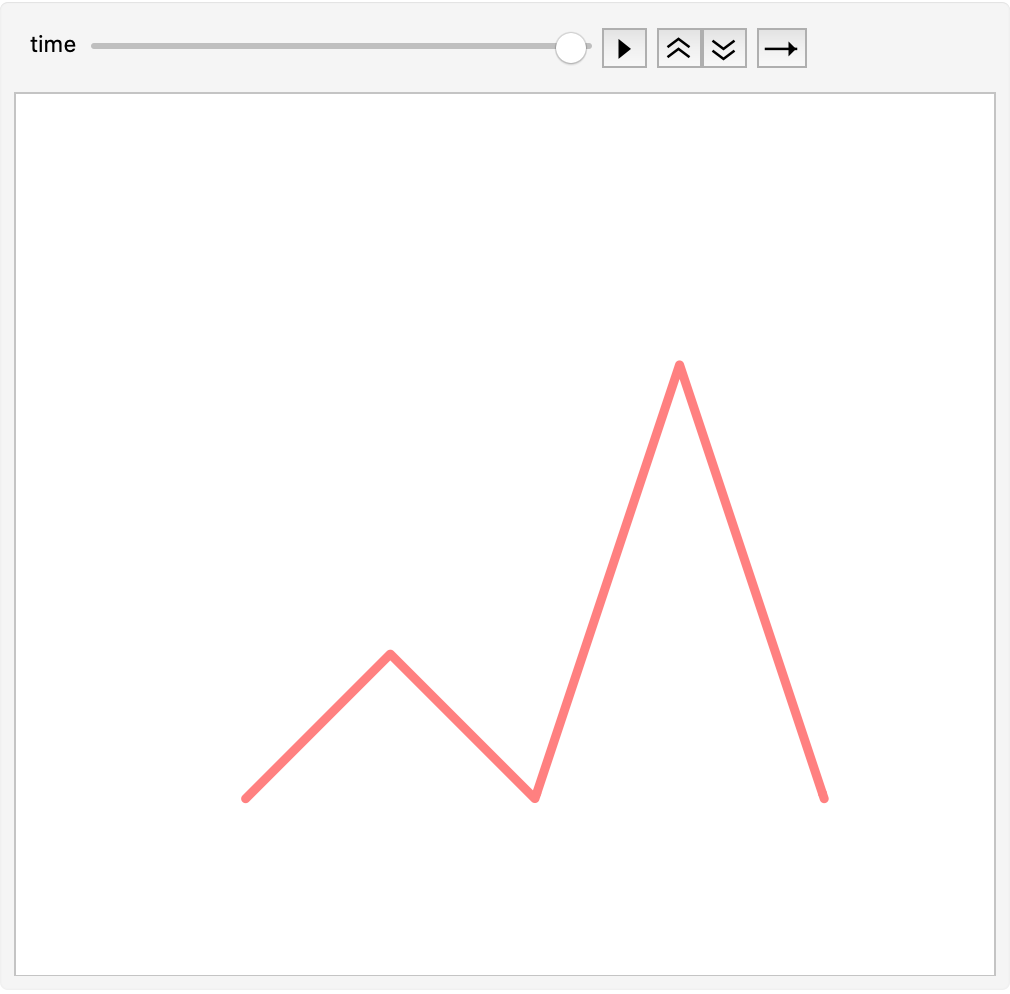
This function takes in a bunch of points (mandatory), a choice of color for the line (optional) and a choice for thickness of the line (optional). It produces a sequential animation of lines.
In[]:=
animateLines[point_,outline_:Black,thick_:0.01]:=Module[{g},g=interp[point](*g:Interpolationfunctionforvariouslines*);Animate[ParametricPlot[g[t],{t,0,time},PlotRange->{-1.2*Abs[Min@point[[All,1]]]-1,1.2*Max@point[[All,2]]+1},AxesFalse,PlotStyle{outline,Thickness[thick],CapForm["Round"],JoinForm["Round"]}],{time,0.1,Last@Accumulate[Norm/@SetPrecision[Differences@point,MachinePrecision]]},AnimationRunningTrue,AnimationRepetitions1,DeployedTrue,SaveDefinitionsTrue]](*Animatingaparamtricplotoftheinterpolationfunction*)
SIMPLE EXAMPLE:
SIMPLE EXAMPLE:
In[]:=
pts2={{0,0},{1,1},{2,0},{3,3},{4,0}};
In[]:=
animateLines[pts2,Pink,0.01]
Out[]=
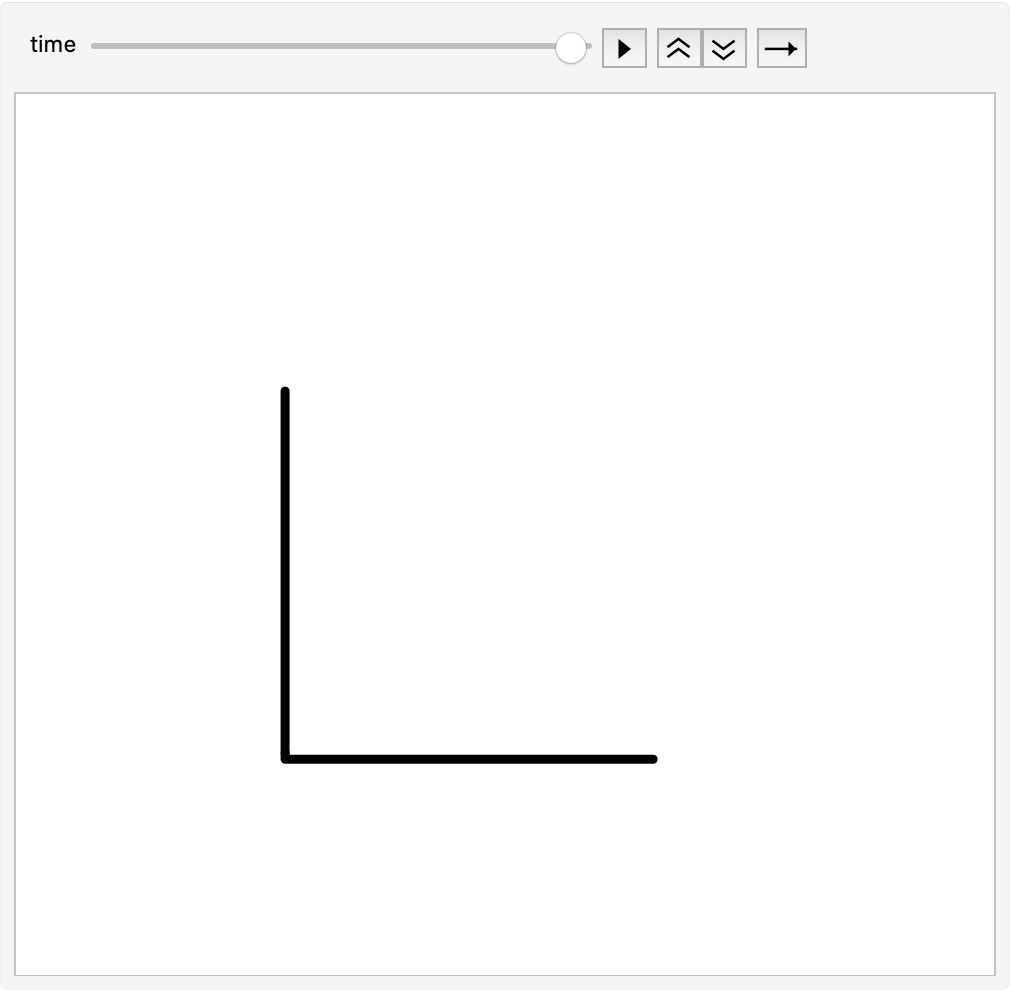
Line animations can be used to mimic the drawing of axes. One challenge will be to draw the axes tick marks in the plot.
In[]:=
animateLines[{{0,0},{2,0},{0,0},{0,2}},Black]
Out[]=
EXTENSION OF LINE ANIMATIONS: CURVES
EXTENSION OF LINE ANIMATIONS: CURVES
Of course, one can play around with the InterpolationOrder and set it to higher values to generate curves instead of lines.
In[]:=
interpCurve[points_]:=Module[{d},d=Prepend[Accumulate[Norm/@SetPrecision[Differences@points,MachinePrecision]],0];Interpolation[Transpose@{List/@d,points},InterpolationOrder->3]]animateCurve[point_,outline_:Black,thick_:0.01]:=Module[{g},g=interpCurve[point](*g:Interpolationfunctionforvariouslines*);Animate[ParametricPlot[g[t],{t,0,time},PlotRange->{-1.2*Abs[Min@point[[All,1]]]-1,1.2*Max@point[[All,2]]+1},AxesFalse,PlotStyle{outline,Thickness[thick],CapForm["Round"],JoinForm["Round"]}],{time,0.1,Last@Accumulate[Norm/@SetPrecision[Differences@point,MachinePrecision]]},AnimationRunningTrue,AnimationRepetitions1,DeployedTrue,SaveDefinitionsTrue]](*Animatingaparamtricplotoftheinterpolationfunction*)
EXAMPLE:
EXAMPLE:
ARROWS:
ARROWS:
Once we have the line animation, it is a trivial job to produce the arrow animation. We simply convert the line to an arrow in the following manner:
Everything, except one, in the above code is identical to animateLines. We have added the command: /. Line -> Arrow to convert lines to arrows.
SIMPLE EXAMPLE:
SIMPLE EXAMPLE:
FURTHER WORK:
FURTHER WORK:
While arrows seem to be a trivial object to animate, they find their applications in graphs. animateArrow function can be extended to draw axes of plots (similar to lines). One challenge would be to draw the tick marks (sequentially) on the axes.
POLYGONS:
POLYGONS:
The line animation is critical to producing polygon animations. We can connect the lines in a certain way to produce these closed figures. This animation too requires the helper function used for lines (and arrows).
MAIN FUNCTION:
MAIN FUNCTION:
This function will produce an n-sided polygon animation.
SIMPLE EXAMPLES:
SIMPLE EXAMPLES:
CIRCLES:
CIRCLES:
Once we have the polygons, we can think about circles. One might think that circle animations are derived from polygon animations. However, Circle is a fundamental Graphics primitive in the Wolfram Language and we took a different approach to producing these animations.
This function animates any sector of a circle of any radius, color, thickness.
SIMPLE EXAMPLES:
SIMPLE EXAMPLES:
Combining the above Graphics Primitives
Combining the above Graphics Primitives
Producing singular animations of various graphics primitive was the first part of the challenge. However, putting these primitives together in a single animation is a Herculean task, yet a rewarding one. In this project we were able to write some functions to produce animations of various graphics objects sequentially.
PRE-REQUISITE FUNCTIONS:
PRE-REQUISITE FUNCTIONS:
We need some helper functions to produce a combined animation and they are laid out here:
We need the helper function from the line animations again
We then need a list of rules to be executed on certain graphics objects
NOTE: rulePolygon only works for regular polygons.
The set of rule functions developed above are a work in progress. There are numerous graphics object within the Wolfram Language whose rules aren’t defined. Further work needs to be done in their development. For instance, FilledCurve, Parallelogram, ConicHullRegion, CircumSphere etc. await their rules.
The set of rule functions developed above are a work in progress. There are numerous graphics object within the Wolfram Language whose rules aren’t defined. Further work needs to be done in their development. For instance, FilledCurve, Parallelogram, ConicHullRegion, CircumSphere etc. await their rules.
Other pre-requisite functions:
USER-INPUT:
USER-INPUT:
FRAME-TIME FUNCTION:
FRAME-TIME FUNCTION:
This function produces a list of individual times and maps it onto the animation of each graphics primitive.
MAIN FUNCTION:
MAIN FUNCTION:
TEST CASE:
TEST CASE:
To make videos out of these animations, one can use the Export command in the Wolfram Language.
NOTE: If the animations do not render in the cloud, please download the notebook and test it on your local machine. The notebook is self-contained and does not need any external resources to be executed.
A CREATIVE EXAMPLE: HERTZSPRUNG-RUSSELL DIAGRAM
A CREATIVE EXAMPLE: HERTZSPRUNG-RUSSELL DIAGRAM
The Hertzsprung Russell Diagram is one of the most important graphs in astronomy. It plots the stars’ intrinsic brightnesses against their temperature. There are variations of this diagram. For instance, there are two other parameters found commonly on the HR diagram: B-V magnitude and the V magnitude. B-V magnitude is basically the difference of the apparent brightness (how bright an object appears from a distance) of a star in blue light (B) and green light (V, obviously). The B-V magnitude is plotted against the absolute brightness (the actual brightness of the object) in green light.
The HR diagram can be animated using the videoGraphics function. In the code below, I have animated the B-V vs V magnitude of 500 stars on the HR diagram.
Keywords
Keywords
◼
Animation
◼
Graphics Primitives
◼
Circles
◼
Polygons
◼
Lines
◼
Combining animations
Acknowledgment
Acknowledgment
First of all, I would like to thank the Wolfram Summer School for giving me this incredible opportunity. Secondly, I highly appreciate the support provided by my mentor, Marco Thiel and my TA, Silvia Hao. I couldn’t have brought this project to fruition without their guidance and inputs. Finally, I would like to thank Stephen Wolfram for giving me the chance to work on this innovative and creative project!