The National Oceanic and Atmospheric Administration (NOAA) has different datasets on climate data. The Global Historical Climatology Network - Daily (GHCN-Daily) dataset contains station-based measurements from well over 90,000 land-based stations worldwide, about two thirds of which are for precipitation measurement only. Other meteorological elements include, but are not limited to, daily maximum and minimum temperature, temperature at the time of observation, snowfall and snow depth. In this short computational essay, I showed how to transform GHCN-Daily datasets into computable Wolfram Language dataset.
Stations
Stations
In[]:=
tx=Import["https://www1.ncdc.noaa.gov/pub/data/ghcn/daily/ghcnd-stations.txt"];
Extract lines (each line corresponds to one station):
In[]:=
lines=StringSplit[tx,"\n"];
Then, I used Part IV of https://www1.ncdc.noaa.gov/pub/data/ghcn/daily/readme.txt. It explains what characters of each line corresponds to what. For example “ID”{{ 1,11},”Character”} implies that characters 1-11 are for ID.
In[]:=
stations=<|"ID"{{1,11},"Character"},"LATITUDE"{{13,20},"Real, decimal degrees"},"LONGITUDE"{{22,30},"Real, decimal degrees"},"ELEVATION"{{32,37},"Real, in meters, missing = -999.9"},"STATE"{{39,40},"Character (for U.S. stations only)"},"NAME"{{42,71},"Character"},"GSNFLAG"{{73,75},"Character"},"HCNCRNFLAG"{{77,79},"Character"},"WMOID"{{81,UpTo[85]},"Character"}|>;
Quick sanity check on line lengths (note that is why I used UpTo for “WMO ID”, see above code):
In[]:=
StringLength/@lines//Tally
Out[]=
{{85,118485},{84,7}}
Convert txt data to WL dataset:
In[]:=
stationsDS=Dataset[AssociationThread[Keys[stations],#]&/@StringTrim/@Transpose[StringTake[lines,#]&/@Values[stations]〚All,1〛]][All,<|"ID"#ID,"GeoPosition"GeoPosition[ToExpression@{#LATITUDE,#LONGITUDE}],"Elevation"Quantity[#ELEVATION,"Meters"],"USState"If[#STATE"",Missing["NotApplicable"],Interpreter["USState"]],"Name"#NAME,"GSNFlag"->If[#GSNFLAG"",Missing["NotApplicable"],#GSNFLAG],"HCNCRNFlag"If[#HCNCRNFLAG"",Missing["NotApplicable"],#HCNCRNFLAG],"WMONumber"If[#WMOID"",Missing["NotApplicable"],#WMOID]|>&];
A peak into dataset:
In[]:=
stationsDS[;;10]
Out[]=
Dataset column tags:
In[]:=
stationsDS[1]//Keys//Normal
Out[]=
{ID,GeoPosition,Elevation,USState,Name,GSNFlag,HCNCRNFlag,WMONumber}
Generate an association with station ID as keys and geo positions as values:
In[]:=
IDLoc=Association[Normal@stationsDS[All,#ID->#GeoPosition&]];
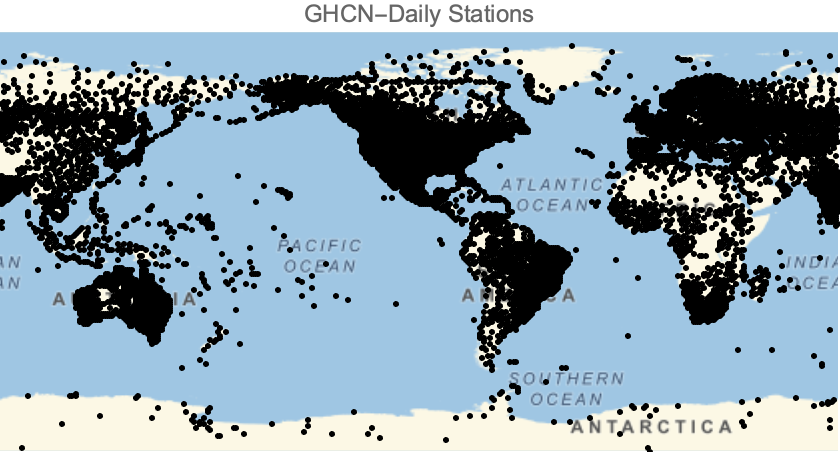
Visualize all station position:
In[]:=
GeoGraphics[Point@GeoPosition[Values[IDLoc]],PlotLabel"GHCN-Daily Stations"]
Out[]=
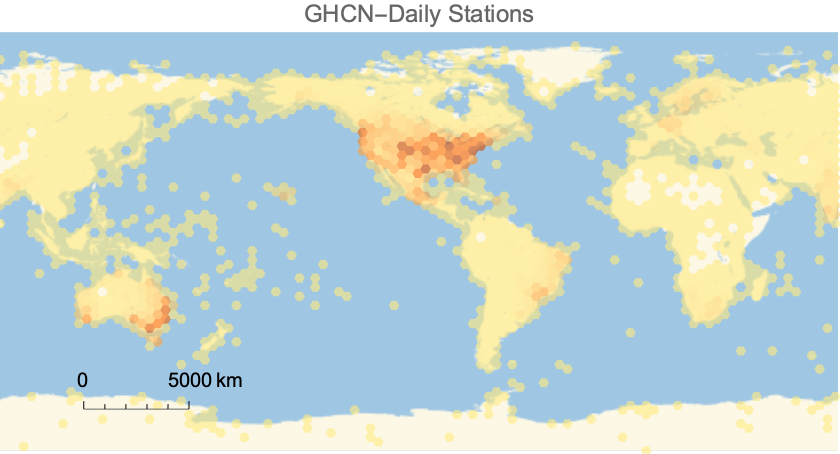
Geo-histogram of stations:
In[]:=
GeoHistogramGeoPosition[Values[IDLoc]],,GeoScaleBar->"Metric",PlotLabel"GHCN-Daily Stations"
Out[]=
Types of data and corresponding flags
Types of data and corresponding flags
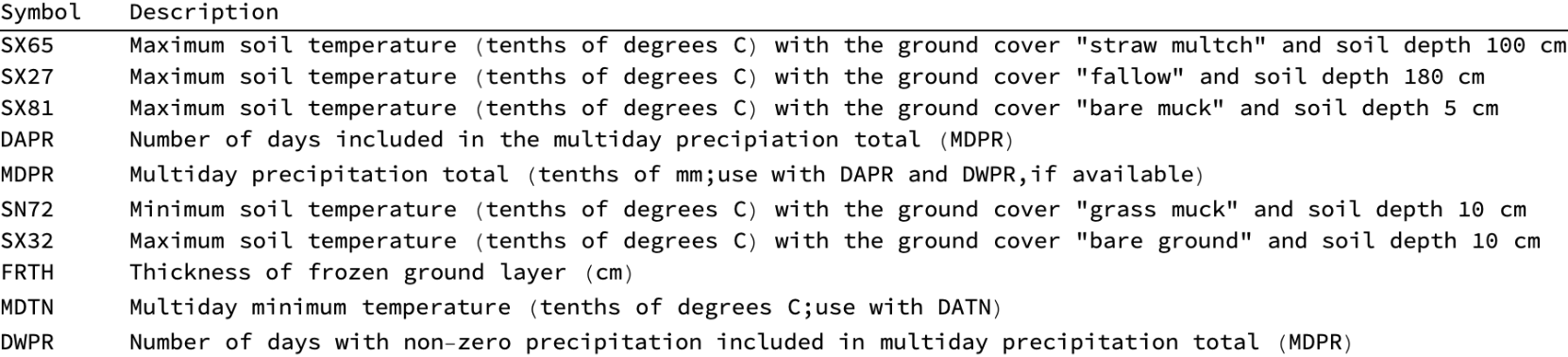
A station data may contain many different measurements; the major ones are usually precipitation, snowfall, snow depth , maximum temperature, and minimum temperature.
A quick peak into the complete list is as follows, in the alphabetical order
In[]:=
TableFormRandomSample,10,TableHeadings{None,{"Symbol","Description"}}
Out[]//TableForm=
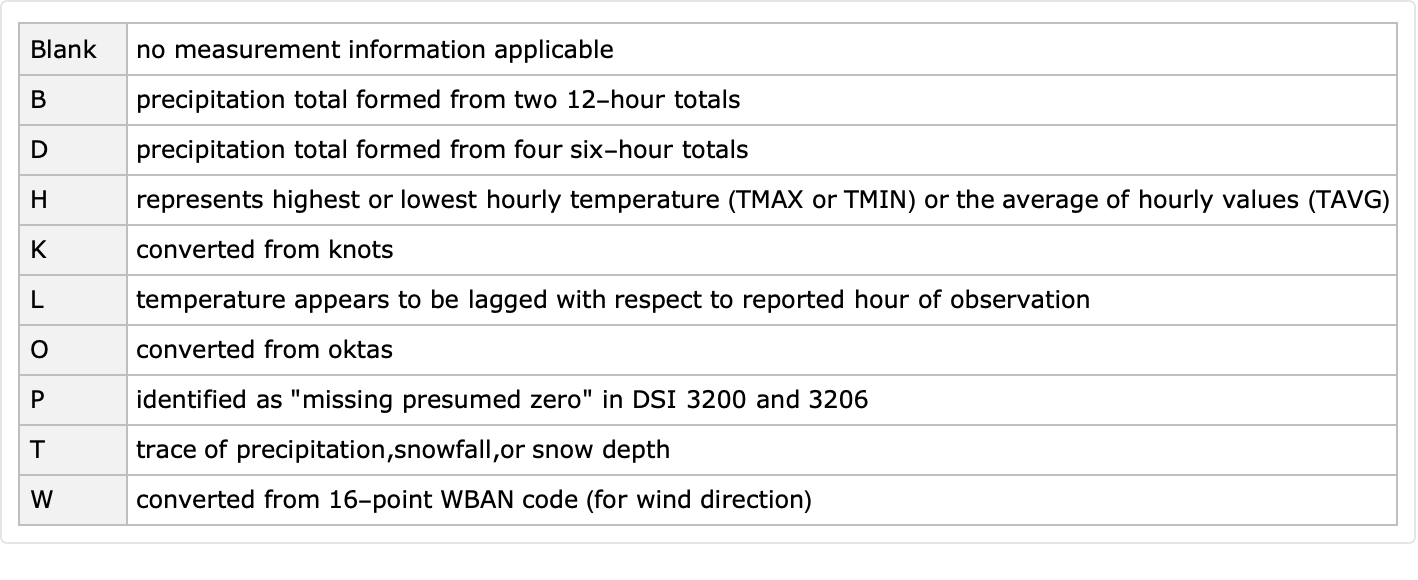
Additionally, each element contains three flags: measurement, quality, and source.
In[]:=
MFLAG=;QFLAG=;SFLAG=;
For example, a few measurement flags are:
In[]:=
MFLAG[[;;10]]//Dataset
Out[]=
Transforming data of each station
Transforming data of each station
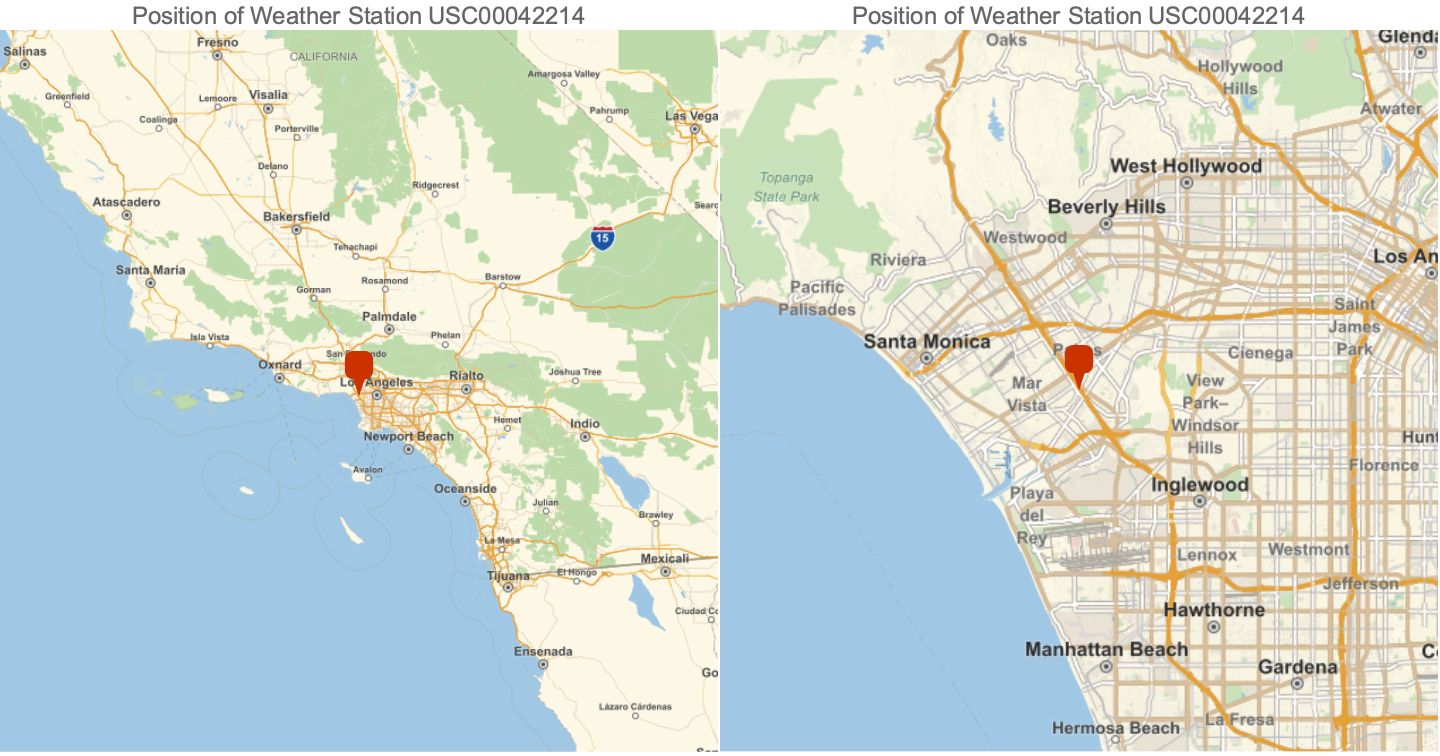
For a given station, csv file is available containing all daily and station elements. These files are updated daily for the entire period of record. For example, let us transform the data of USC00042214 station.
In[]:=
RowGeoGraphicsGeoMarker@IDLoc["USC00042214"],GeoRange,PlotLabel"Position of Weather Station USC00042214",ImageSizeMedium,GeoGraphicsGeoMarker@IDLoc["USC00042214"],GeoRange,PlotLabel"Position of Weather Station USC00042214",ImageSizeMedium
Out[]=
Get the raw data:
Dimension of data:
Each sub-list contains the following data:
◼
ID = 11 character station identification code
◼
YEAR/MONTH/DAY = 8 character date in YYYYMMDD format (e.g. 19860529 = May 29, 1986)
◼
ELEMENT = 4 character indicator of element type
◼
DATA VALUE = 5 character data value for ELEMENT
◼
M-FLAG = 1 character Measurement Flag
◼
Q-FLAG = 1 character Quality Flag
◼
S-FLAG = 1 character Source Flag
◼
OBS-TIME = 4-character time of observation in hour-minute format (i.e. 0700 =7:00 am)
Head of each element of data:
Generate corresponding timeseries:
Turn the association into dataset:
A few visualization on data:
Note that the “Flags” column contains a temporal data collection whose values, in order, are: measurement flag, quality flag, source flag, and the observation time.
For more info about flag, see the following variables:
For example, a few measurement flags are:
A function to scrape data
A function to scrape data
The following function can be used to scrape the data for any station. The input is the weather station ID, as a string: