CITE THIS NOTEBOOK: Automating triangulation of paintings with Delaunay mesh and cloud app by Kirill Belov. Wolfram Community NOV 22 2022.
CITE THIS NOTEBOOK: Automating triangulation of paintings with Delaunay mesh and cloud app by Kirill Belov. Wolfram Community NOV 22 2022.
Preamble
Preamble
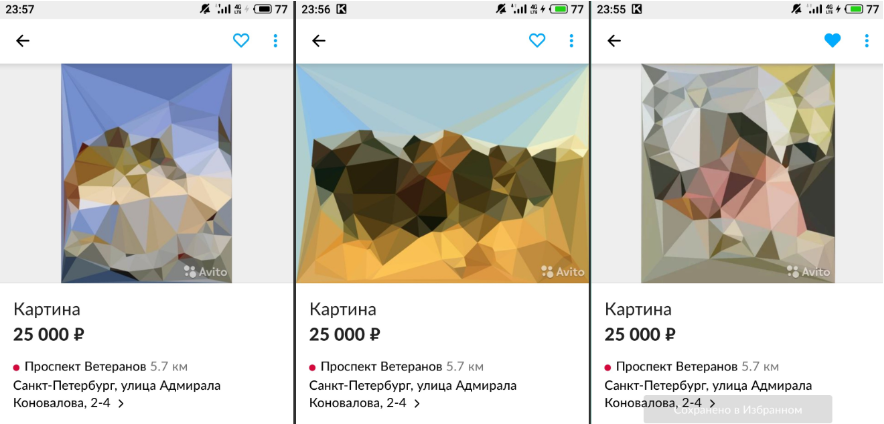
Some time ago a friend sent me screenshots taken from the page of an online shop where users can sell used items and hand made items.
There, in the screenshots, one of the users put up his paintings for sale. These were paintings by famous artists, but redrawn in a different style. Each picture was a set of triangles, in which original pictures were guessed. But it’s better to see it once, so below will be all three paintings and links to the original paintings. If you are good at art, you can try to guess what kind of paintings these are without using a hint.
Code
Code
First, I looked at these paintings and thought it was very original - to use famous paintings but try to show them in a different way in a different style.
Secondly, the thought immediately occurred to me that it is very easy to cheat and not draw these triangles by hand. It is not so easy to make a set of triangles manually and at the same time so that a well-known picture is recognized in it. However, this is fairly easy to automate using Delaunay Triangulation. And I’ll show you how below in the Wolfram Mathematica notebook.
Secondly, the thought immediately occurred to me that it is very easy to cheat and not draw these triangles by hand. It is not so easy to make a set of triangles manually and at the same time so that a well-known picture is recognized in it. However, this is fairly easy to automate using Delaunay Triangulation. And I’ll show you how below in the Wolfram Mathematica notebook.
Preparation
In[]:=
$HistoryLength = 0;SetDirectory[NotebookDirectory[]];
Picture example
In[]:=
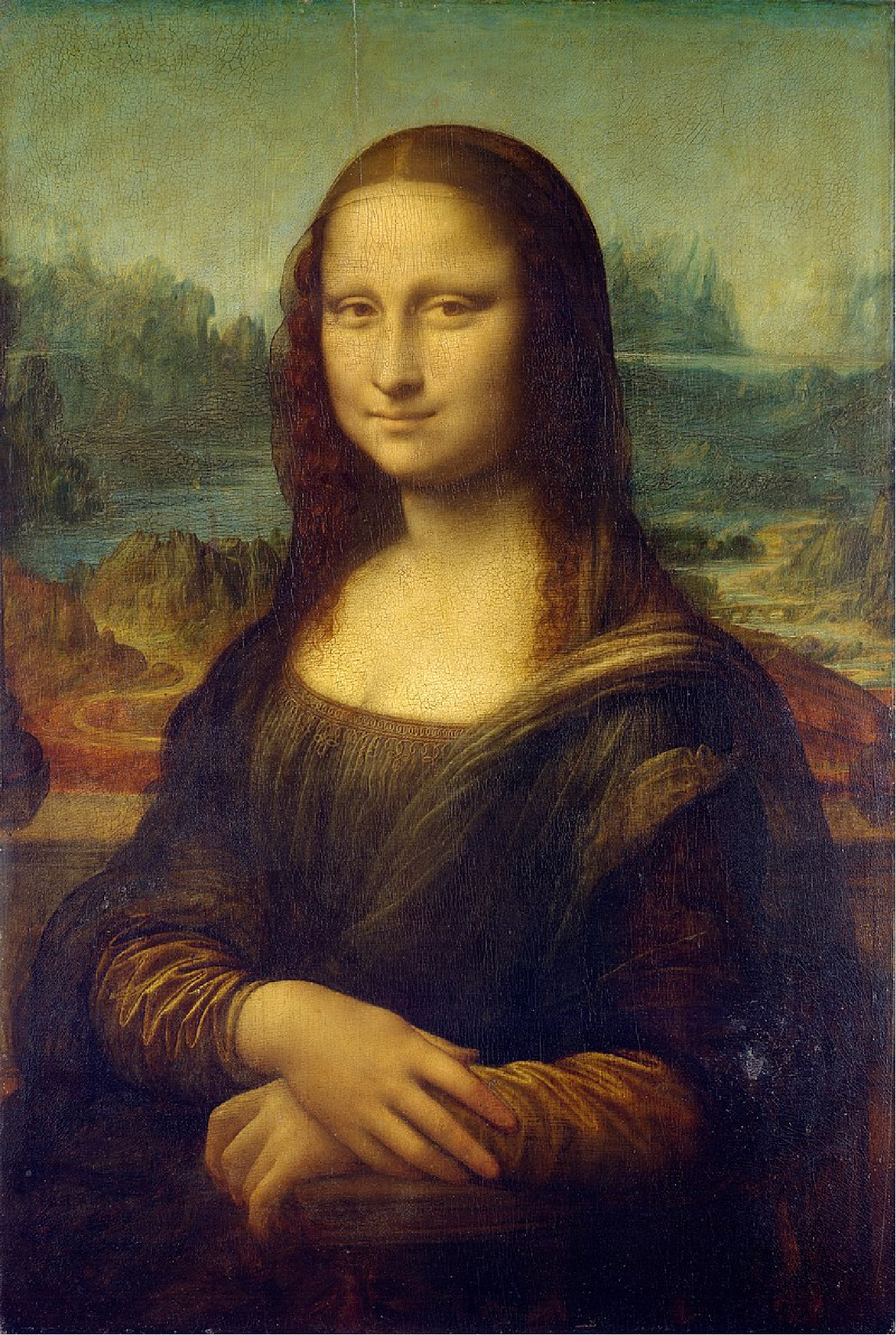
image = Import["https://upload.wikimedia.org/wikipedia/commons/thumb/e/ec/\Mona_Lisa%2C_by_Leonardo_da_Vinci%2C_from_C2RMF_retouched.jpg/\800px-Mona_Lisa%2C_by_Leonardo_da_Vinci%2C_from_C2RMF_retouched.jpg"]
Out[]=
Main function
In[]:=
TriangalismPicture = Function{query}, Block{img = query["Image"], n = query["NTriangles"], points}, points = {0, 0}, {ImageDimensions[img][[1]], 0}, {0, ImageDimensions[img][[2]]}, ImageDimensions[img] ~ Join ~ TransposeRandomInteger{0, #}, {n}& /@ ImageDimensions[img]; (If[ImageDimensions[img][[1]] > ImageDimensions[img][[2]], GraphicsColumn, GraphicsRow]) img, Graphics Table {RGBColor[ImageValue[img, Apply[Mean, p]]], p}, {p, MeshPrimitives[DelaunayMesh[points], "Polygons"]} , ImageSize -> ImageDimensions[img], ImagePadding -> 0, PlotRangePadding -> 0 , ImageSize -> Full, Spacings -> 0 ;
Let’s try
In[]:=
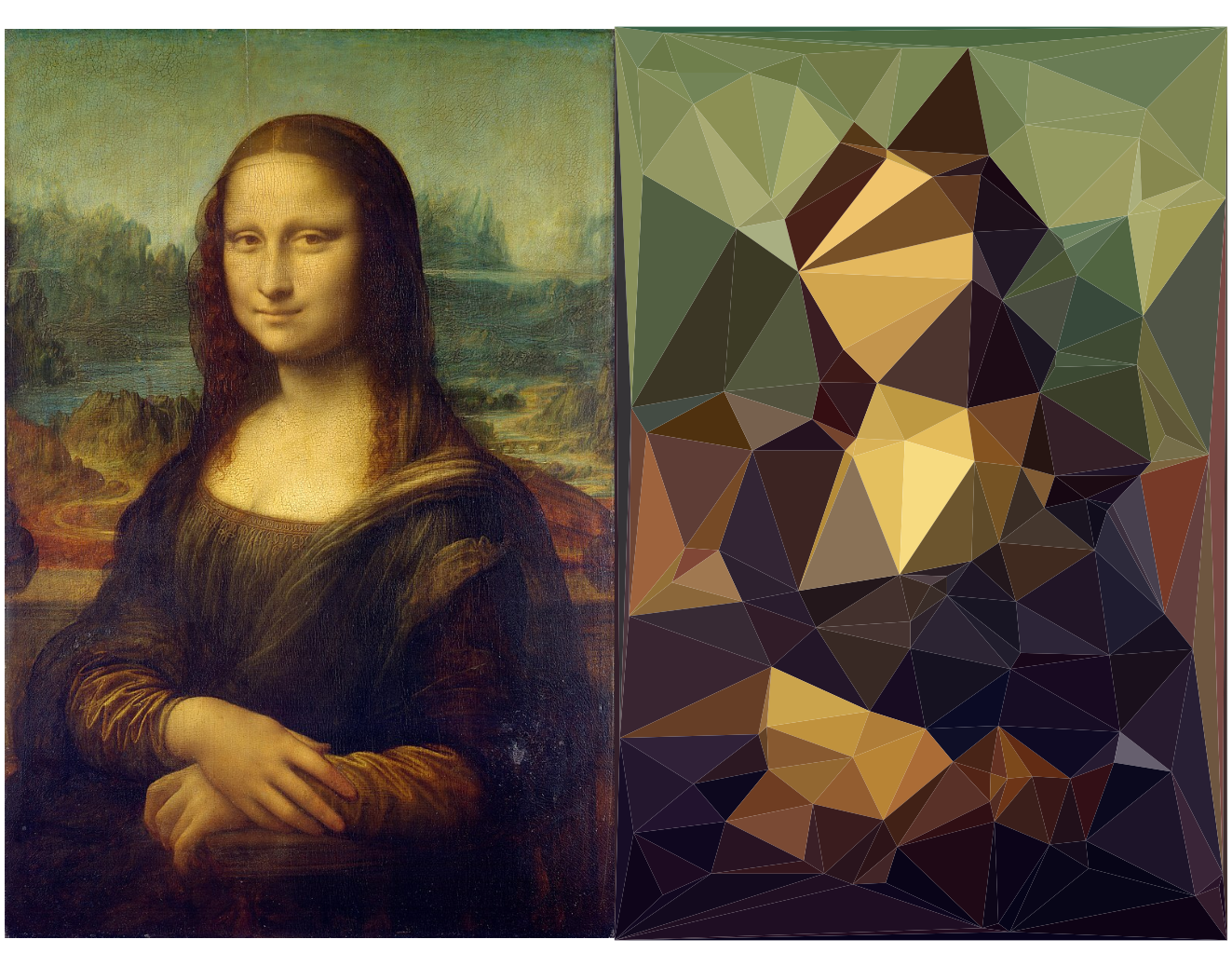
TriangalismPicture[<|"Image" -> image, "NTriangles" -> 128|>]
Out[]=
Deploy to Wolfram Cloud
After you execute the code, you can go to the final address and get something like this on the page:
When I posted an example of this image processing on LinkedIn, one of the users commented on it. He said that there are many followers of cubism and other genres of painting that concentrate on geometric figures, but almost no famous artist used triangles. After these words, I thought that triangulation in this application is even more interesting, since apparently for human imagination and human vision this is the most inconvenient form, despite the fact that the triangle is the simplest polygon. That’s all for today. Thank you all for your attention!