-- A Kandinsky’s taste
The built-in function FindDivisions, despite having been introduced more than 10 years, is somewhat an unsung hero. But just like any other function, once we dig deep, it reveals its own beauty from a unique perspective.
Divisions? Ticks?
Divisions? Ticks?
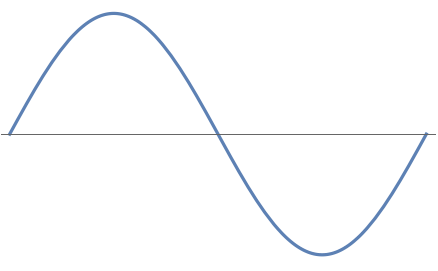
Many of us plot in Wolfram Language everyday:
In[]:=
Plot[Sin[2πx],{x,0,1},Axes{True,False},TicksNone]
Out[]=
In[]:=
PlotSin[2πx],{x,0,1},Axes{True,False},TicksFindDivisions0,1,,,,{2,4,8}//RightCompositionMapIndexed[Rule,#,{-1}]&,Map[Flatten/*Association],Reverse,Merge[Last],Map[Length],KeyValueMapFunction{x,depth},(*tickpos*)x,(*ticklabel*)Style[NumberForm[x//N,{3,2}],Bold,20-3depth],(*ticklength*),(*tickstyle*)Directive[ColorData[3][2depth],Thick],None
1
2
1
4
1
8
.2
depth
Out[]=
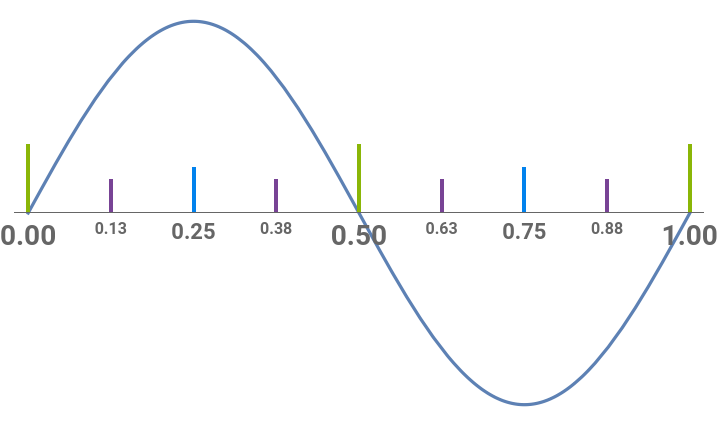
An axis itself is merely a plain straight or curved line. However, with ticks, it makes people (at least engineers like me) feeling visually satisfying. Usually when we do charting in Wolfram Language, it generates frame and ticks with quite high quality automatically, thus the ticks and divisions on axes rarely become the main concern. But on this very fine day, let us explore the visual features of the often overlooked FindDivisions function, see if we can push it a little further (to an unexpected direction).
Basic of FindDivisions
Basic of FindDivisions
Firstly, to jog our readers’ memory, let’s have a quick recap of the built-in FindDivisions function.
Helper functions
Helper functions
ClearAll[pipe,branch]pipe=RightComposition;branch=Through@*{##}&;
Find the “nice” division
Find the “nice” division
According to the documentation, the basic usage will not always divide into exactly parts.
FindDivisions[{,},n]
x
min
x
max
[,]
x
min
x
max
n
In[]:=
Range[10]//pipeMap@Functionn,n,Length[FindDivisions[{0,1},n]]-1,RealDigits1,#1,Item#2,BackgroundIf#2#1,,,#3&@@@#&,Prepend[{"n","division number","decimal form of 1/n"}],Transpose,Grid[#,FrameAll]&
1
n


Out[]=
n | 1 | 2 | 3 | 4 | 5 | 6 | 7 | 8 | 9 | 10 |
division number | 1 | 2 | 2 | 4 | 5 | 5 | 5 | 5 | 5 | 10 |
decimal form of 1/n | {1} | {5} | {{3}} | {2,5} | {2} | {1,{6}} | {{1,4,2,8,5,7}} | {1,2,5} | {{1}} | {1} |
So here are not considered “nice” because their reciprocals have too many digits.
3,6,7,8,9
To get exactly parts (which we will use hereafter), with perfect alignment to and , we will use the more specific form , where .
n
x
min
x
max
FindDivisions[{,,dx},n]
x
min
x
max
dx=1/n
In[]:=
Range[10]//pipeMap@Functionn,n,LengthFindDivisions0,1,,n-1,#1,Item#2,BackgroundIf#2#1,,&@@@#&,Prepend[{"n","division number"}],Transpose,Grid[#,FrameAll]&
1
n
Out[]=
n | 1 | 2 | 3 | 4 | 5 | 6 | 7 | 8 | 9 | 10 |
division number | 1 | 2 | 3 | 4 | 5 | 6 | 7 | 8 | 9 | 10 |
“Nice” divisions on all levels
“Nice” divisions on all levels
Now one would ask: what about multiple levels of “nice” ticks? Well then one just make sure it’s “nice” on every level:
In[]:=
FindDivisions0,1,,,,,{3,2,5,2}//Map[Flatten]//NumberLinePlot
1
3
1
3
1
2
1
3
1
2
1
5
1
3
1
2
1
5
1
2
Out[]=
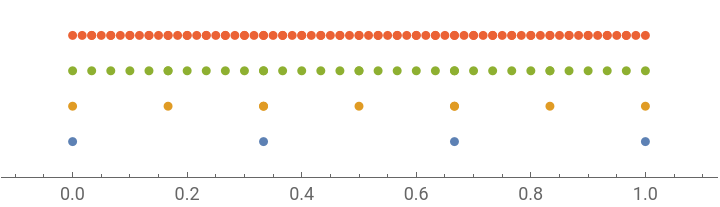
Or make it smarter:
In[]:=
{3,2,5,2}//Function[div,FindDivisions[{0,1,FoldList[Divide,1,div]//Rest},div]]//Map[Flatten]//NumberLinePlot
Out[]=
Stylish ticks
Stylish ticks
How would one stylize 6 levels of ticks?
The first thing to notice: charting multiple levels of ticks requires a number of tick-lines increasing (roughly) exponentially to the level. So to save every bit of rendering power, we should remove all redundancy:
So we won’t have any tick position presenting at multiple levels:
And of course we should be able to generate normal axis with ease:
But the spacetime is curved!
But the spacetime is curved!
-- you say.
Yes. If we stop at straight line, how general would we be?
Well for curved axis represented in BSplineCurve, marking it with ticks is fairly easy with the help of its twin BSplineFunction, along with a rescaling function so uniform B-Spline parameter results in equally distributed points on the axis curve:
So with all the tools in hand, we are now able to build curved axis with stylish ticks:
Note how we compute the tangent out of our axis curve. And in the MapIndexed, note how we place each tick at the right place with the right angle.
All cool! So where is Kandinsky?
All cool! So where is Kandinsky?
OK sorry, Kandinsky has nothing to do with our ticks and curves...
This was actually just a part from my attempt to create nomograms, which itself is a fascinating topic -- a sort of statically compiled analog programs running on paper with constant computing time. But then when I played around the axes and ticks, I began to notice its own beauty. I guess it’s a small but nice observation to share, thus our post here. Kandinsky is just the spirit in my heart when I fiddle with random things and trying to make a graph out of them. ☺
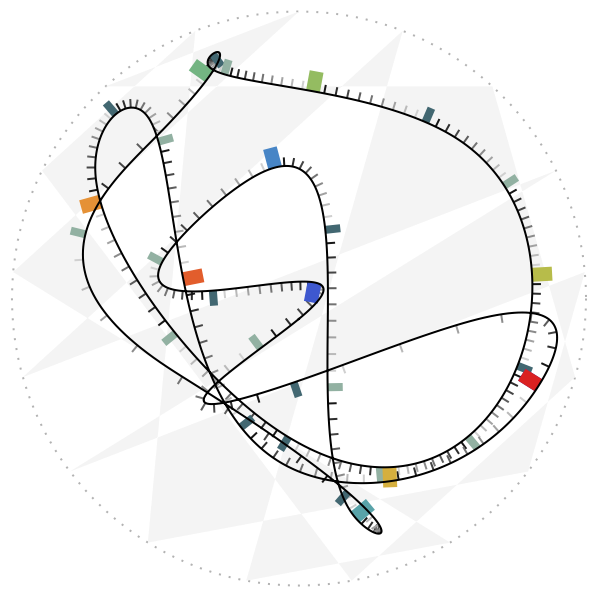
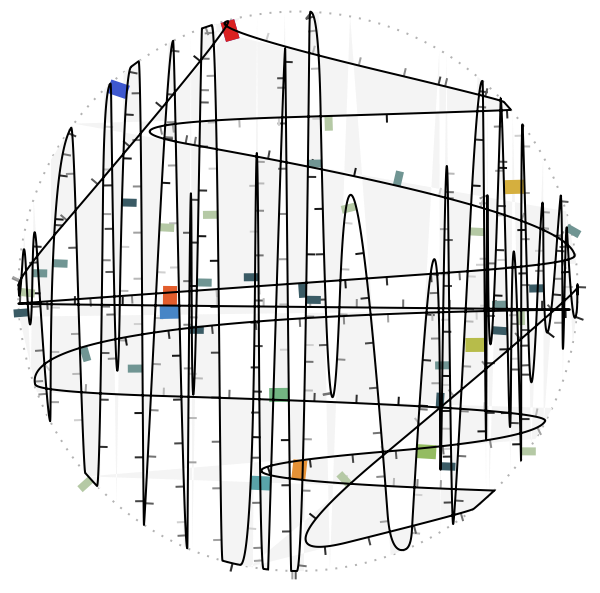
But yes, the code for our title pictures:
It reminds of a small festive town. Those cute color flags really touch my heart!
And a different style of randomness reminds us of birch woods:
Hope you enjoy the graphs and reading, and perhaps it has inspired your own FindDivisions styles!