CCD astronomical imaging: color image processing
by Tom Sherlock
First part (image acquisition): https://community.wolfram.com/groups/-/m/t/2565873
by Tom Sherlock
First part (image acquisition): https://community.wolfram.com/groups/-/m/t/2565873
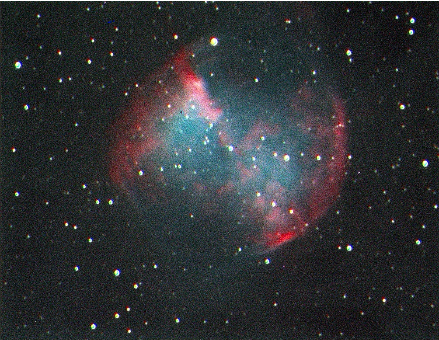
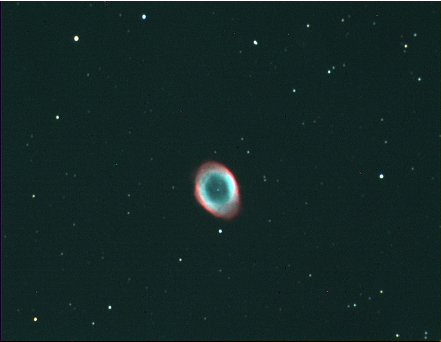
I captured these images of M57 and M27 from my backyard in Urbana. Both were captured using a monochrome CCD camera through a series of red, green and blue filters.
The imaging frames plus the calibration frames (dark and bias) were all captured using Mathematica to control the CCD camera and the filter wheel using the ASCOM API and NETLink.
All the alignment, stacking and calibration plus the initial image processing were also done in the same notebook using WL plus some Python routines called from WL code. The only thing not done in Mathematica was the control of the guiding camera which kept the telescope locked onto these objects and some minor touchups in Gimp.
Both images consist of 10, 30-second subframes captured through each of the 3 filters, plus 10 bias frames and 10 dark frames. The camera was cooled to 0 degrees C and this was also set using WL.
The imaging frames plus the calibration frames (dark and bias) were all captured using Mathematica to control the CCD camera and the filter wheel using the ASCOM API and NETLink.
All the alignment, stacking and calibration plus the initial image processing were also done in the same notebook using WL plus some Python routines called from WL code. The only thing not done in Mathematica was the control of the guiding camera which kept the telescope locked onto these objects and some minor touchups in Gimp.
Both images consist of 10, 30-second subframes captured through each of the 3 filters, plus 10 bias frames and 10 dark frames. The camera was cooled to 0 degrees C and this was also set using WL.
Python Prerequisites
Python Prerequisites
Implementation
Implementation
Hybrid Python and WL Code for Stacking and Aligning Images
Hybrid Python and WL Code for Stacking and Aligning Images
Code to Combine Color Channels
Code to Combine Color Channels
Code to Stretch Image Data
Code to Stretch Image Data
Process Individual Exposures
Process Individual Exposures
In[]:=
outputDir="c:\\users\\tom\\pictures\\6_28_2 - Copy";
Compute Master Bias Calibration Frame
Compute Master Bias Calibration Frame
In[]:=
ComputeMasterBias[FileNames[FileNameJoin[{outputDir,"Bias","bias*.fit"}]],FileNameJoin[{outputDir,"MasterBias.fit"}]]
Averaging 10 bias frames
c:\users\tom\pictures\6_28_2 - Copy\MasterBias.fit
Out[]=
c:\users\tom\pictures\6_28_2 - Copy\MasterBias.fit
Compute Master Dark Calibration Frame
Compute Master Dark Calibration Frame
In[]:=
ComputeMasterDark[FileNames[FileNameJoin[{outputDir,"Darks","dark*.fit"}]],FileNameJoin[{outputDir,"MasterBias.fit"}],FileNameJoin[{outputDir,"MasterDark.fit"}]]
Averaging 10 dark frames
Writing master dark: c:\users\tom\pictures\6_28_2 - Copy\MasterDark.fit
Out[]=
c:\users\tom\pictures\6_28_2 - Copy\MasterDark.fit
Aligning and Stacking Light Frames
Aligning and Stacking Light Frames
In[]:=
targetDir="M27";
Frames taken through red filter
Frames taken through red filter
In[]:=
redFile=AlignAndStack[FileNames[FileNameJoin[{outputDir,targetDir,"red*.fit"}]],FileNameJoin[{outputDir,"MasterBias.fit"}],FileNameJoin[{outputDir,"MasterDark.fit"}],FileNameJoin[{outputDir,"Red.fit"}]];
dark frame: c:\users\tom\pictures\6_28_2 - Copy\MasterDark.fit
bias frame: c:\users\tom\pictures\6_28_2 - Copy\MasterBias.fit
target frame: c:\users\tom\pictures\6_28_2 - Copy\M27\red_Wed_29_Jun_2022_10.fit
Aligning 10 images
Stacking 10 images
Writing out stacked image: c:\users\tom\pictures\6_28_2 - Copy\Red.fit
Frames taken through green filter
Frames taken through green filter
In[]:=
greenFile=AlignAndStack[FileNames[FileNameJoin[{outputDir,targetDir,"green*.fit"}]],FileNameJoin[{outputDir,"MasterBias.fit"}],FileNameJoin[{outputDir,"MasterDark.fit"}],FileNameJoin[{outputDir,"Green.fit"}]];
dark frame: c:\users\tom\pictures\6_28_2 - Copy\MasterDark.fit
bias frame: c:\users\tom\pictures\6_28_2 - Copy\MasterBias.fit
target frame: c:\users\tom\pictures\6_28_2 - Copy\M27\green_Wed_29_Jun_2022_10.fit
Aligning 10 images
Stacking 10 images
Writing out stacked image: c:\users\tom\pictures\6_28_2 - Copy\Green.fit
Frames taken through blue filter
Frames taken through blue filter
In[]:=
blueFile=AlignAndStack[FileNames[FileNameJoin[{outputDir,targetDir,"blue*.fit"}]],FileNameJoin[{outputDir,"MasterBias.fit"}],FileNameJoin[{outputDir,"MasterDark.fit"}],FileNameJoin[{outputDir,"Blue.fit"}]];
dark frame: c:\users\tom\pictures\6_28_2 - Copy\MasterDark.fit
bias frame: c:\users\tom\pictures\6_28_2 - Copy\MasterBias.fit
target frame: c:\users\tom\pictures\6_28_2 - Copy\M27\blue_Wed_29_Jun_2022_10.fit
Aligning 10 images
Stacking 10 images
Writing out stacked image: c:\users\tom\pictures\6_28_2 - Copy\Blue.fit
Frames taken through clear (luminance) filter
Frames taken through clear (luminance) filter
In[]:=
lumFile=AlignAndStack[FileNames[FileNameJoin[{outputDir,targetDir,"lum*.fit"}]],FileNameJoin[{outputDir,"MasterBias.fit"}],FileNameJoin[{outputDir,"MasterDark.fit"}],FileNameJoin[{outputDir,"Lum.fit"}]];
dark frame: c:\users\tom\pictures\6_28_2 - Copy\MasterDark.fit
bias frame: c:\users\tom\pictures\6_28_2 - Copy\MasterBias.fit
target frame: c:\users\tom\pictures\6_28_2 - Copy\M27\Luminance_Wed_29_Jun_2022_10.fit
Aligning 10 images
Stacking 10 images
Writing out stacked image: c:\users\tom\pictures\6_28_2 - Copy\Lum.fit
Build the Final Image
Build the Final Image
Import the FITS files for each color channel plus luminance
Import the FITS files for each color channel plus luminance
In[]:=
components=Import/@{lumFile,redFile,greenFile,blueFile};
Use the IRAS ZSCALE Algorithm to Stretch the Image Data
Use the IRAS ZSCALE Algorithm to Stretch the Image Data
In[]:=
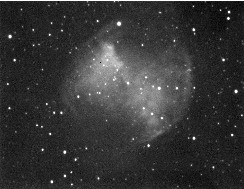
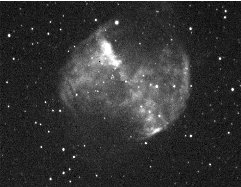
scaled=ZScaleStretchImage[#[1]]&/@components;
In[]:=
scaled
,
,
,
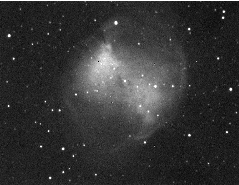
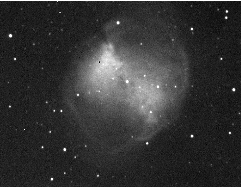
Create the final color composite
Create the final color composite
In[]:=
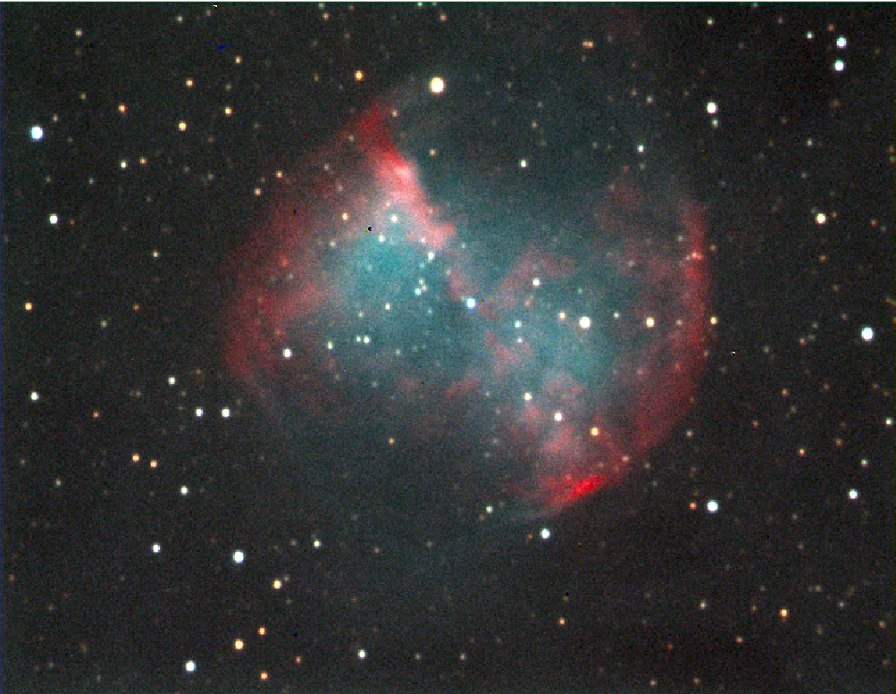
finalImage=ColorCombineLRGB[scaled]
Out[]=
Further Enhancements
Further Enhancements
You can collect the color frames at 2x2 binning, and collect 4 times the light per virtual pixel. ColorCombineLRGB will scale and align the color frames to match the luminance frame.
You can also incorporate flat frames to compensate for light falloff with larger sensors and dust on the various filters.BrightnessEqualize[im,flatfield] will remove these artifacts.