This is a continuation to the posts listed at: https://community.wolfram.com/web/ggoff/
Abstract
Abstract
Wolfram Language can be used for prototyping, but also for analyzing animations in Blender. In Example 1 pasta types and their geographic origins were visualized. In Example 2 the packing of Limão surfaces was animated in Blender. In Mathematica some of the steps were reenacted.
Experiments
Experiments
In[]:=
SetDirectory[NotebookDirectory[]];
Example 1: Pasta & Origins
Example 1: Pasta & Origins
In[]:=
iRegs=
Out[]=
,,,,,,,,,,,,,,,,,,,
First time loading tiles for geo-graphics takes some time. Therefore the next steps were done with one province. Set iRegs2 to iRegs to include all 20 provinces.
In[]:=
iRegs2=Take[iRegs,-1]
Out[]=
A table of relief maps was created:
In[]:=
iRegs3=GeoGraphics[{GeoStyling["ReliefMap"],Polygon[#]},GeoBackgroundNone]&/@iRegs2
Out[]=
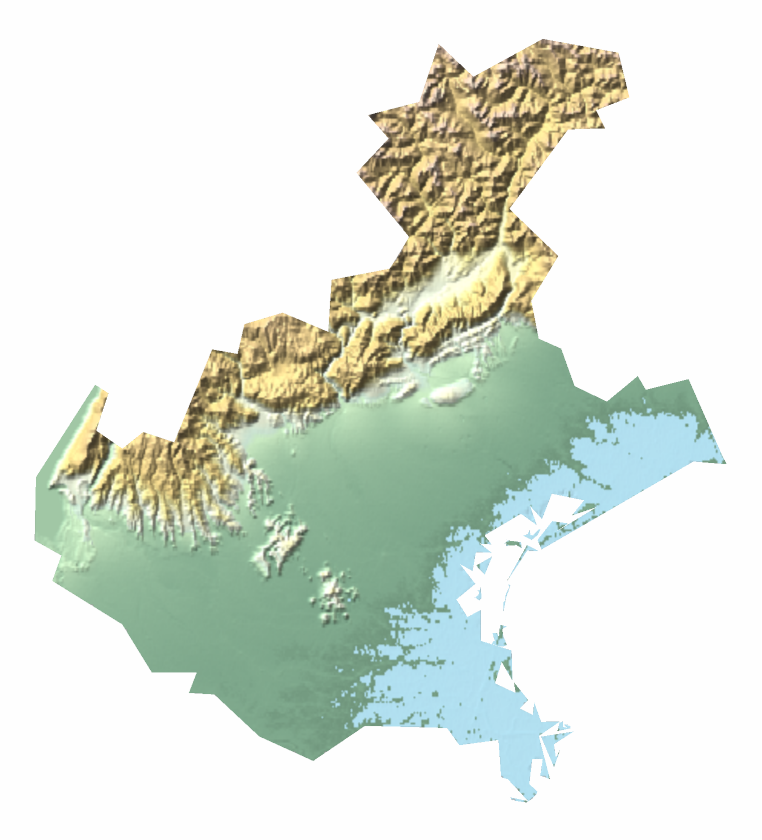
The borders of Italy and its provinces were visualized :
In[]:=
geog1=GeoGraphics[Table[{EdgeForm[Black],FaceForm[LightOrange],iRegs[[i]]["Polygon"]},{i,1,20}],GeoBackgroundNone,ImageSize->Small]
Out[]=
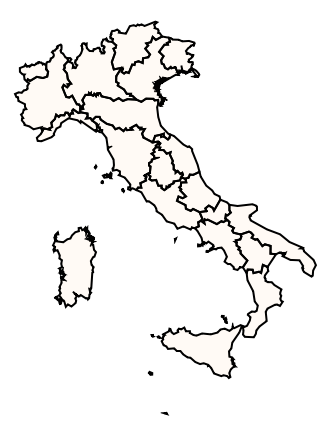
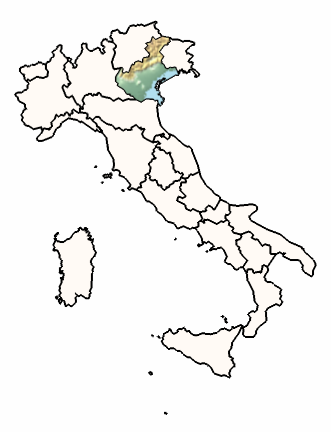
For each type of pasta type the border-map of Italy and its provinces was super-imposed by the relief-maps of the provinces they originally came from. For the reduced case only Veneto was included. For a complete list see reference 1 for Pasta & Types.
In[]:=
geog2=Show[geog1,iRegs3[[1]]]
Out[]=
Farfalle were chosen as example for a pasta type. For a complete list see reference 1 for Pasta & Types .
In[]:=
Farfalle[]:=Block{i,j,g1,g2,palpha,pbeta,pgamma,peta,piso,ppi,ptheta,pkappa},palpha[i_]=Sinπ;pbeta[i_,j_]=+4SinπSinπ;pgamma[i_,j_]=10Cosπ;peta[i_,j_]=-4Sinπ-palpha[i]Sinπ;piso[i_,j_]=+4Sinπ+palpha[i]Sinπ;ppi[i_,j_]:=+If20≤i≤60,7,pgamma[i,j];ptheta[i_,j_]:=If10≤i≤70,pbeta[i,j]-4SinπSinπ,If[j≤10,peta[i,j],piso[i,j]];pkappa[i_,j_]:=3Sinπ;g1=ParametricPlot3D[{ppi[i,j],ptheta[i,j],pkappa[i,j]},{i,0,80},{j,0,80},PlotStyleDirective[Yellow,Specularity[White,30]],MeshNone,PlotPoints30,ImageSize->Small,Lighting"Neutral",AxesNone,BoxedTrue,PlotRangeAll];
7i+16
40
7j
16
i
80
j-10
120
i+80
80
9
Sinπ
j+110
100
7j
16
i
80
10-j
20
7j
16
i
80
j-70
20
3i
8
3
Sinπ
i+40
40
9
Sinπ
j+110
100
i
80
70-j
120
i+10
20
1.5
Sinπ
j
80
In[]:=
pasta1=Farfalle[]
Out[]=

The maps were exported with removed background in png-format. The pasta graphics were exported as stl-files.
In Blender all maps were imported as images and positioned in a vertical grid. The pasta graphics were read in as stl-file. They got a yellow material and were placed vertical above black shiny tiles arranged in a grid. In part 1 the camera view was changed from a frontal view in reference to the maps to another view. In part 2 a red disk was placed between pasta 1 and tile. A red sphere was placed above map 1. During the animation disk and sphere were moved from map to map and pasta to pasta. The name of the pasta type was inserted accordingly with the video-editor of Blender.
Example 2: Packed
Example 2: Packed
A Limão surface and some of its features were extracted from the collection of algebraic surfaces via natural language input:
In[]:=
Out[]=
 ,Function{a.},Functionx.,y.,z.,x.,-2,2,y.,-2,2,z.,-2,2,Functiona.,Functionx.,y.,z.,-
2
x.
3
y.
3
z.
The two distinct parts were visualized and exported separately:
In[]:=
bo=2;fun2=ContourPlot3D[Evaluate[x^2-y^3z^3==0],{x,-bo,bo},{y,-bo,bo},{z,0.001,bo},Boxed->False,Axes->False]fun3=ContourPlot3D[Evaluate[x^2-y^3z^3==0],{x,-bo,bo},{y,-bo,bo},{z,-bo,-0.001},Boxed->False,Axes->False]
Out[]=

In Packed animation - part 1 - the surface was imported in two parts in dxf-format in Blender. Both parts were subdivided and given some thickness via the solidify modifier. The upper and lower part were given a painted material with complement colors. A modified glass-ring was added at the center. The rotation of the two surface parts along their vertical local axis clockwise and counter-clockwise was animated via keyframes.
Part 2-4 contains the packing of the Limão surface in 1, 2 and 3 dimensions.
A simplified recreation of this 4 steps in Mathematica is shown below:
The two parts and the combination of them with MaterialShading and three-point-lighting were coded in a Block structure:
The upper half of surface was tilted by:
The parameter k enabled a rotation of both parts in opposite directions:
The surface-graphics were combined with a constant black background. In AnimationVideo the sequence of composited frames was combined in a video.
In the inner transformation the surface was tilted again. the outer transformation translated several surfaces in a row with decreasing distance. The resulting graphics combined with a black background were rendered in a video.
The stacked row of surfaces were created again and several of them transformed with the distance between the rows getting smaller.
References
References
List of animations
List of animations
References
References
Pasta & Origins
Gsaller, G. Wolfram Demonstrations Project.
http://demonstrations.wolfram.com/PastaShapesDesignsColorsOriginsAndNutritionalDataForVariousT/ (accessed 2021-06-06).
Audio:
Stock Music & Sound Effects - Royalty Free Audio - Storyblocks
https://www.storyblocks.com/audio (accessed 2021-06-06).
Tencher, Crosby. Dreamy Trumpet Soundscape #3. Asset ID: SBA-300539275
Gsaller, G. Wolfram Demonstrations Project.
http://demonstrations.wolfram.com/PastaShapesDesignsColorsOriginsAndNutritionalDataForVariousT/ (accessed 2021-06-06).
Audio:
Stock Music & Sound Effects - Royalty Free Audio - Storyblocks
https://www.storyblocks.com/audio (accessed 2021-06-06).
Tencher, Crosby. Dreamy Trumpet Soundscape #3. Asset ID: SBA-300539275
Packed
“Limão Surface - Wolfram|Alpha.” Accessed August 11, 2021. https://www.wolframalpha.com.
Audio:
Stock Music & Sound Effects - Royalty Free Audio - Storyblocks
https://www.storyblocks.com/audio (accessed 2021-08-11)
Donnelly, Jason. Typist. Accessed August 11, 2021. Asset ID: SBA-300292146.
“Limão Surface - Wolfram|Alpha.” Accessed August 11, 2021. https://www.wolframalpha.com.
Audio:
Stock Music & Sound Effects - Royalty Free Audio - Storyblocks
https://www.storyblocks.com/audio (accessed 2021-08-11)
Donnelly, Jason. Typist. Accessed August 11, 2021. Asset ID: SBA-300292146.