We present code for producing some nice plots and animations of rhombic tilings and rhombic rosettes using de Bruijn’s multi-grid method.
Initialization
Initialization
makeMultigridTilingPlot
makeMultigridTilingPlot
In[]:=
ClearAll[makeMultigridTilingPlot];Options[makeMultigridTilingPlot]={"GridRange"->5,"EdgeForm"->Thin,"TileColorFunction"->Function[Blend[{GrayLevel[.5],GrayLevel[.95]},#]],"PlotRange"->Automatic,"ImageSize"->Automatic};makeMultigridTilingPlot[gridShifts_List,OptionsPattern[]]:=Module[{range,plotRange,gridCount,gridVectors,tileTypeGridIndices,tileTypeCount,tileTypeGridVectors,tileTypeAreas,tileTypeColors,gridLineNumbers,tileTypeGraphics,gridIndices,gridLineIntersectionPoints,tileCornerLatticeCoordinates,tileCornerVertices,gridVector1,gridVector2,tileVertices},range=OptionValue["GridRange"];gridCount=Length[gridShifts];gridVectors=CirclePoints[gridCount];gridVectors=gridVectors//N;tileTypeGridIndices=Subsets[Range[gridCount],{2}];tileTypeGridIndices=Quiet[Select[tileTypeGridIndices,Function[Unequal[Chop[Det[N[gridVectors[[#]]]]],0]]]];tileTypeCount=Length[tileTypeGridIndices];tileTypeGridVectors=gridVectors[[#]]&/@tileTypeGridIndices;tileTypeAreas=Abs[Map[Det,tileTypeGridVectors]];tileTypeColors=Map[OptionValue["TileColorFunction"],Rescale[Round[tileTypeAreas,10.^-10]]];gridLineNumbers=Table[Range[-range,range],gridCount];tileTypeGraphics=Table[gridIndices=tileTypeGridIndices[[tileTypeIndex]];gridLineIntersectionPoints=Dot[Transpose[Transpose[Tuples[gridLineNumbers[[gridIndices]]]]-gridShifts[[gridIndices]]],Transpose[Inverse[gridVectors[[gridIndices]]]]];tileCornerLatticeCoordinates=Transpose[Ceiling[Dot[gridVectors,Transpose[gridLineIntersectionPoints]]+gridShifts]];tileCornerLatticeCoordinates[[All,gridIndices]]=Tuples[gridLineNumbers[[gridIndices]]];tileCornerVertices=Dot[Transpose[Transpose[tileCornerLatticeCoordinates]-gridShifts],gridVectors];{gridVector1,gridVector2}=gridVectors[[gridIndices]];tileVertices=Transpose[{tileCornerVertices,(tileCornerVertices+gridVector1),(tileCornerVertices+gridVector1+gridVector2),(tileCornerVertices+gridVector2)}];{EdgeForm[OptionValue["EdgeForm"]],FaceForm[tileTypeColors[[tileTypeIndex]]],Polygon[tileVertices]},{tileTypeIndex,tileTypeCount}];Graphics[tileTypeGraphics,PlotRange->OptionValue["PlotRange"],ImageSize->OptionValue["ImageSize"]]]
Rhombic Rosettes
Rhombic Rosettes
Tilings generated using the multi-grid method are completely determined by the list of grid shift values. When all the shifts are equal, the tiling exhibits radial symmetry:
In[]:=
gridCount=15;gridShifts=ConstantArray[.5,gridCount];makeMultigridTilingPlot[gridShifts,"GridRange"->3,PlotRange->15,"TileColorFunction"->ColorData["RedBlueTones"],ImageSize->400]
Out[]=
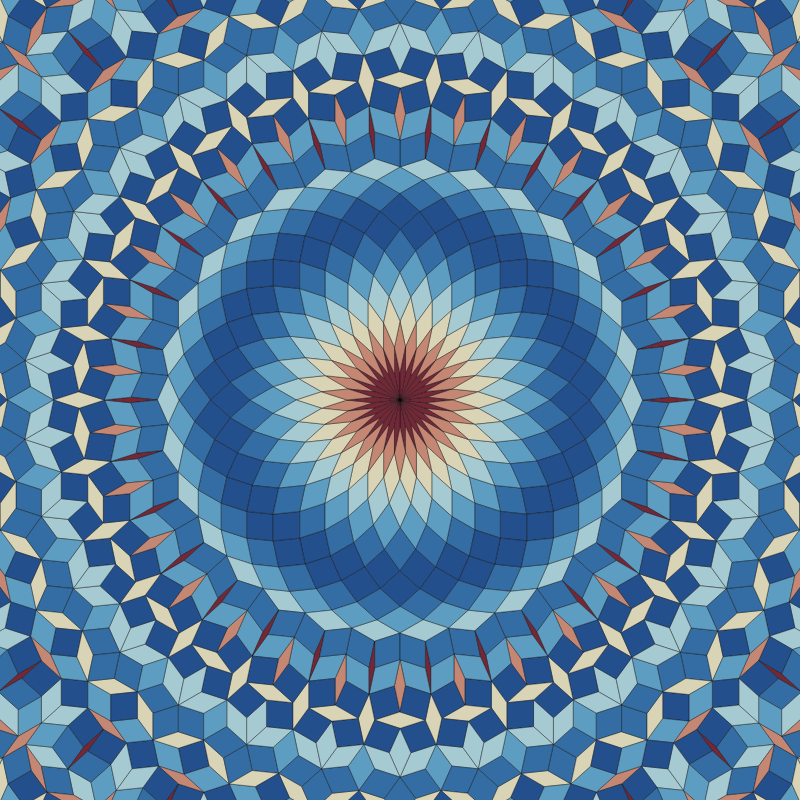
When the shift values are sufficiently small, there will be a rosette at the center of the tiling:
In[]:=
gridCount=15;gridShifts=ConstantArray[.01,gridCount];makeMultigridTilingPlot[gridShifts,"GridRange"->3,PlotRange->15,"TileColorFunction"->ColorData["RedBlueTones"],ImageSize->400]
Out[]=
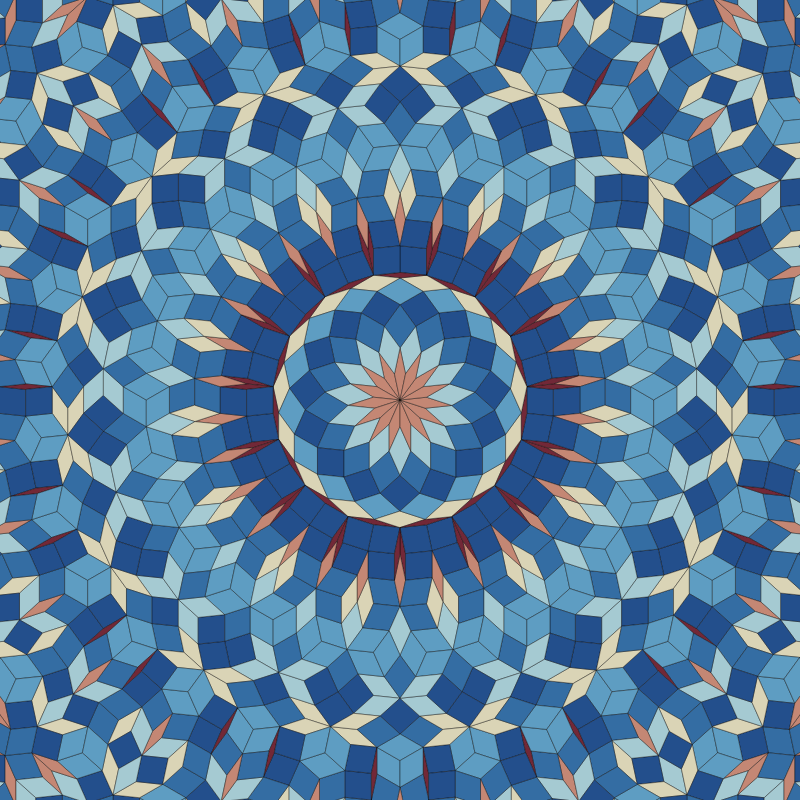
Keeping the shift values small and setting the “GridRange” to zero plots only the tiles in the central rosette:
In[]:=
gridCount=15;gridShifts=ConstantArray[.01,gridCount];makeMultigridTilingPlot[gridShifts,"GridRange"->0,"TileColorFunction"->ColorData["RedBlueTones"],ImageSize->400]
Out[]=
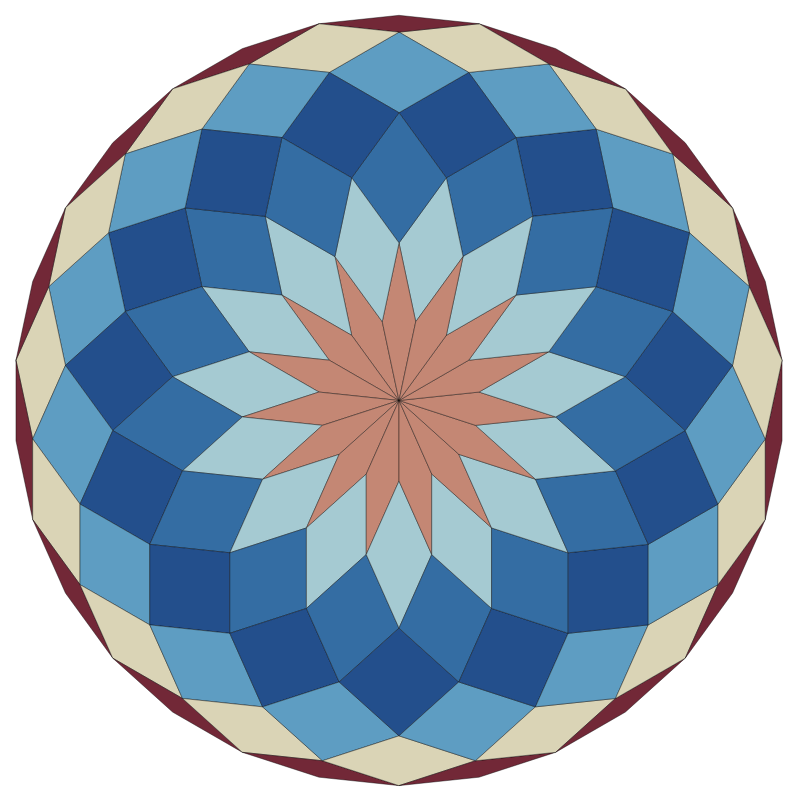
Keeping the grid shift values equal will always yield a symmetric rhombic rosette:
Randomizing the shift values (while still keeping them small) will permute the tiles within the rosette, while preserving the boundary which is a perfect n-gon:
Adding and offset and keeping the variance in the shift values low can make the tiling more symmetric:
Adding and offset and keeping the variance in the shift values low can make the tiling more symmetric:
When the variance in shift values is small, the randomness in the rosette gets pulled in towards the center:
If the list of shift values is repetitive, then the tiling recovers radially symmetry:
It is convenient to use sinusoidal functions to generate grid shift vectors which exhibit desired degrees of radial symmetry:
Animation 1
Animation 1
Animations of rosettes can be made by phasing the sinusoidal functions which generate the vector of grid shift values:
Animation 2
Animation 2
Increasing the “GridRange” will plot more of the tiling which surrounds the central rosette:
Animation 3
Animation 3
By allowing the grid shift values to grow sufficiently large, the central rosette no longer remains intact as the tiles which form the perfect n-gon get permuted to other locations in the tiling:
CITE THIS NOTEBOOK
CITE THIS NOTEBOOK
Rhombic rosettes and animated aperiodic tilings
by Dugan Hammock
Wolfram Community, STAFF PICKS, August 28, 2023
https://community.wolfram.com/groups/-/m/t/3000875
by Dugan Hammock
Wolfram Community, STAFF PICKS, August 28, 2023
https://community.wolfram.com/groups/-/m/t/3000875