Inspired by a highlighted post ( more than 30.3 k thumbs up so far) from subreddit r/dataisbeautiful: https://bit.ly/3qV9Js7
Though the topic itself is very sophisticated involving atmospheric fluid dynamic, the visualization requires zero math to create for any end user.
Data Acquisition
Data Acquisition
◼
◼
Data format: GRIB-1
◼
Optional: cdo tools to split large GRIB data (several to tens of gigabytes) into smaller pieces (around 50 megabytes). Large GRIB files from Clime Data Store requires https://confluence.ecmwf.int/display/ECC package to parse properly. If one chooses to download daily data in smaller batch, no need to use cdo and ecCodes library.
Geo Background
Geo Background
Before handling the polar vortex, I need to create a proper background like that in the reddit post.
◼
Choose proper projection to cover the hemisphere.
You can use GeoHemisphere as well. A specific GeoProjection has more precise control with list of options
You can use GeoHemisphere as well. A specific GeoProjection has more precise control with list of options
In[]:=
GeoProjectionData["Orthographic"]
Out[]=
{Orthographic,{Centering{0,0},GridOrigin{0,0},ReferenceModel1}}
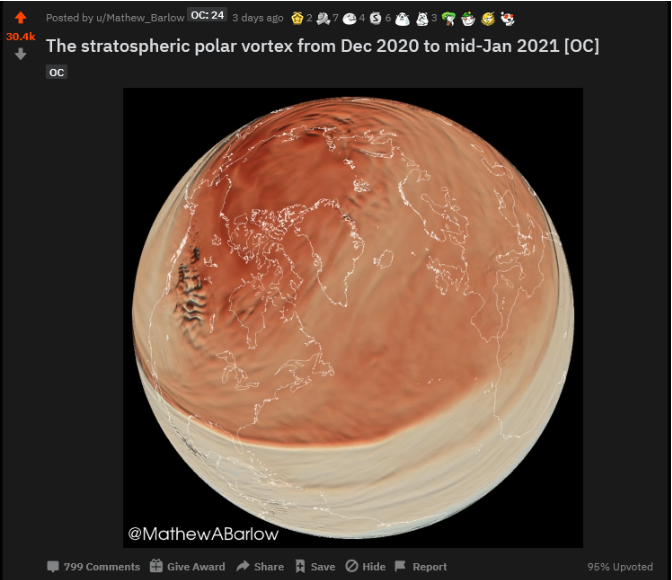
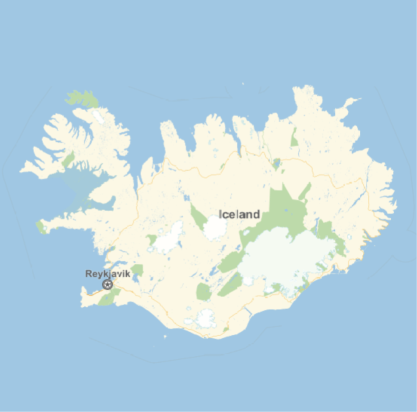
The geographics projection center is chosen at somewhere to the south-west of Iceland according to the original post
In[]:=
Out[]=
In[]:=
Out[]=
GeoPosition[{65.,-18.}]
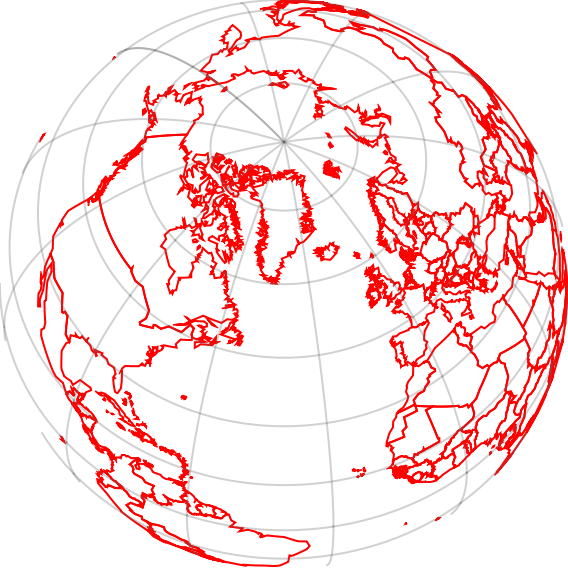
Once the the proper projection is chosen, I remove ocean and land from background and only leave the outline of each country with these option
In[]:=
GeoGraphics[{},GeoRange"World",GeoProjection{"Orthographic","Centering"GeoPosition[{60,-40}]},GeoGridLinesAutomatic,GeoBackground{"CountryBorders","Land"Transparent,"Ocean"Transparent,"Border"Red}]
Out[]=
ERA5 High Resolution Temporal and Spatial Geo Data
ERA5 High Resolution Temporal and Spatial Geo Data
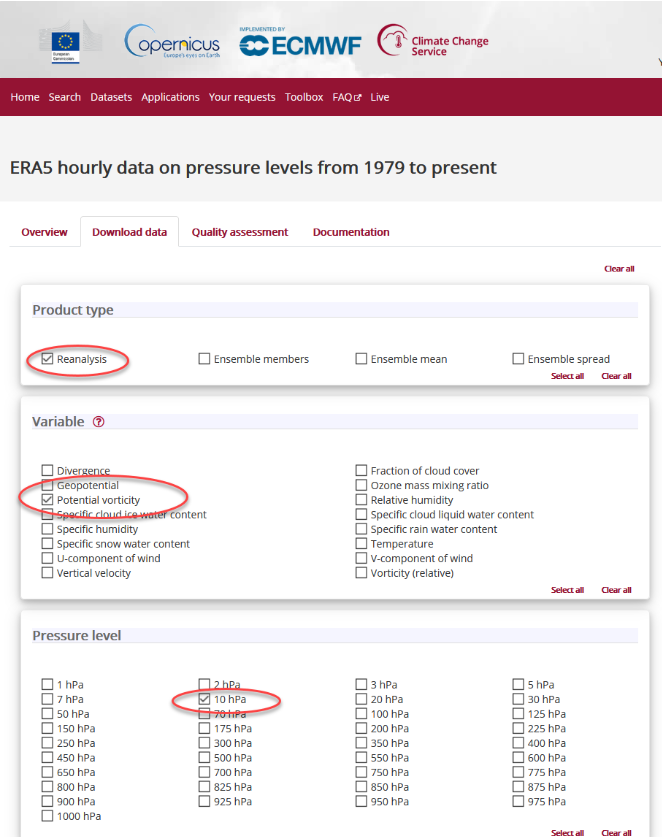
According to the citation of the OP on Reddit, I need to specify the following options in the form
◼
Product Type: Reanalysis
◼
◼
Pressure level: 10 hpa = 1 hectopascal. So the this value is with the range from the following dataset for barometric pressure
In[]:=
Out[]=
Screenshot based on the options
◼
For time range, check 2020 for year, December for Month, every day checkbox for Day, and every hour checkbox. Then do the same thing for 2021 from Jan 1st to 15th.
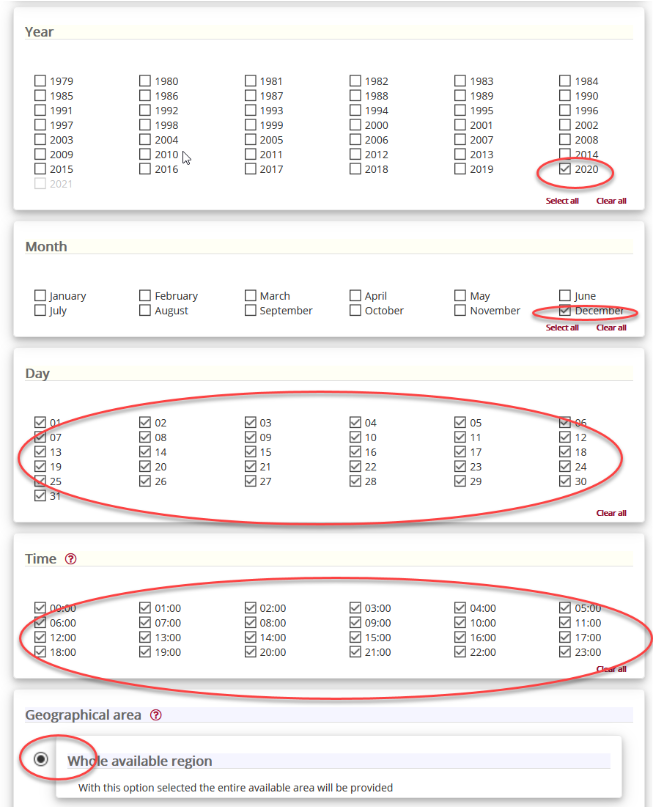
After you click the user agreement and submit the data, you can it download from web console
Because I download large chuck of data once, I need to use cdo to break down the data into daily (24 hr) packages. If you are on mac, you can obtain cdo from homebrew
$ brew install cdo
On Linux you will have to build the source, better with netcdf and hdf5 support. On Windows you can use the Cygwin binary from CDO website. If cdo is installed properly and moved to $PATH, for example on mac, you can simply break down the file by
Assume you have save the grib data as pv.grib under home directory, run the
Then you have a list of files for ready for import
Interpret the Indices of Data
Interpret the Indices of Data
For each file
The format of the data array is fixed.
24 indicates 24 hours in a day.
721 and 1440 come from 0.25 degree resolution (equivalently, 4 points in a degree) in latitude ( -90 to 90, in total 180 * 4 = 720 ) and in longitude (- 180 to 180, in total 4 * 360 = 1440 )
721 and 1440 come from 0.25 degree resolution (equivalently, 4 points in a degree) in latitude ( -90 to 90, in total 180 * 4 = 720 ) and in longitude (- 180 to 180, in total 4 * 360 = 1440 )
Therefore we have a mesh grid of 721 by 1440 over the entire globe. This is a huge amount of data for visualization purpose. If we use the full set, it takes very long to generate even one frame of the animation. I can downsample the mesh and corresponding potential vorticity to reduce rendering time significantly
So it is about one minute to create a frame with one third of the original points. This plot method is the same for each frame, I can combine it with ParallelTable to create gif on daily basis.
If I update files with all days from 2020-12-01 to 2021-01-15, I export a large amount gif to $UserHomeDirectory by default. This is quite safe method in case something wrong with the computer. Each exported file is like a checkpoint, so I do not have go through everything again in case there is a break.
....
To create the final animation, I import every gif created so far
Generate hourly label
Label each frame with time stamp
Summary
Summary
◼
Use GeoProjection and GeoBackground for customized cartography style and orientation
◼
Import small GRIB to process daily date for potential vorticity
◼
Optional cdo tool is handy to break large GRIB data
◼
Run/RunProcess helps WL easily use command line tools
◼
Downsampling reduce data needed for visualization
◼
GeoDensityPlot use location -> value format to handle geo/spatial data for visualization
◼
The workflow is very general and it can be extend to other ERA5 dataset with minimum modification