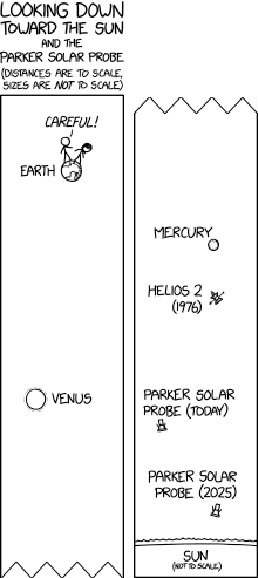
I found today’s xkcd comic visualizing the position of the Parker Solar Probe mission relative to the Earth and Sun intriguing, so naturally I tried to recreate it using the Wolfram Language. It’s pretty easy thanks to the language’s built-in access to astrodynamics data and its declarative graphics syntax, and the final animation is pretty fun to watch too.
Define some convenience functions for creating graphics objects:
In[1]:=
diskWithRadius[gigameters_]:=Disk[{0,0},gigameters]
In[2]:=
labelAtDistance[text_String,gigameters_]:=Text[text,{gigameters,0},BaseStyle{FontSize16}]
We’ll use gigameters as our coordinate system, as it’s a convenient scale to represent solar system distances in. Even though, like the original comic, we won’t be drawing sizes to scale, we still have to provide them in the same units as distances.
Create graphics objects for each of the bodies we want to show (the three inner planets and the Parker Solar Probe):
In[3]:=
objectGraphics=<|{Blue,diskWithRadius[6],labelAtDistance["Earth",15]},{Orange,diskWithRadius[6*.95],labelAtDistance["Venus",15]},{Red,diskWithRadius[6*.383],labelAtDistance["Mercury",15]},{Purple,diskWithRadius[6*.25],labelAtDistance["Parker\nSolar\nProbe",-15]}|>;
The radii used for Mercury, Venus, and Earth actually are to scale with one another, but not with the probe, the sun, or any of the distances that will be used.
Define a function to look up the distance of each object from the sun at a given date and time:
In[4]:=
positionsOnDate[date_DateObject]:=DeleteMissing@QuantityMagnitude[Join@@(EntityValue[#,Dated["DistanceFromSun",date],"EntityAssociation"]&/@GatherBy[Keys@objectGraphics,EntityTypeName]),"Gigameters"]
By using a entity property, we’re telling the Wolfram Knowledgebase that we want the value of the property at a specific point in time, rather than at the current instant.
Define a function to draw a graphical scene containing the four bodies and the Sun:
In[5]:=
graphicForDate[date_DateObject]:=Module[{positions=positionsOnDate[date]},Graphics[{{Yellow,Translate[diskWithRadius[200],{0,-200}]},Values@Merge[{objectGraphics,positions},Translate[#[[1]],{0,#[[2]]}]&]},PlotRange{{-30,30},{-10,172}},PlotLabelStyle[DateString[date,"Date"],14],ImageSizeLarge]]
View the scene for today:
In[6]:=
graphicForDate
Out[6]=
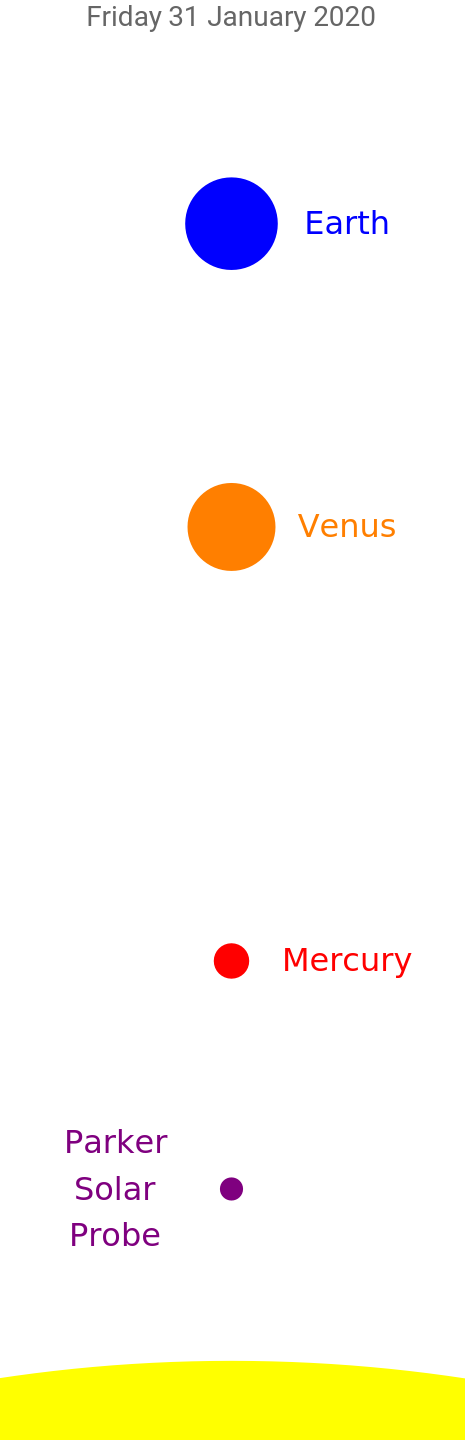
Compare it with the original from xkcd:
In[7]:=
GraphicsRow,graphicForDate
Out[7]=
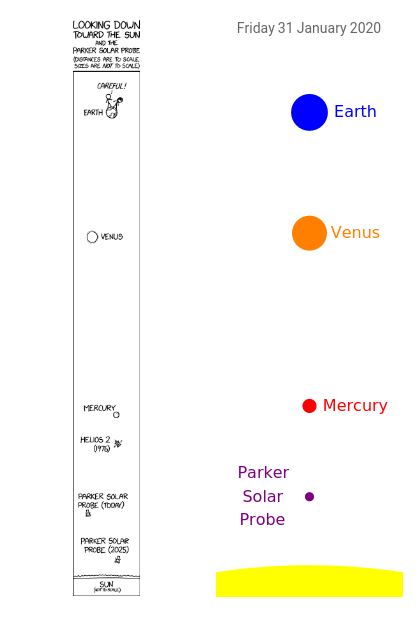
It matches pretty well!
Create an interactive view of the scene, allowing for manipulation of the date:
In[8]:=
launchDay=["LaunchDate"];Manipulate[graphicForDate[DatePlus[launchDay,missionDay-1]],{missionDay,1,2570,1},SaveDefinitionsTrue]
This doesn’t work too well as an animation because a network query has to be made on every frame, severely limiting the framerate. A better solution is to render all of the frames up front and export the animation to a file.
Generate a raster image of the scene for each Sunday from the date of launch through August 2025:
Export the frames to an animated GIF: