The Tokyo Metro is a Japanese special-purpose railway company that operates a subway system in the Tokyo metropolitan area and surrounding areas. The Tokyo Metro operates nine subway lines. In 2020, the Tokyo Metro had an average daily ridership of 4.98 million passengers.
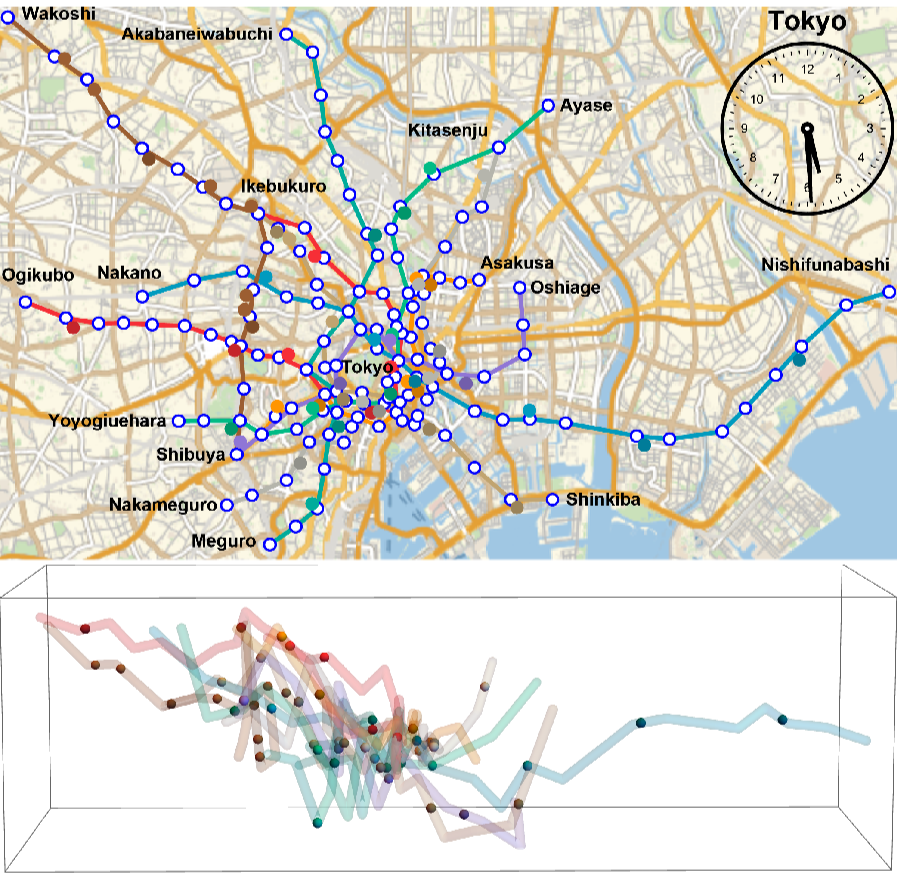
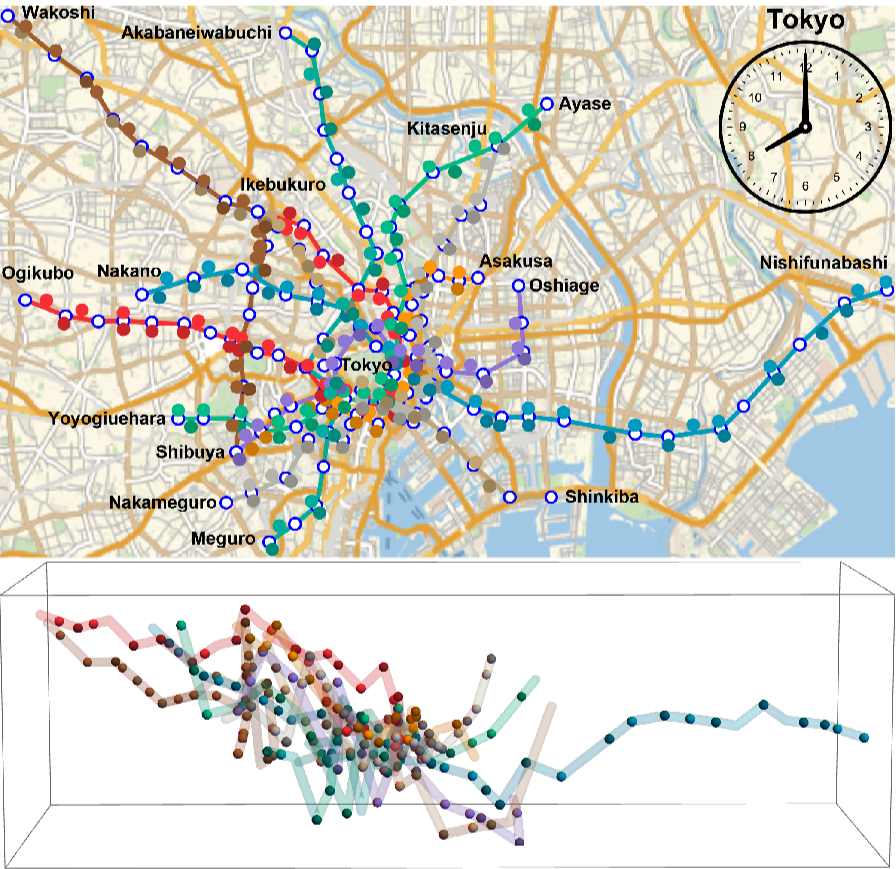
Three years ago, I posted a 3D view of the Tokyo subway system. This time, I tried to visualize the operation from the first train to the rush hour of 8 a.m.
Lines
Lines
The names of the nine routes are as follows.
In[]:=
line9Names={"ginza","marunouchi","hibiya","tozai","chiyoda","yurakucho","hanzomon","namboku","fukutoshin"};
The logos are as follows.
In[]:=
line9logs=Import["https://www.tokyometro.jp/library/common/img/route/icon_"<>#<>".png"]&/@line9Names
Out[]=
,

,

,

,

,

,

,

,


Extract the color of each line from the logos.
In[]:=
line9cols=DominantColors[#][[1]]&/@line9logs
Out[]=
{,,,,,,,,}

Stations
Stations
In[]:=
line9inf3D=;stationNames=Flatten[line9inf3D,1][[All,3]]//Union;stationNames//Length
Out[]=
140
Change the location of the station to the position {x, y, z}. z is corrected to make the visualization look better.
In[]:=
h=800;(*station->{x,y,z}@line*)line9StationCoordinates3DN=line9inf3D/.{n_,jp_,en_,{lat_,lon_},d_}->en->{lon,lat,d};(*{x,y,z}@line*)line9StationCoordinates3D=Values@line9StationCoordinates3DN;(*station->{x,y}@line*)line9StationCoordinates2DN=line9StationCoordinates3DN/.{x_,y_,z_}->{x,y};(*{x,y}@line*)line9StationCoordinates2D=Values@line9StationCoordinates2DN;(*station->{x,y}*)stationCoordinates=Flatten[line9StationCoordinates2DN,1]//Union;(*station->{x,y,z/h}@line*)line9StationCoordinates3DhN=line9inf3D/.{n_,jp_,en_,{lat_,lon_},d_}->en->{lon,lat,d/h};(*{x,y,z/h}@line*)line9StationCoordinates3Dh=Values@line9StationCoordinates3DhN;
Convert the location of the station to the elevation above sea level instead of the depth from the ground.
In[]:=
esl[lineno_]:=Module[{altitude,depth},altitude=GeoElevationData[Reverse@#]&/@line9StationCoordinates3D[[lineno,All,;;2]];depth=Quantity[#,"Meters"]&/@(line9StationCoordinates3D[[lineno,All,3]]);MapThread[Join[#1,{#2}]&,{line9StationCoordinates3D[[lineno]][[All,;;2]],QuantityMagnitude[altitude+depth]}]]eslh[lineno_]:=Module[{tmp,altitude,depth},tmp=esl[lineno];tmp/.{x_,y_,z_}->{x,y,z/h}](*theelevationabovesealevel*)(*{x,y,z/h}@line*)line9StationCoordinates3DESLh=eslh/@Range[Length@line9Names];(*station->{x,y,z/h}@line*)line9StationCoordinates3DESLhN=Thread[line9inf3D[[#,All,3]]->line9StationCoordinates3DESLh[[#]]]&/@Range[Length@line9Names];(*JoinYurakuchoLineandFukutoshinLineforinterconnection*)line9StationCoordinates3DESLhN[[6]]=Join[line9StationCoordinates3DESLhN[[6]],line9StationCoordinates3DESLhN[[9]]];line9StationCoordinates3DESLhN[[9]]=line9StationCoordinates3DESLhN[[6]];
Visualize lines
Visualize lines
Generate a two-dimensional plot.
In[]:=
{{x1,x2},{y1,y2},{z1,z2}}=MinMax/@Transpose@Flatten[line9StationCoordinates3Dh,1];plotrange2D={{x1-0.003,x2+0.003},{y1-0.005,y2+0.003}};disk=Graphics[{EdgeForm[Directive[Thickness[.2],Blue]],FaceForm[White],Disk[{0,0},1]}];g2D=ListLinePlotline9StationCoordinates3Dh[[All,All,1;;2]],PlotMarkers->{disk,0.025},(*station*)PlotStyle({Thickness[.005],line9cols[[#]]}&/@Range[9]),(*line*)AxesNone,PlotRangePadding0,PlotRangeplotrange2D,Epilog->,ImageSize400;(*map*)bg2D=GeoGraphics[GeoRangeReverse@plotrange2D,PlotRangePaddingNone,GeoBackground"StreetMapNoLabels",ImageSize400];Overlay[{ImageResize[bg2D,{800,490}],g2D}];Rasterize@%
Generate a three-dimensional plot.
Timetables
Timetables
The URLs of the timetable for the first station of each line are below.
Get information on each train from the first train to 8 a.m. Get information by executing commands in a web browser through the web driver using WebExcute[].
Get information on Ginza Line operations. It will take some time.
Information on the operation of nine lines is as follows.
Trains
Trains
Get 3D-position of the train every 30 seconds.
Get 2D-position of the train every 30 seconds. In 2D, I distinguish between trains in both directions of the line.
Visualize trains
Visualize trains
Visualize a three-dimensional graphical image of the operation from the first train to the rush hour of 8 a.m.
Visualize a two-dimensional graphical image.
Create a collage of images, 2D, 3D and clock.
Display a list of frames as dynamic animation.
Export a list of frames as animated GIF images.