EventHandlers have great potential in the development of GUI programs, but they can quickly become a mess of code, since GUI development, in addition to its complexity, must handle events that unfold from the user’s freely moving mouse and buttons. It can be a daunting task. In particular, the complexity of EventHandler’s expression structure makes it difficult to develop and maintain.
Example 1
Example 1
Therefore, the author devised a method that handle the EventHandler easier and simpler to read. It makes the action definition of the EventHandler functions into the Method of OOP. I’ll show it by step by step starting with Wolfram language reference to a simple GUI code. Let’s start with the reference of EventHandler function scope. Next code is a sample of modified reference using Object Oriented Programming paradigm.
In[]:=
diskClass[name_]:=Module[{col1=LightRed,col2=LightGreen,toggler={LightRed->LightGreen,LightGreen->LightRed}},targetGraphics[color_]=Graphics[{color,Disk[]},ImageSize->Tiny];actionMC[name]:="MouseClicked":>(col1=col1/.toggler);actionMD[name]:="MouseDown":>(col2=col2/.toggler);actionMU[name]:="MouseUp":>(col2=col2/.toggler);name[when]:=EventHandler[Dynamic[targetGraphics[col1]],{actionMC[name]}];name[while]:=EventHandler[Dynamic[targetGraphics[col2]],{actionMD[name],actionMU[name]}]]
You can see the EventHandler function becomes simple with the OOP methods. Let’s run the code and get the results.
In[]:=
Map[diskClass[#]&,{alpha,beta}];Column[Map[{#1[when],#1[while]}&,{alpha,beta}]]
Out[]=
{ targetGraphics[col1$4048] targetGraphics[col2$4048] |
{ targetGraphics[col1$4049] targetGraphics[col2$4049] |
Clicking on the left side of the two rows of disks changes the color with each click, while the right side changes color as long as the mouse is held down.
Example 2
Example 2
In the last issue, I showed you the GraphEditor code, which unfortunately is not as easy to read or maintain as it could be. So let’s apply the method of Example 1. The example we give here is code for creating and erasing a node instance by clicking on the canvas. The generated instances can be moved freely by dragging.
In[]:=
(*boarddefinition*)PlotSize=2;namList={};(*nodeclass*)node[nam_[p_]]:=Module[{myPos=p},actionN[nam]:="MouseClicked":>Which[CurrentValue["CommandKey"],removeInst[nam],True,{}];actionMD[nam]:="MouseDragged":>(myPos=MousePosition["Graphics"]);nodeImage[nam]:=EventHandler[Dynamic[Disk[myPos,0.1]],{actionN[nam],actionMD[nam]},PassEventsUp->False];];(*endofnodeclass*)(*nodeconstructionatclickposition*)nodeNew[newnam_]:=(node[newnam[MousePosition["Graphics"]]];AppendTo[namList,newnam];);removeInst[name_]:=(namList=Delete[namList,Position[namList,name][[1]]]);(*boardimagehandler*)actionMC:="MouseClicked":>nodeNew[Unique[]];objectsImage:=EventHandler[Graphics[{Map[nodeImage[#]&,namList]},PlotRange->PlotSize],{actionMC}];(*showboardimage*)Framed@Dynamic@objectsImage
Out[]=
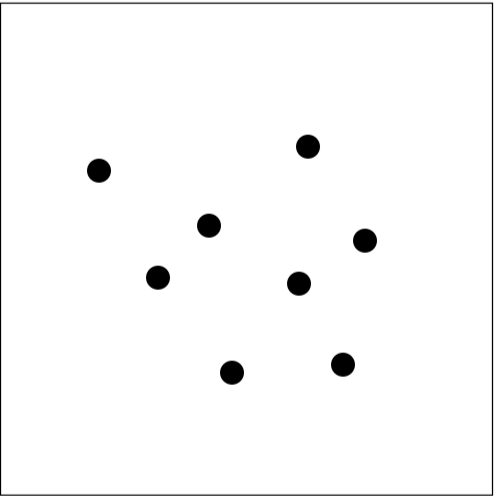
Mathematica’s EventHandler function is powerful, but requires the program coder to manage graphics, event actions, and the current keyboard state simultaneously. Powerful, but complex. Changing the event action definition to an OOP method partially eliminates this complexity.
CITE THIS NOTEBOOK
CITE THIS NOTEBOOK
Make EventHandler actions OOP methods for GUI development
by Hirokazu Kobayashi
Wolfram Community, STAFF PICKS, June 8, 2023
https://community.wolfram.com/groups/-/m/t/2932852
by Hirokazu Kobayashi
Wolfram Community, STAFF PICKS, June 8, 2023
https://community.wolfram.com/groups/-/m/t/2932852