Preamble
Preamble
I have long been involved in projects that involve various networking endeavors. Earlier I published here posts on how to make a telegram bot or create a web socket connection. I also implement standard protocols in Wolfram. I always try to do as much as possible in the Wolfram language itself and less with third-party technologies. This is because I always want to reduce the number of dependencies. While developing another server or protocol, I discovered that the built-in sockets that are implemented using the zeromq library have some problems.
The main problems were only two. First, it was just a monstrously slow data exchange. Secondly, there were constant crashes and errors when trying to send large amounts of data. When I say terrible speed, I’m not kidding. The built-in sockets that users have to use are so slow that I sometimes think it’s easier to send a TCP packet by pigeon!

From left to right, pigeons named Java, NodeJS, and Wolfram
I couldn’t put up with it anymore and so I decided to implement sockets interaction myself. In the following I will try to tell you what I got in the end.
Native example
Native example
But before we move on to look at my implementation we need some kind of example for comparison. First, I will create a server that runs on native Wolfram sockets (using ZeroMQ). And then I’ll do the same thing with performance measurements using my own implementation. Let’s get started!
First, we create a socket, which is a server:
In[]:=
server1=SocketOpen[8001]
Out[]=
SocketObject


That’s great. Now let’s create a special object that will listen for incoming connections using the handler function:
In[]:=
listener1=SocketListen[server1,handler]
Out[]=
SocketListener

It’s all working. To test how fast the server is, let’s define the handler so that it accepts an HTTP request and responds with a fixed HTML page. First, let’s just create a picture:
In[]:=
f[n_,x_]:=Abs[((1/Pi)^(1/4)HermiteH[n,x])/(E^(x^2/2)Sqrt[2^nn!])]^2;
In[]:=
image=Plot[Evaluate@Append[Table[f[n,x]+n+1/2,{n,0,7}],x^2/2],{x,-4,4},Filling->Table[n->n-1/2,{n,1,8}],ImageSize->Large,PlotTheme->"Scientific"]
Out[]=
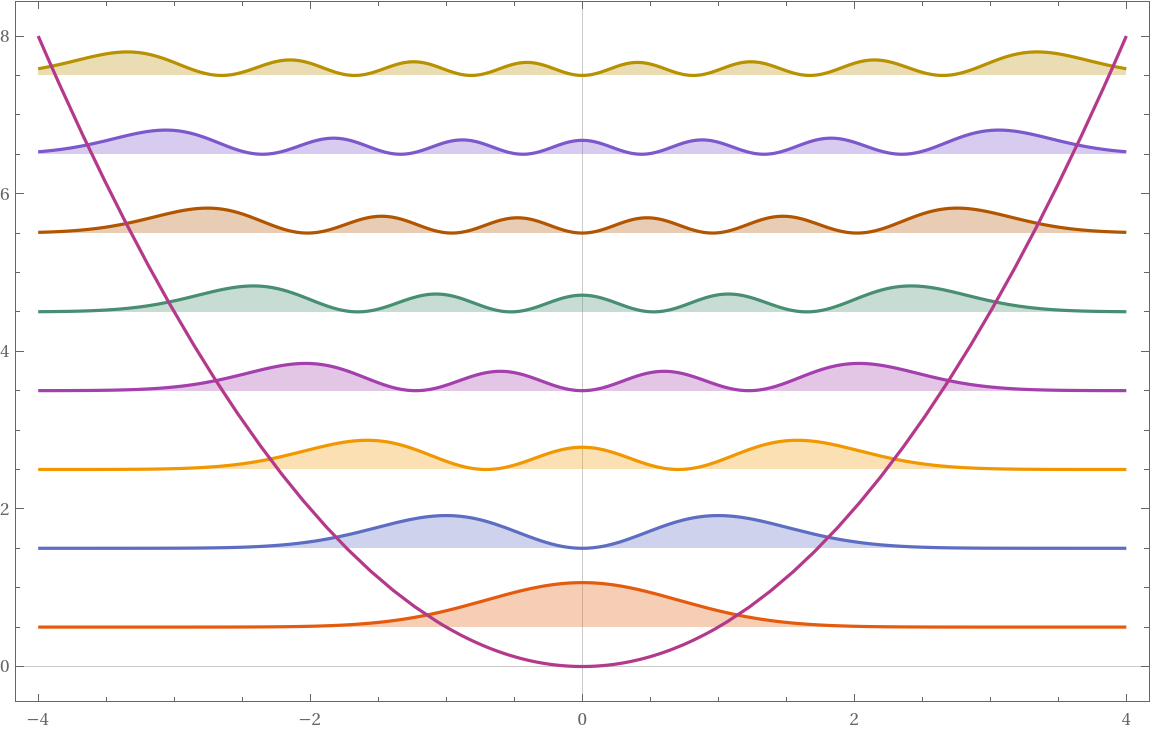
Export it to a string:
In[]:=
svg=ExportString[image,"SVG"];
And we’ll pre-compile the server’s response:
In[]:=
response="HTTP/1.1 200 OK\r\n\content-type: image/svg+xml\r\n\content-length: "<>ToString[StringLength[svg]]<>"\r\n\connection: keep-alive\r\n\\r\n"<>svg;
To keep the experiment clean, let’s see how many bytes we will send to the client:
In[]:=
UnitConvert[Quantity[N@ByteCount[response],"Bytes"],"Kilobytes"]
Out[]=
And the last step - let’s define a handler function that will respond to absolutely any request with this image:
In[]:=
handler[assoc_Association]:=Module[{client,request,svg},client=assoc["SourceSocket"];request=ByteArrayToString[assoc["DataByteArray"]];Echo[request,"Request:"];WriteString[client,response];]
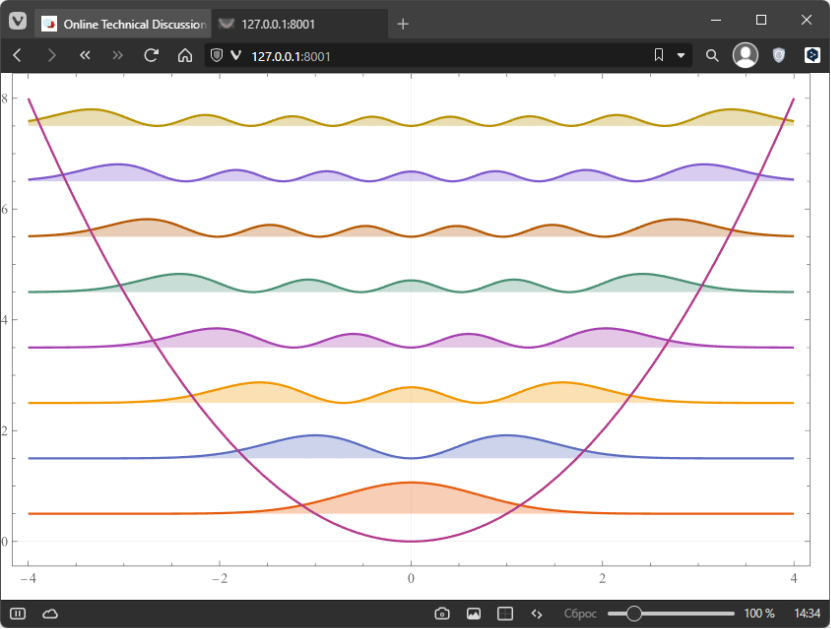
Our test image in the browser.
Another method we’ll use for measurements is a direct connection from the Wolfram Language. Here’s how to do it. First, we create a connection:
In[]:=
client1=SocketConnect[8001]
Out[]=
SocketObject

And send the data to the server:
In[]:=
WriteString[client1,"hi"]
Checking to see if there’s anything to read:
In[]:=
While[!SocketReadyQ[client1],Pause[0.001]]
Create an empty array for the data:
In[]:=
data=ByteArray[{}]
Out[]=
ByteArray
The last step is to read the data that came in:
In[]:=
While[SocketReadyQ[client1],data=Join[data,SocketReadMessage[client1]]]
And let’s see what read:
In[]:=
data
Out[]=
ByteArray
Let’s make sure it’s the same data:
It’s all working! That’s just great. Now let’s move on to the main part of the article and try to repeat the same thing using the package functions.
Installation
Installation
Finally we can move on to the main part of the article. Without further ado, let’s install the package:
Import package functions:
The package contains a total of 4 public functions:
◼
CSocketObject - socket representation
◼
CSocketListener - listener object
◼
CSocketOpen - opening server socket
◼
CSocketConnect - connecting to local/remote server
These functions are analogs of the same functions, but only without the prefix C. In addition, the following operations are overridden in the package:
◼
Close[csocket] - closes the socket
◼
BinaryWrite[csocket, byteArray] - writes binary data
◼
WriteString[csocket, string] - writes string
◼
SocketReadyQ[csocket] - checks if there is data to read
◼
SocketReadMessage[csocket] - reads incoming data from the buffer
◼
SocketListen[csocket, handler] - creates an object to listen to the socket
◼
DeleteObject[clistener] - deletes the listener
As a result, thanks to the above functionality, we can repeat all the same things we did using native sockets.
CSockets example
CSockets example
Open the neighboring port for listening:
Create a listener object using the same handler:
Create a client-side connection:
Writing the data:
Checking that the data has arrived:
Empty data:
The last step is to read the data that came in:
And let’s see what read:
Let’s make sure it’s the same data:
Everything works exactly the same. Now let’s compare performance!
Performance
Performance
Browser test
Browser test
The very first performance test in the browser - let’s just open the developer tools and see how fast the image loads:
With native sockets: 2.69 seconds (first line in the table - column “Время”)
With C sockets: 0.041 seconds (first line in the table - column “Время”)
Program test
Program test
Now we do the same thing as above, but with time measurement in Mathematica:
And run the test:
Time comparision:
Fifty times!!!
Problems
Problems
It is currently one of the initial versions of my package, but there are people who are already actively using it. There are some problems with it. Now the package is under active development and you can help me if you write your wishes, try to use it or find bugs. I already know some bugs and I am busy fixing them. Some I don’t know about.
One important issue is that part of the package is written in C and since I’m using Windows - I can’t test it on all architectures, Wolfram Lanuage versions and operating systems. Other Wolfram Language users could help me a lot with this.
Development
Development
You can just fork the project on github. This is a completely standard package for the Wolfram language: https://github.com/KirillBelovTest/CSockets.
To build library files for your operating system you can use the Scripts/BuidLibrary.wls file. Of course, you will need an installed compiler for the C language.
Conclusion
Conclusion
Thank you all for your attention! I hope that the tools I develop will benefit the Wolfram community. I am open to discussion, criticism, and suggestions.
CITE THIS NOTEBOOK
CITE THIS NOTEBOOK
CSockets: Creating fast server for TCP/HTTP/custom protocols
by Kirill Belov
Wolfram Community, STAFF PICKS, August 28, 2023
https://community.wolfram.com/groups/-/m/t/2999974
by Kirill Belov
Wolfram Community, STAFF PICKS, August 28, 2023
https://community.wolfram.com/groups/-/m/t/2999974