I set out to learn how RotationTransform and Translate work. It sort of got out of hand. At the end I suggest a project for someone with too much time on their hands. Whatever happened to Wolfram Tunes?
In[]:=
Simplify[+==/.c->Sqrt[+]]
2
a
2
b
2
c
2
a
2
b
Out[]=
True
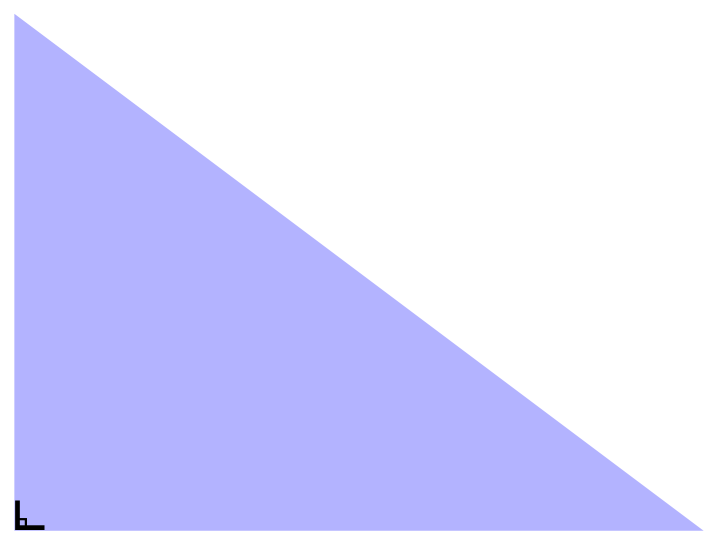
A right triangle
A right triangle
The built-in 90° symbol is not great. There is no keyboard shortcut. The one below must be cut and pasted in
In[]:=
triRt=Graphics[Style[Triangle[{{0,0},{4,0},{0,3}}],Opacity[.3],Blue]];corSym=Graphics[Text[Style["∟",30],{0.09,0.12}]];sh1=Show[triRt,corSym]
Out[]=
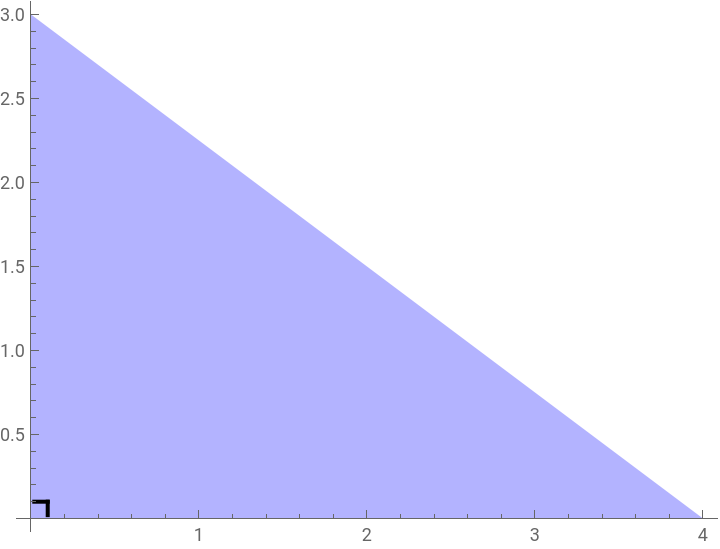
Here is a function for the 90° symbol that only works when the right angle is at the origin
In[]:=
corner[size_]:=GraphicsThick,Linesize,0+,{size,size},Line0+,size,{size,size};sh2=Show[triRt,corner[.1]];Show[triRt,corner[.1],Axes->True]
size
5
size
5
Out[]=
Dividing the hypotenuse into equal increments
Dividing the hypotenuse into equal increments
It’s a 3-4-5 Pythagorean triple, so the points on the axes are easy. The points separating the hypotenuse equally is a line segmentation problem, where we need coordinates. The general approach for this is to use the parametric form of a line equation.
For a line that starts at point and ends at point , the parametric form of the line can be written as:
Where is the parameter that goes in discrete increments from 0 to 1. When , we are at the start point (A), and when , we are at the end point (B).
The start point A for the hypotenuse of this triangle is {0,3} and the end point B is {4,0} (since the triangle is a right triangle with sides a=4 along the x axis and b=3 along the y axis). We want to divide the hypotenuse into 5 equal segments, so we will use values of at increments of 1/5.
For a line that starts at point
A(,)
x
1
y
1
B(,)
x
2
y
2
x+t(-)
x
1
x
2
x
1
y+t(-)
y
1
y
2
y
1
Where
t
t0
t1
The start point A for the hypotenuse of this triangle is {0,3} and the end point B is {4,0} (since the triangle is a right triangle with sides a=4 along the x axis and b=3 along the y axis). We want to divide the hypotenuse into 5 equal segments, so we will use values of
t
In[]:=
yAxis={0,3};xAxis={4,0};ptsHyp1=Table[yAxis+t*(xAxis-yAxis),{t,0,1,1/5}][[2;;5]]pts1=Graphics[{Green,PointSize->Medium,Point[ptsHyp1]}];
Out[]=
,,,,,,,
4
5
12
5
8
5
9
5
12
5
6
5
16
5
3
5
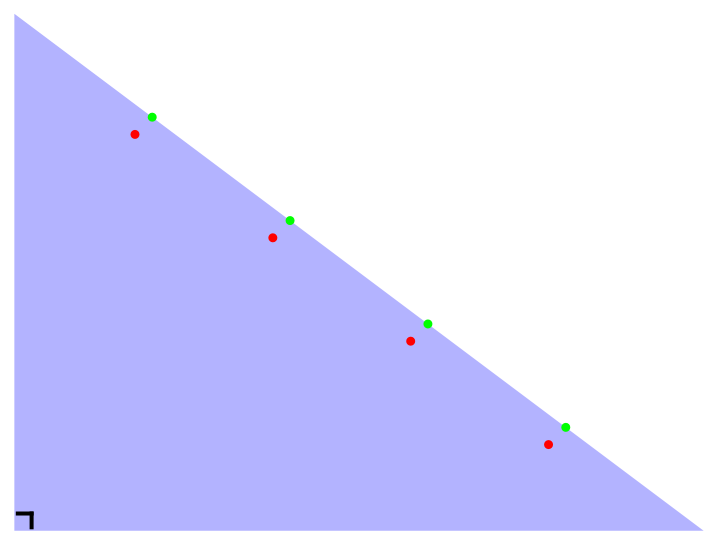
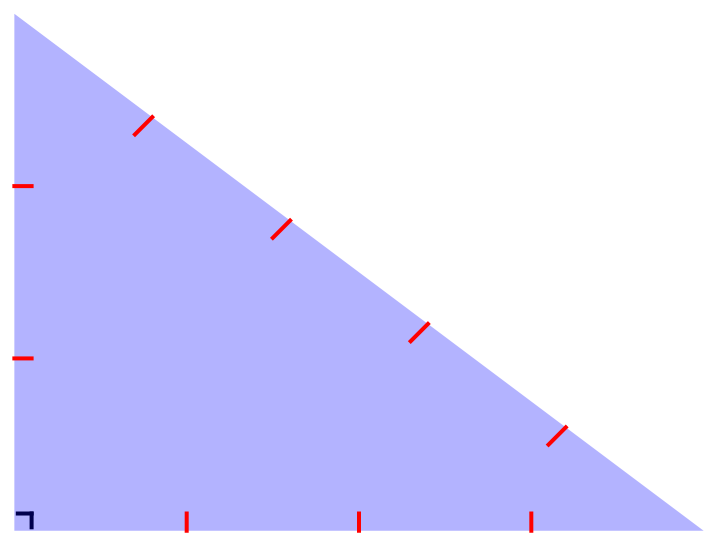
A tick is just a really short line. The points above are the end of the ticks right on the hypotenuse. We put all the ticks on the interior for now. The other end of the tick is just a matter of subtracting from each point
,
1
10
1
10
In[]:=
ptsHyp2=ptsHyp1[[#]]-,&/@Range[4]pts2=Graphics[{Red,PointSize->Medium,Point[ptsHyp2]}];
1
10
1
10
Out[]=
,,,,,,,
7
10
23
10
3
2
17
10
23
10
11
10
31
10
1
2
We ignore ticks on the end of the hypotenuse
In[]:=
sh3=Show[triRt,corner[.1],pts1,pts2]
Out[]=
In[]:=
ticks3=Graphics[{Red,Thick,Line[{{0,#},{.1,#}}&/@Range[2]]}];ticks4=Graphics[{Red,Thick,Line[{{#,0},{#,.1}}&/@Range[3]]}];ticks5=Graphics[{Red,Thick,MapThread[Line[{#1,#2}]&,{ptsHyp1,ptsHyp2}]}];sh4=Show[corner[.1],triRt,ticks3,ticks4,ticks5]
Out[]=
Adding the largest square adjacent to the hypotenuse
Adding the largest square adjacent to the hypotenuse
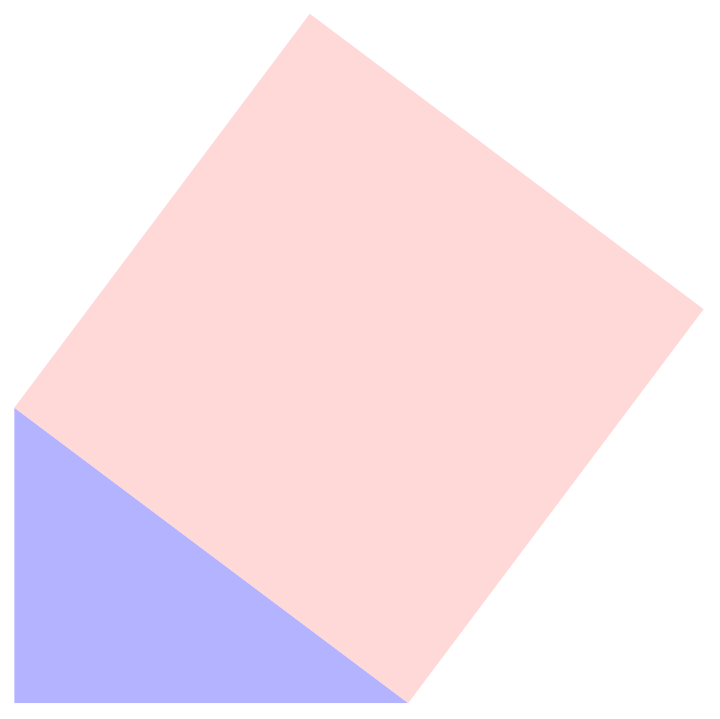
To create the square from the hypotenuse we need to rotate it counter-clockwise by the angle that the hypotenuse makes with the x-axis, then move it up and out using Translate. Caution: Your eye may want to make the rendering below three dimensional and see a tent. It is not there. Look only for two objects, a square and a triangle, each having only two dimensions.
In[]:=
sqHyp=Rectangle[{0,0},{5,5}];angle=ArcTan-;rotatedSquare=Rotate[sqHyp,angle,{0,0}];transVector={4,6}-{5Cos[angle],-5Sin[angle]};translatedAndRotatedSquare=Translate[rotatedSquare,transVector];grSqHyp=Graphics[{LightRed,translatedAndRotatedSquare}];sh5=Show[triRt,grSqHyp]
3
4
Out[]=
Adding dashed lines to make sub-squares
Adding dashed lines to make sub-squares
Now we need to show how equidistant lines, drawn perpendicular to each other, create a lot of smaller squares. We start with parallel, equidistant lines, then use RotationTransform to make them perpendicular or parallel to the hypotenuse
In[]:=
center={2.5,2.5};rotatedDashedLinesVertical=Table[{Dashing[{0.02,0.02}],Line[RotationTransform[angle,center]/@{{i,0},{i,5}}]},{i,1,4}];rotatedDashedLinesHorizontal=Table[{Dashing[{0.02,0.02}],Line[RotationTransform[angle,center]/@{{0,i},{5,i}}]},{i,1,4}];hypDash=Graphics[Translate[Join[rotatedDashedLinesVertical,rotatedDashedLinesHorizontal],{1,1}],Axes->True,PlotRange->{{0,5},{0,5}},AspectRatio->1];sh6=TableShowtriRt,GraphicsOpacityIfi<10,,1,LightRed,translatedAndRotatedSquare,Translate[Join[rotatedDashedLinesVertical,rotatedDashedLinesHorizontal],{1,1}],Axes->True,PlotRange->{{0,5},{0,5}},AspectRatio->1,hypDash,{i,0,20,0.2};Show[triRt,grSqHyp,hypDash]
i
10
Repeating for the other two squares
Repeating for the other two squares
The other two squares and their dashed lines are much easier
(Some extra code, below, is needed for the animation at the end)
Add the count of the small squares to the graphic; note the total of the two smaller = the total of the larger. QED
An Animation
An Animation
One may export this expression as below, then import it into video editing software and add sound. You know you want it: “PYTHAGORAS!!! The Musical”
I was thinking about this (starting at :27) for the music bed, but I leave that for someone else...
https://www.youtube.com/watch?v=3XXhQ7aFCSY
I was thinking about this (starting at :27) for the music bed, but I leave that for someone else...
https://www.youtube.com/watch?v=3XXhQ7aFCSY
CITE THIS NOTEBOOK
CITE THIS NOTEBOOK
An illustration of one of the Proofs of Pythagoras
by Roger J. Brown
Wolfram Community, STAFF PICKS, June 13, 2024
https://community.wolfram.com/groups/-/m/t/3192300
by Roger J. Brown
Wolfram Community, STAFF PICKS, June 13, 2024
https://community.wolfram.com/groups/-/m/t/3192300