CITE THIS NOTEBOOK: Wolfram R&D LIVE: Introducing Astro Computation by José Martín-García. Wolfram Community MAR 16 2023.
AstroPosition
AstroPosition
• Find the coordinates of a celestial object:
AstroPosition
AstroPosition


• Use any celestial frame:
AstroPosition,"Equatorial"
AstroPosition
• Use any coordinate system:
AstroPosition[Here,"ICRS","Cartesian"]
AstroPosition
AstroGraphics
AstroGraphics
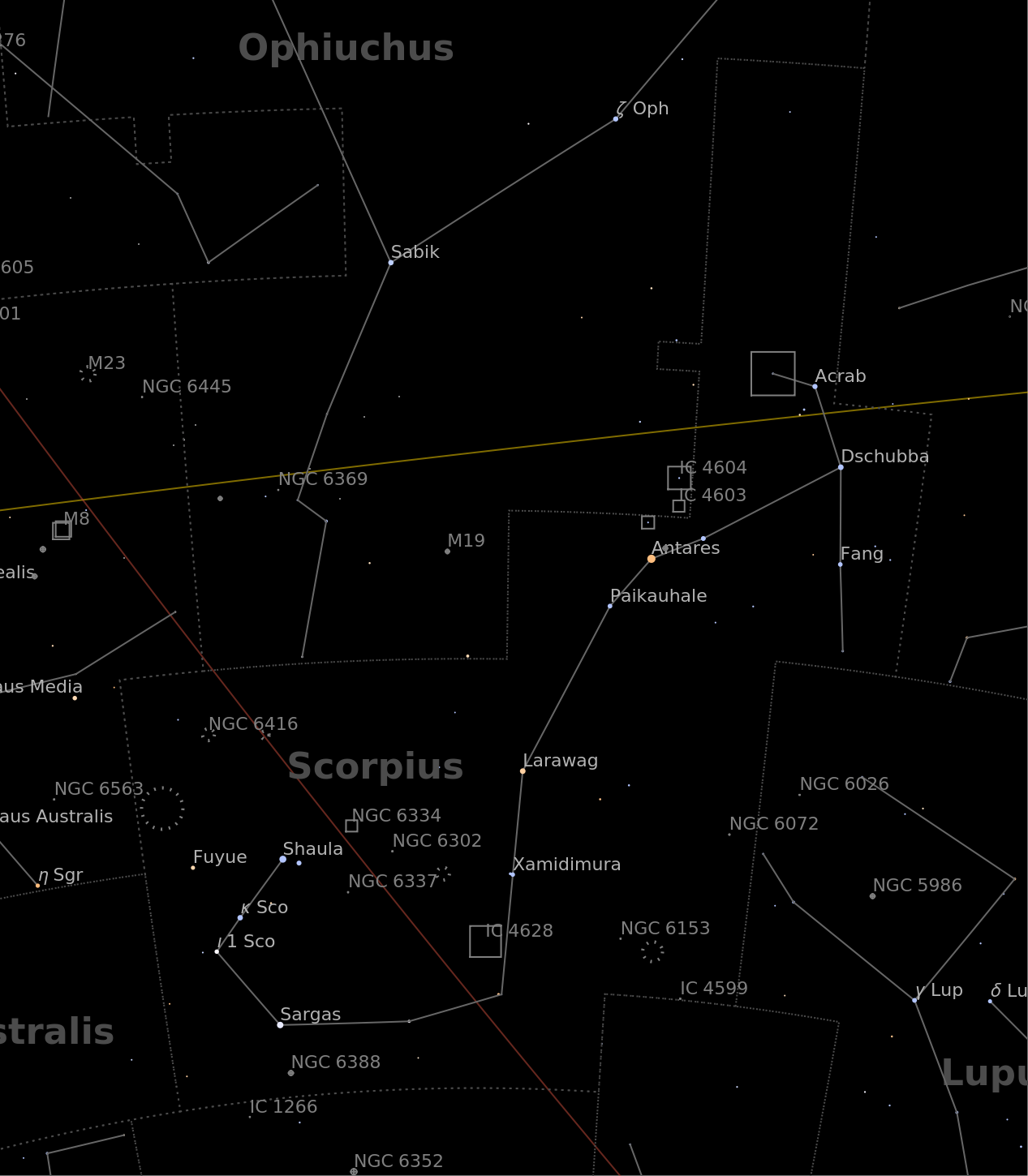
• Show a region of the celestial sky:
AstroGraphics,AstroReferenceFrame->"Equatorial"
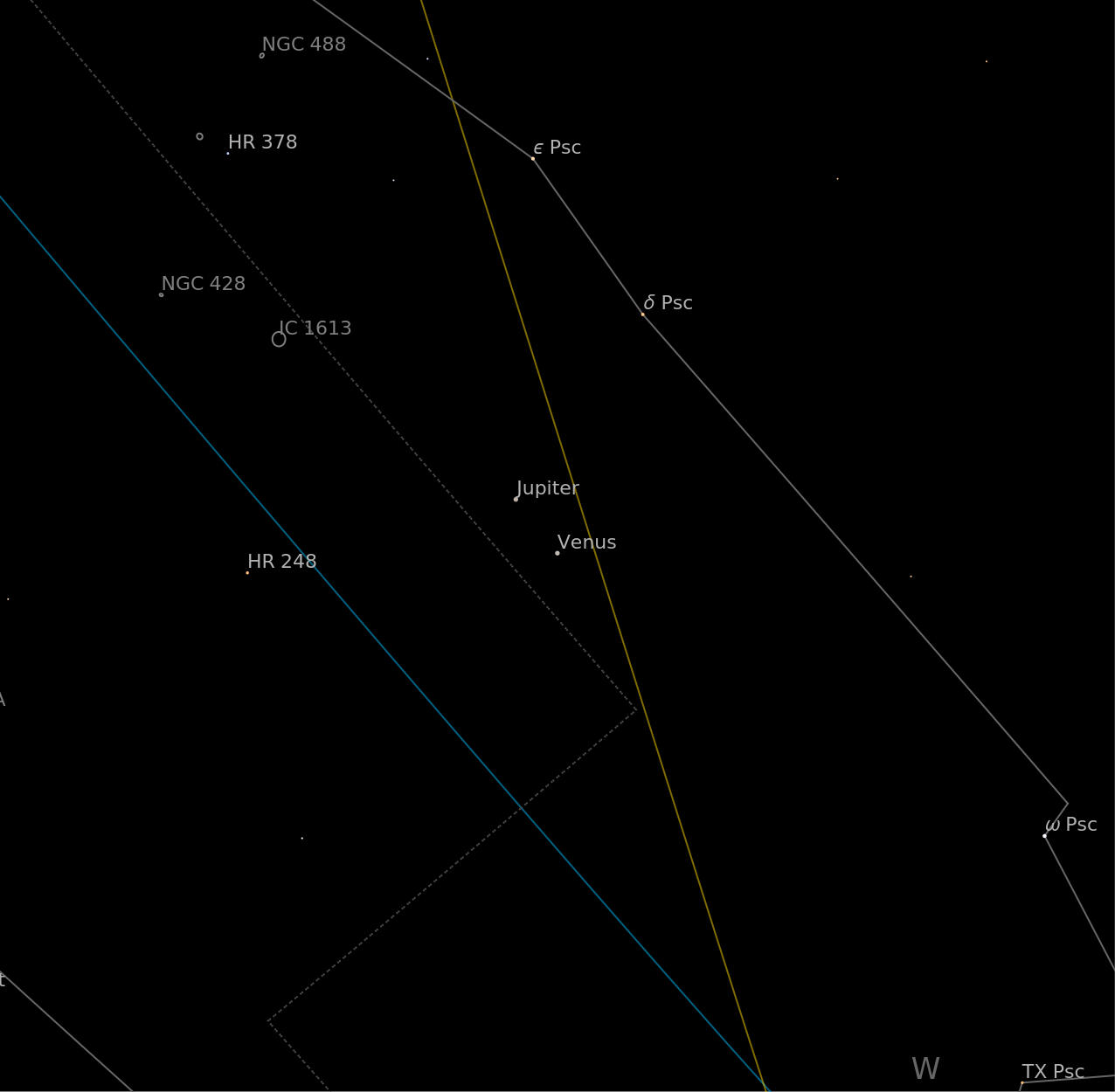
• Jupiter and Venus are currently close to each other:
AstroGraphics,AstroReferenceFrame->{"Horizon",DateObject[{2023,2,28,19,0,0}]},AstroRange->
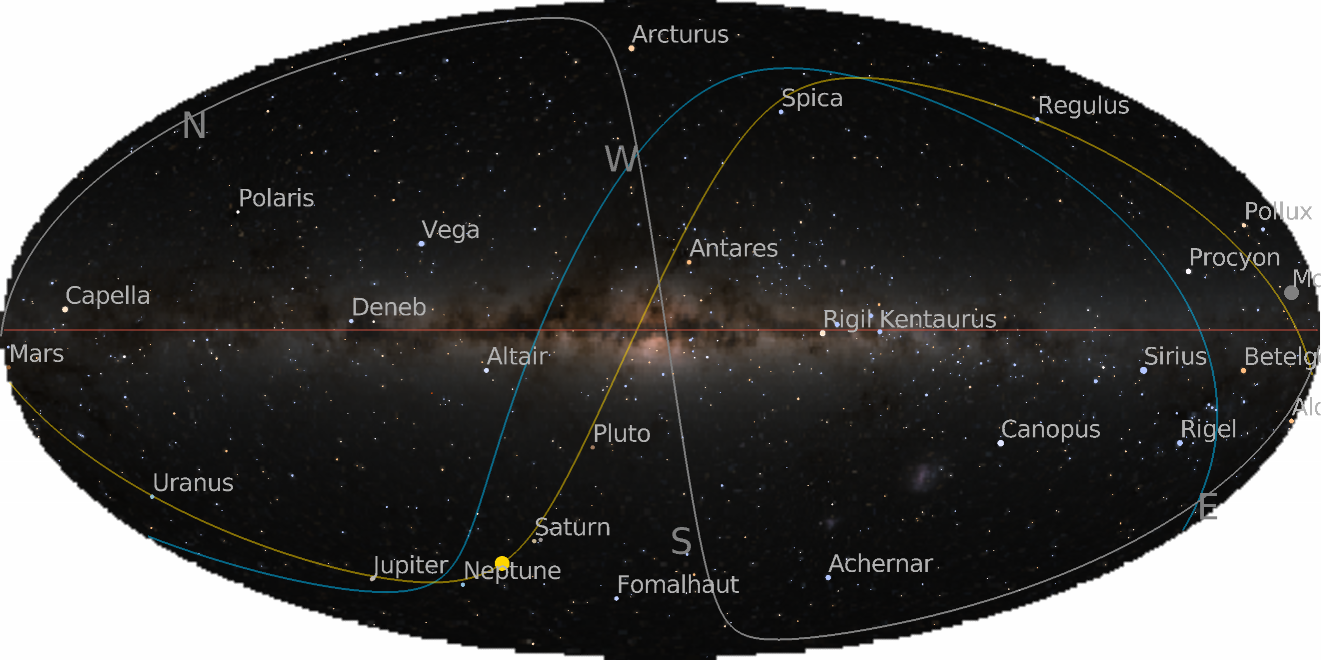
• Or the whole sky, in the galactic frame:
AstroGraphics[AstroReferenceFrame->{"Galactic",Now,Here},AstroBackground->"GalacticSky"]
Outline
Outline
◼
0) Simple examples
◼
1) Reference frames and time systems
◼
2) AstroPosition
◼
3) Astro computation
◼
4) AstroGraphics
◼
5) Application examples
◼
6) Constellations
◼
7) (Future) 3D visualization
1. Reference Frames and Time Systems
1. Reference Frames and Time Systems
1.1. Main Families of Frames
1.1. Main Families of Frames

◼
“Equatorial”: use Earth’s equatorial plane.
◼
“ICRS”, “J2000”, “GCRS”, “TETE”, “MEME”, “CIRS”.
◼
“Ecliptic”: use Earth’s orbital plane.
◼
“TrueEcliptic”, “MeanEcliptic”.
◼
“Galactic”: use Milky Way’s plane.
◼
Co-rotating with Earth: “TIRS”, “ITRS”.
◼
“Horizon” frames: use local horizontal plane.
1.2. Time Systems
1.2. Time Systems
Possible cases:
◼
Atomic time at the surface of the Earth.
◼
“TAI”, “TT”, “UTC”
◼
Time determined by the rotation of the Earth.
◼
“UT1”
◼
Time at places other than Earth surface.
◼
“TCG”, “TCB”, “TDB”, ...
Examples:
Orange: TT - UT1 ± 0.9s, Blue: TT - UTC
2. AstroPosition
2. AstroPosition
2.1. Main ideas
2.1. Main ideas
• Follow GeoPosition:
◼
coords is a coordinate array.
◼
frame is “Equatorial” or {“Equatorial”, date, loc, ...}, etc.
◼
csys is “Cartesian”, “RADec”, “LonLat”, ... or a projection.
• Example: Observe the Moon’s center from your location:
• Angles are stored as degrees, distances as astronomical units:
• Coordinate conversions for that same date and location:
• Dynamic motion of the Moon:
• Extract properties:
• Directions in space:
The true equinox is the X axis of the TETE and TrueEcliptic frames:
This is a consequence of precession:
This is a consequence of nutation:
2.2. Example: Observe Here from the Moon
2.2. Example: Observe Here from the Moon
• Observe our location from a point on the Moon:
Define this function that takes any day d in March 2023:
3. Astro Computation
3. Astro Computation
3.1. AstroDistance
3.1. AstroDistance
• Compute the current distance to an object from your location:
3.2. AstroAngularSeparation
3.2. AstroAngularSeparation
• Angular separation between two objects as seen from a third (your local position by default):
• Find the closest approach between Jupiter and Saturn in 2020:
4. AstroGraphics
4. AstroGraphics
4.1. Maps of the whole sky
4.1. Maps of the whole sky
• Use other frames:
• Choose your own projection for any frame:
• And a background image:
4.2. Maps of local regions of the sky
4.2. Maps of local regions of the sky
• Specify an object and give an angular radius:
• Again, we can add the background image:
• Show the area of the Andromeda galaxy:
5. Application Examples
5. Application Examples
5.1. Zoom in around Jupiter
5.1. Zoom in around Jupiter
5.2. Retrograde motion of Mars
5.2. Retrograde motion of Mars
• Take a collection of weekly positions of Mars over a year, with a background of today:
5.3. Solar eclipses
5.3. Solar eclipses
• Eddington's observations of gravitational light deflection:
Visualize what happened during the eclipse, centering around the position of the Sun:
• Annular eclipse next year. Notice how in this case the Moon looks smaller than the Sun.
6. Constellations
6. Constellations
• This is the sky around the North Celestial Pole:
• Activate constellation illustrations:
• Use styling options for full control:
Conclusions
Conclusions
◼
New Astro project in 13.2. Experimental status.
◼
AstroPosition describes observations of anything from anywhere any time.
◼
AstroGraphics shows maps of the sky in several frames and projections.
◼
There is still much to do:
◼
Velocities, orbits and orbital elements.
◼
All about eclipses, occultations, transits and other events.
◼
More data, more types of charts and 3D visualization, more computational functions, ...