An interface for Julia language to connect with Wolfram language
by Johnson Bruno D'Souza
Capgemini Technology Services India Limited, Bengaluru Karnataka India
by Johnson Bruno D'Souza
Capgemini Technology Services India Limited, Bengaluru Karnataka India
Julia is an open-source high-level, high-performance, dynamic programming language. The Wolfram language on the other hand emphasizes symbolic computation, functional programming, and rule-based programming and can employ arbitrary structures and data. An interface is built to call expressions of the Wolfram language from Julia. This has huge potential as the Wolfram language and its capabilities can be leveraged from the Julia language.
Introduction
Introduction
The interoperability of languages or frameworks has always been an extremely intricate but very useful feature in the software development process. The advent of the new computer languages designed and developed for very specific to general-purpose has made interoperability a sought-after feature. The Julia language is a kid on the block whereas Wolfram has been around for several decades helping professionals across the spectrum solve a range of problems. This project is an effort to build an interface from Julia to Wolfram.
This interface uses TCP/IP Socket connection to connect with the Wolfram engine to execute the Wolfram Expressions and receive the output. It uses ZMQ, JSON, and JSO3 libraries in Julia and SocketListen function at Wolfram.
This interface uses TCP/IP Socket connection to connect with the Wolfram engine to execute the Wolfram Expressions and receive the output. It uses ZMQ, JSON, and JSO3 libraries in Julia and SocketListen function at Wolfram.
Connectivity from Julia
Connectivity from Julia
ZMQ library is a Julia interface to ZeroMQ. The connect(socket , IPAddress), send(socket, message) and recv(socket, response) functions of ZMQ library are used to establish connection with Wolfram Engine. These methods use Sockets as medium. JSON3 is yet another JSON package for Julia built for speed and slick struct mapping. It provides two main functions. They are JSON3.read(json_string) and JSON3.write(json_string).
Connectivity from Wolfram
Connectivity from Wolfram
In Wolfram, SocketOpen[address,”protocol”] and SocketListen[port,fun] functions are used to open and start a listener. SocketOpen function opens a socket that accepts connections with the specified protocol(TCP in this case), SocketListen function starts listening for active connections on the specified port of 127.0.0.1.
Wolfram expressions in this project are categorized into 2 categories. Expressions that result in a single value are named SCALAR, Expressions that result in multiple values are named TIMESERIES. Timeseries values returned are limited to first 10 values from the result set.
Wolfram expressions in this project are categorized into 2 categories. Expressions that result in a single value are named SCALAR, Expressions that result in multiple values are named TIMESERIES. Timeseries values returned are limited to first 10 values from the result set.

Julia Code:
using ZMQ
using JSON3
context = Context(1)
socket_conn = Socket(context, PAIR)
"""
send_message(operation, result_type, host_with_port_number, socket_conn)
Send operation expression to host via socket connection.
"""
function send_message(operation, host_with_port_number, socket_conn)
ZMQ.connect(socket_conn, host_with_port_number)
ZMQ.send(socket_conn, operation)
end
"""
recieve_message(socket_conn)
Recieve response of the from socket connection.
"""
function recieve_message(socket_conn)
msg = ZMQ.recv(socket_conn)
res = String(UInt8.(msg))
JSON3.read(res)["Output"]
end
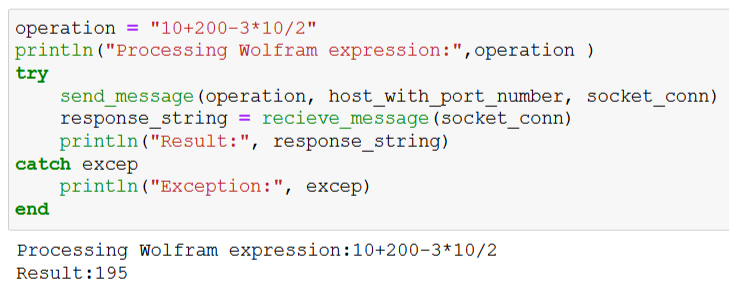
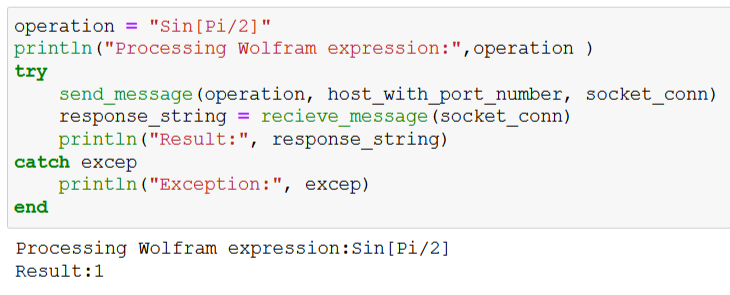
The code in Julia language uses ZMQ and JSON3 libraries. The function send_message() connects to the host and sends the operation for processing. The host_with_port_number is set to tcp://127.0.0.1:9001 . The function recieve_message() gets the data sent by the Wolfram code.
Wolfram code:
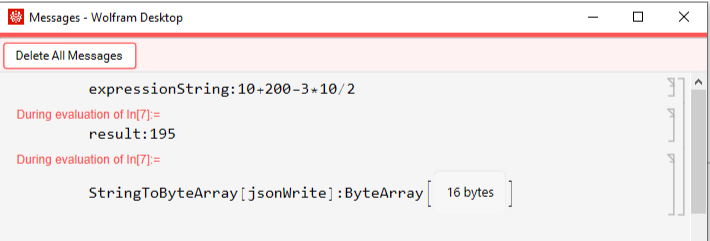
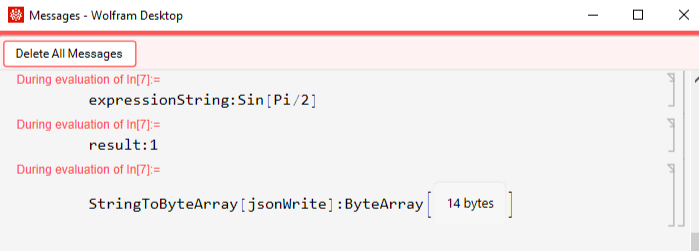
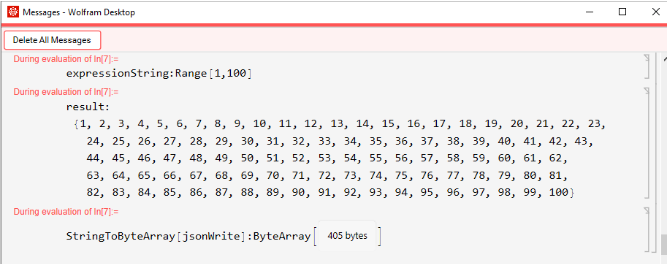
ProcessExpression[dataByteArray_,sourceSocket_]:=Module[{dataString,jsonWrite},If[!ByteArrayQ[dataByteArray],Print["ByteArray Error"];];expressionString=ByteArrayToString@dataByteArray;eval=ToExpression[expressionString];If[MemberQ[eval["Properties"],"Path"],result=ToString[eval["Path"][[;;Min[10,eval["PathLength"]]]]],result=ToString[eval]];Print["eval:",eval];Print["result:",result];jsonWrite=Developer`WriteRawJSONString[<|"Output"->result|>,"ConversionRules"->{_Missing|None->Null},"Compact"->True];BinaryWrite[sourceSocket,StringToByteArray[jsonWrite]];Print["StringToByteArray[jsonWrite]:",StringToByteArray[jsonWrite]];]socket=SocketOpen[9000,"ZMQ_PAIR"]SocketListen[socket,ProcessExpression[#DataByteArray,#SourceSocket]&,HandlerFunctionsKeys->{"DataByteArray","SourceSocket"}]
ProcessExpression is a function that takes Data sent by the Julia function send_message(). This Data should be a valid Wolfram expression.
The function ToExpression[expressionString] gives the expression obtained by interpreting strings or boxes as Wolfram Language input. As an expression could return a single or multiple values, properties like “Path” and “PathLength” accessed to select values.
WriteRawJSONString function returns result of the expression to Julia via socket connection
The function ToExpression[expressionString] gives the expression obtained by interpreting strings or boxes as Wolfram Language input. As an expression could return a single or multiple values, properties like “Path” and “PathLength” accessed to select values.
WriteRawJSONString function returns result of the expression to Julia via socket connection
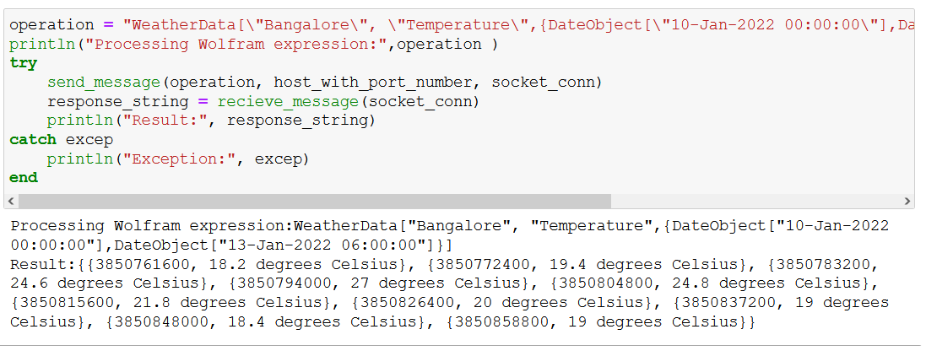
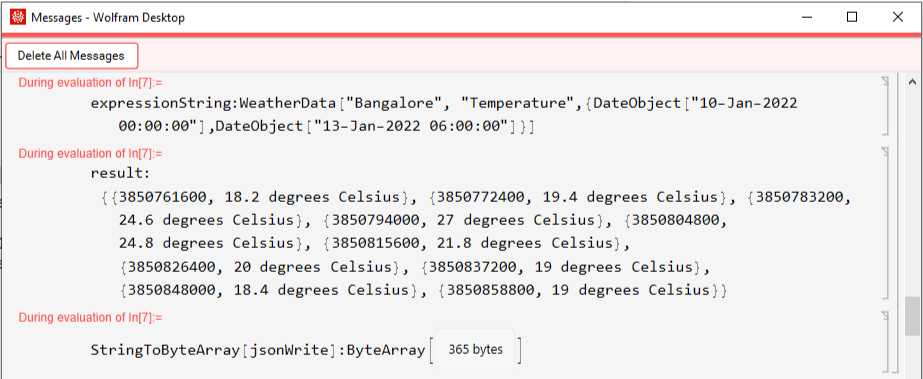
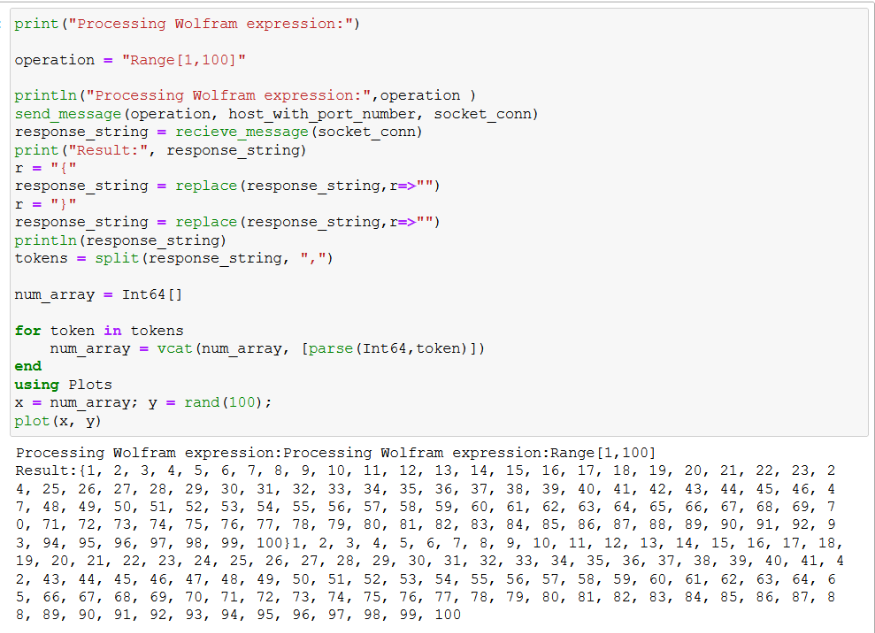
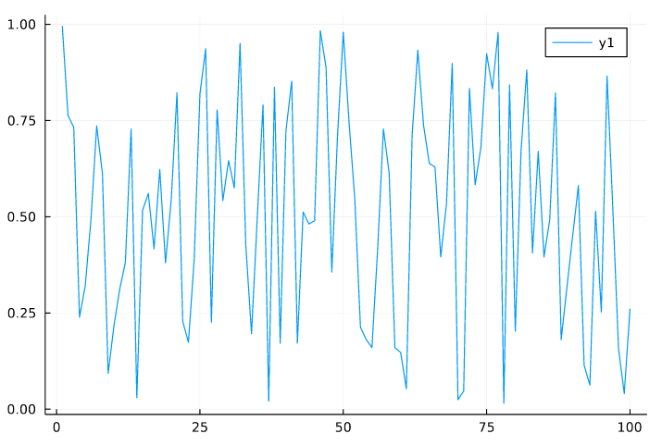
Code ExecutionExample #1: Processing a simple arithmetic expressionJulia code Wolfram listener Example #2: Processing a simple math expressionJulia code Wolfram listener Example #3: Processing a weather data queryJulia code Wolfram listener Example #4: Processing a function returning a list of values and plotting a sample graph in JuliaJulia code Wolfram listener
Concluding remarks
Concluding remarks
This project demonstrates the useful features of connecting 2 distinct computer languages in collaborating to extract data and use computation power of Wolfram from Julia language. Further to this, adding more capabilities to validate input, transform the result obtained from Wolfram for in-house processing in Julia will greatly benefit best uses of both the worlds
Keywords
Keywords
◼
Julia
◼
Mathematica
◼
Wolfram
◼
Interface
◼
Sockets
Acknowledgment
Acknowledgment
I would like to thank Suman Banerjee and Mads Bahrami for being supportive and responsive mentors throughout this process. Many thanks to the TAs Rahul Sharma and Tuseeta without whom I wouldn’t have been able to complete this project in such a short time. Also, I would like to thank Todd Gayley at Wolfram Research for sharing his knowledge on communication protocols.
References
References
◼
Julia language documentation: https://docs.julialang.org/en/v1/
◼
Julia Socket programming documentation: https://docs.julialang.org/en/v1/stdlib/Sockets/
◼
Wolfram language documentation and training videos
◼
Wolfram Socket programming documentation: https://reference.wolfram.com/language/ref/Sockets.html