When one of my Wolfram Language projects reaches an unsatisfactory end, I file it away in a subdirectory that I probably will never visit again. No regrets. The exploration itself is fulfilling. The project I’m sharing here I intended to publish in the Function Repository, but, as I’ll explain below, it has some fatal flaws in it. Before I bury it though, I feel it was worth sharing here in the Community.
The inspiration for this project is Medieval illuminated text. Back before the printing press was in widespread use, books were written by hand. Often pages would feature painted decorations or illustrations. One particular design feature, called red letter or illuminated text , was an oversized, gold inlaid and painted version of the text's first letter. Ornamentation could be floral or have some relevance to the subject of the text.
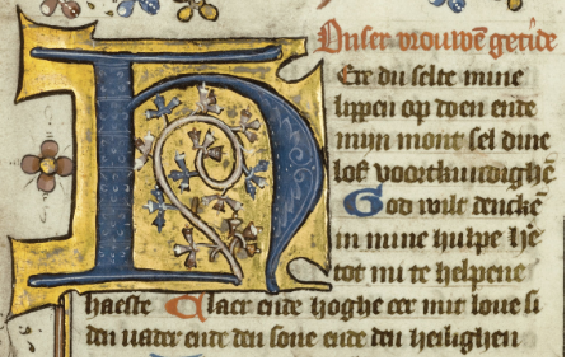
The recent explosion of AI like Dall - e made me think I could mimic illuminated text with the Large Language Model functions recently added to the Wolfram Language .
First Challenge
First Challenge
Get an AI drawing of the first letter of text. This turned out to be easy:
In[]:=
ServiceConnect["OpenAI"]
Out[]=
ServiceObject

In[]:=
Needs["Wolfram`LLMFunctions`"];txt="Some text";pic=ImageResizeImageCrop[StringReplace["Draw the capital letter ••• with floral ornimentation in black and shades of gold.","•••"->StringTake[txt,1]],ImageSize->Medium],{{200},{200}}

Out[]=

Beautiful, yes? I have an account with OpenAI, necessary for this to work. There is a free trial to get you started.
Second Challenge
Second Challenge
Ultimately this is what sunk the project, but I learned a great deal about text formatting in the Wolfram Language. I envisioned the illuminated letter to extend a little to the left and above the margins of the text, which would begin to the right of the image and then flow around and beneath it. To my knowledge, there’s no built-in way to make text flow around obstacles like images, so I needed to get creative. After experimenting with various schemes, I settled on rows within columns:
In[]:=
Column[{Row[{pic,"first part of text"}],Row[{"rest of the text"}]}]
Out[]=
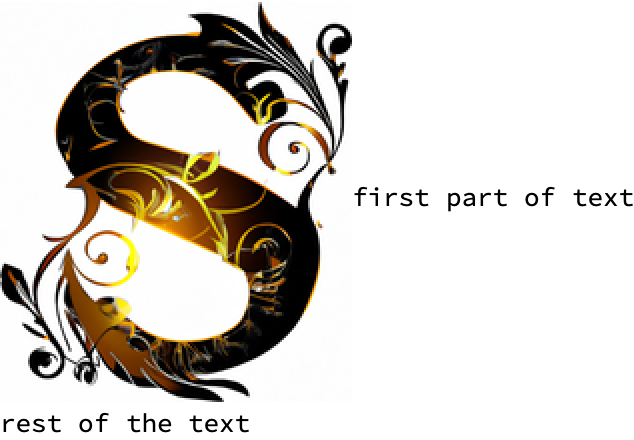
To determine where the two text parts should be divided, I wrote what I thought was a clever hack based on how much text would fit in a pane of a given size without triggering the appearance of scrollbars:
In[]:=
txt="Xavier rambled through the brambles. He then bit the apple in the hand of the evil warlock. The warlock jumped back in surprise, eyes wide and mouth in a terrible grimace. A finger of the hand that had been holding the apple was missing. Black blood dripped to the ground around curled boots. No sound came from between his lips, but the air deadened like when you cover your ears. Xavier took the finger from his mouth and spit out the bit of apple. The ring of power was still on the finger. They could feel dark beings gathering around them in the gloom beyond the light of Xavier's lamp, spirits wretched and evil, but not threatening; more lost, or defensive like cornered animals.";splitText[t_String,f_String,fs_Integer,w_,h_]:=Module[{pane1,string1,string2,xx},pane1=Style[Pane[xx,{w,h},Scrollbars->Automatic,AppearanceElements->None],fs,FontFamily->f,LineIndent->0,LineSpacing->{lineSpacing,0}];string1=NestWhile[(StringDelete[#,Whitespace~~Except[WhitespaceCharacter]..~~EndOfString]&),t,(Unequal@@PixelValue[Rasterize[pane1/.xx->#,ImageResolution->72],{{1,1},{w,h}-5}]&)];string2=StringDelete[t,StartOfString~~string1~~WhitespaceCharacter..];{string1,string2}];splitText[txt,"Times New Roman",24,600,120]
Out[]=
{Xavier rambled through the brambles. He then bit the apple in the hand of the evil warlock. The warlock jumped back in surprise, eyes wide and mouth in a terrible grimace. A finger,of the hand that had been holding the apple was missing. Black blood dripped to the ground around curled boots. No sound came from between his lips, but the air deadened like when you cover your ears. Xavier took the finger from his mouth and spit out the bit of apple. The ring of power was still on the finger. They could feel dark beings gathering around them in the gloom beyond the light of Xavier's lamp, spirits wretched and evil, but not threatening; more lost, or defensive like cornered animals.}
Knowing the font and font size allowed me to specify a line height, which was crucial for spacing the two text parts the right distance from each other. Unfortunately, a function that requires explicit settings for font and font size clashes with the Style functionality of the Wolfram Language:
In[]:=
TextIllumination[txt,"Times New Roman",20,600]
Out[]=
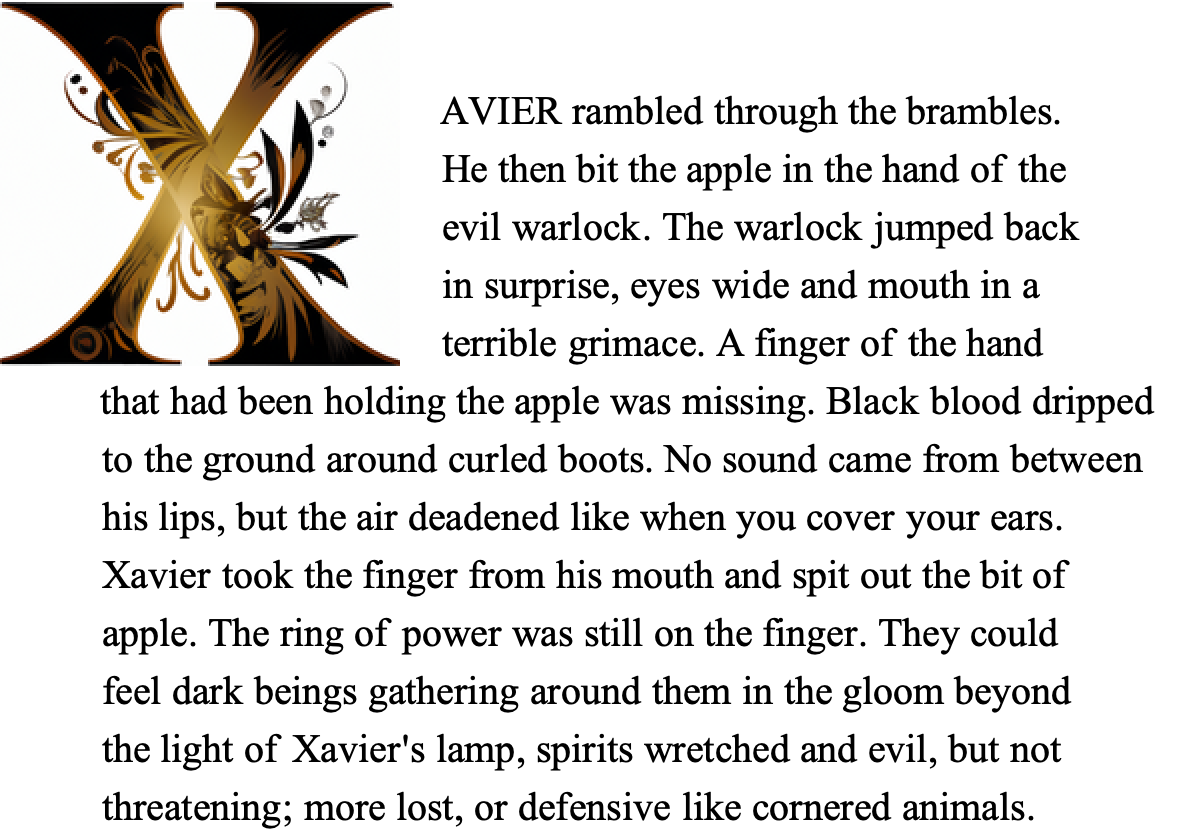
(The full code that produced this and the next example is at the end of this article.)
In addition to controlling the font face and size, I thought the user might want to change the image to an illustration related to the text. That was as easy as making an option for the user to override the prompt. It is cool that artificial intelligence can draw the illustration from a short prompt:
In[]:=
TextIllumination[txt,"Lucida Blackletter",26,600,DropFirstLetter->False,CapitalizeFirstWord->False,ImageAIPrompt->"Pen and ink drawing of an evil warlock holding an apple."]
Out[]=
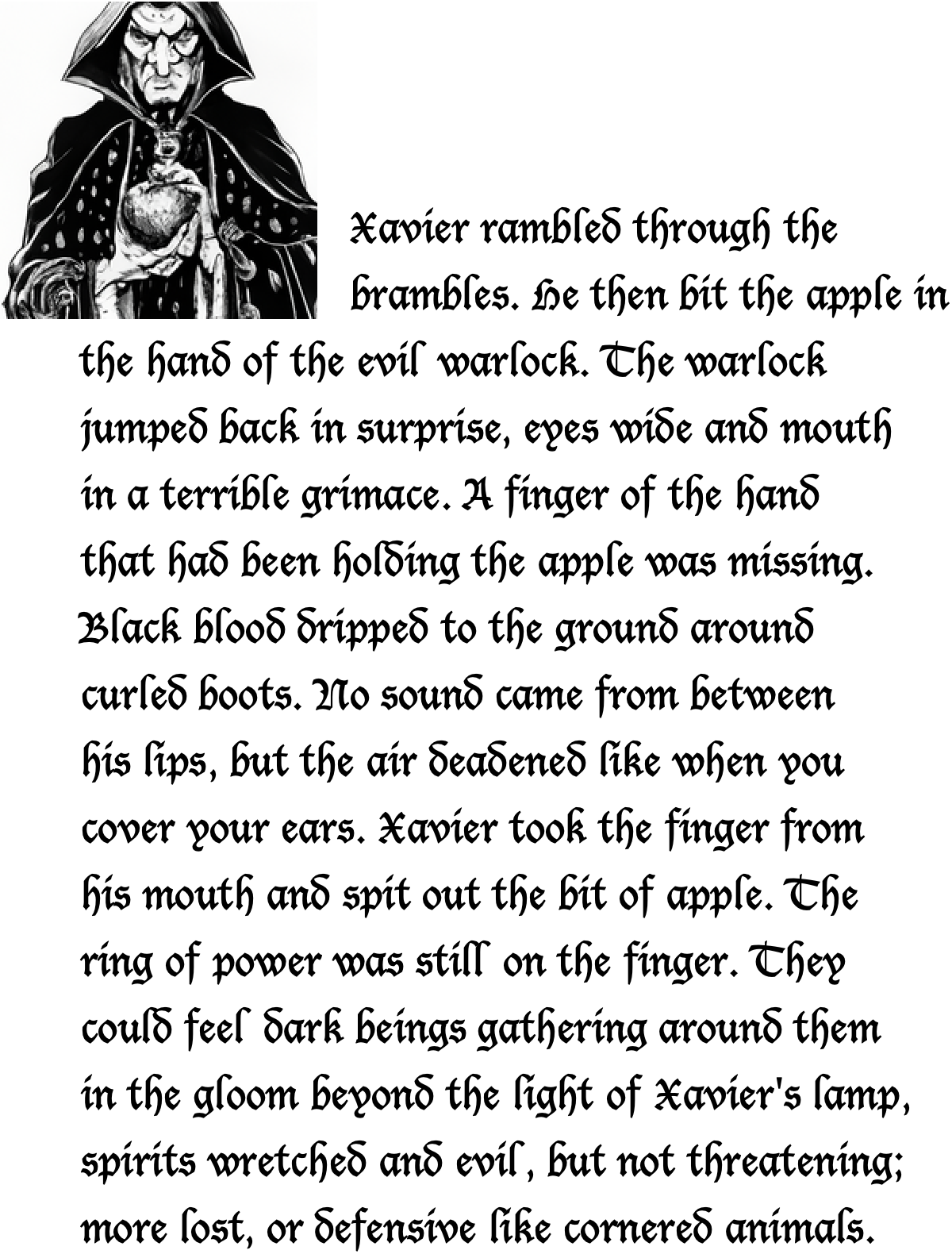
These two examples are misleading though. As I tested the code with various user input, I saw that the margins on the top and right of the text varied in unacceptable ways. Even worse, the two text containers wrap the text early in many cases, often differently between the two parts. To be clear, this isn’t a shortcoming of the Wolfram Language, but instead a result of my hacky solution.
Conclusion
Conclusion
I continued to work on the project, knowing that there are usually multiple ways to realize an idea in the Wolfram Language, until it seemed as though further efforts were not likely to yield better results. If you are reading this and have the inclination to tinker with the code or the idea, be my guest. The full code is in the last section below.
Full Code
Full Code
The function’s second signature takes an image as one of its arguments and does not use artificial intelligence. If you don’t have an OpenAI account, then that will still work.
CITE THIS NOTEBOOK
CITE THIS NOTEBOOK
Illuminated text using Wolfram Large Language Models functions
by Mark Greenberg
Wolfram Community, STAFF PICKS, June 5 2023
https://community.wolfram.com/groups/-/m/t/2930249
by Mark Greenberg
Wolfram Community, STAFF PICKS, June 5 2023
https://community.wolfram.com/groups/-/m/t/2930249