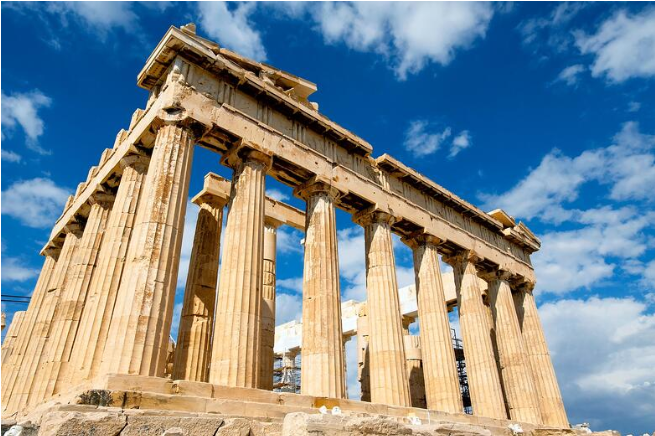
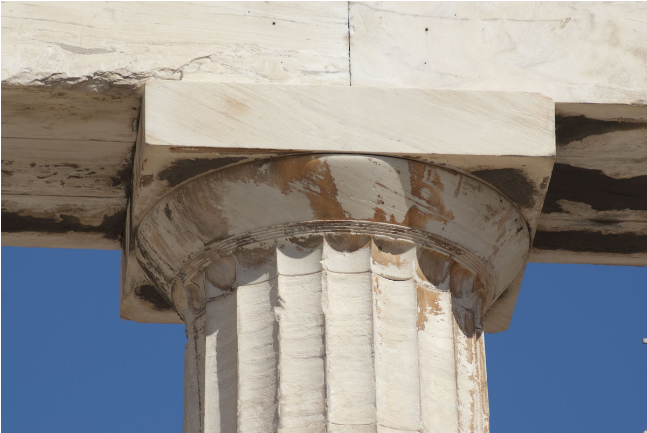
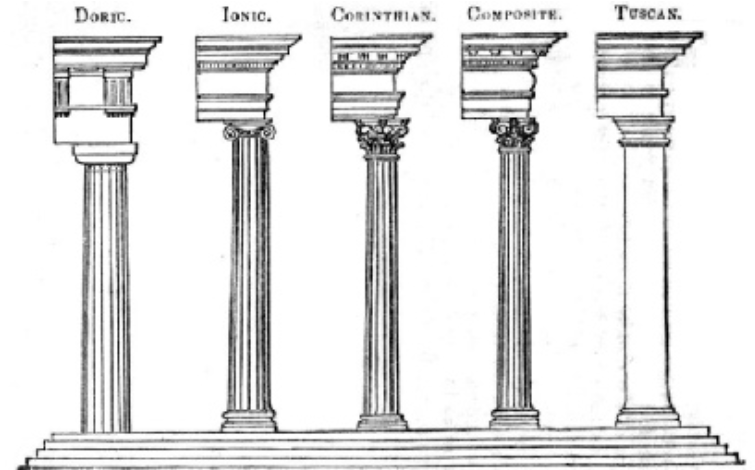
These Greek columns are based on the Doric order architectural style. Following Doric order, the columns are set at the Doric ratio of the diameter of the column being one seventh of the total height of the column. Additionally, like Doric columns, these columns also have 20 flutes. Unlike other Greek columns, Doric columns do not have bases, but do have an echinus on top of them. The columns that have been created in this project are able to be adjusted in size while staying proportional. The flute and fillet depths are also manipulable.
Visualizing
Visualizing
To start, I tried to create a column on sketchpad to visualize what it would look like from a birds-eye view.
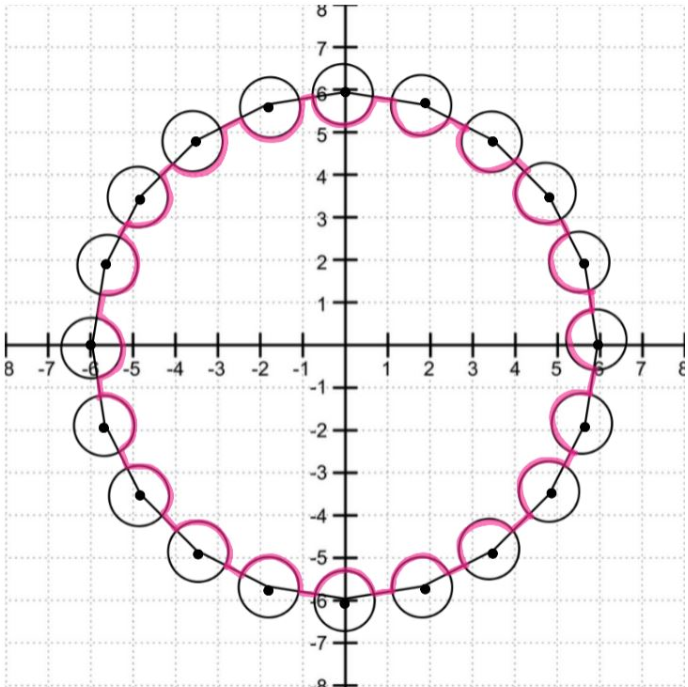
I used an icosagon to visualize the full column. The circles centered at each point represent the location of the cylinders that will be cut into the main cylinder, which would create flutes and fillets. The pink outline represents the birds-eye view.
Constructing Columns
Constructing Columns
CSG Region
CSG Region
To create a column, I planned on creating the base column and then using CSGRegion Difference to cut out smaller cylinders from the base column, creating flutes and fillets. This base column would be equivalent to the icosagon in the diagram, its points being where the smaller cylinders are centered.
Generate base column with the diameter, of in this case 4, being 1/7th of the total height:
In[]:=
Radius=4;
In[]:=
InnerCylinder=Cylinder[{{0,0,0},{0,0,14Radius}},Radius];
In[]:=
Graphics3D[InnerCylinder,Boxed->False]
Out[]=

Now that the base cylinder is in place, I used CirclePoints to get 20 points around the column which will become the other 20 cylinders.
Generate 20 cylinders equally spaced around the circle:
In[]:=
Pts=CirclePoints[Radius,20];Show[Graphics3D/@Table[Cylinder[{Join[i,{0}],{i[[1]],i[[2]],0.0001}},0.2],{i,Pts}]]
Out[]=

I then added height to these cylinders to make it more three dimensional. Additionally, these 20 cylinders will not be as tall as the base column. This is since the flutes and fillets in Doric columns do not stretch from the bottom to the top of the column. I set them to be only 12.88 times the base column's radius instead of 14.
Giving height to each individual cylinder and unifying all 20 cylinders together. And setting the FluteRadiusFactor to 0.14:
In[]:=
FluteRadiusFactor=0.14;
In[]:=
OuterCylinders=CSGRegion["Union",Table[Cylinder[{Join[i,{12.88Radius}],Join[i,{0.0001}]},FluteRadiusFactor*Radius],{i,Pts}]]
Out[]=

I then cut the 20 outer cylinders into the base column that is the inner cylinder. This will create flutes and fillets on the inner cylinder, creating a column.
Using CSGRegion Difference, the 20 outer cylinders will be cut into the inner cylinder:
In[]:=
FullColumn=CSGRegion["Difference",{InnerCylinder,OuterCylinders}]
Out[]=

Now, in order to create the echinus on top of the Doric column, I positioned a cone with its face pointed upwards. The cone is proportioned to the radius of the inner cylinder so that the column can be adjusted in size.
Using CSGRegion Union, the cone will be added onto the column:
Proportions
Proportions
The adjustable parts of the column include the radius of the inner cylinder which can cause the cylinder to change in size as everything, including the height is proportional to this radius.
To show that the column can change in size while being proportional, I added a cube to show how large the column is.
The other adjustable part is the depths of the flutes. This is shown as FluteRadiusFactor as the extent of the depths is also proportional to the radius.
To show that the column can change in size while being proportional, I added a cube to show how large the column is.
The other adjustable part is the depths of the flutes. This is shown as FluteRadiusFactor as the extent of the depths is also proportional to the radius.
Generating the cube as reference, showing it with the column, and placing into the variable named ColumnMake:
Creating Images from 3D Graphics
Creating Images from 3D Graphics
When running my code, I noticed how it was taking very long to generate columns when inputting values for the inner cylinder radius and flute depth. Knowing that I wanted users to be able to change the flute depth and the size of the columns efficiently, I decided to rasterize the 3D graphics, creating a 2D image for the column.
Rasterizing the columns with the possible values for the radius of the inner column along with the flute depth:
Creating Adjustable Column Factors
Creating Adjustable Column Factors
I then used manipulate to allow the radius of the column along with flute depths to change. I set ranges for the values to fall in between. This allows users to change the radius of the column which will correspond to the height, following the Doric ratio. The cube allows for a visual to show how the column is changing size proportionally. Additionally, users can change the depth of the flutes, creating different types of columns.
Allowing for the manipulation to occur under the range:
Output: Final Product
Output: Final Product
Conclusion
Conclusion
Future Work
Future Work
In the future, I would like to model other ancient Greek columns like Ionic and Corinthian. I would also like to expand on Doric columns, possibly creating ancient Greek structures that are supported by Doric columns.
Acknowledgments
Acknowledgments
I'd like to thank my mentor Isabel for helping me throughout this project and finding ways for it to be as efficient as possible.
Sources
Sources
Websites
Websites
Buildner. “The 3 Orders of Ancient Greek Architecture.” Architecture Competitions and Awards // Organised by Buildner, https://architecturecompetitions.com/the-3-orders-of-ancient-greek-architecture.
Pictures
Pictures
“Columns.” Keaneys LTD, https://www.keaneys.co.uk/products-columns.html.
“Hypotrachelium on a Doric Column in the Parthenon, Athens.” Wikimedia Commons, 5 July 2012, https://en.wikipedia.org/wiki/Hypotrachelium#/media/File:Chapiteau-Parthenon.jpg.
“The Lives and Social Culture of Ancient Greece.” Maryville University, https://online.maryville.edu/social-science-degrees/social-culture-ancient-greece/.
“Hypotrachelium on a Doric Column in the Parthenon, Athens.” Wikimedia Commons, 5 July 2012, https://en.wikipedia.org/wiki/Hypotrachelium#/media/File:Chapiteau-Parthenon.jpg.
“The Lives and Social Culture of Ancient Greece.” Maryville University, https://online.maryville.edu/social-science-degrees/social-culture-ancient-greece/.