I wanted to explore a very detailed fractal chaos game with an exclusion region. So let’s first create the wolf region cut-out, and scale it to out desired size:
In[]:=
reg=BoundaryDiscretizeGraphics[Text[Style["",Bold,20]],_Text,MaxCellMeasure0.1];reg//=RegionResize[#,0.7]&
Out[]=

We will perform the chaos game with 4 points (in green), but any jump that leads into the exclusion region (the red wolf) will be blocked. So we start at one of the green points, and randomly jump 50% towards any of the green points, unless that new point falls within the exclusion zone. Repeat this process from the last new point, here an example of 25 steps:
In[]:=
SeedRandom[1234];visuals=ResourceFunction["GeneralizedChaosGame"][0.95{{-1,-1},{1,-1},{1,1},{-1,1}},25,Automatic,"List","ExclusionRegionFunction"->Function[{x,y},RegionMember[reg][{x,y}]]];Show[{Graphics[{Green,PointSize[0.04],Point[0.95{{-1,-1},{1,-1},{1,1},{-1,1}}],GrayLevel[0.8],BlockMap[Arrow,visuals,2,1],Black,PointSize[0.01],Point[visuals]},Frame->True,PlotRange1],RegionPlot[True,{x,y}∈reg,PlotStyleRed,BoundaryStyle->None]}]
Out[]=
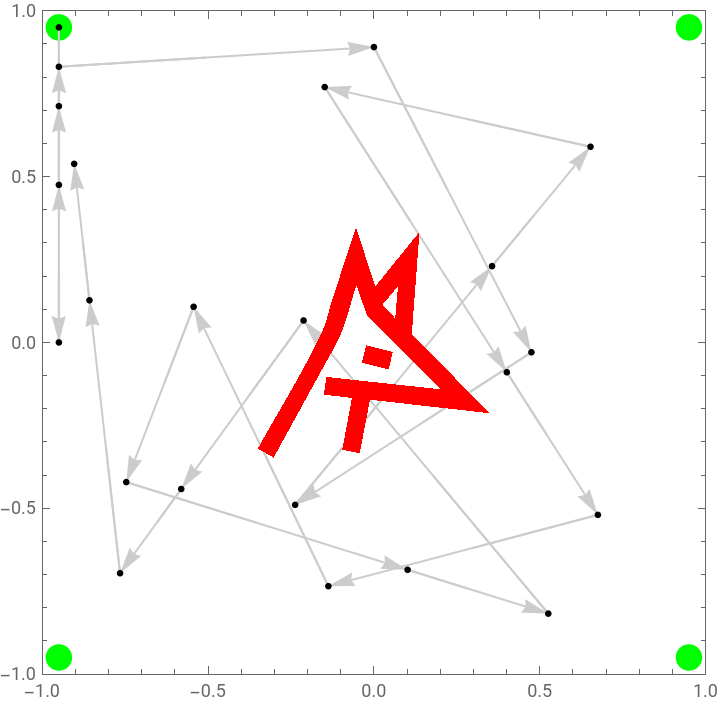
Now we perform the same chaos game but with iterations:
8
10
In[]:=
SeedRandom[1234];CloseKernels[];LaunchKernels[7];binc=ParallelSum[pts=ResourceFunction["GeneralizedChaosGame"][0.95{{-1,-1},{1,-1},{1,1},{-1,1}},10^6,Automatic,"List","ExclusionRegionFunction"->Function[{x,y},RegionMember[reg][{x,y}]]];BinCounts[pts,{-1,1,0.001},{-1,1,0.001}],{i,100},Method"FinestGrained"];
Since some of the jumps would fall inside the exclusion region, the total number of valid jumps is less:
In[]:=
Total[binc,∞]
Out[]=
95765854
Let’s plot an histogram of the counts, and do a test of a scaling factor based on some quantile:
In[]:=
qs={0.5,0.6,0.7,0.8,0.9,0.95,0.98};vals=Quantile[Flatten[Normal@binc],qs];Histogram[Flatten[Normal@binc],{1,Quantile[Flatten[Normal@binc],0.999],1},"Count",GridLines{vals,{}},ImageSize1000,AspectRatio1/4,FrameTrue,FrameTicks{{Automatic,Automatic},{Automatic,MapThread[List,{vals,qs}]}}]
Out[]=
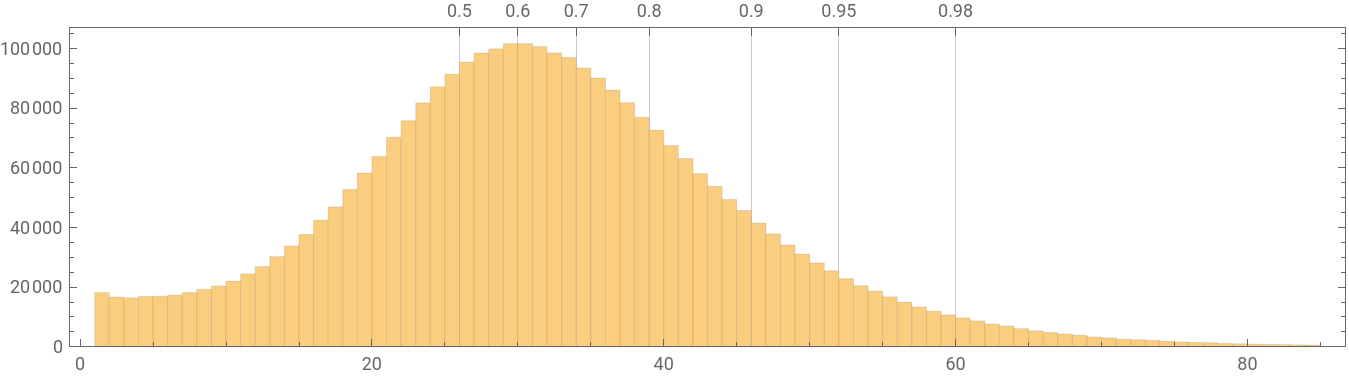
Let’s scale the height by the 0.98 quantile. Then do a gamma correction with a power of 0.3:
In[]:=
plotbin=binc/N[Quantile[Flatten[binc],0.98]];img=Image[Reverse[Transpose[plotbin]]^0.3]
Out[]=
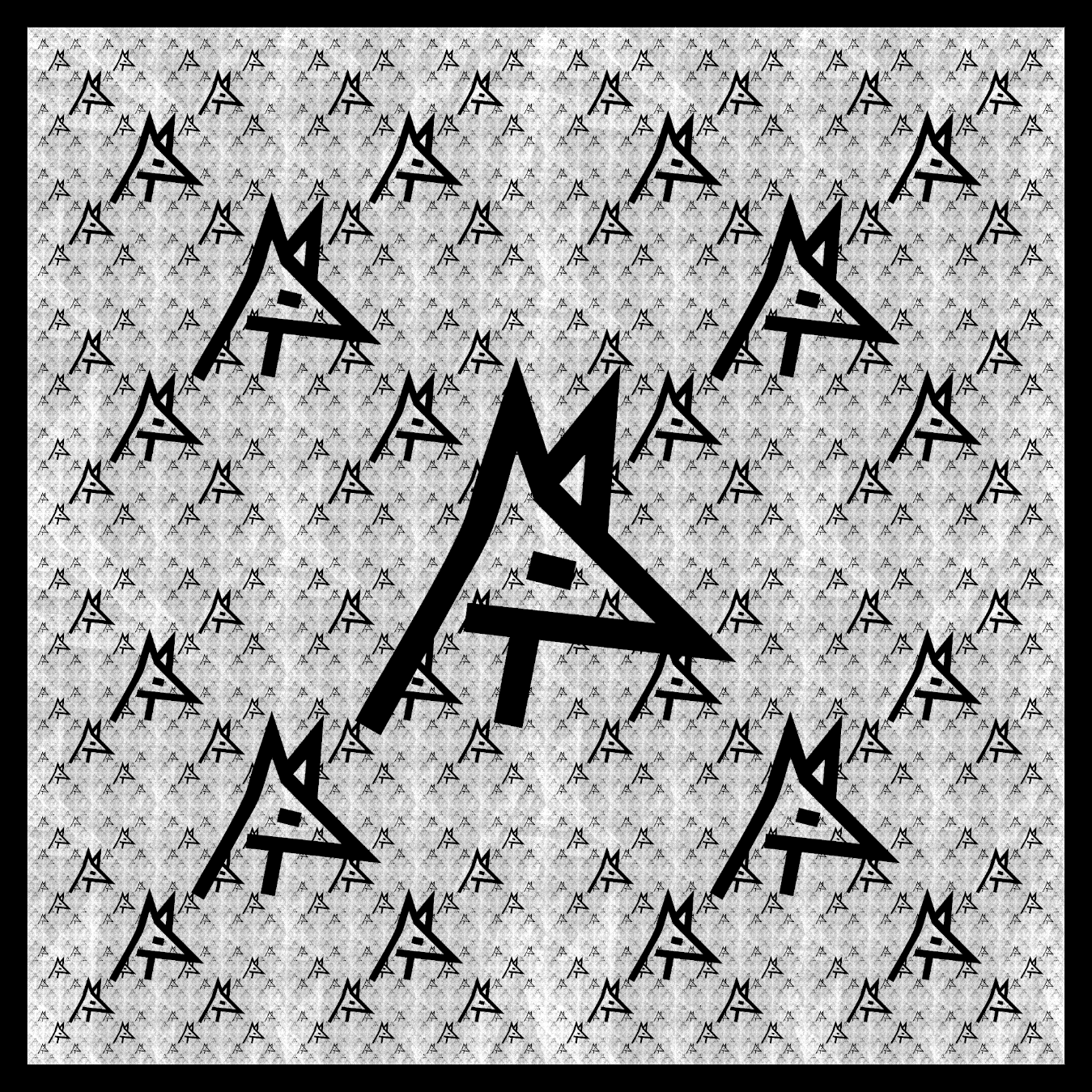
Let’s export the image:
In[]:=
SetDirectory[NotebookDirectory[]];Export["WolfFractal.png",img]
Out[]=
WolfFractal.png