An orbital space mission entails altering orbital radii for objectives like hazard avoidance, fuel conservation, or solar power optimization. The Hohmann Transfer Orbit Simulation serves as a navigational aid in this complex process of spacecraft orbit alteration. It emphasizes the importance of precision and the impact of unforeseen events on the journey. This example demonstrates the detailed process of orchestrating a space mission, accounting for the unpredictable challenges that space may present. Additionally, this example features the use of SystemModelCalibrate and SystemModelUncertaintyPlot.
Build space shuttle model
Build space shuttle model
A model of a space shuttle in a circular orbit, subject to Kepler dynamics, is modified by integrating a thrust component. This toy model represents a 1 kg spacecraft orbiting a 1000 kg planet.
In[]:=
spaceCraft=ImportString,"MO";
In[]:=
model=SystemModel["OrbitalManeuver.BoostModel"];model["Diagram"]
Out[]=
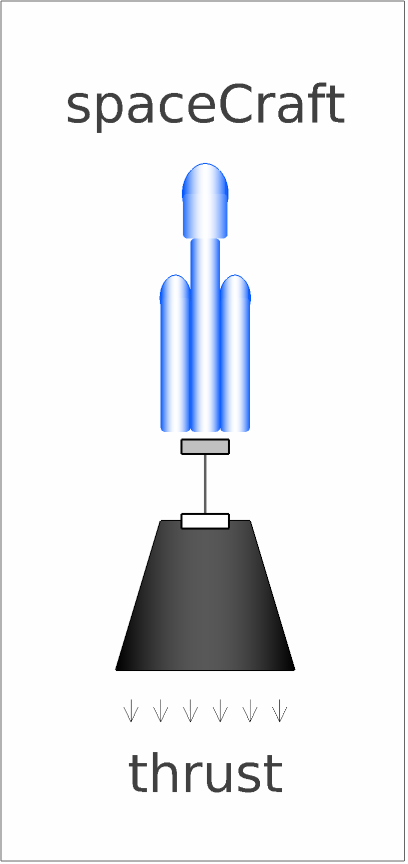
The space maneuver model consists of a space shuttle a booster.
Thrust for the maneuver
Thrust for the maneuver
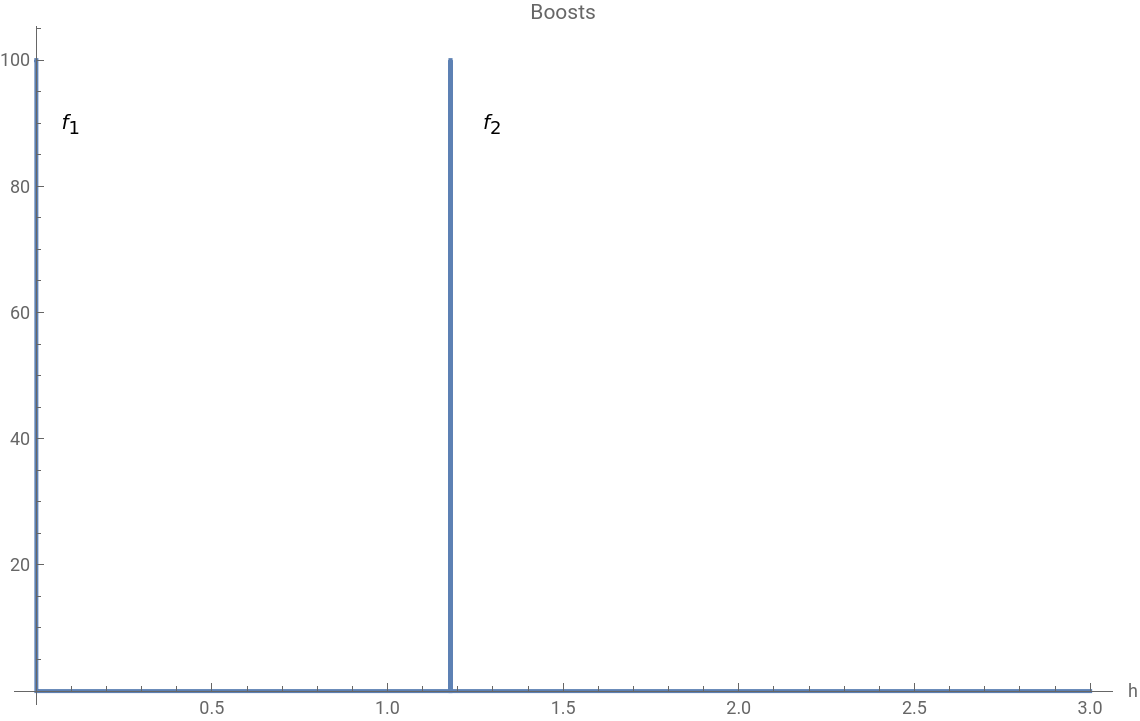
A spacecraft is modeled on a designated orbit and its trajectory is changed by using thrust generated from burning fuel, which is represented as thrust forces (boosts). For an effective orbital maneuver, two key burns are essential: one to leave the current orbit and another to achieve the new orbit’s stable velocity.
In[]:=
pulsesModel=CreateSystemModel["OrbitalManeuver.Pulses",{y[t]==Piecewise[{{f1,t<tp},{f2,tp+tn<t<2tp+tn}},0]},t,{y∈"Modelica.Blocks.Interfaces.RealOutput"},<|"ParameterValues"->{tp->1,tn->4244.4-1}|>]
Out[]=

The burn pulses are prepared and appear as follows:
plot1=SystemModelPlotpulsesModel,{y},,<|"ParameterValues"{f1->100,f2->100}|>,TargetUnits->{"Hours",Automatic},Epilog->{Text["",{0.1,90}],Text["",{1.3,90}]},PlotLabel->"Burns",ImageSize->570
f
1
f
2
Out[]=
f
1
f
2
Simulate the build model
Simulate the build model
A circular orbit maintains its path unless acted upon by an external force. For a spacecraft, these forces come in the form of boosts, strategically applied to place the vessel into its desired orbit. This section demonstrates how precision in these boosts is vital for ensuring the spacecraft follows its intended trajectory robustly.
Let’s simulate the combined model with various boost values.
In[]:=
sim=SystemModelSimulate[model,{"spaceCraft.x","spaceCraft.y","spaceCraft.keplerDynamics.x"},<|"ParameterValues"{"f1"{0,120,140,160},"f2"{0,120,140,160}}|>];
In[]:=
plot2=SystemModelPlot[sim,AxesFalse,FrameTrue,PlotLegends->{"=0 N ∧ =0 N","=120 N ∧ =120 N","=140 N ∧ =140 N","=160 N ∧ =160 N"},PlotLabel->"Orbital trajectories",ImageSize->570]
f
1
f
2
f
1
f
2
f
1
f
2
f
1
f
2
Out[]=
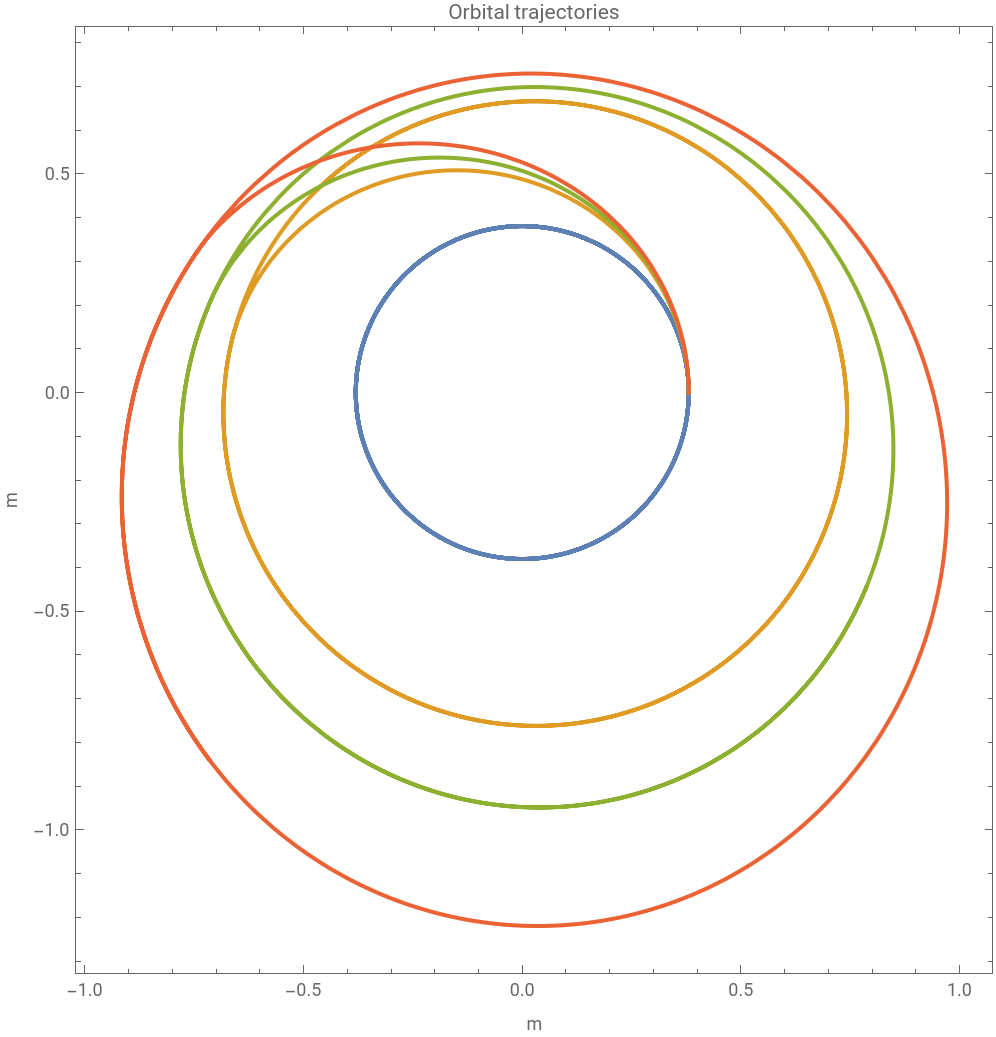


The trajectories seem rounded and seamless. However, more important than their smoothness is ensuring that their radial transfers maintain an equal distance from the previous orbit, keeping distance-related gravitational forces constant. Observing the radial displacements reveals:
In[]:=
plot3=SystemModelPlot[sim,{"spaceCraft.keplerDynamics.x"},PlotLegends->{"=0 N ∧ =0 N","=120 N ∧ =120 N","=140 N ∧ =140 N","=160 N ∧ =160 N"},PlotLabel->"Orbital maneuvers",ImageSize->570]
f
1
f
2
f
1
f
2
f
1
f
2
f
1
f
2
Out[]=
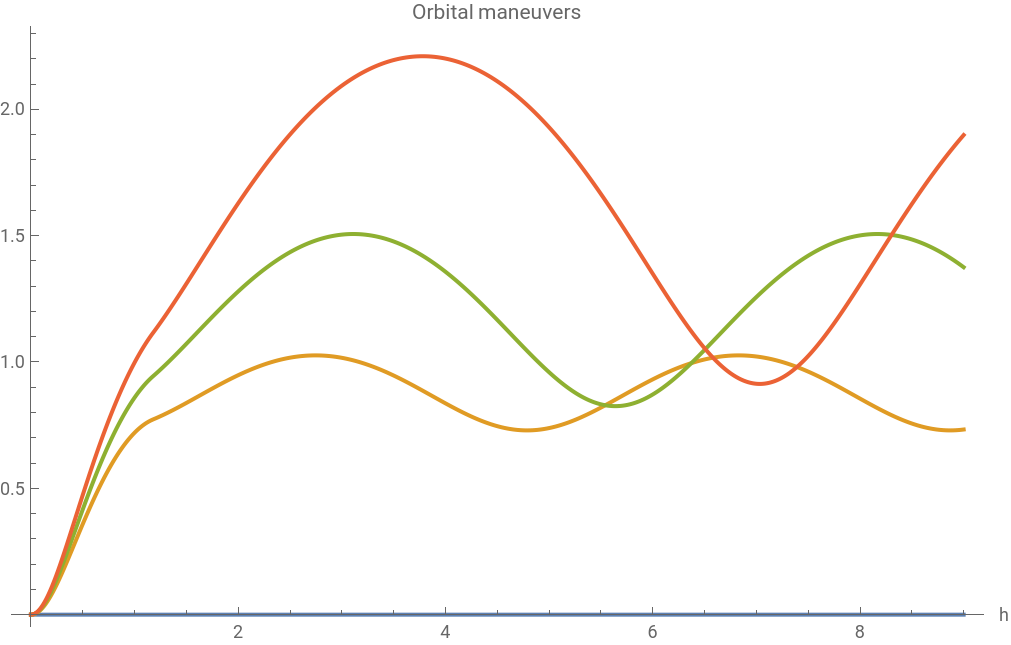


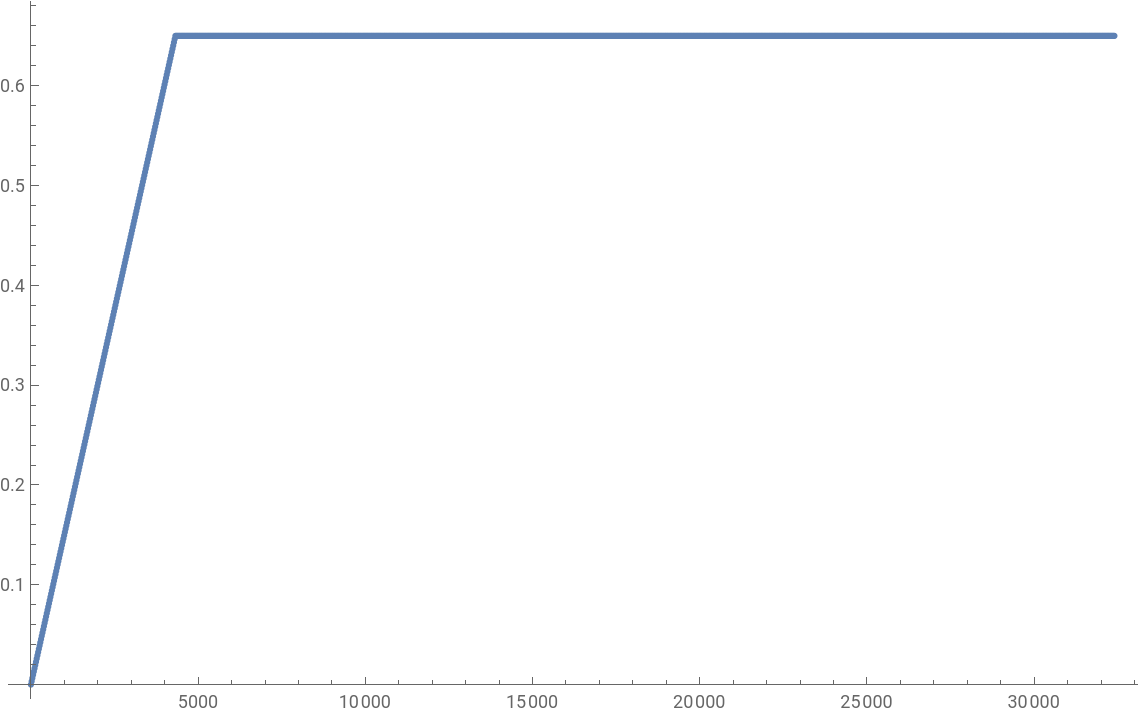
The radial transfers exhibit excessive oscillations when considering the selected boost levels. To address this issue, we can propose a suitable target function for the maneuver as follows:
In[]:=
data=Table[{t,Piecewise[{{0.65t/4320,t<4320}},0.65]},{t,0,32400,32400/1500}];ListPlot[data,ImageSize->570]
Out[]=
Calibrate the boost to get desired trajectory
Calibrate the boost to get desired trajectory
To attain the desired trajectory, one method is to employ calibration techniques. Utilizing the available data, we can calibrate the model using the SystemModelCalibrate function, with calibration parameters selected as thrusts, f1 and f2. It’s not necessary to wait for it to complete; you can stop it once it converges sufficiently.
Let’s visualize the outcomes. As illustrated below, the calibration process roughly achieves the desired trajectory. However, for a improved match, it may be necessary to incorporate more than two burns.
Now, we can create a model to compare the original and calibrated models.
Simulate the original and calibrated models.
Uncertainty Analysis
Uncertainty Analysis
In a scenario involving a space shuttle trajectory maneuver, there could be obstacles such as debris to navigate around during the journey. Performing sensitivity analyses is crucial to comprehend how various variables impact the spacecraft’s trajectory. By examining how minor parameter adjustments can result in substantial variations in outcomes, we underscore the unpredictable nature of space travel.
First, let’s assume a potential hazard position and visualize the impact of a 10 percent uniformly distributed uncertainty on the spacecraft’s behavior. This will allow us to assess the level of safety.
After conducting an uncertainty analysis, it is evident that our safety margin remains intact even under a 10% uncertainty in thrusts.
This case demonstrates the effectiveness of designing intricate space shuttle maneuvers while ensuring safety through uncertainty analysis.
CITE THIS NOTEBOOK
CITE THIS NOTEBOOK
Mastering the Hohmann Transfer: Navigating Orbital Challenges in Space Missions
by Vedat Senol, Suba Thomas and Sergio Vargas
Wolfram Community, STAFF PICKS, January 17, 2024
https://community.wolfram.com/groups/-/m/t/3104411
by Vedat Senol, Suba Thomas and Sergio Vargas
Wolfram Community, STAFF PICKS, January 17, 2024
https://community.wolfram.com/groups/-/m/t/3104411