Follow the second stop in our journey through the captivating world of color in computing, where we go over the essential distinctions between two key types of color spaces: those dependent on devices, like screens and printers, and those that stand independent them. Our exploration begins with the classical RGB, a staple in digital displays, where colors are created by mixing Red, Green, and Blue. We then get into the print-centric world of CMYK, where colors are formed through Cyan, Magenta, Yellow, and Black, catering specifically to the reflective properties of printed materials.
With computed illustrations, we can find visual insights into the unique characteristics of each color space, enhancing our understanding of their roles in digital imaging and design. As we move into the device-independent realm, we uncover the perceptual precision of LAB and its related spaces favored for its accuracy in design.
Our journey ensures a foundational understanding of these color spaces without overwhelming complexity, making it accessible for both budding designers and tech enthusiasts. Whether you’re a drawn to the aesthetics of design or simply curious about the hues that paint our digital experiences, this community post promises an approachable guide to the diverse language of colors.
With computed illustrations, we can find visual insights into the unique characteristics of each color space, enhancing our understanding of their roles in digital imaging and design. As we move into the device-independent realm, we uncover the perceptual precision of LAB and its related spaces favored for its accuracy in design.
Our journey ensures a foundational understanding of these color spaces without overwhelming complexity, making it accessible for both budding designers and tech enthusiasts. Whether you’re a drawn to the aesthetics of design or simply curious about the hues that paint our digital experiences, this community post promises an approachable guide to the diverse language of colors.
Device-dependent spaces
Device-dependent spaces
Device-dependent color spaces are the backbone of digital visuals, fine-tuned for specific devices like monitors and printers. They dictate how colors are perceived and
reproduced, ensuring fidelity in a device-specific context. Our exploration of this section will go over the characteristics that shape visual experiences on screens and prints,
highlighting the pivotal role these spaces play in achieving color precision and uniformity across diverse platforms. Let’s overview a few device-dependent color spaces:
reproduced, ensuring fidelity in a device-specific context. Our exploration of this section will go over the characteristics that shape visual experiences on screens and prints,
highlighting the pivotal role these spaces play in achieving color precision and uniformity across diverse platforms. Let’s overview a few device-dependent color spaces:
RGB color space
RGB color space
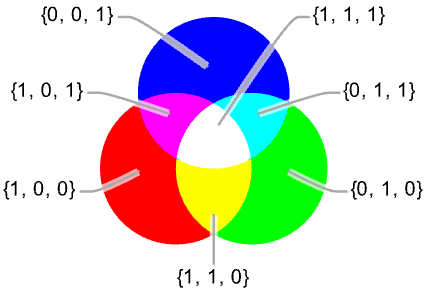
RGB, or Red, Green, Blue, stands as a cornerstone in the world of color spaces. Leveraging these primary colors, RGB is a space widely used in digital displays. Each pixel’s color is defined by blending different intensities of these three colors, allowing for a broad spectrum of hues. RGB is an additive color space which means colors are created by
combining different intensities of red, green, and blue light, with their full combination resulting in white light.
combining different intensities of red, green, and blue light, with their full combination resulting in white light.
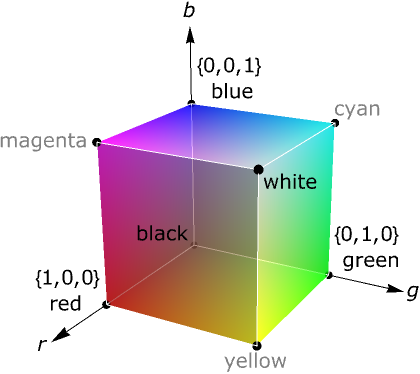
Being a three-dimensional space, a 3D representation is useful to visualize the colors of RGB. The 3D cube of RGB represents the color space where varying intensities of red,
green, and blue values combine within a cube, with each axis corresponding to one of the color channels, allowing for the visualization of a wide range of colors.
green, and blue values combine within a cube, with each axis corresponding to one of the color channels, allowing for the visualization of a wide range of colors.
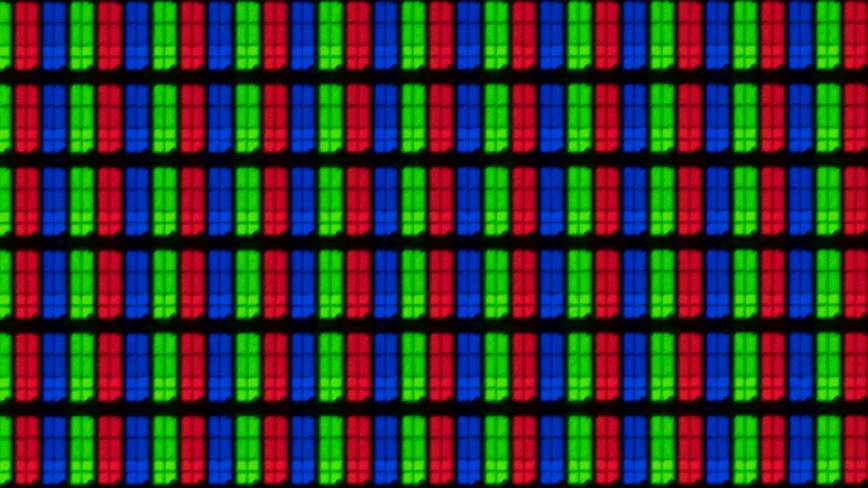
The digital representation of RGB values mimics the real-life sensors:

Where 1 represents the maximum intensity of the respective color.
In[]:=
Map[Graphics[{RGBColor[#],Disk[]}]&,{{1,0,0},{0,1,0},{0,0,1}}]
Out[]=
,
,
By combining varying intensities of Red, Green, and Blue, RGB creates a versatile spectrum of colors that mirrors the way humans perceive light which determines its
fundamental role in digital imaging, serving as the standard color space for electronic displays.
fundamental role in digital imaging, serving as the standard color space for electronic displays.
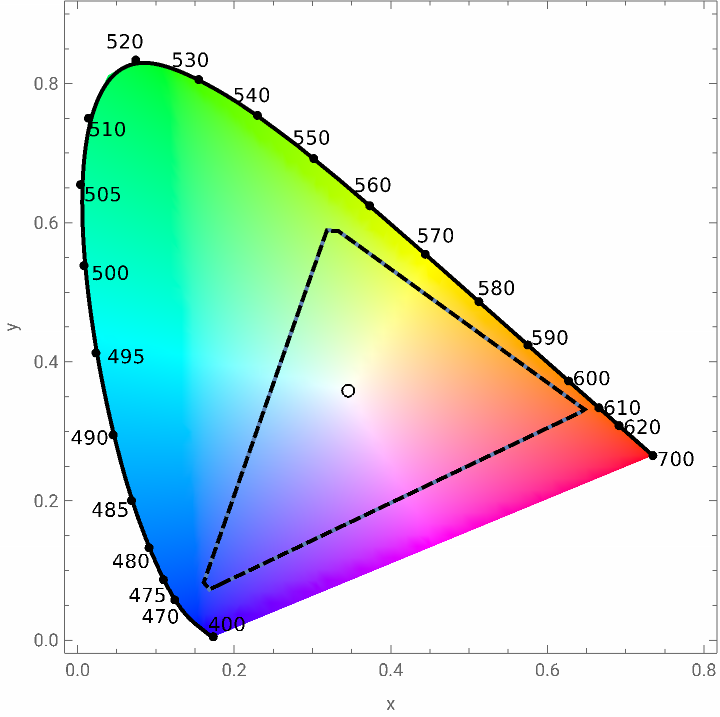
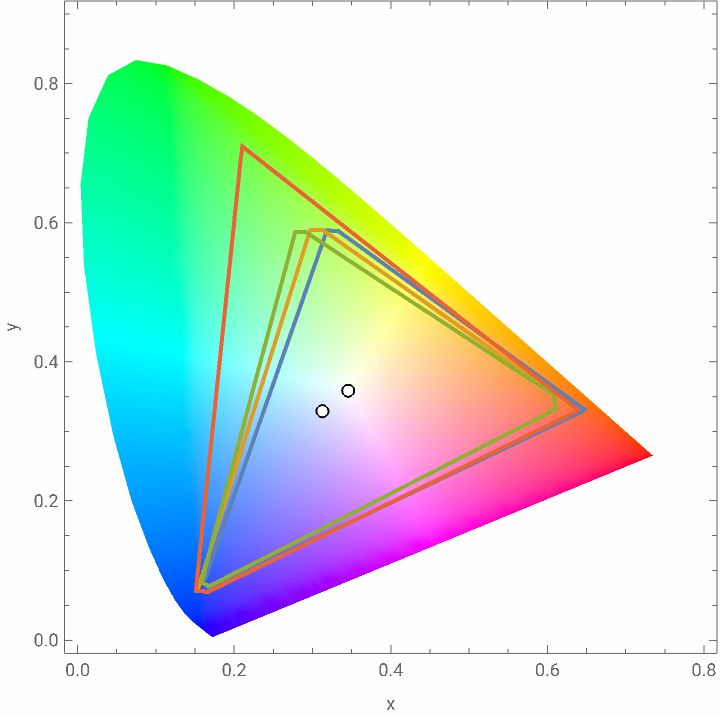
A chromaticity plot shows inside the triangular shape the colors that can be achieved using traditional RGB compared to the pure spectral colors:
In[]:=
Show[ChromaticityPlot["RGB",PlotTheme->#]&/@{Automatic,"Monochrome"}]
Out[]=
This ubiquity in digital devices, from monitors to cameras, makes RGB a linchpin for consistent and vibrant color representation. Its adoption has streamlined the creation and sharing of visuals, fostering a universal language for digital color that transcends hardware and software boundaries.
Of course, different variations of RGB exist like sRGB and AppleRGB that are specific color profiles that standardize the color representation on different devices, ensuring
consistent and accurate color reproduction across various platforms, such as monitors and printers, by defining the range and behavior of RGB values. Each variation is tailored to the characteristics of specific devices or ecosystems, providing a standardized reference for color consistency in digital imaging.
consistent and accurate color reproduction across various platforms, such as monitors and printers, by defining the range and behavior of RGB values. Each variation is tailored to the characteristics of specific devices or ecosystems, providing a standardized reference for color consistency in digital imaging.
In[]:=
ChromaticityPlot[{"RGB","sRGB","AppleRGB","AdobeRGB"}]
Out[]=


CMYK color space
CMYK color space
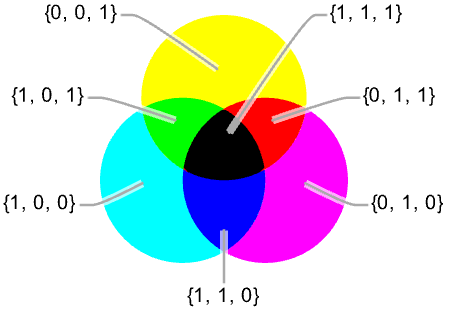
CMYK, or Cyan, Magenta, Yellow, and Key (Black), takes center stage in the print world. Its indispensability in achieving vibrant and accurate prints underscores its prominence as the standard for color reproduction in the printing industry. In contrast to RGB, it employs a subtractive color model for accurate reproduction:
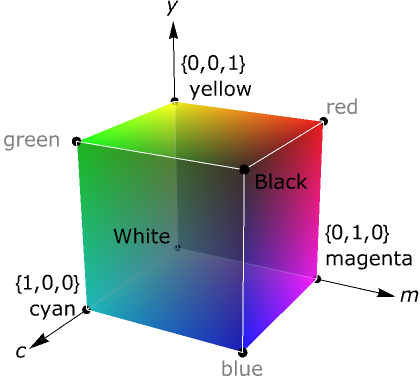
Being a very similar color space to RGB, a cube representation is also useful to visualize the colors achievable by the combinations of values:
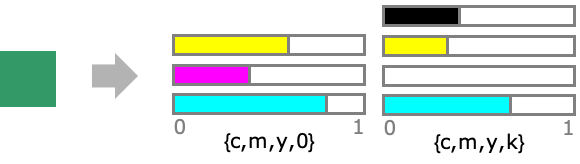
A very valuable characteristic of CYMK is that the same color can be produced by subtracting from other color components. This is commonly used to save on color ink consumption by using more black ink:
This color space caters specifically to the reflective properties of printed materials, ensuring that the colors we see on paper closely match the intended design. CMYK’s adoption as the standard for printing underscores its indispensability in producing vivid and true-to-life visuals in various printed materials.
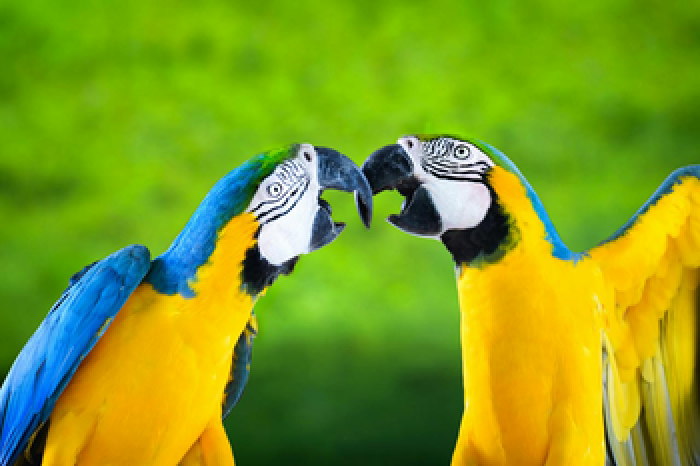
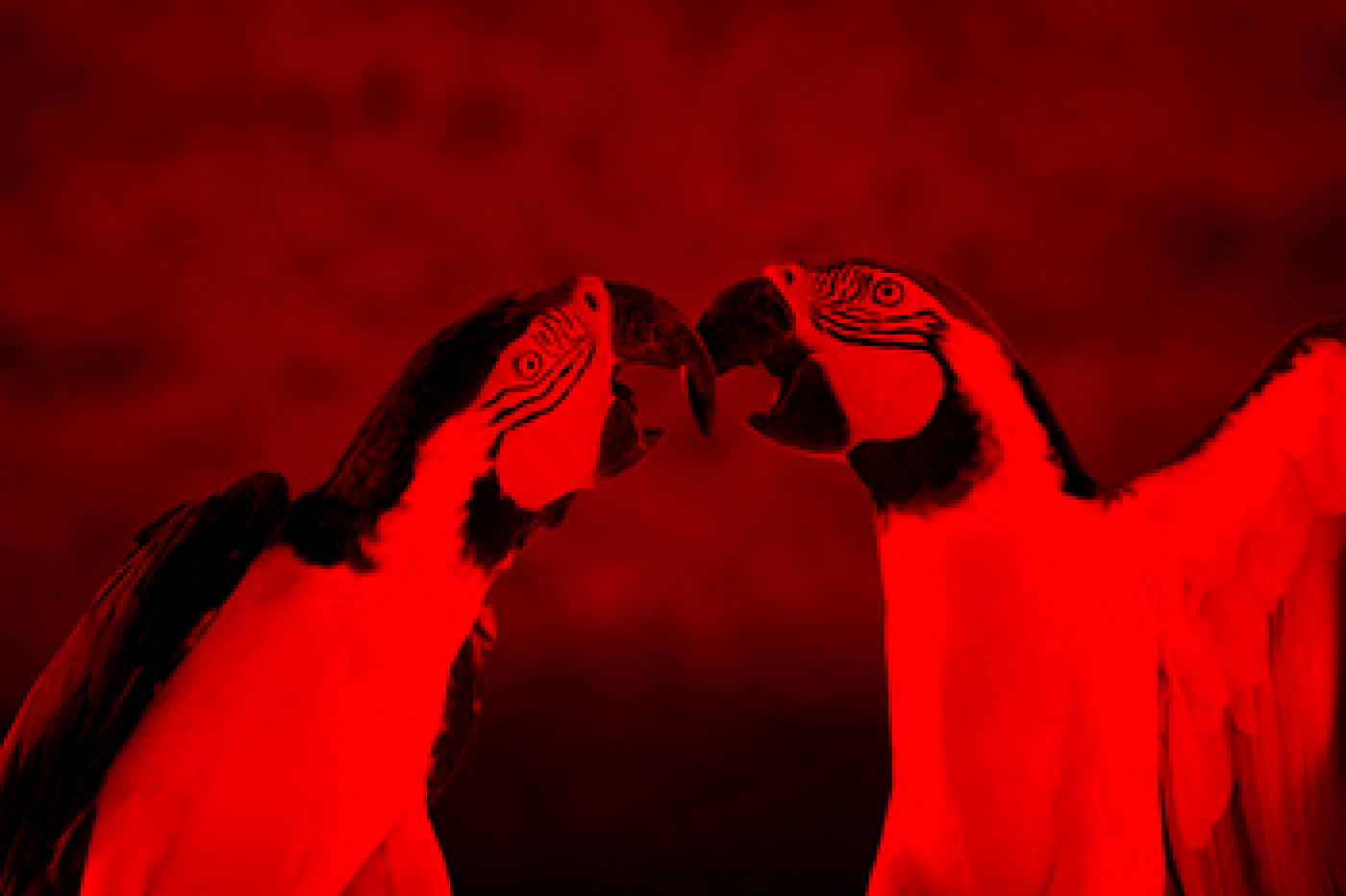
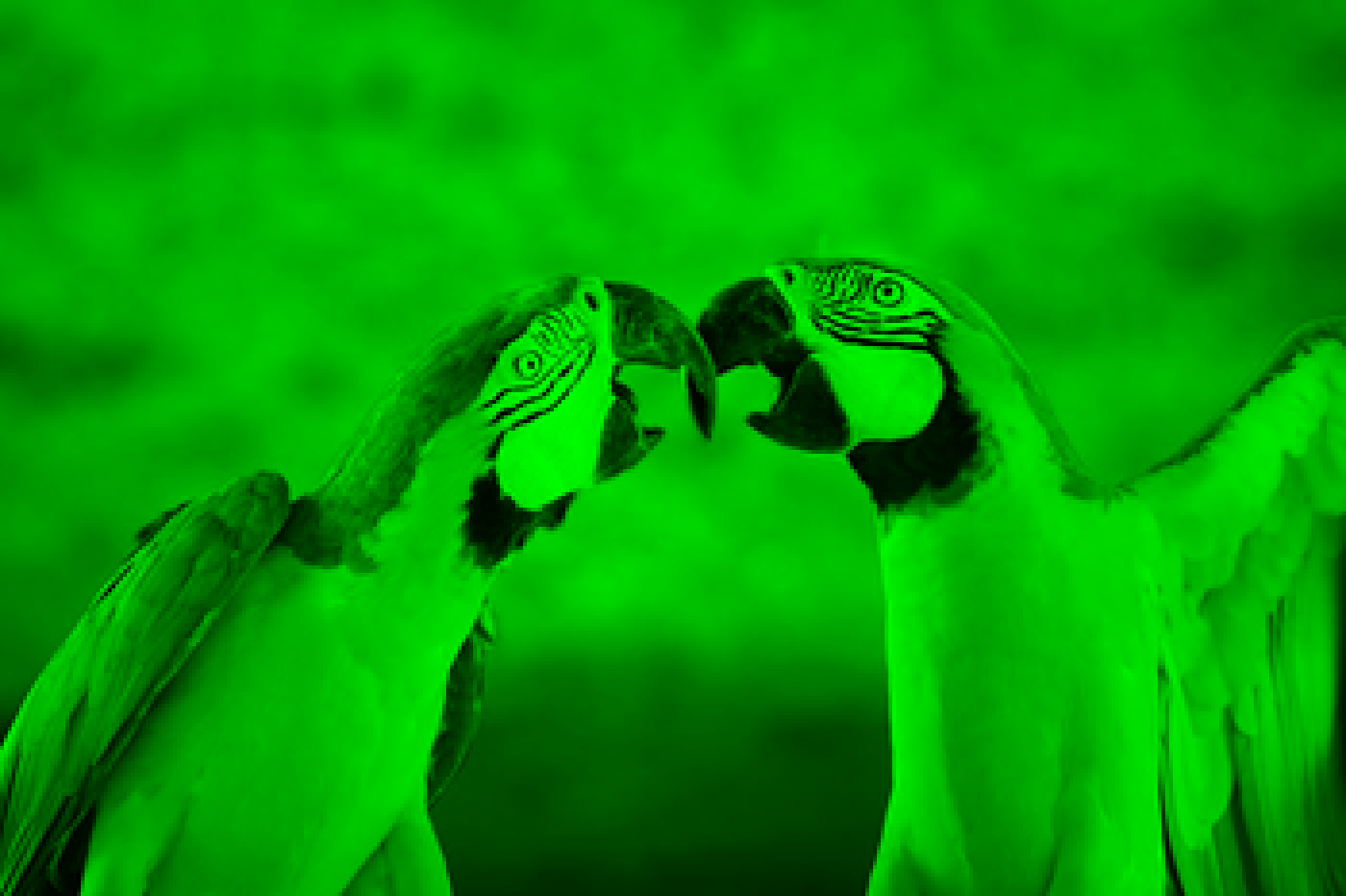
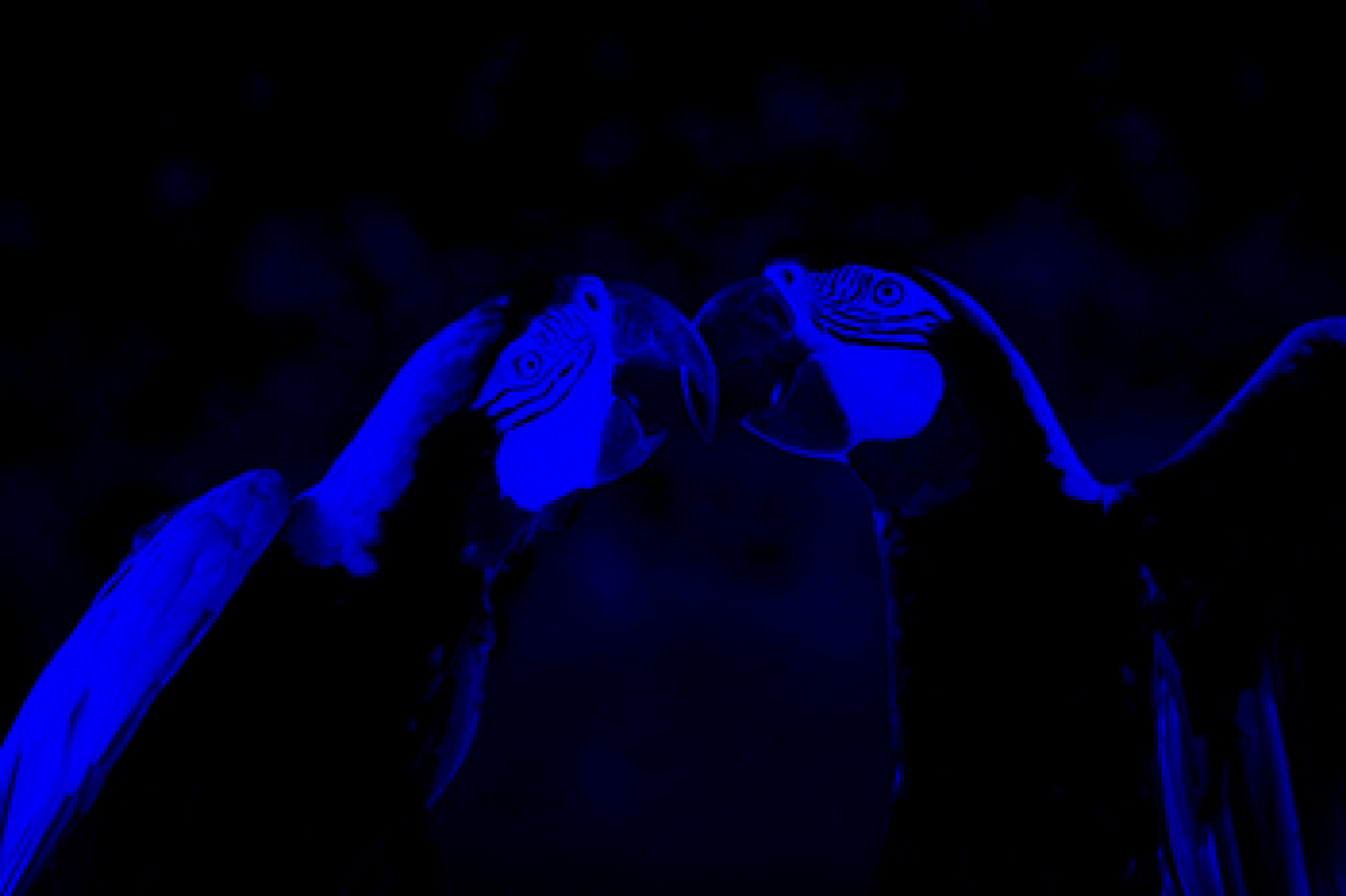
We can compare how the red, green and blue channels in an image combine to form RGB:
Split and image into its RGB components:
In[]:=
MapThreadImageMultiply,ColorSeparate
,"RGB",{RGBColor[1,0,0],RGBColor[0,1,0],RGBColor[0,0,1]}
Out[]=
,
,
Recover the original image:
In[]:=
ImageAdd[%]
Out[]=
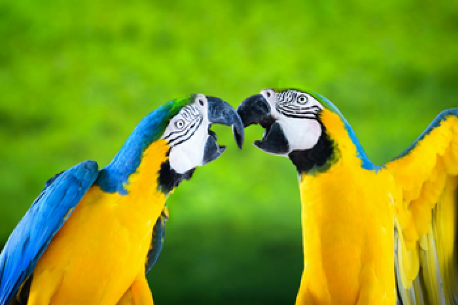
and how in contrast, how the cyan, magenta, yellow and black channels combine to form the equivalent image in CYMK:
Split and image into its CMYK components (RGB representation of images in the CMYK color space):
Recover the original image:
HSB color space
HSB color space
HSB, or Hue, Saturation, Brightness, introduces a perceptual approach to color, emphasizing hue, saturation, and brightness. This model offers an intuitive method for artists and designers, facilitating creative expression and precise color manipulation. Its significance shines in graphic design and digital art, providing a user-friendly framework for crafting visually compelling compositions.
The typical representation of HSB is a cylinder rather than a cube like for previous color spaces:
This can be further complemented by the transversal slices of the cylinder:
The reason for this representation is that HSB is cyclical with hue:
This allows for a shift of the hue, which can be performed using the HueShift function from the Wolfram Function Repository with artistic results:
This type of operation on the color space is also useful in other areas like the study of ancient pictographs in caves, here in combination with a DecorrelationStretch, a technique that enhances the color separation of an image with significant band-band correlation, a hue shift can be useful for improving the image for identification of painting unveiling details that are hard to see for the regular eye:
HSB’s importance lies in its emphasis on perceptual elements, offering a user-friendly model for understanding and manipulating color. By breaking down color into Hue, Saturation, and Brightness, HSB provides a more intuitive approach for artists and designers to express their creative visions.
In general...
In general...
Because the color gamut (range of possible colors) of different devices can vary significantly, it is often necessary to use color management systems and color profiles to convert colors between different color spaces. Color management systems use color profiles to describe the characteristics of each device and to map colors between different color spaces, ensuring that colors are accurately reproduced across different devices.
Device-dependent color spaces are not absolute or universal, and they can vary depending on factors such as device settings, calibration, and ambient lighting conditions. For this reason, color accuracy and consistency can be challenging to achieve in device-dependent color workflows, and it is often necessary to use additional tools and techniques to ensure optimal color quality and consistency.
Device-dependent color spaces are not absolute or universal, and they can vary depending on factors such as device settings, calibration, and ambient lighting conditions. For this reason, color accuracy and consistency can be challenging to achieve in device-dependent color workflows, and it is often necessary to use additional tools and techniques to ensure optimal color quality and consistency.
Device-Independent spaces
Device-Independent spaces
Device-independent color spaces transcend individual devices, offering standardized color representations across diverse platforms. These spaces, not tied to specific hardware, ensure consistency in color perception and reproduction, in other words, they are based on perceptual models of color vision, and are defined in terms of human perception rather than the physical characteristics of devices, fostering compatibility in the ever-expanding digital landscape.
XYZ color space
XYZ color space
The most well-known device-independent color space is XYZ. Developed by the International Commission on Illumination (CIE) in 1931, the XYZ color space is rooted in rigorous scientific principles. Its three components, X, Y, and Z, are derived from spectral power distributions to objectively capture human vision. XYZ forms the basis for various color models, offering a standardized and mathematically precise representation of colors, making it a cornerstone in color science and technology.
Spectral distribution of the three components of XYZ as function of the wavelength of light:
The chromaticity diagram of XYZ is unique in that it normalizes colors, removing the luminance information and capturing only the relative proportions of the three color-matching functions X, Y, and Z, providing a perceptually uniform representation of color relationships independent of brightness:
In Illuminating the Secrets of Color 1, we saw how XYZ can therefore assign a color to each portion of the visible electromagnetic spectrum by its definition:
The XYZ color space is a cornerstone in color science, offering an objective and standardized representation of colors. Its versatility extends across various applications, from digital imaging and graphics to color technology. Widely adopted for its precision, XYZ ensures consistency in color representation, playing a crucial role in diverse fields where accurate and standardized color is paramount.
LAB color space
LAB color space
LAB, also known as CIELAB, is also a color space that doesn’t rely on specific devices. It breaks down colors into lightness (L*), green to red (a*), and blue to yellow (b*). This system is great for representing colors the way we see them, making it a popular choice in design for accurate and consistent color.
A nice way to illustrate the equivalent to the RGB cube for LAB is the following:
Nevertheless, the space is typically represented by a sphere:
and its respective cross-sections:
LAB is particularly useful for its perceptual uniformity, mirroring human vision, and offering a reliable model for precise and consistent color representation. A good example of the difference with RGB can be shown when negating the colors in an image.
Color negating in RGB involves inverting each channel separately, often resulting in unrealistic color shifts. In LAB, negating color involves inverting the A and B channels while preserving the L (lightness) channel, maintaining the overall brightness and luminance information:
Define an image :
Color negate the image in RGB:
Color negate the image in LAB:
LAB’s perceptual color space separates color information from luminance, making it more suitable for preserving lighting during color manipulations like negation.
LUV color space
LUV color space
LUV, another device-independent color space, follows similar principles to LAB with lightness (L*), green to red (u*), and blue to yellow (v*). LUV is designed to match how we perceive colors, making it useful for tasks like color correction, image processing, and computer vision. Its flexibility and alignment with human vision make LUV a versatile option for various color-related applications.
This color space is also illustrated with a sphere as LAB:
and its corresponding cross-section for different values of L:
The LUV color space is crucial due to its versatility and perceptual uniformity, closely mirroring human vision. Distinguishing itself from LAB, LUV introduces components like u* and v*, enhancing its applicability in color correction, image processing, and computer vision. Its unique attributes make LUV a pivotal tool, ensuring nuanced and accurate color representation in a variety of applications.
Hyperspectral or multi-channel colors (more than 3 or 4 channels!)
Hyperspectral or multi-channel colors (more than 3 or 4 channels!)
Hyperspectral imaging is a technique for acquiring and analyzing images in which the spectral content of each pixel is recorded over a wide range of wavelengths. This allows for the detection and characterization of objects based on their spectral properties, including the identification of specific materials and chemical compounds. Hyperspectral imaging has applications in fields such as remote sensing, agriculture, and medicine, where it can be used for tasks such as environmental monitoring, crop analysis, and disease diagnosis.
A nice example of hyperspectral imaging in remote sense can be found in How vegetated is Sacramento? Computing vegetation indices from Landsat 8-9:
In summary...
In summary...
Our exploration of color spaces reveals a diverse array of hues, each tailored to specific needs in the expansive realm of digital imaging and design. Device-dependent spaces like RGB and CMYK exhibit unique characteristics—RGB excels in digital displays with its blend of Red, Green, and Blue for vibrant visuals, while CMYK takes the spotlight in print, utilizing Cyan, Magenta, Yellow, and Black for precise reproduction on paper.
Complementing these, device-independent spaces such as LAB and HSB offer a perceptually uniform approach, aligning closely with human vision. LAB, dissecting colors into Lightness, a*, and b*, proves invaluable in design for its precision, while HSB introduces a perceptual approach, defining colors by their Hue, Saturation, and Brightness. HSB finds applications in graphic design and digital art, offering an intuitive way to manipulate and understand color.
Moreover, the importance of these color spaces extends beyond traditional domains, influencing hyperspectral imaging—a cutting-edge technology that captures a wide range of wavelengths beyond the visible spectrum. Understanding these differences not only enriches our grasp of color science but also empowers creators to navigate the colorful intersection of technology, perception, and expression. As we embrace the significance of these concepts, we recognize their integral role in shaping the immersive visual experiences of today and the groundbreaking innovations of tomorrow.
Complementing these, device-independent spaces such as LAB and HSB offer a perceptually uniform approach, aligning closely with human vision. LAB, dissecting colors into Lightness, a*, and b*, proves invaluable in design for its precision, while HSB introduces a perceptual approach, defining colors by their Hue, Saturation, and Brightness. HSB finds applications in graphic design and digital art, offering an intuitive way to manipulate and understand color.
Moreover, the importance of these color spaces extends beyond traditional domains, influencing hyperspectral imaging—a cutting-edge technology that captures a wide range of wavelengths beyond the visible spectrum. Understanding these differences not only enriches our grasp of color science but also empowers creators to navigate the colorful intersection of technology, perception, and expression. As we embrace the significance of these concepts, we recognize their integral role in shaping the immersive visual experiences of today and the groundbreaking innovations of tomorrow.
CITE THIS NOTEBOOK
CITE THIS NOTEBOOK
Illuminating the Secrets of Color 2: From Rainbows to Pixels
by Julián Laverde
Wolfram Community, STAFF PICKS, December 5, 2023
https://community.wolfram.com/groups/-/m/t/3077840
by Julián Laverde
Wolfram Community, STAFF PICKS, December 5, 2023
https://community.wolfram.com/groups/-/m/t/3077840