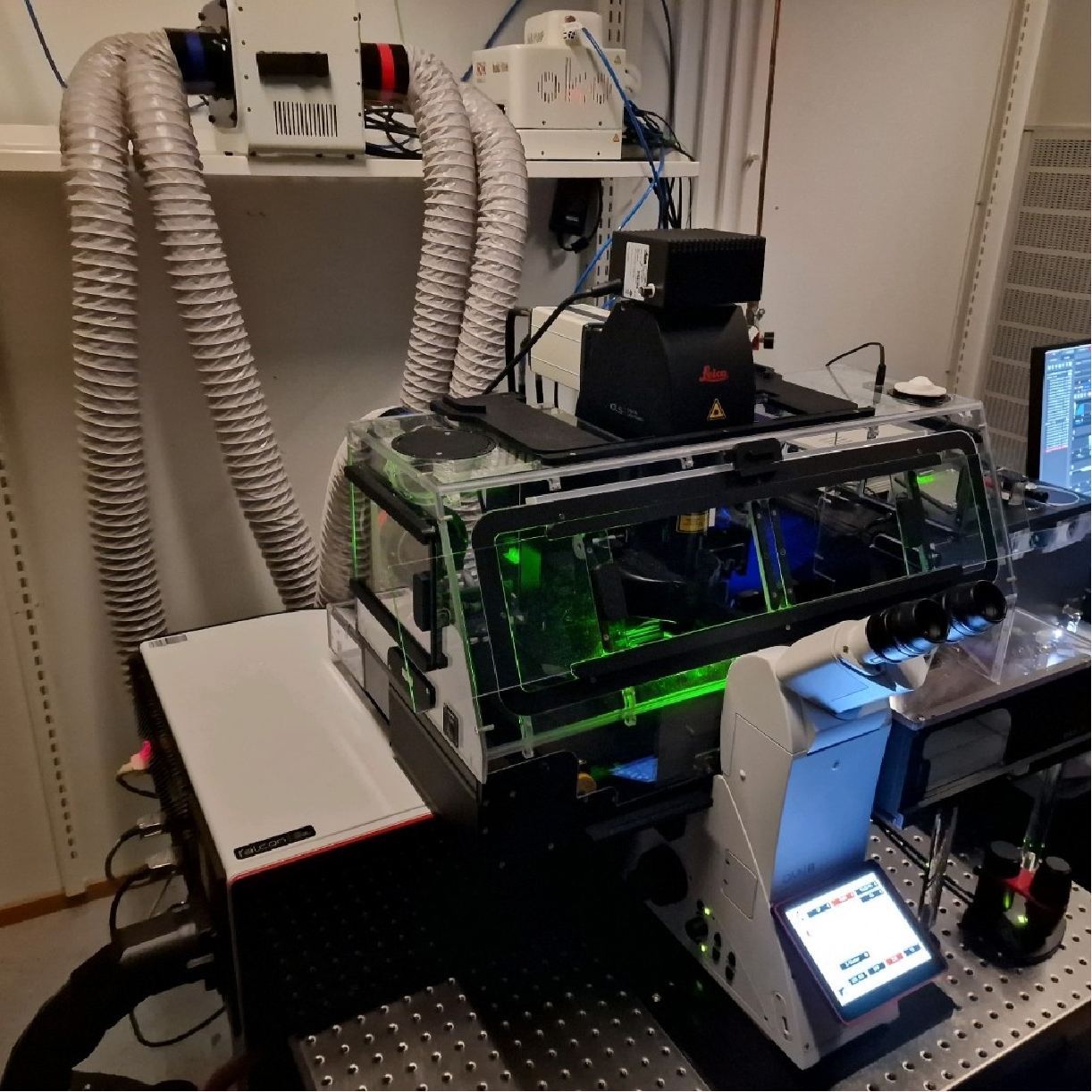
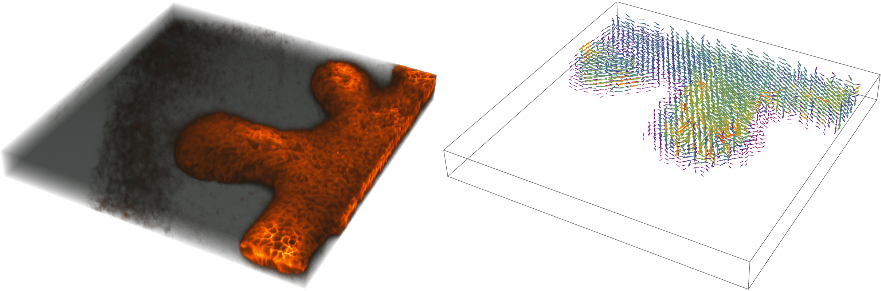
Particle Image Velocimetry is a standard technique in computer vision/image processing that is used in the fields of engineering (particularly fluid mechanics) and scientific research to primarily detect motion of an object of interest from a series of images.In my own research, I have dealt with timeseries of 3D image stacks of biological tissues on numerous occasions, and in most cases it has proven to be extremely challenging to segment individual cells making up those tissues. The rationale behind segmenting individual cells is to track them over time and determine their fate. This is extremely useful if one is studying biological development for gaining fundamental insights or probing the migration pattern of cancer cells in a tissue. However, the question remains: what can one do if there is no way to track individual cells accurately?Coarse grained approaches like PIV can work wonders in such cases. PIV is essentially a windowed cross-correlation approach wherein a small interrogation area (defined by the window size) is used to determine displacements between consecutive images. The highest value of the cross-correlation function gives the velocity vectors between windows. Moreover, these windows scan through the entire image giving a fair idea of local displacements between the two images. The resulting velocity field can provide information about the physical characteristics of the system such as scalar fields like “divergence” and vector properties like “vorticity”Recently, I encountered a scenario where single cell segmentation was just not possible so I had to track tissue growth and its development using the coarse-grained PIV approach. The tissue was not only growing but branching during the process. The top view of the 3D image stack of the tissue can be seen at the top of this post (fluorescence signal is captured from a spinning-disk confocal microscope)The bright signal all over the tissue comes from the cell boundaries. There are thousands of cells in this tissue. The data comes from another group’s microscope, which is pretty similar to the one on the photo below taken in the lab where I work.
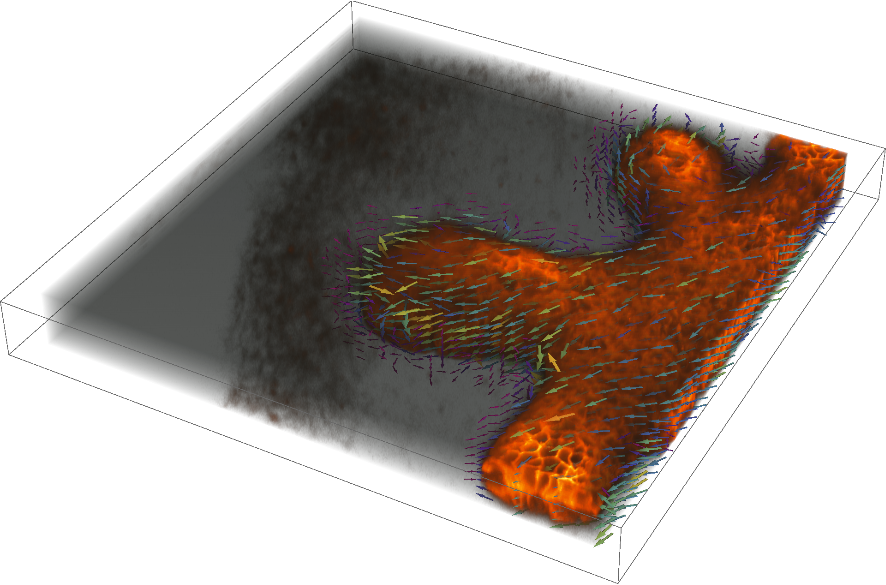
One brilliant thing about Wolfram Mathematica is its interoperability with other programming paradigms. Especially, the ExternalEvaluate command (added a while back) is such a welcome addition to the breadth of the Wolfram Language. Here, I have used a combination of a script written in Julia language and Wolfram Language to both compute and visualize the vector field between three-dimensional image stacks. The parameters are passed from the Wolfram Language and the saved files are imported and the vector field aligned with the imagestack for visualization purpose. Frankly speaking, I like the visuals better in Mathematica than in Paraview (just my personal preference). The superposition of the flow field and the tissue is a treat to watch which is rendered into a movie using the ListAnimate/AnimatedImage functions.
A grid showing a 3D image stack and the flow computed between the consecutive image stacks
the vector field is superimposed on the 3D image stack (below)
Here are the code details
Vector fields from series of 3D image stacks
Vector fields from series of 3D image stacks
Julia needs to be installed; relevant packages can be installed as listed below or from https://github.com/Marc-3d/quickPIV
In[]:=
FindExternalEvaluators["Julia"]
Out[]=

In[]:=
cd("C:/Users/hashmial/Downloads/Particle image velocimetry Analysis/test_Mathematica/results");
pwd();
#############################################################################################################
# Run this cell to install/update packages. You might have to restart the kernel after updating, to be able
# to use the updated packages. If the packages are already installed, switch off the code by setting "if false"
if false
using Pkg;
Pkg.add(url="https://github.com/Marc-3d/LIBTIFF.jl.git")
Pkg.add(url="https://github.com/Marc-3d/quickPIV.git")
Pkg.add(url="https://github.com/Marc-3d/VTJK.git")
Pkg.add("PyPlot");
Pkg.update( "LIBTIFF" );
Pkg.update( "quickPIV" );
Pkg.update("VTJK")
end
##############################################################################################################
using quickPIV, PyPlot, VTJK, Statistics
params = quickPIV.setPIVParameters( interSize=(32,32,5), overlap=(8,8,2), searchMargin=(10,10,3), threshold=11265, corr="dif" );
origin = div.(params.interSize, 2)
spacing = params.interSize .- params.overlap
# data path to be changed accordingly
datapath = "C:\\Users\\hashmial\\Downloads\\Particle image velocimetry Analysis\\test_Mathematica\\";
output_dir = pwd()*"\\"
tp0=1; # first image frame index
tp1=1; # last image frame index
for tp in tp0:tp1
# You have to provide the filename for dataset. Below, you can see how to do string interpolation in julia.
# $(tp) will copy the value of your variable "tp" inside of the string.
filename1 = "kidney_tp$(tp).tif"
filename2 = "kidney_tp$(tp+1).tif"
vol1 = quickPIV.PIVload( filename1, typ=Float32, path=datapath, sample=(2,2,2) );
vol2 = quickPIV.PIVload( filename2, typ=Float32, path=datapath, sample=(2,2,2) );
# Running the PIV analysis
U, V, W, SN = quickPIV.PIV( vol1, vol2, params );
# Storing the vectorfield for visualization in paraview
# Using a custom package "VTJK" to store the input volume & results as vtk
# Below, "fn" stands for "filename". We use string interpolation to generate output files that
# contain an increasing index at the end of the filename.
VTJK.vectorfield2VTK(U, V, W, spacing=spacing, origin=origin, fn= "vf_$(tp).vtk", path=output_dir )
end
pwd();
#############################################################################################################
# Run this cell to install/update packages. You might have to restart the kernel after updating, to be able
# to use the updated packages. If the packages are already installed, switch off the code by setting "if false"
if false
using Pkg;
Pkg.add(url="https://github.com/Marc-3d/LIBTIFF.jl.git")
Pkg.add(url="https://github.com/Marc-3d/quickPIV.git")
Pkg.add(url="https://github.com/Marc-3d/VTJK.git")
Pkg.add("PyPlot");
Pkg.update( "LIBTIFF" );
Pkg.update( "quickPIV" );
Pkg.update("VTJK")
end
##############################################################################################################
using quickPIV, PyPlot, VTJK, Statistics
params = quickPIV.setPIVParameters( interSize=(32,32,5), overlap=(8,8,2), searchMargin=(10,10,3), threshold=11265, corr="dif" );
origin = div.(params.interSize, 2)
spacing = params.interSize .- params.overlap
# data path to be changed accordingly
datapath = "C:\\Users\\hashmial\\Downloads\\Particle image velocimetry Analysis\\test_Mathematica\\";
output_dir = pwd()*"\\"
tp0=1; # first image frame index
tp1=1; # last image frame index
for tp in tp0:tp1
# You have to provide the filename for dataset. Below, you can see how to do string interpolation in julia.
# $(tp) will copy the value of your variable "tp" inside of the string.
filename1 = "kidney_tp$(tp).tif"
filename2 = "kidney_tp$(tp+1).tif"
vol1 = quickPIV.PIVload( filename1, typ=Float32, path=datapath, sample=(2,2,2) );
vol2 = quickPIV.PIVload( filename2, typ=Float32, path=datapath, sample=(2,2,2) );
# Running the PIV analysis
U, V, W, SN = quickPIV.PIV( vol1, vol2, params );
# Storing the vectorfield for visualization in paraview
# Using a custom package "VTJK" to store the input volume & results as vtk
# Below, "fn" stands for "filename". We use string interpolation to generate output files that
# contain an increasing index at the end of the filename.
VTJK.vectorfield2VTK(U, V, W, spacing=spacing, origin=origin, fn= "vf_$(tp).vtk", path=output_dir )
end
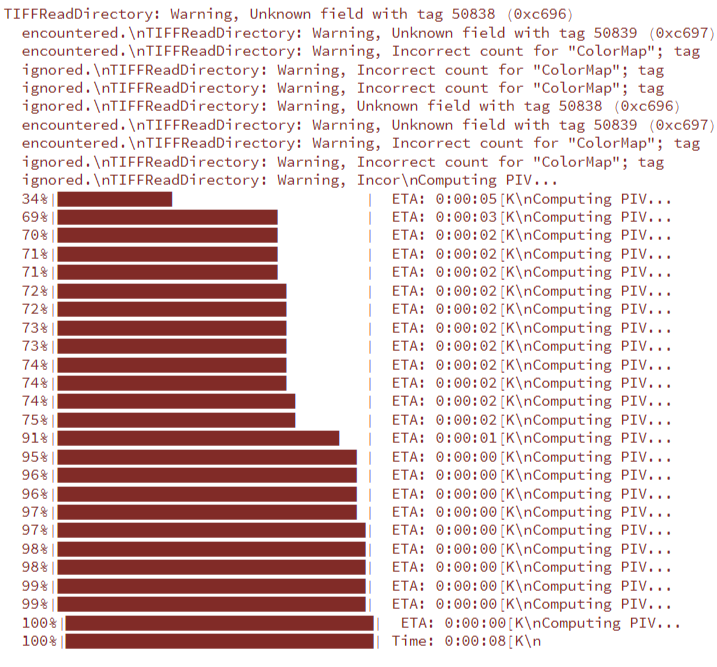
Visualising vector fields
Visualising vector fields
Not using Paraview .. we will visualise the vector field here
In[]:=
pts=Import["C:\\Users\\hashmial\\Downloads\\Particle image velocimetry Analysis\\test_Mathematica\\results\\vf_1.vtk","VertexData"];data=Import["C:\\Users\\hashmial\\Downloads\\Particle image velocimetry Analysis\\test_Mathematica\\results\\vf_1.vtk","Table"];vecs=data[[10;;]];{dim,origin,spacing}=Rest/@data[[{5,6,7}]];
In[]:=
pts2=Map[Transpose][CoordinateBoundingBoxArray[{origin,origin+spacing(dim-1)},spacing]]//Transpose[#,{2,1}]&//Map[Transpose]//Flatten[#,2]&;
In[]:=
pts===pts2
Out[]=
True
In[]:=
conj=Transpose[{pts2,vecs}];vec3Dplot=ListVectorPlot3D[conj,VectorPoints->pts2,BoxRatios->{1,1,0.1},VectorColorFunction->"Rainbow",ClippingStyle->None,VectorScaling->Automatic,VectorMarkers->"Arrow3D",VectorRange->{0.075,1000},ClippingStyle->None,Ticks->None,ImageSize->Medium]
need to align the vector field to lie on the tissue. currently the vectors and image are in a 90 degree rotation with respect to each other
Bingo !!
I will update the post and release the full dataset once the manuscript is published and is in the public domain.
CITE THIS NOTEBOOK
CITE THIS NOTEBOOK
Computing and visualizing flows between 3D image stacks of biological tissues
by Ali Hashmi
Wolfram Community, STAFF PICKS, September 3, 2023
https://community.wolfram.com/groups/-/m/t/3005007
by Ali Hashmi
Wolfram Community, STAFF PICKS, September 3, 2023
https://community.wolfram.com/groups/-/m/t/3005007