How does TableView work?
How does TableView work?
15.02.2023: Created and published for community
16.02.2023: Minor change of Excel notation
16.02.2023: Minor change of Excel notation
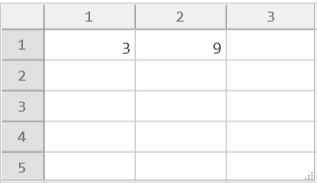
TableView is supposed to work like a spreadsheet, but I can’t see how to evaluate formulas within such a “spreadsheet”. As an example I use a cell A1 (in Excel notation) with a value a and a cell B1 which should be evaluated to a^2.
Example 1
Example 1
In[]:=
a=2;TableView[{{a,a^2}}]
Out[]=
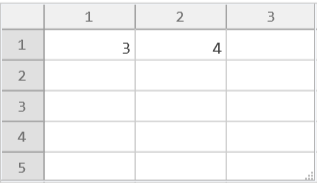
... doesn’t change B1 after modification of A1 to 3.
Example 2
Example 2
In[]:=
a=2;TableView[Dynamic[{{a,a^2}}]]
Out[]=
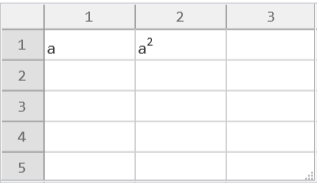
... correctly changes B1 after modification of A1 but gives an error message (within the Messages window) Set::write: Tag Power in 3^2 is Protected.
Example 3
Example 3
In[]:=
a=2;TableView[Dynamic[{{a,b=a^2}}]]
Out[]=
... correctly changes B1 after modification of A1 but gives an error message (within the Messages window) Set::write: Tag Set in b=9 is Protected.
Example 4
Example 4
In[]:=
a=2;TableView[{{a,Dynamic[a^2]}}]
Out[]=
TableView[{{2,}}]
2
a
... is syntactically incorrect.
Example 5
Example 5
Enclosing TableView into icModule doesn’t change anything on this behavior. E.g.:
Dynam
In[]:=
DynamicModule[{a=2},TableView[Dynamic[{{a,a^2}}]]]
Out[]=