In this project, I explore what Mobile Automata and their rules look like with three colors. The first step I took is making a list of numbers, and then visualizing it with an Array Plot. Then, I explored Cellular Automata and generated random sample of all 256 possible rules. After that, I explored Mobile Automata and visualized them to see how they differed from Cellular Automata. Based on this, I then generated a random rule for a triple color Mobile Automaton in the correct format. Finally, I visualized these rules to create mobile automata with 3 colors.
Visualizing Lists of Numbers
Visualizing Lists of Numbers
First, I created a list that has 49 sublists, each with 6 elements of either a 0 or a 1.
In[]:=
IntegerDigits[Range[0,49],2,6]
Out[]=
{{0,0,0,0,0,0},{0,0,0,0,0,1},{0,0,0,0,1,0},{0,0,0,0,1,1},{0,0,0,1,0,0},{0,0,0,1,0,1},{0,0,0,1,1,0},{0,0,0,1,1,1},{0,0,1,0,0,0},{0,0,1,0,0,1},{0,0,1,0,1,0},{0,0,1,0,1,1},{0,0,1,1,0,0},{0,0,1,1,0,1},{0,0,1,1,1,0},{0,0,1,1,1,1},{0,1,0,0,0,0},{0,1,0,0,0,1},{0,1,0,0,1,0},{0,1,0,0,1,1},{0,1,0,1,0,0},{0,1,0,1,0,1},{0,1,0,1,1,0},{0,1,0,1,1,1},{0,1,1,0,0,0},{0,1,1,0,0,1},{0,1,1,0,1,0},{0,1,1,0,1,1},{0,1,1,1,0,0},{0,1,1,1,0,1},{0,1,1,1,1,0},{0,1,1,1,1,1},{1,0,0,0,0,0},{1,0,0,0,0,1},{1,0,0,0,1,0},{1,0,0,0,1,1},{1,0,0,1,0,0},{1,0,0,1,0,1},{1,0,0,1,1,0},{1,0,0,1,1,1},{1,0,1,0,0,0},{1,0,1,0,0,1},{1,0,1,0,1,0},{1,0,1,0,1,1},{1,0,1,1,0,0},{1,0,1,1,0,1},{1,0,1,1,1,0},{1,0,1,1,1,1},{1,1,0,0,0,0},{1,1,0,0,0,1}}
Then, I created 6 rows of lists with 49 elements each using transpose.
In[]:=
Transpose[IntegerDigits[Range[0,49],2,6]]
Out[]=
{{0,0,0,0,0,0,0,0,0,0,0,0,0,0,0,0,0,0,0,0,0,0,0,0,0,0,0,0,0,0,0,0,1,1,1,1,1,1,1,1,1,1,1,1,1,1,1,1,1,1},{0,0,0,0,0,0,0,0,0,0,0,0,0,0,0,0,1,1,1,1,1,1,1,1,1,1,1,1,1,1,1,1,0,0,0,0,0,0,0,0,0,0,0,0,0,0,0,0,1,1},{0,0,0,0,0,0,0,0,1,1,1,1,1,1,1,1,0,0,0,0,0,0,0,0,1,1,1,1,1,1,1,1,0,0,0,0,0,0,0,0,1,1,1,1,1,1,1,1,0,0},{0,0,0,0,1,1,1,1,0,0,0,0,1,1,1,1,0,0,0,0,1,1,1,1,0,0,0,0,1,1,1,1,0,0,0,0,1,1,1,1,0,0,0,0,1,1,1,1,0,0},{0,0,1,1,0,0,1,1,0,0,1,1,0,0,1,1,0,0,1,1,0,0,1,1,0,0,1,1,0,0,1,1,0,0,1,1,0,0,1,1,0,0,1,1,0,0,1,1,0,0},{0,1,0,1,0,1,0,1,0,1,0,1,0,1,0,1,0,1,0,1,0,1,0,1,0,1,0,1,0,1,0,1,0,1,0,1,0,1,0,1,0,1,0,1,0,1,0,1,0,1}}
Next, I visualized this by using Grid and substitutions.
◼
The substitution command /. x -> value substitutes a filled circle for a 1 and a open circle for a 0.
In[]:=
Grid[Transpose[IntegerDigits[Range[0,49],2,6]]/.{1->●,0->○}]
Out[]=
○ | ○ | ○ | ○ | ○ | ○ | ○ | ○ | ○ | ○ | ○ | ○ | ○ | ○ | ○ | ○ | ○ | ○ | ○ | ○ | ○ | ○ | ○ | ○ | ○ | ○ | ○ | ○ | ○ | ○ | ○ | ○ | ● | ● | ● | ● | ● | ● | ● | ● | ● | ● | ● | ● | ● | ● | ● | ● | ● | ● |
○ | ○ | ○ | ○ | ○ | ○ | ○ | ○ | ○ | ○ | ○ | ○ | ○ | ○ | ○ | ○ | ● | ● | ● | ● | ● | ● | ● | ● | ● | ● | ● | ● | ● | ● | ● | ● | ○ | ○ | ○ | ○ | ○ | ○ | ○ | ○ | ○ | ○ | ○ | ○ | ○ | ○ | ○ | ○ | ● | ● |
○ | ○ | ○ | ○ | ○ | ○ | ○ | ○ | ● | ● | ● | ● | ● | ● | ● | ● | ○ | ○ | ○ | ○ | ○ | ○ | ○ | ○ | ● | ● | ● | ● | ● | ● | ● | ● | ○ | ○ | ○ | ○ | ○ | ○ | ○ | ○ | ● | ● | ● | ● | ● | ● | ● | ● | ○ | ○ |
○ | ○ | ○ | ○ | ● | ● | ● | ● | ○ | ○ | ○ | ○ | ● | ● | ● | ● | ○ | ○ | ○ | ○ | ● | ● | ● | ● | ○ | ○ | ○ | ○ | ● | ● | ● | ● | ○ | ○ | ○ | ○ | ● | ● | ● | ● | ○ | ○ | ○ | ○ | ● | ● | ● | ● | ○ | ○ |
○ | ○ | ● | ● | ○ | ○ | ● | ● | ○ | ○ | ● | ● | ○ | ○ | ● | ● | ○ | ○ | ● | ● | ○ | ○ | ● | ● | ○ | ○ | ● | ● | ○ | ○ | ● | ● | ○ | ○ | ● | ● | ○ | ○ | ● | ● | ○ | ○ | ● | ● | ○ | ○ | ● | ● | ○ | ○ |
○ | ● | ○ | ● | ○ | ● | ○ | ● | ○ | ● | ○ | ● | ○ | ● | ○ | ● | ○ | ● | ○ | ● | ○ | ● | ○ | ● | ○ | ● | ○ | ● | ○ | ● | ○ | ● | ○ | ● | ○ | ● | ○ | ● | ○ | ● | ○ | ● | ○ | ● | ○ | ● | ○ | ● | ○ | ● |
Then, I found array plot to view it in a different way.
◼
Range is applied to create a list from 0 to 127.
In[]:=
Range[0,127];
◼
Add IntegerDigits to make a list to be only 0's and 1's .
In[]:=
IntegerDigits[Range[0,127],2,8];
◼
Then add Transpose to transposes the first two levels in .
IntegerDigits
In[]:=
Transpose[IntegerDigits[Range[0,127],2,8]];
◼
Use Array Plot to generate a plot in which the values in an array are shown in a discrete array of squares.
In[]:=
ArrayPlot[Transpose[IntegerDigits[Range[0,127],2,8]]]
Out[]=

Looking at Cellular Automata
Looking at Cellular Automata
After some experience with ArrrayPlot, I generated a list representing the evolution of a cellular automaton with a specified rule.
In[]:=
CellularAutomaton[45,{{1},0},{10,All}]
Out[]=
{{0,0,0,0,0,0,0,0,0,0,1,0,0,0,0,0,0,0,0,0,0},{1,1,1,1,1,1,1,1,1,0,1,0,1,1,1,1,1,1,1,1,1},{0,0,0,0,0,0,0,0,0,1,1,1,1,0,0,0,0,0,0,0,0},{1,1,1,1,1,1,1,1,0,1,0,0,0,0,1,1,1,1,1,1,1},{0,0,0,0,0,0,0,0,1,1,0,1,1,0,1,0,0,0,0,0,0},{1,1,1,1,1,1,1,0,1,0,1,1,0,1,1,0,1,1,1,1,1},{0,0,0,0,0,0,0,1,1,1,1,0,1,1,0,1,1,0,0,0,0},{1,1,1,1,1,1,0,1,0,0,0,1,1,0,1,1,0,0,1,1,1},{0,0,0,0,0,0,1,1,0,1,0,1,0,1,1,0,0,0,1,0,0},{1,1,1,1,1,0,1,0,1,1,1,1,1,1,0,0,1,0,1,0,1},{0,0,0,0,0,1,1,1,1,0,0,0,0,0,0,0,1,1,1,1,1}}
Next, I looked at the rule for the cellular automaton of rule 45.
In[]:=
RulePlot[CellularAutomaton[45]]
Out[]=
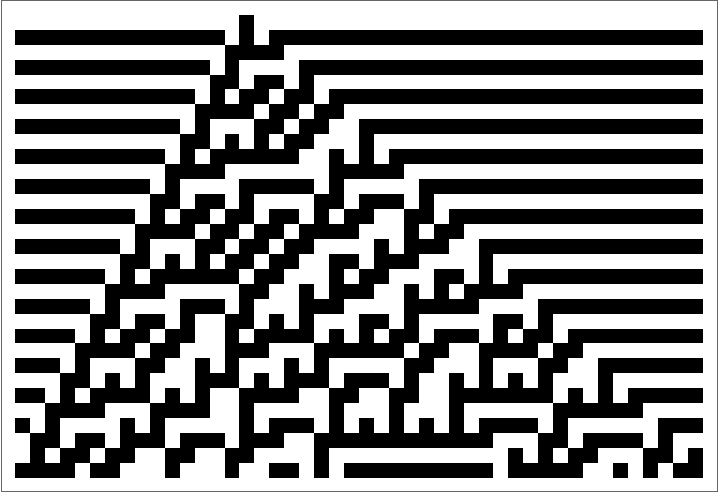
Then, I plotted this rule for a single black square in infinite white squares, for 30 generations.
In[]:=
RulePlot[CellularAutomaton[45],{{1},0},30]
Out[]=
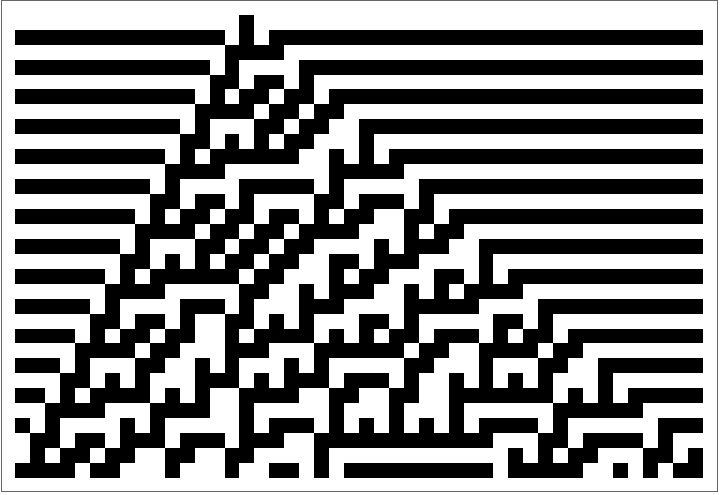
Next, I added a legend that shows the rule and the cellular automata, thus combining the above to make it easier to view.
In[]:=
RulePlot[CellularAutomaton[45],{{1},0},30,PlotLegends->"Icon"]
Out[]=
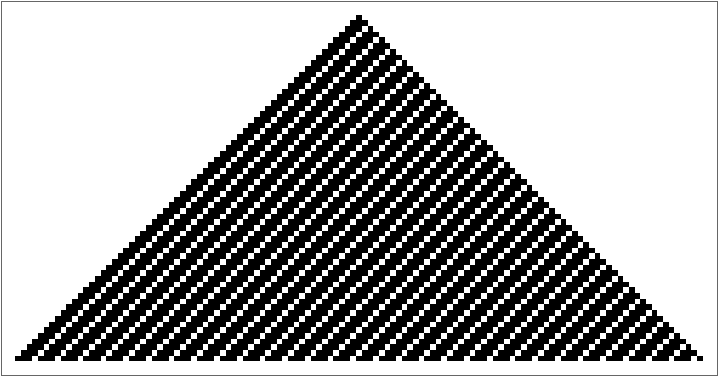
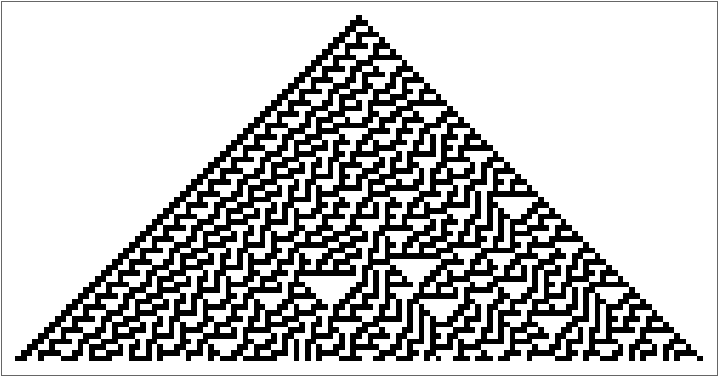
Now that I understand one cellular automata, I used Table to view a random sample of all 256 cellular automata.
In[]:=
Grid[Partition[RandomSample[Table[ArrayPlot[CellularAutomaton[n,{{1},0},{60,All}]],{n,0,255}],8],4]]
In[]:=






Exploring Mobile Automata
Exploring Mobile Automata
I started with a resource function called MobileAutomaton. This creates the raw data, like CellularAutomaton[].
In[]:=
ResourceFunction["MobileAutomaton"][{35,57},{Table[0,52],30},70]
In[]:=
It can be visualized with an Array Plot.
In[]:=
ArrayPlot[ResourceFunction["MobileAutomaton"][{35,57},{Table[0,52],30},70][[All,1]]]
Out[]=
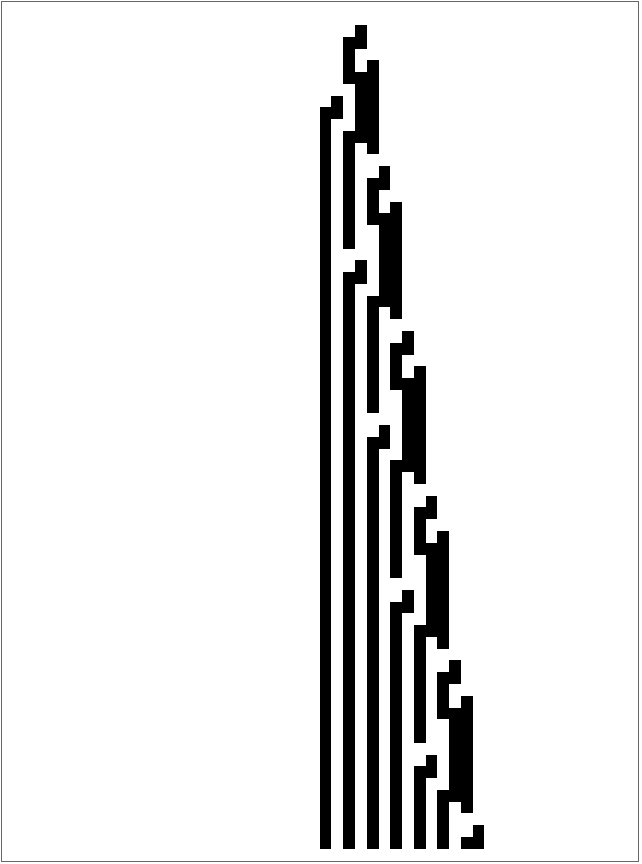
And it's rules can be visualized with a Rule Plot, just like cellular automata.
I noticed that the rules have dots, so to visualize the dots in the plot, I used MobileAutomatonPlot[].
Generating Rules with 3 Colors
Generating Rules with 3 Colors
In Mobile Automata, each rule is a list of three elements associated with a list of 3 elements and positive or negative 1.
Two color mobile and cellular automat have either a 1 or a 0 as each elements.
However, to create a three color mobile automata, I added the option of a 2 in each list.
Two color mobile and cellular automat have either a 1 or a 0 as each elements.
However, to create a three color mobile automata, I added the option of a 2 in each list.
To do this, I made a randomRule to make the rule different each time we evaluate it.
This is created through a Table of Tuples and RandomChoices.
This is created through a Table of Tuples and RandomChoices.
We can now evaluate this cell to get any rule that you want.
This can be made easier by making the variable a function instead.
This can be made easier by making the variable a function instead.
Mobile Automata rules with 3 colors
Mobile Automata rules with 3 colors
To implement these rules, I altered the code for a two color mobile automata by using the new rules, ColorReplace, and ImageCrop.
After this success, I generated some cool rules that show interesting patterns in three color mobile automata.