Introduction
Introduction
Since the mid-1990’s, there have been spacecraft regularly monitoring the Sun using imagery. Because visible light imagery is typically less scientifically useful, many of the images are obtained in other wavelengths, especially in the ultraviolet end of the electromagnetic spectrum. The Solar & Heliospheric Observatory (SOHO) and the Solar Dynamics Observatory (SDO) are prime examples of spacecraft, among a number of others, providing nearly constant observations of the Sun. The Helioviewer Project, a joint program of NASA and ESA, provides an API that gives access to most of this imagery. Many of the images obtained from the API are 4096x4096 pixels in dimensions so are quite large and are scaled down by default. Using the Wolfram Function Repository item, “SolarImage” these images can be retrieved, viewed and processed using the Wolfram Language.
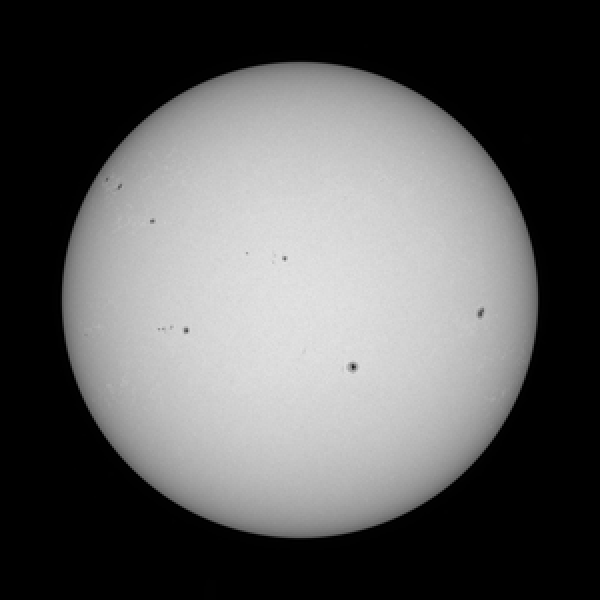
By default, the most recent image from the SDO Helioseismic and Magnetic Imager is returned and provides a visible light image (6173 Angstroms) of the Sun that highlights sunspots and sunspot groups.
In[]:=
ResourceFunction["SolarImage"][]
Out[]=
Various Instruments
Various Instruments
SolarImage provides access to images from a large number of instruments, each referenced by an integer. The default image above is obtained by referencing instrument 18.
In[]:=
ResourceFunction["SolarImage"]["InstrumentAssociation"]
Out[]=
0EIT 171,1EIT 195,2EIT 284,3EIT 304,4LASCO C2,5LASCO C3,6MDI Mag,7MDI Int,8AIA 94,9AIA 131,10AIA 171,11AIA 193,12AIA 211,13AIA 304,14AIA 335,15AIA 1600,16AIA 1700,17AIA 4500,18HMI Int,19HMI Mag,20EUVI-A 171,21EUVI-A 195,22EUVI-A 284,23EUVI-A 304,24EUVI-B 171,25EUVI-B 195,26EUVI-B 284,27EUVI-B 304,28COR1-A,29COR2-A,30COR1-B,31COR2-B,32SWAP 174,33SXT AlMgMn,34SXT thin-Al,35SXT white-light,39XRT Al_med/Al_thick,40XRT Al_med/Be_thick,42XRT Al_med/Open,43XRT Al_med/Ti_poly,44XRT Al_poly/Al_mesh,45XRT Al_poly/Al_thick,46XRT Al_poly/Be_thick,48XRT Al_poly/Open,49XRT Al_poly/Ti_poly,54XRT Be_med/Open,62XRT C_poly/Al_mesh,63XRT C_poly/Al_thick,66XRT C_poly/Open,67XRT C_poly/Ti_poly,69XRT Open/Al_mesh,70XRT Open/Al_thick,71XRT Open/Be_thick,74XRT Open/Ti_poly,75TRACE 171,76TRACE 195,77TRACE 284,78TRACE 1216,79TRACE 1550,80TRACE 1600,81TRACE 1700,82TRACE white-light,83COSMO KCor,2000SUVI 94,2001SUVI 131,2002SUVI 171,2003SUVI 195,2004SUVI 284,2005SUVI 304,10001XRT Any/Any,10002XRT Any/Al_mesh,10003XRT Any/Al_thick,10004XRT Any/Be_thick,10006XRT Any/Open,10007XRT Any/Ti_poly,10008XRT Al_med/Any,10009XRT Al_poly/Any,10010XRT Be_med/Any,10011XRT Be_thin/Any XRT Be_thin/Open,10013XRT Open/Any
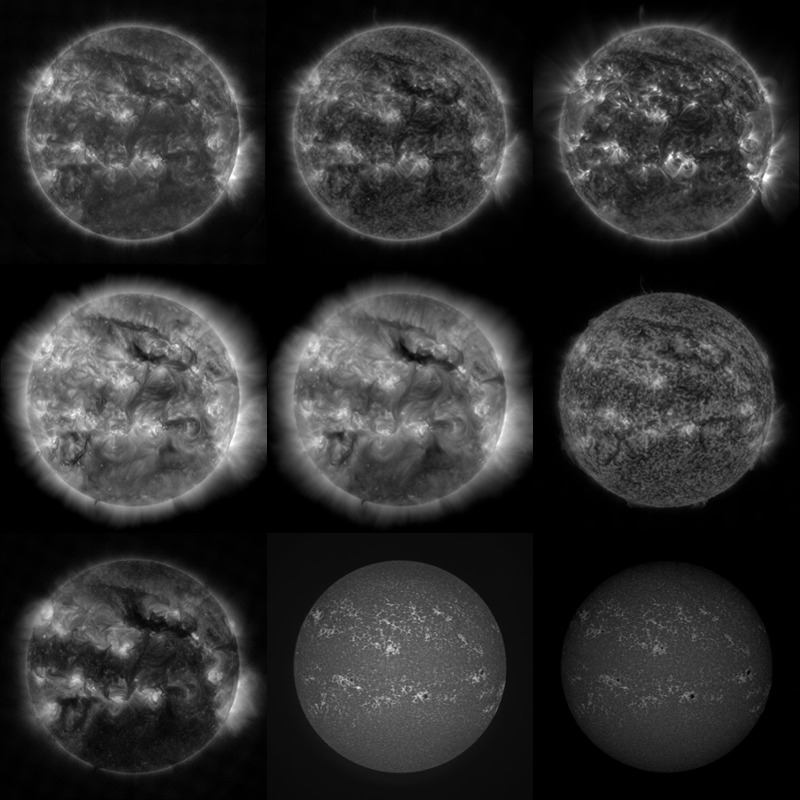
The appearance of the Sun varies from one instrument to the next, but the images are always black and white. This is true for most astronomical imagery. Since most of the observations are in wavelengths outside the visible spectrum, any colors applied are somewhat arbitrary.
In[]:=
imagesbw=ResourceFunction["SolarImage"][#]&/@{8,9,10,11,12,13,14,15,16};
In[]:=
GraphicsGrid[Partition[imagesbw,3],Spacings->{0,0},ImageSize->400]
Out[]=
Colorizing Images
Colorizing Images
When applying color to these images, its useful to have a reference image for comparison. Here we go back to the HMI image in black and white.
In[]:=
GraphicsRow[ResourceFunction["SolarImage"][18,"Colorize"->#]&/@{False,True}]
Out[]=
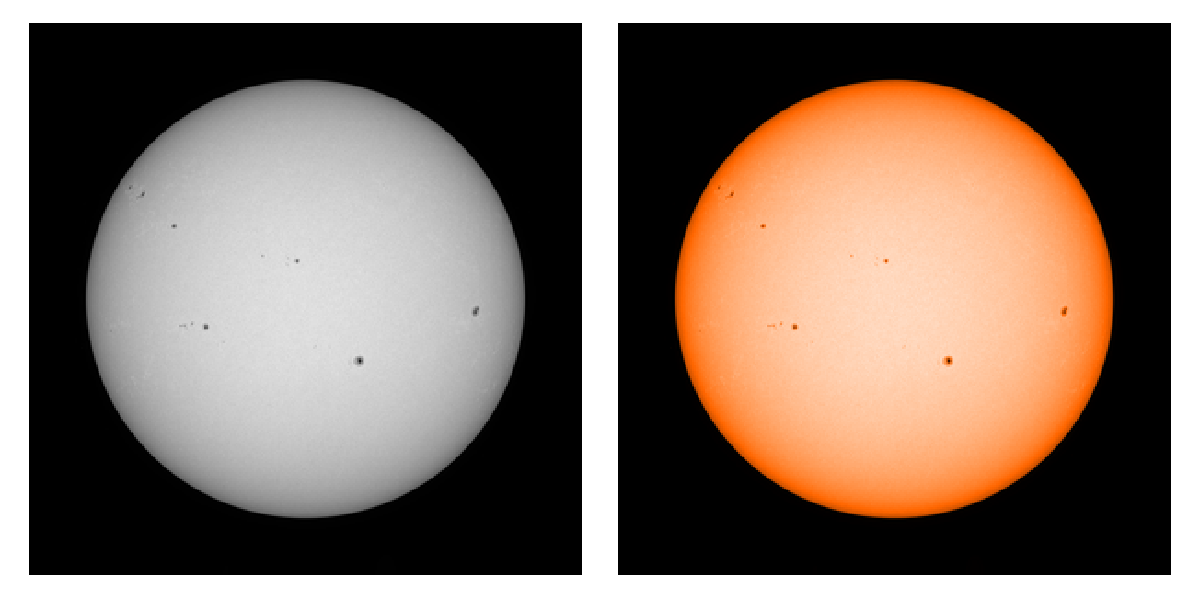
Adding the option “Colorize” True applies a simple blend of colors to provide an artificially colored image.
Other instruments have a different default colorization scheme by default.
In[]:=
GraphicsRow[ResourceFunction["SolarImage"][9,"Colorize"->#]&/@{False,True}]
Out[]=
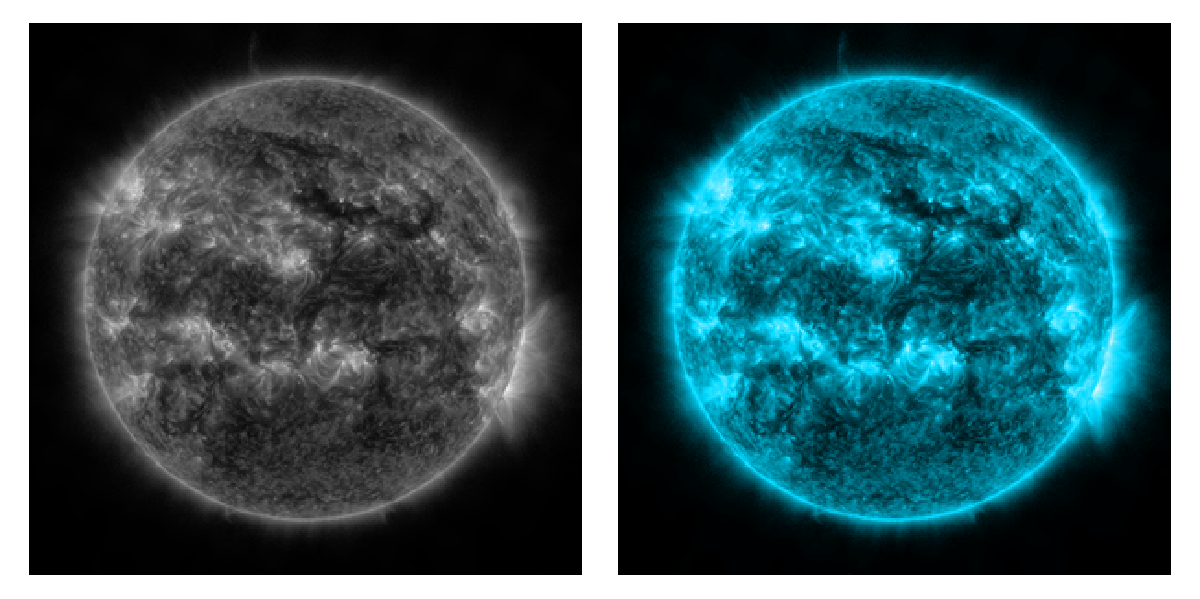
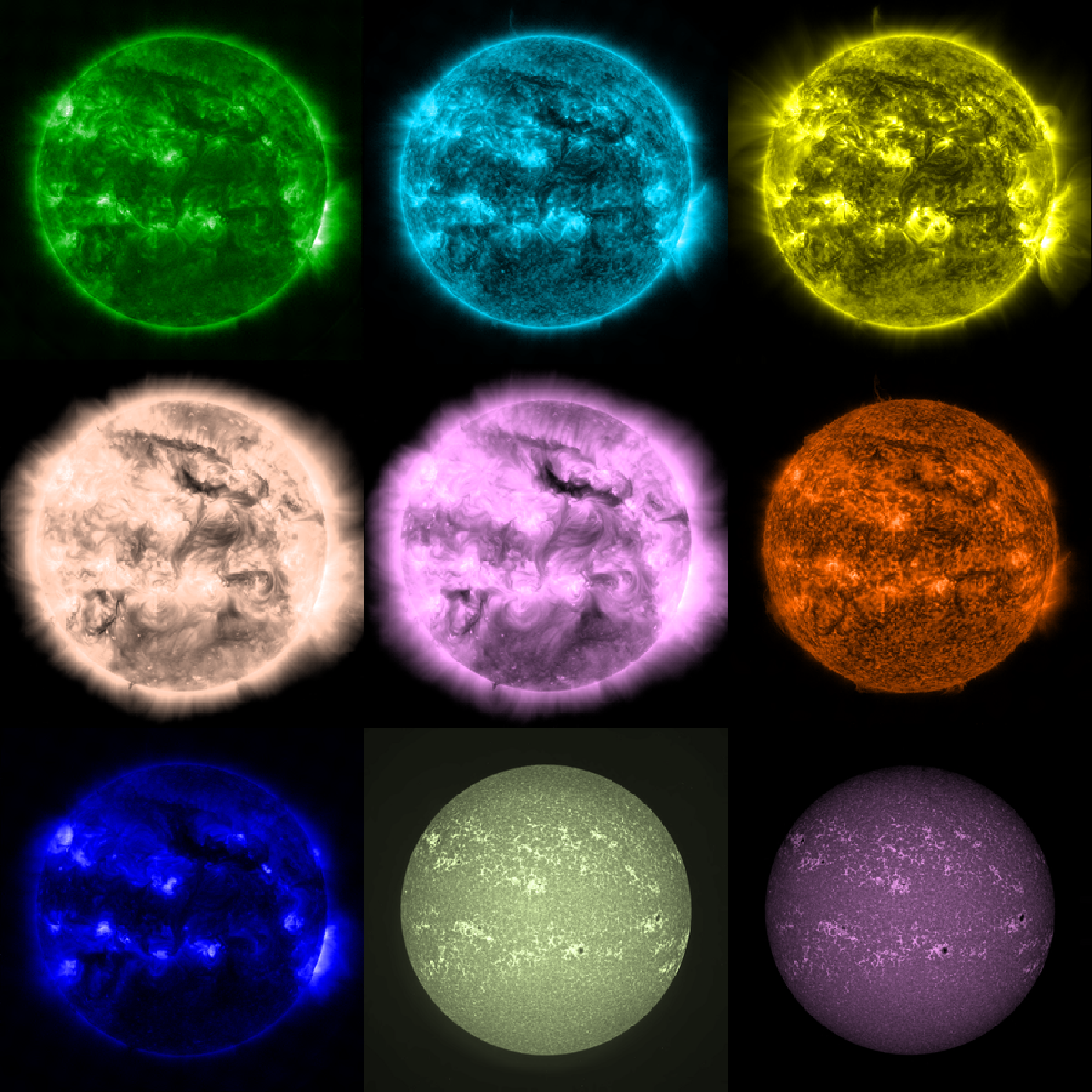
Each color scheme is unique, but arbitrary.
In[]:=
imagescolor=ResourceFunction["SolarImage"][#,"Colorize"->True]&/@{8,9,10,11,12,13,14,15,16};
In[]:=
GraphicsGrid[Partition[imagescolor,3],Spacings->{0,0},ImageSize->600]
Out[]=
Customizing Colors
Customizing Colors
Since the default colorization schemes are arbitrary, it is useful to allow for customization. Using the “BlendColors” option you can assign any of the “Gradients” from ColorData.
In[]:=
starrynight=ResourceFunction["SolarImage"][9,"Colorize"->True,"BlendColors"->"StarryNightColors"]
Out[]=
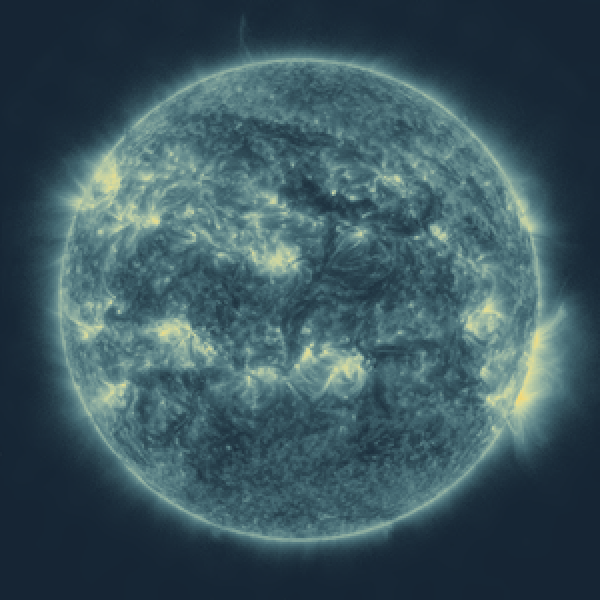
Sometimes it is useful to adjust the contrast of the image for optimal effect.
In addition to the named “Gradients” from ColorData, you can supply an explicit list of colors to blend into an effective color function.
Combining Colors
Combining Colors
Since each instrument corresponds to a different wavelength, it’s possible to substitute images from different instruments as the RGB components and create additional false color images that highlight features in multiple wavelengths.
Historical Events
Historical Events
SolarImage doesn’t just provide access to current imagery, but also historical imagery. Given a date as the first argument, the underlying API returns the image nearest to the requested date (it may not match exactly). The Bastille Day Event on July 14, 2000 provides a nice historical example. Visible light imagery showed a large sunspot group on the Earth-facing side of the Sun.
Looking at magnetic imagery, opposite polarity can be expressed as red and green. Having large areas of opposing polarity in close proximity can lead to unstable magnetic zones prone to magnetic recombination events and solar flares.
At approximately 10:30 UTC, a powerful X-class solar flare was released as the magnetic field in the sunspot group re-oriented and released a massive amount of energy. The resulting pulse of energy triggered a coronal mass ejection that created a very strong geomagnetic storm that caused minor damage to power transformers and satellites on and around Earth.
For additional exploration of other historical space weather vents, see my previous Wolfram Community post.
Making Movies
Making Movies
Creating movies of solar events is made convenient by the direct support for lists of dates. Images can be requested for a range of dates and SolarImage will find the nearest image to each date, remove any duplicates that may arise, and then constructs an EventSeries.
The images in the event series can be cropped and a new event series constructed.
Finally, a video file can be created and previewed.
CITE THIS NOTEBOOK
CITE THIS NOTEBOOK
Exploring Solar Imagery
by Jeff Bryant
Wolfram Community, STAFF PICKS, January 19, 2024
https://community.wolfram.com/groups/-/m/t/3106012
by Jeff Bryant
Wolfram Community, STAFF PICKS, January 19, 2024
https://community.wolfram.com/groups/-/m/t/3106012