ColorData["Atoms"] is “a function that represents a color scheme”:
In[]:=
ColorData["Atoms"]
Out[]=
ColorDataFunction


In[]:=
?ColorDataFunction
Out[]=
The property “Panel” gives “a clickable panel showing colors in the scheme”; and the property “Image” is “a graphics image showing colors in the scheme”. For the scheme “Atoms”, as Imre showed, the panel is represented in the form of the periodic table:
In[]:=
ColorData["Atoms","Panel"]
Out[]=
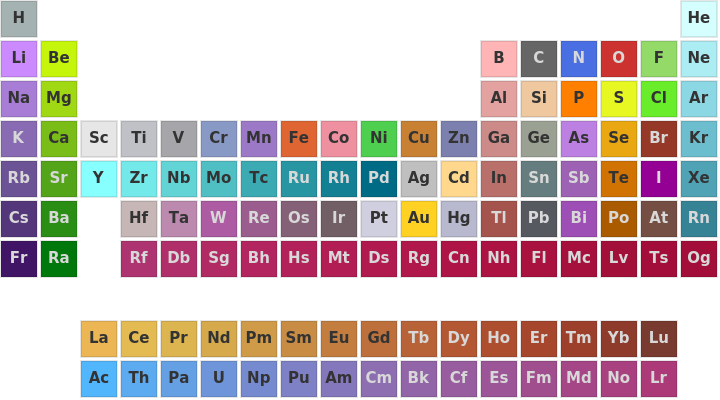
Or as you (Rohit) indicated, we can get an image from it:
In[]:=
ColorData["Atoms","Image"]
Out[]=
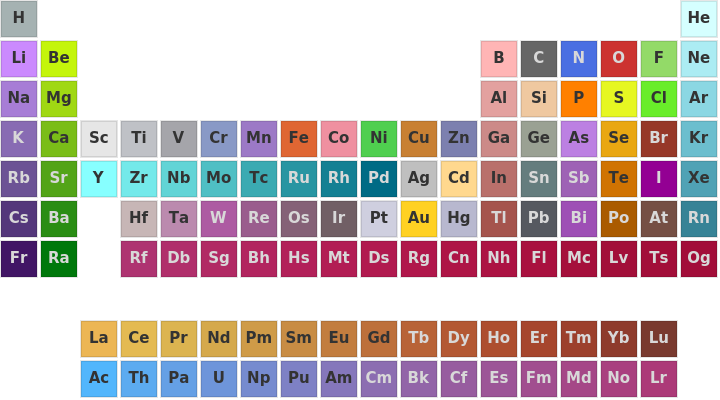
And if you only want the periodic table as illustrated above, then alright. But it does not contain information on the elements as the periodic table does; so you can’t get the atomic number of any element from it, for example.
You can, however, get a color. The color of Hydrogen:
You can, however, get a color. The color of Hydrogen:
In[]:=
ColorData["Atoms"]["H"]
Out[]=
