The aim of the project is to work with lattices (in 3D) and to be able to perform computational tasks on the lattice elements. This requires proper indexing of the lattice points themselves, as well as the unit cells defined on them (by the basis vectors). A nice way to visualise the computation (and to check if the indexing is proper) is to be able to run Cellular Automaton on the lattices and plot the output state by highlighting the unit cells or the lattice points which have the desired state (a state of “1” as a result of the Cellular Automaton). The indexing of lattice points and unit cells would enable us to create a 3D analogue of the 2D ArrayPlot function. Finally, the neighbourhoods of the lattices are classified which is crucial for defining Cellular Automata rules. The Cellular Automata would yield interesting patterns within the lattice and provide models for crystal growth.
Introduction to Lattices
Introduction to Lattices
A lattice is an infinite array of translationally invariant points in space. Lattices and unit cells are important concepts in the fields of Crystallography and Solid State Physics. They are used for classification and identification of crystals and their underlying structure. The enumeration of all possible lattices (based on the symmetries they possess) is given by . In 2D, we have 5 possible Bravais lattices, whereas in 3D, we have 14 possible Bravais lattices. This means, that any possible lattice in 3D would actually be one of the 14 possible Bravais lattices.
Generation of Lattices
Generation of Lattices
To begin working with lattices, we first need to generate them. Let us see how to generate lattice points in 3D. A lattice in 3D space would require a set of 3 basis vectors (,,) which govern the repetition and translation periodicity of the lattice points. The translation operator (T) given by: generates all the lattices points (,, are integers). Code for generating the lattice points from the basis vectors is given below:
a
1
a
2
a
3
T++
n
1
a
1
n
2
a
2
n
3
a
3
n
1
n
2
n
3
(*Plotlatticepointsbasedonbasisvectors(basis)anddimensions(dim)*)latticePointsPlot[basis_,dim_]:=Module[{latticePts},latticePts=Flatten[Table[Total[basis*{d1,d2,d3}],{d1,1,dim[[1]]},{d2,1,dim[[2]]},{d3,1,dim[[3]]}],2];Graphics3D[{PointSize[Large],Point[latticePts]}]]latticePointsPlot[{{1,0,0},{0,1,0},{0,0,1}},{4,4,4}]
Out[]=

Now, the basis vectors (,,) would define a conventional unit cell, which will be a parallelepiped (a cube is a special case of a parallelepiped). We can generate a lattice by “stacking” these parallelepiped unit cells.
a
1
a
2
a
3
In[]:=
basisVectors={{1,0,0},{0,1,0},{0,0,1}};unitCellEdge=Parallelepiped[{0,0,0},basisVectors];Graphics3D[{EdgeForm[Thick],FaceForm[None],unitCellEdge},BoxedFalse]
Out[]=

In[]:=
(*plotunitcellsedgedbasedonbasisvectorsanddimension*)latticeUnitCellPlot[basis_,dim_]:=Module[{unitCell},unitCell=Parallelepiped[{0,0,0},basis];Graphics3D[{EdgeForm[Thick],FaceForm[None],Table[Translate[unitCell,Total[basis*{i,j,k}]],{i,1,dim[[1]]},{j,1,dim[[2]]},{k,1,dim[[3]]}]},BoxedFalse]]latticeUnitCellPlot[{{1,0,0},{0,1,0},{0,0,1}},{3,3,3}]
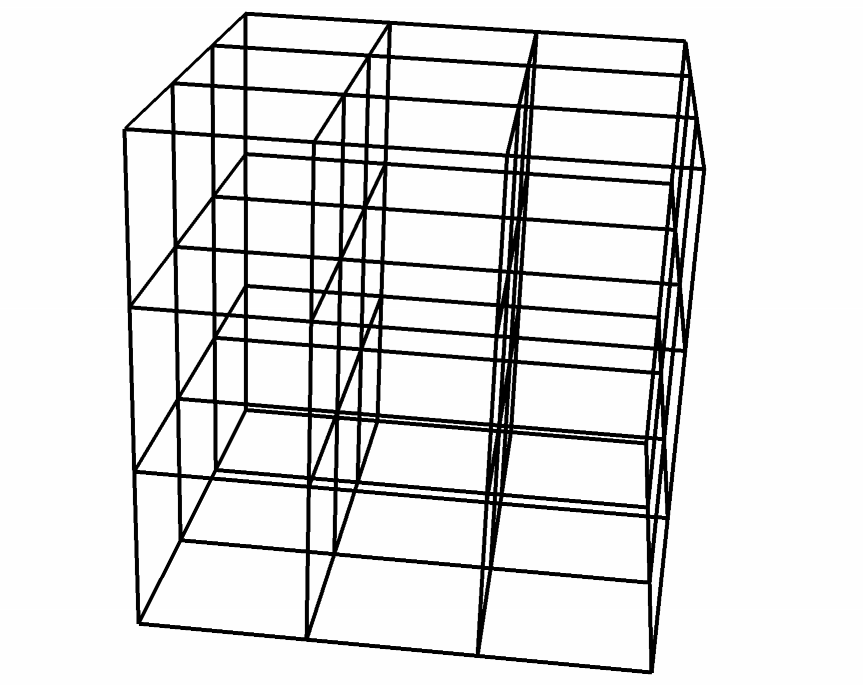
Colourful version (without the FaceForm[None] option) |
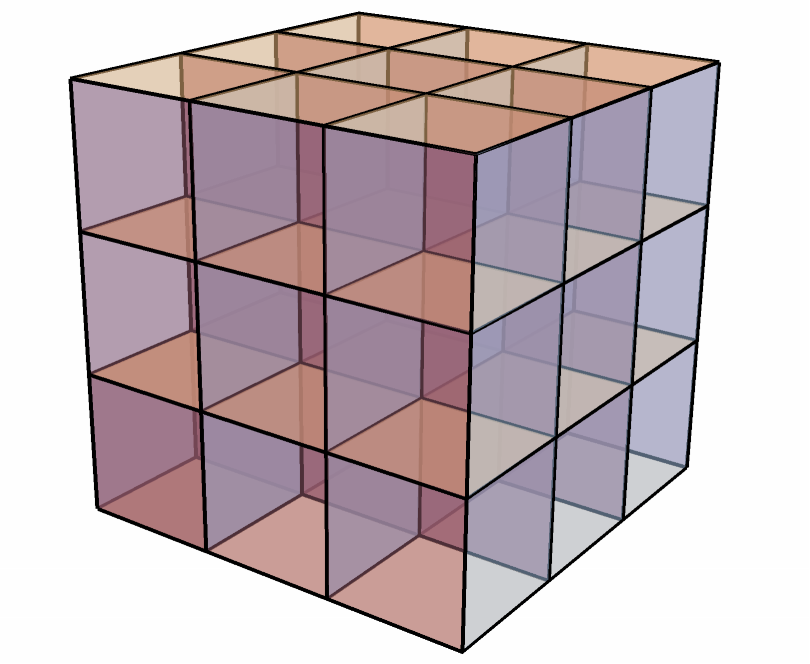
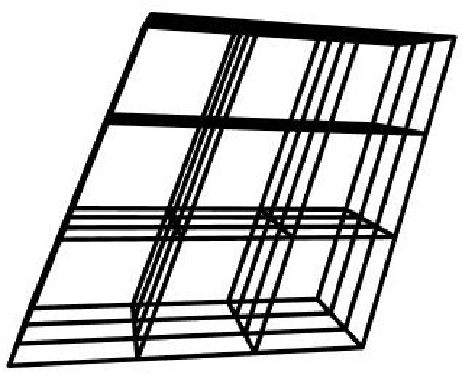
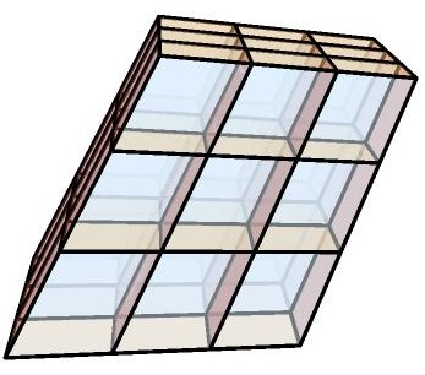
The above examples correspond to Primitive Cubic lattice. Below are some images corresponding to a general lattice (with parallelepiped unit cells).
A fun way to visualise is by placing spheres at lattice points. In fact, this is used in crystallography for studying crystal structures where atoms are modelled as spheres and they are sitting at lattice points.
In[]:=
Graphics3D[Table[Sphere[{x,y,z},1/2],{x,5},{y,5},{z,5}]]
Out[]=

Neighbourhood in Lattice Structures
Neighbourhood in Lattice Structures
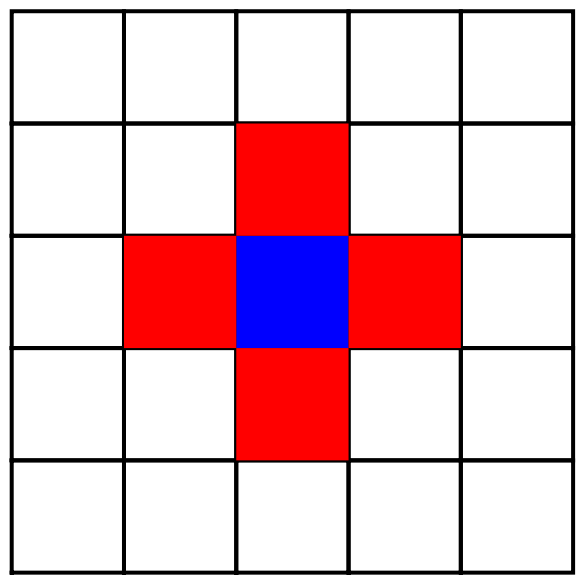
In order to run Cellular Automata (CA) on lattices, we need to clearly define the “neighbourhoods.” This is to be done separately for two cases: (i) neighbourhood of a conventional parallelepiped, (ii) neighbourhood of lattice points themselves. In order to understand this concept properly, let us look at the 2D case. The blue lattice point is the point under consideration. The red lattice points define the neighbourhood, ie, they are the neighbours of the given blue lattice point. Similarly, for the case of unit cells, we have the blue cell as the cell under consideration. The red cells are the neighbours (which share edges with our given cell). Of course, we could also include the “diagonal” points and cells but things would get complicated when we move to 3D so let us stick with this definition of neighbourhood. In terms of technical terminology, there are two kinds of neighbourhoods: (i) (the one I have described), (ii) (which includes the “diagonal” cells).Now, we can turn our attention to running CA on 3D lattices. There are two possible cases, one would be to run CA on the conventional parallelepiped unit cells, the other option is to run them on the lattice points. First, we will look at unit cell case.
Cellular Automata on Conventional Parallelepiped Unit Cells
Cellular Automata on Conventional Parallelepiped Unit Cells
The built-in function has capabilities to work in 3D, but with only cube cells. However, topologically speaking, a cube and a general parallelepiped are same. This is because both have 6 faces, and hence 6 “face-touching” neighbours, leading to both having identical “neighbourhood” structure. Thus, it is easy to generalise the special case of a Primitive Cubic lattice to any general lattice for the case of CA on unit cells. Below is the code for plotting the outcome of a particular CA rule (GrowthCases->1) on the Primitive Cubic lattice and a general lattice.
posOne=Position[CellularAutomaton[<|"GrowthCases"{1},"Dimension"3,"Neighborhood"7|>,{{{{1}}},0},{{{2}}}],1];dimension=Max[Flatten[posOne]];Graphics3D[{Table[Translate[unitCellEdge,{posOne[[i2]][[1]]*basisVectors[[1]]+posOne[[i2]][[2]]*basisVectors[[2]]+posOne[[i2]][[3]]*basisVectors[[3]]}],{i2,Length[posOne]}],FaceForm[None],Table[Translate[unitCellEdge,{i*basisVectors[[1]]+j*basisVectors[[2]]+k*basisVectors[[3]]}],{i,1,dimension},{j,1,dimension},{k,1,dimension}]},BoxedFalse](*definitionofbasisVectorsandunitCellEdgeprovidedinabovesections*)
Steps of evolution of the CA on the cube unit cells of Primitive Cubic lattice (1st image is the initial condition):
Steps of evolution of the CA on the parallelepiped unit cells of general lattice (1st image is the initial condition):
3D Analogue of ArrayPlot for Unit Cells
3D Analogue of ArrayPlot for Unit Cells
Cellular Automata on Lattice Points
Cellular Automata on Lattice Points
Working with lattice points and defining their neighbourhood is a considerably more difficult task. This is because one now needs to work with the Voronoi regions instead of the conventional parallelepiped unit cells.
Voronoi Regions
Voronoi Regions
The Voronoi region around a lattice point is defined as the locus of points in space that are closer to that point than to any of the other lattice points. Simply speaking, this defines the maximum volume around each lattice point which would not overlap or interfere with the space around other lattice points. The Voronoi regions provide a unit cell for the lattice (which is not the conventional parallelepiped) and hence they are space-filling polyhedra. Their shapes could be very complicated. For example, the Face-Centred Cubic lattice has Rhombic Dodecahedron (12 faces) as its Voronoi region. The maximum number of faces that a Voronoi region can have is 14 (for example, the Voronoi cell for the Body-Centred Cubic lattice is Truncated Octahedron which has 14 faces). Thus, the number of neighbours for different lattices will be different. Fortunately for us, there are only 5 topologically distinct Voronoi types. This means, each of the 14 Bravais lattices will have a shape of Voronoi cell falling into one of the 5 Voronoi types. They are listed below.
List of the 5 Voronoi Types with an example Bravais Lattice:
List of the 5 Voronoi Types with an example Bravais Lattice:
Having once generated each of the above mentioned 5 Voronoi types, we can be confident about working with any lattice.
Neighbourhoods: “Nearest Neighbours” vs “Face Neighbours”
Neighbourhoods: “Nearest Neighbours” vs “Face Neighbours”
Apart from the different and complicated shapes of Voronoi regions for different lattices, another issue is to define a neighbourhood. The “nearest neighbours” in terms of distance from a lattice point may be different from “face-neighbours” (whose Voronoi cells touch the faces of the Voronoi cell of the lattice point under consideration). For example, a Body-Centred Cubic lattice has 8 nearest neighbours but the Voronoi region has 14 faces (which is formed by incorporating the 2nd nearest neighbours as well). For some cases, like the Primitive Cubic and the Face-Centred Cubic, the nearest neighbour lattice points and the face neighbour lattice points would be the same. However, in general, they may be different. I have described two such examples below (the left one corresponds to the nearest neighbour in terms of distance and the right one corresponds to face neighbours).
Body-Centred Cubic
Body-Centred Tetragonal
Defining Custom Cellular Automata Rules
Defining Custom Cellular Automata Rules
The built-in CellularAutomaton function cannot be used here because of the complicated neighbourhoods of Voronoi regions. The built-in function can be used only with cubic neighbourhoods (or general parallelepiped) for which there are only 6 faces of the unit cell. Thus, I defined a very basic “outward growth” CA according to which a Voronoi region will be allocated a state of “1” if any one of its neighbours has a state “1.” This was run on both cases of neighbourhoods (nearest neighbours and faces of the Voronoi cell). Below are some examples of the evolution of a few steps of the CA (first image is the initial condition).
Face-Centred Cubic
Primitive Cubic
3D Analogue of ArrayPlot for Voronoi Regions
3D Analogue of ArrayPlot for Voronoi Regions
We can create a function which is similar to the task of implementing a 3D analogue of the built-in ArrayPlot function for unit cells. However, this time, lattice points and their Voronoi regions would be highlighted instead of the conventional parallelepiped unit cell. The input to the function (latticeVoronoiPlot) are the basis vectors and the dimension of repeating the lattice points. The lattice points (and their corresponding Voronoi regions) to be highlighted are supplied in the form of indices as an option. The code and the example of a Primitive Hexagonal lattice is presented below.
Conclusions
Conclusions
The following tasks have been completed during the course of this project
1
.Generating (general) 3D lattices based on basis vectors as the input.
2
.Running any Cellular Automaton (using the built-in CellularAutomaton function) on the conventional parallelepiped unit cells of (general) 3D lattices.
3
.Creating a 3D analogue of ArrayPlot for conventional parallelepiped unit cells of (general) 3D lattices.
4
.Generating all the 5 Voronoi types of 3D lattices. The function can generate Voronoi regions for any lattice after applying basis reduction to the basis vectors (using the LatticeReduce built-in function along with some modifications).
5
.Running a few special Cellular Automata on the Voronoi regions (or the lattice points) of (general) 3D lattices.
6
.Creating a 3D analogue of ArrayPlot for Voronoi regions of (general) 3D lattices.
Future Work
Future Work
The future work largely consists of running more “generalised” Cellular Automata on the Voronoi regions. Also, the enumeration of all the possible CA rules for the 5 Voronoi types needs to be done based on their neighbourhoods (for both the nearest neighbour case and the face neighbour case). This would lead to the study of interesting patterns emerging on the “surface” of the lattice. Other tasks include incorporating Miller planes into the framework (studying the structure of lattice points on the plane) and identification of the lattice based on the basis vectors.
Keywords
Keywords
◼
Lattice
◼
Unit cell
◼
Voronoi Region (or Dirichlet domain or Wigner Seitz cell)
◼
Cellular Automaton
Acknowledgment
Acknowledgment
Mentor: Ahmed Elbanna
I would like to thank my mentor, the helpful teaching assistants (especially Jesse Friedman, Mark Greenberg), Stephen Wolfram and Jonathan Gorard for their support and guidance during the course of the project. They were always eager to help me out whenever I got stuck at any stage.
References
References
◼
International Tables of Crystallography (Volume A) by International Union of Crystallography (section 3.1: pages 698-707)
◼
Wigner Seitz Cell for reciprocal lattice (stackexchange question for providing help with some aspects of generation of Voronoi cell code: https://mathematica.stackexchange.com/questions/198588/find-the-3d-region-containing-the-origin-bounded-by-given-planes)