Outline of the talk
Outline of the talk
◼
Graph Layout
◼
Graph Styling
◼
Graph Visualization Functions
◼
Examples
Graph Layout
Graph Layout
GraphLayout Stage
GraphLayout Stage
"VertexLayout" | "how to embed vertices" |
"EdgeLayout" | "how to route edges" |
"PackingLayout" | "how to place connected components of vertices" |
"RenderingOrder" | "control rendering order of vertices and edges" |
GraphLayout -> {"VertexLayout" -> .., “EdgeLayout” -> .., "PackingLayout" -> .., "RenderingOrder" -> ..}
Graph Layout
Graph Layout
VertexLayout
VertexLayout


Graph Layout
Graph Layout
EdgeLayout
EdgeLayout
◼
Divided Edge Bundling - divide edges into segments bundle
In[]:=
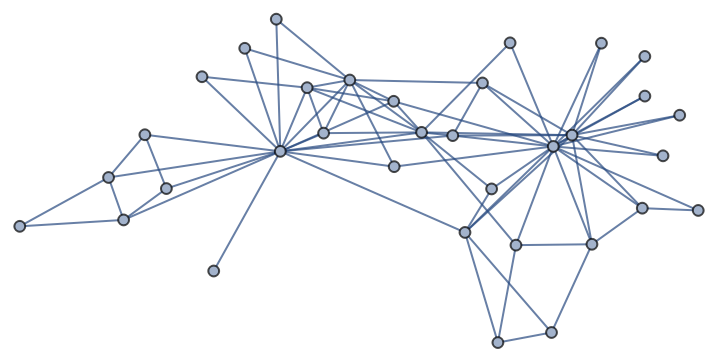
g=ExampleData[{"NetworkGraph","ZacharyKarateClub"}]
Out[]=
In[]:=
Annotate[g,GraphLayout{"EdgeBundling""DividedEdgeBundling"}]
In[]:=
g=
;

In[]:=
Annotate[g,GraphLayout{"EdgeBundling""DividedEdgeBundling"}]
◼
Hierarchical Edge Bundling - bundle edges following a hierarchical tree structure
In[]:=
g=RandomGraph[{20,40}]
In[]:=
Annotate[g,GraphLayout{"EdgeBundling"{"HierarchicalEdgeBundling"}}]
In[]:=
HighlightGraph[Annotate[g,GraphLayout{"EdgeBundling"{"HierarchicalEdgeBundling"}}],FindGraphCommunities[g]]
Graph Layout
Graph Layout
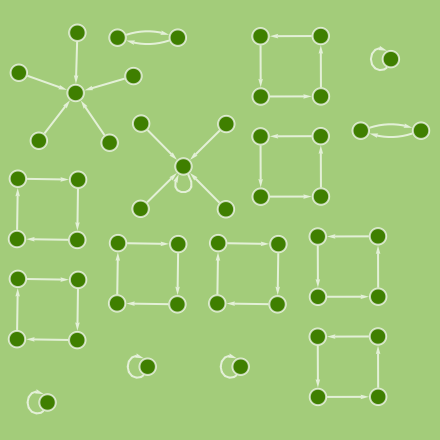
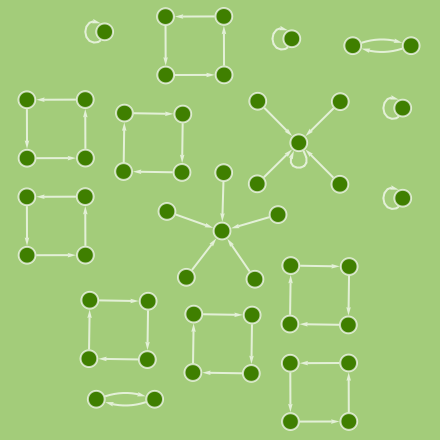
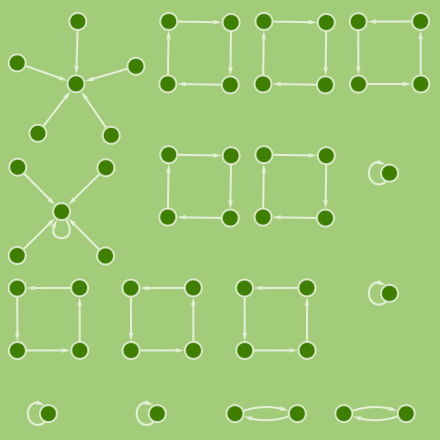
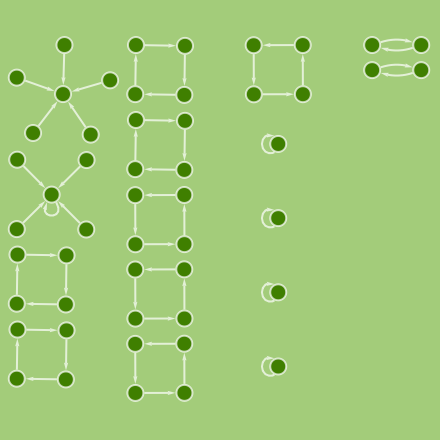
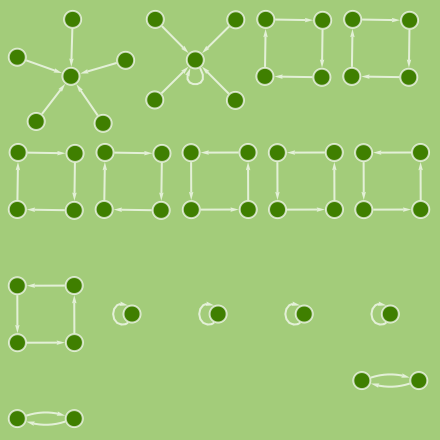
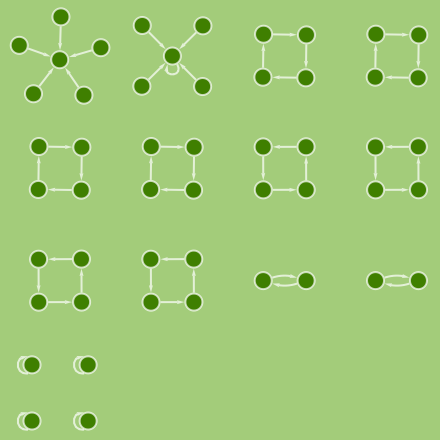
PackingLayout
PackingLayout
"ClosestPacking" | "ClosestPacking Center" | "Layered" |
"LayeredLeft" | "LayeredTop" | "NestedGrid" |
Out[]=
Graph Layout
Graph Layout
RenderingOrder
RenderingOrder
◼
“VertexFirst”
Place vertices on the top of edges:
RandomGraph[{10,40},GraphLayout{"RenderingOrder""VertexFirst"},VertexSizeLarge]
◼
“EdgeFirst”
Place edges on the top of vertices:
In[]:=
RandomGraph[{10,40},GraphLayout{"RenderingOrder""EdgeFirst"},VertexSizeLarge]
◼
Ordering
Place vertices and edges by the specified order:
In[]:=
Map[Graph[{Style[1,Red],Style[2,Blue]},{23},VertexCoordinates{{0,0},{.5,0},{1.5,0}},GraphLayout{"RenderingOrder"#},VertexSize1.5]&,{{1,2},{2,1}}]
Graph Styling
Graph Styling
Vertices
Vertices
VertexShapeFunction
VertexShapeFunction
Predefined vertex functions:
Build graph with ConcaveDimond vertex function:
Build custom vertex function:
VertexShape
VertexShape
Build graph with the specified vertex shape:
Set vertex shape by pattern:
VertexLabels
VertexLabels
Label vertices by vertex names:
Symbolic position to specify the outside of vertices:
Symbolic position to specify the inside of vertices:
◼
Left, Top, Right, Bottom
Other vertex label placement:
Graph Styling
Graph Styling
Edges
Edges
EdgeStyle
EdgeStyle
Build graph with the specified edge style:
EdgeShapeFunction
EdgeShapeFunction
Predefined edge functions:
Build graph with BoxLine edge function:
Build custom edge function:
EdgeLabels
EdgeLabels
Label edges by edge names:
Symbolic position supported by EdgeLabels.
“Start”,”Middle”,”End”:
Graph Styling
Graph Styling
Wrappers
Wrappers
The following special wrappers can be used for vertices and edges:
Use wrappers on vertices or edges:
Graph Styling
Graph Styling
PlotTheme
PlotTheme
Predefined PlotTheme collection:
Build graph with “DiagramBlack” style:
Graph Visualization Functions
Graph Visualization Functions
HighlightGraph
HighlightGraph
Predefined GraphHighlightStyle collection:
Highlighting shortest path between 3 and 11 of the given graph:
Highlighting the list of subgroups of graph:
Graph Visualization Functions
Graph Visualization Functions
CommunityGraphPlot
CommunityGraphPlot
Graph Visualization Functions
Graph Visualization Functions
Graph Visualization Functions
Graph Visualization Functions
LayeredGraphPlot
LayeredGraphPlot
LayeredGraphPlot3D
LayeredGraphPlot3D
TreePlot
TreePlot
Graph Visualization Functions
Graph Visualization Functions
GraphPropertyChart - (future)
GraphPropertyChart - (future)
GraphClusteredRadialChart - (future)
GraphClusteredRadialChart - (future)
Examples
Examples
Maze Graph
Maze Graph
Construct a maze using FindSpanningTree:
Find a solution:
Dynamically show the solution:
Examples
Examples
Marvel Universe Social Network
Marvel Universe Social Network
Examples
Examples
feature comparison chart
feature comparison chart
measure summary
measure summary
centrality plot
centrality plot
combine together
combine together
Utilities
Utilities
CITE THIS NOTEBOOK
CITE THIS NOTEBOOK
Wolfram R&D LIVE: Make High Quality Graph Visualization
by Jaebum Jung
Wolfram Community, STAFF PICKS, September 13, 2023
https://community.wolfram.com/groups/-/m/t/3019288
by Jaebum Jung
Wolfram Community, STAFF PICKS, September 13, 2023
https://community.wolfram.com/groups/-/m/t/3019288