Proteins come in different shapes and sizes which often dictates its functions. However, it is also intriguing to look for shapes of proteins that mimics shapes known to us. The work Howarth, M. Say it with proteins: an alphabet of crystal structures. Nat Struct Mol Biol 22, 349 (2015), shares protein structures that mimics all of the English letters! Inspired by this work and using the BiomoleculePlot3D function of the Wolfram/ProteinVisualization paclet, I wrote two WFRs, ResourceFunction["CharacterProteinPlot3D"] and ResourceFunction["ProteinImageString"] to visualize English letters and text with protein structures respectively! Here are some cool examples!
Visualize English letters with 3D protein structures
Visualize English letters with 3D protein structures
Visualize letter “A” with 3D protein structure:
In[]:=
ResourceFunction["CharacterProteinPlot3D"]["A"]
Out[]=
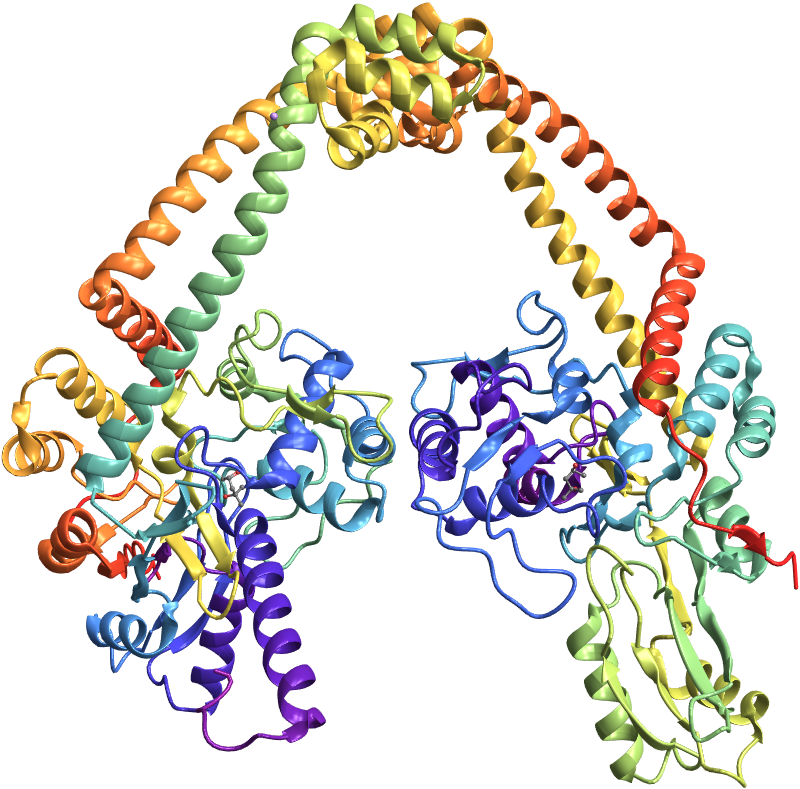
ResourceFunction["CharacterProteinPlot3D"] can take all options of BiomoleculePlot3D function. Let us visualize all English vowels with proteins structures, color coded by amino acids:
In[]:=
ResourceFunction["CharacterProteinPlot3D"][#,"BackboneColorRules"->{"Residues",Automatic},PlotLegends->False,ImageSize->{Automatic,250}]&/@{"A","E","I","O","U"}
Out[]=
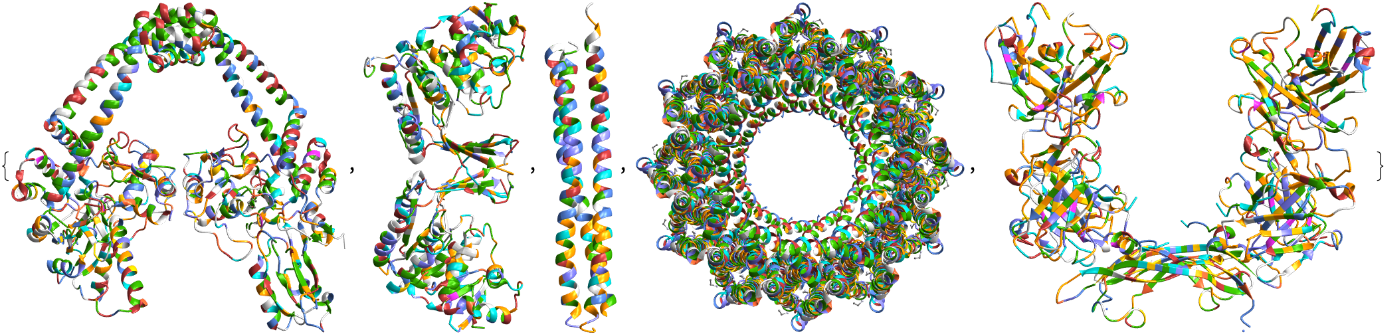
Here is the color corresponding to individual amino acids:
In[]:=
residueColors="Ala","Asx","Cys","Asp","Glu","Phe","Gly","His","Ile","Lys","Leu","Met","Asn","Pyl","Pro","Gln","Arg","Ser","Thr","Sec","Val","Trp","Tyr","Glx";

Visualize text with proteins
Visualize text with proteins
ResourceFunction[“ProteinImageString”] can be used to visualize English text with proteins! At the moment only English letters and space-bar is allowed. Here is “Wolfram” written with proteins:
In[]:=
ResourceFunction["ProteinImageString"]["Wolfram"]
Out[]=

Space can be inserted between words:
In[]:=
ResourceFunction["ProteinImageString"]["Proteins are fascinating",ImageSize->1000]
Out[]=

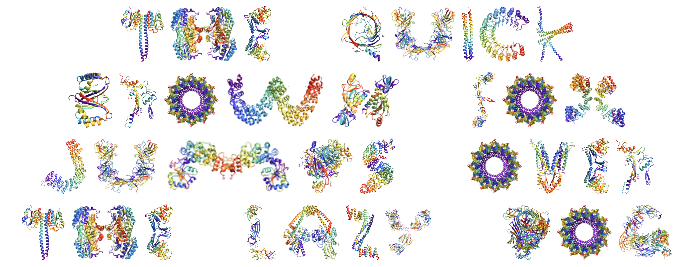
Longer strings can be split into multiple lines using “\n”. Here is an example:
In[]:=
ResourceFunction["ProteinImageString"]["The quick\nbrown fox\njumps over\nthe lazy dog",ImageSize->{Automatic,300}]
Out[]=
It is possible to make different lines of the same width by splitting text in separate strings:
In[]:=
ResourceFunction["ProteinImageString"][#,ImageSize->690]&/@StringSplit@"Wolfram Language proteins writing"//Column
Out[]=




CITE THIS NOTEBOOK
CITE THIS NOTEBOOK
Write it with proteins: protein structures that mimics English letters
by Soutick Saha
Wolfram Community, STAFF PICKS, June 11, 2024
https://community.wolfram.com/groups/-/m/t/3191339
by Soutick Saha
Wolfram Community, STAFF PICKS, June 11, 2024
https://community.wolfram.com/groups/-/m/t/3191339