When Cellular Automata is given colors, they are not able to be differentiated as easily because of the intricate patterns and color choices. This project focuses on improving the selection colors to improve the compatibility of rules and colors. I first dove into Cellular Automata and implement three colors, making it Totalistic Cellular Automata! Some colors will tend to mix into the smaller cells of the grids so we can find contrasting colors and rules. Totalistic Cellular Automata can also have the 3D versions, something I wanted to incorporate, so I played around with different shapes and hues!
Exploring Cellular Automata and Totalistic Cellular Automata
Exploring Cellular Automata and Totalistic Cellular Automata
What is Cellular Automata?
What is Cellular Automata?
Cellular Automata are colored cells on a grid that follow a set of evolving rules. They can create interesting designs and patterns.
An example of Cellular Automata with Rule 30
In[]:=
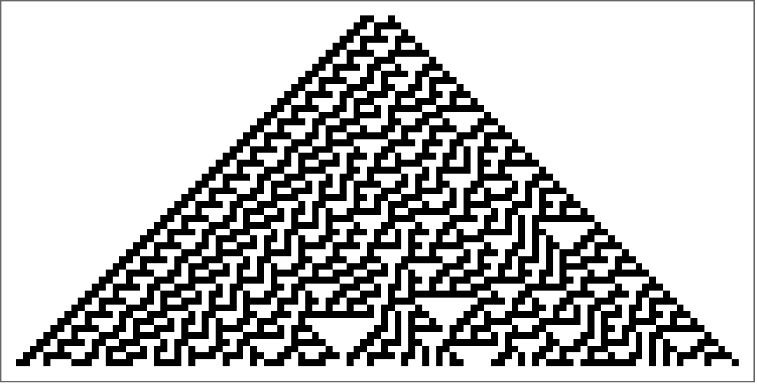
Example of a Cellular Automata rules:
In[]:=

Totalistic Cellular Automata
Totalistic Cellular Automata
Totalistic Cellular Automata has 7,625,597,484,987 rules for 3 colors
Example of Totalistic Cellular Automata with Rule 300:
In[]:=
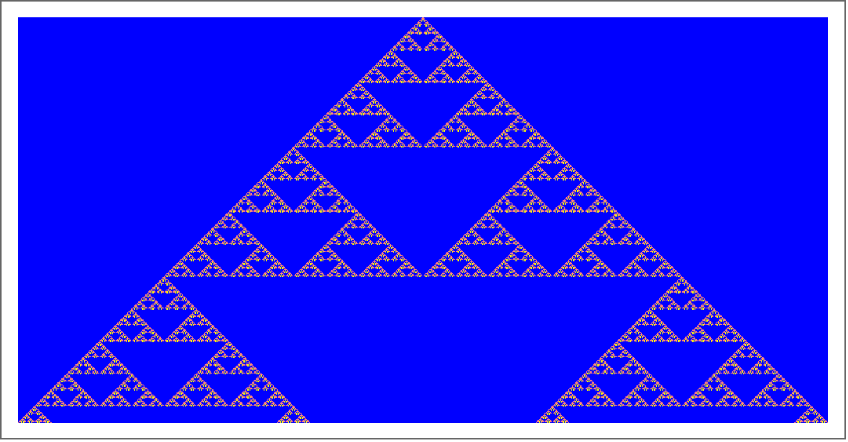
Example of a Totalistic Cellular Automata neighborhood:
In[]:=

Totalistic Cellular Automata depends on the average of the values in it' s neighborhood
Implementing Three Colors
Implementing Three Colors
To practice adding colors to Totalistic cellular automata, I first tried it with 2 color cellular automata.
This is what a cellular automata looks like with no colors:
Plots an array of the cellular automaton with rule 1635 for 100 generations:
In[]:=
ArrayPlot[CellularAutomaton[{1635,{3,1}},{{1},0},100]]
In[]:=
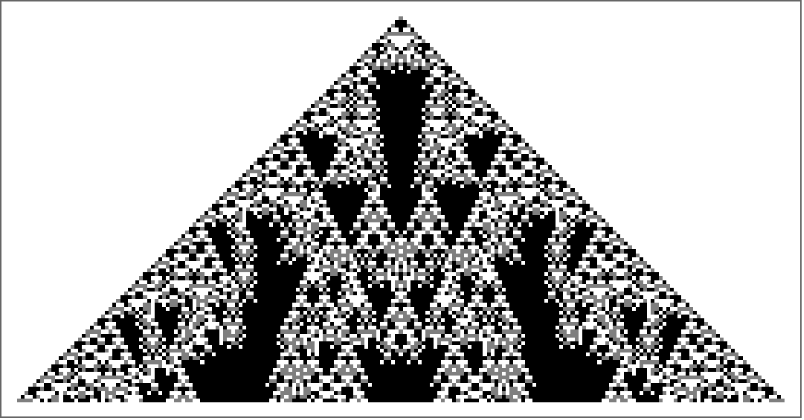
Regular Totalistic Cellular Automata without any color rules have colors assigned like below:
0 = White
1 = Gray
2 = Black
1 = Gray
2 = Black
I used the function ColorRules and associated 0 and 1 to two contrasting colors:
In[]:=
ArrayPlot[CellularAutomaton[30,{{1},0},50],ColorRules->{0->Blue,1->Yellow}]
In[]:=
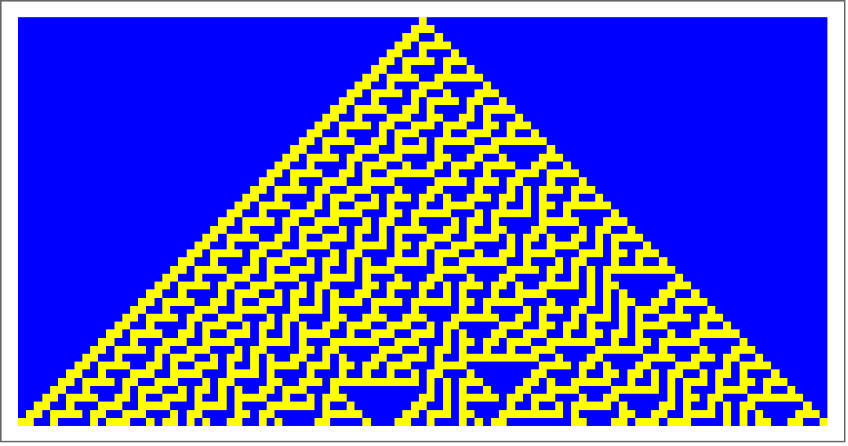
After understanding how CellularAutomaton worked with colors, I then tried it with 3 colors still using ColorRules.
I added an extra number 2, meaning black, and associated it to their colors:
In[]:=
ArrayPlot[CellularAutomaton[{1635,{3,1}},{{1},0},100],ColorRules->{0->Yellow,1->Green,2->Orange}]
In[]:=
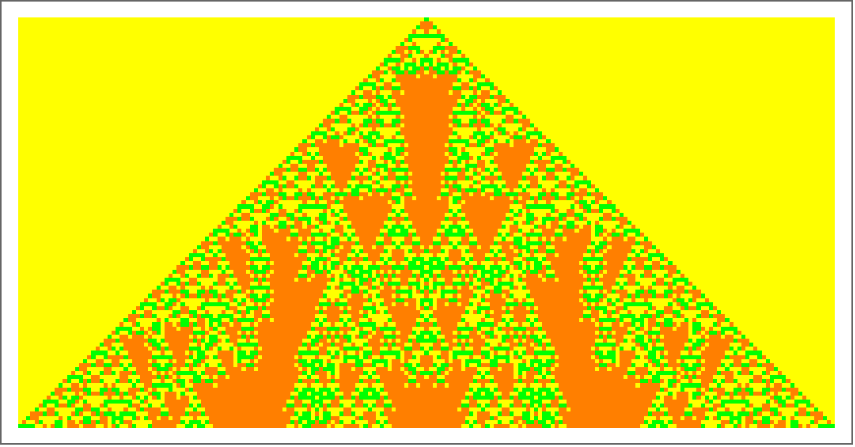
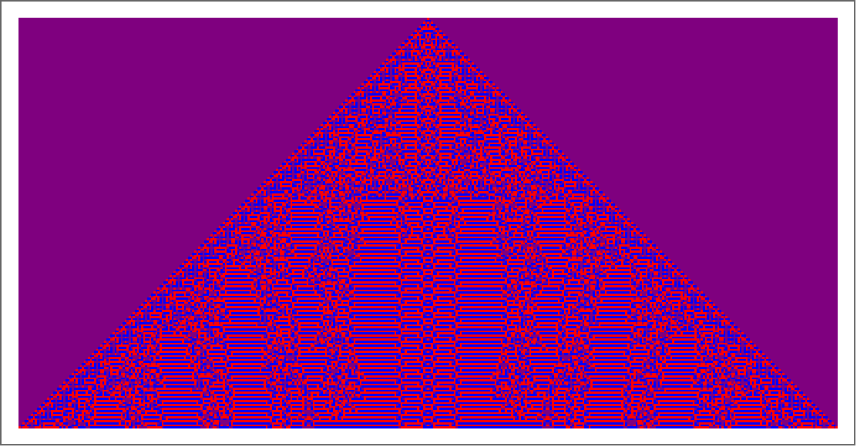
I decided to play around with different colors!
In[]:=
ArrayPlot[CellularAutomaton[{1041,{3,1}},{{1},0},200],ColorRules->{0->Purple,1->Red,2->Blue}]
In[]:=
Experimenting with Different Rules
Experimenting with Different Rules
I actually tried implementing 3 colors into totalistic cellular automata with different methods, some worked well and some worked better.
I looked through Stephen's book: "A New Kind of Science" and found a section talking about Totalistic Cellular Automata.
I found some intricate designs made with evolving rules from his book.
I looked through Stephen's book: "A New Kind of Science" and found a section talking about Totalistic Cellular Automata.
I found some intricate designs made with evolving rules from his book.
I found some intricate designs made with evolving rules from his book.
I grabbed the rules and plugged it in CellularAutomaton[] and changed the colors in ColorRule:
In[]:=
Out[]=
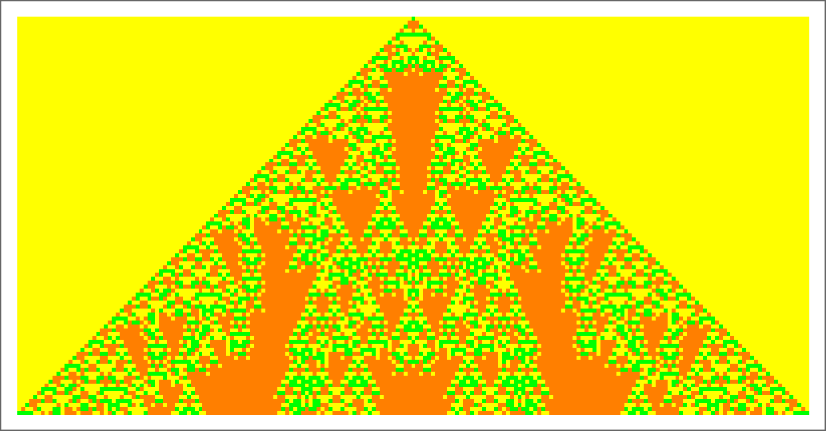
This output is different from others, it stops midway which is most likely due to the fact that the middle isn't connected . The yellow pixels then get repeated following the rules.
Choosing Colors that Work Well Together
Choosing Colors that Work Well Together
The first method I tried was to create a color "database" that has one different color in 3 lists, and in those 3 lists, begin with the same color and end with 2 different colors that go well discretely.
I made a huge list consisting of three lists inside for every color:
To make the color "database," I made a large list with many lists inside . For every color, I made 3 sets of options which each have 3 colors inside beginning with the color .
I then created function called colorScheme which takes the color I typed in the function and grabs all the lists that start with the color and I am provided 3 sets that have discrete colors.
I use Cases which takes the pattern of the first color being the colorInput and having 2 colors after that, from the colorList:
We associate 0, 1, and 2 to colorScheme, the first column of 1's in the last double square brackets represents the first list that I created for Green in the colorList. The second column represents the place the colors should go:
But to select the color you want and choose which option you want out of all them, we can use the function manipulate.
Manipulate gives controls and the list at the end takes the colors stated in the colorList:
Of course there was a better method though which involves having the computer choose the colors, still excited that this worked though!
The way I'm doing it now though involves the function Hue so I created a function called paletteCreate.
The function takes the colors from Hue in steps of num_Integer:
You put the Hue in paletteCreate[]and then the place where you want the color to be:
Next I dynamically changed the color with a manipulate!
This manipulates the color you want from 0-1:
Now for rule 2049:
Good and Bad Rules and Colors
Good and Bad Rules and Colors
Some rules mix colors together when they are right next to each other, or some colors may appear different in intricate designs- which doesn't enhance totalistic cellular automata, so we can collect five good rules, bad rules, good colors, and bad colors, to mix n match in Manipulate!
I created a function called create3ColorCA (cellular automata)to take a rule and a color.
The cellular automaton function takes the rule and the ColorRules function takes the color being stated:
After that, I then put all of it in the Manipulate Function to allow you to mix n match with bad rules, bad colors, good rules, good colors!
Style labels the sections with the ""s and FontFamily allows us to change the fonts. The second Grid contains the controls and changes the style of how they function:
3D Totalistic Cellular Automata
3D Totalistic Cellular Automata
Now is time to have Totalistic Cellular Automata in 3D!
I used Graphics 3D and Cuboid to make a cellular automaton in 3D with 5 colors, including transparent.
I also played around with the opacity to see the different ways parts of the walls are viewed through different perspectives.
Cuboid is the shape that is making up the cellular automata:
I removed the black outline to make it more visible and adding opacity to see past the first layer.
Opacity changes the transparency and EdgeForm removes the edges:
There are now less generations since we changed the number in the last double list brackets:
I decided to play around with different rules/shapes too!
I put the a sphere right before mapping to it's position to represent the cells with spheres:
You can have as many colors as you want as long as the rule works for it, I only played around with one rule for 3D Totalistic Cellular Automata but I would definitely try to play around with more!
Acknowledgements
Acknowledgements
I would like to thank my mentor Simeon Buttery for guiding me through this project! I learned a lot about Cellular Automata. I am also grateful for all the teaching assistants that supported me!
Citations
Citations
Wolfram, S. (1970, January 1). More cellular automata: A new kind of science: Online by Stephen Wolfram [page 65]. Wolfram Science and Stephen Wolfram’s “A New Kind of Science.” https://www.wolframscience.com/nks/p65--more-cellular-automata/
Awati, R. (2021, December 23). What is a cellular automaton (CA) and what is it used for?. Enterprise Desktop. https://www.techtarget.com/searchenterprisedesktop/definition/cellular-automaton
CITE THIS NOTEBOOK
CITE THIS NOTEBOOK
Create discrete color schemes to enhance cellular automata visualization
by Zoe Chia
Wolfram Community, STAFF PICKS, July 13, 2023
https://community.wolfram.com/groups/-/m/t/2963580
by Zoe Chia
Wolfram Community, STAFF PICKS, July 13, 2023
https://community.wolfram.com/groups/-/m/t/2963580