Cellular automata rules can generate random patterns from simple rules, causing their center columns to be used in random number generators and encryption tools. Given the initial state and the rules of an automata, it is easy to generate the center column, but given only the center column and initial state, it is difficult to re-derive the rule. The goal of this project is to find the cellular automata rule given only the center column and the initial state of that rule. This will mainly be accomplished using boolean expressions, recursion, and a SAT-solver. This solution will also be applied to columns generated from a single black cell, from a complicated initial state, and to columns generated from rules with radii greater than one. Memoization will be used to speed up the evaluation time and also decrease the depth of the recursive calls. By finding the rule given the center column, we will essentially be able to “break” a cellular automata-based random number generator and find the exact numbers that will be generated later.
Introduction
Introduction
A cellular automata is a model of cells evolving over time based on a set a rules, which use previous cell and neighboring cells to determine the next cell. Different rules generate different cellular automata patterns, and some are more complicated than others. Certain cellular automata rules are completely random and have no repetition, while others generate predictable patterns.
An example of a random automata next to a repetitive one:
In[]:=
GraphicsGrid[{{ArrayPlot[CellularAutomaton[30,{{1},0},{50,All}]],ArrayPlot[CellularAutomaton[54,{{1},0},{50,All}]]},{RulePlot[CellularAutomaton[30]],RulePlot[CellularAutomaton[54]]}}]
Out[]=
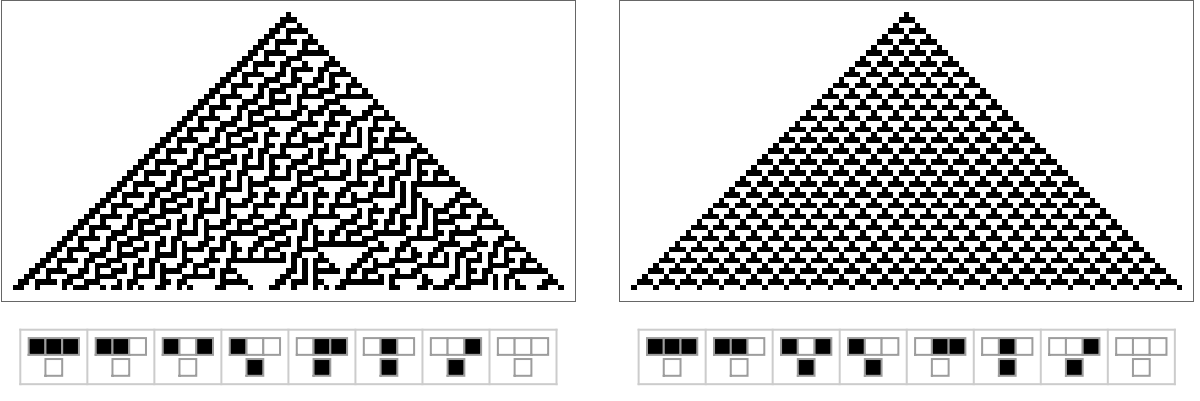
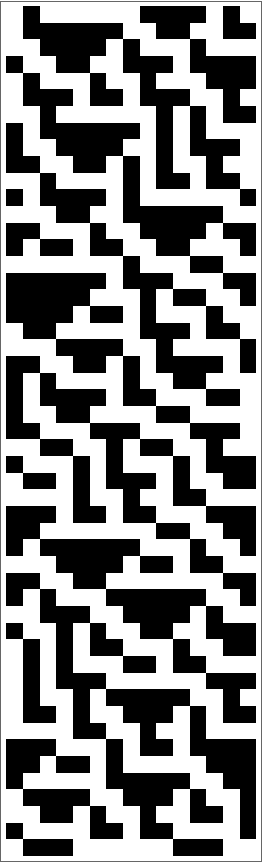
Because some cellular automata patterns are random, they can be used for encryption and to generate random numbers. From a random initial state, cellular automata rules can generate random 0s and 1s in the center column. Those random 0s and 1s, which are essentially bits, can then be transformed into numbers. The goal of my project is, given the center column and initial state of a cellular automata pattern, to predict the rule that generated that column using a SAT-solver. From that rule we can generate the next numbers and essentially accurately predict the next outputs of a random number generator, presenting a first step towards breaking codes in encryption and cybersecurity.
Observing Cellular Automata Rules for Encryption
Observing Cellular Automata Rules for Encryption
In this section, various cellular automata rules are observed and extracted for encryption. Patterns complex enough for a random number generator are chosen out of the 256 elementary automaton and their center columns are plotted.
For one-dimensional cellular automata rules with only two colors and a radius of 1, also known as elementary automaton, there are 256 different rules. From an initial state, elementary cellular automata rules are applied to each section of three adjacent cells in the current row to generate the next row. Depending on the rule, either black or white will be the output for each of the eight combinations of three adjacent black/white cells.
For example, in rule thirty, three adjacent black cells will generate a white cell, two black cells and a white cell will generate a white cell... and so on.
In[]:=
RulePlot[CellularAutomaton[30]]
Out[]=
Most center columns for cellular automata are repetitive patterns.
A random sample of 20 of the center columns for one-dimensional cellular automata rules with a radius of 1:
In[]:=
Table[ArrayPlot[CellularAutomaton[i,{{1},0},{50,0}]],{i,RandomInteger[255,20]}]
Out[]=
,

,

,

,
,

,

,
,
,

,

,

,

,
,
,
,
,
,
,
If the center column of the automata is random, however, that automata rule can be used to generate random numbers.
Looking for Complex Patterns
Looking for Complex Patterns
The complexity of cellular automata patterns vary depending on the set of rules. Some show easily recognizable patterns while others are irregular and display no patterns at all. In this section, various cellular automata rules with patterns complex enough for a random-number generator were chosen out of the 256 elementary automaton.
Here, a complex rule is defined as automata rule that is complex enough to generate, after fifty iterations, all eight possible combinations of three cells in a center column of width three. In order for a rule to be considered complex, the counts of each of the cell-combinations has to have a variance less than ten to ensure that a specific combination does not repeat many times.
The function findCenter finds the center of a cellular automata pattern.
In[]:=
findCenter[i_,it_,init_:{{1},0}]:=Module[{automata},automata=CellularAutomaton[i,init,{it,All}];If[init=={{1},0},Position[automata[[1]],1][[1,1]],(Length[automata[[1]]]+1)/2]]
The function isComplex determines if a cellular automata pattern is complex:
In[]:=
isComplex[i_]:=Module[{automata,c},automata=CellularAutomaton[i,{{1},0},{50,All}];c=findCenter[i,50];Length[DeleteDuplicates[#[[c-1;;c+1]]&/@automata]]==8&&Variance[Values[Counts[#[[c-1;;c+1]]&/@automata]]]<10]
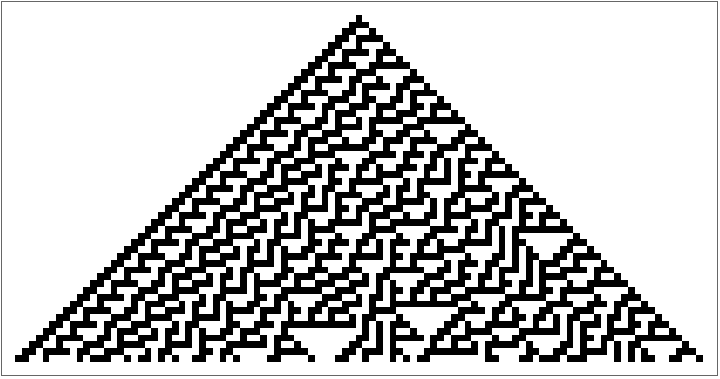
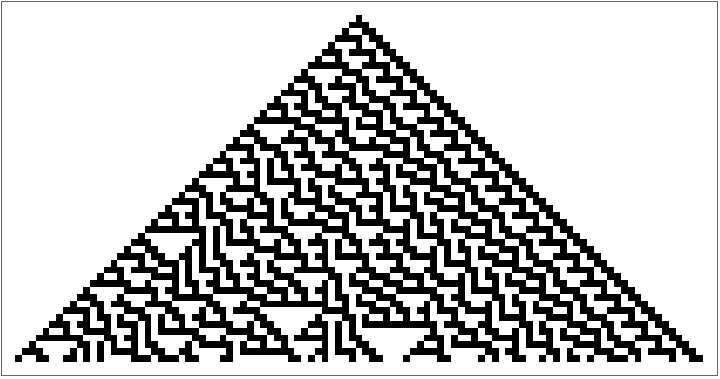
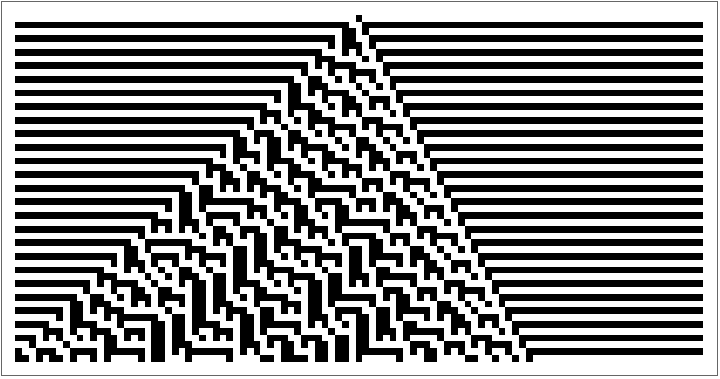
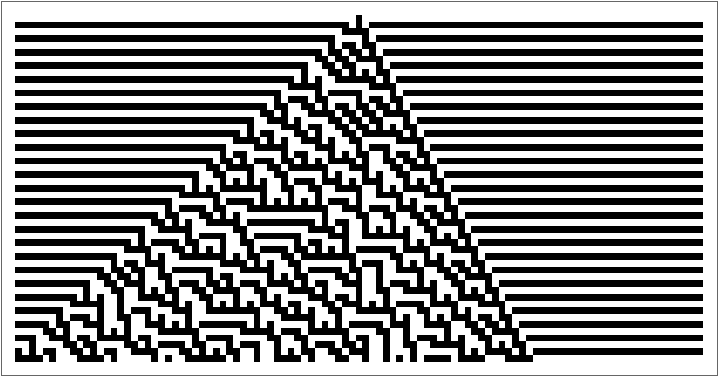
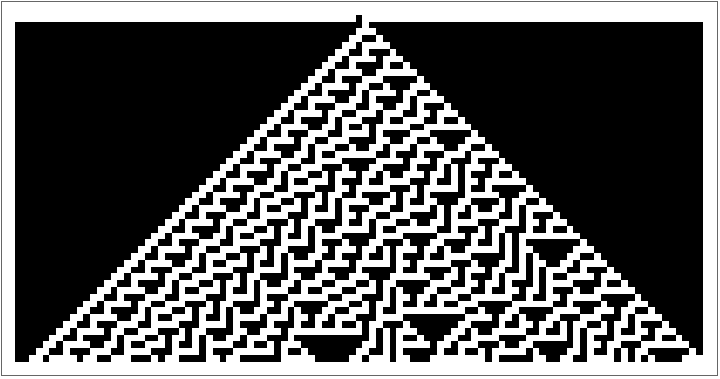
complexPatterns are the patterns considered complicated by isComplex. The automata from complexPatterns are plotted below:
In[]:=
complexPatterns=Select[Range[0,255],isComplex[#]&]
Out[]=
{30,45,75,86,89,101,135,149}
In[]:=
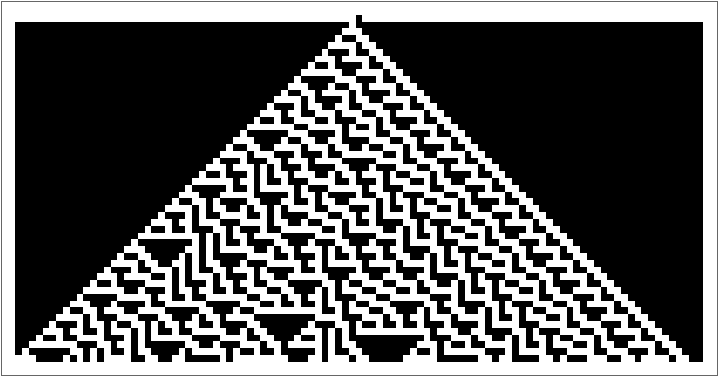
Table[ArrayPlot[CellularAutomaton[i,{{1},0},{50,All}]],{i,complexPatterns}]
Out[]=
,
,
,
,
,
,
,
In[]:=
Table[RulePlot[CellularAutomaton[i]],{i,complexPatterns}]
Out[]=
,
,
,
,
,
,
,
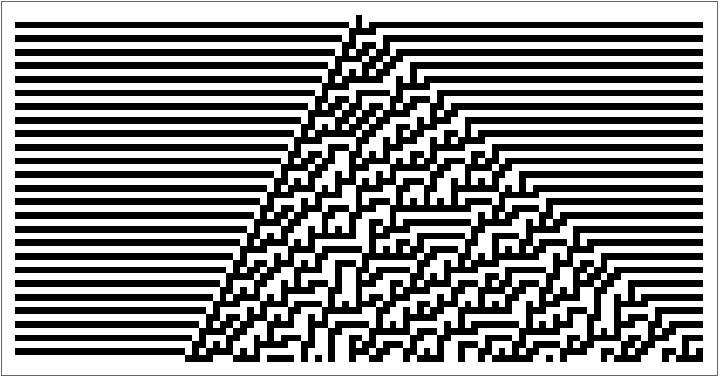
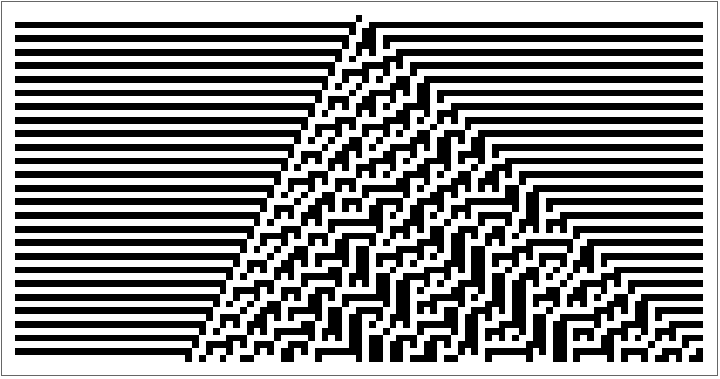
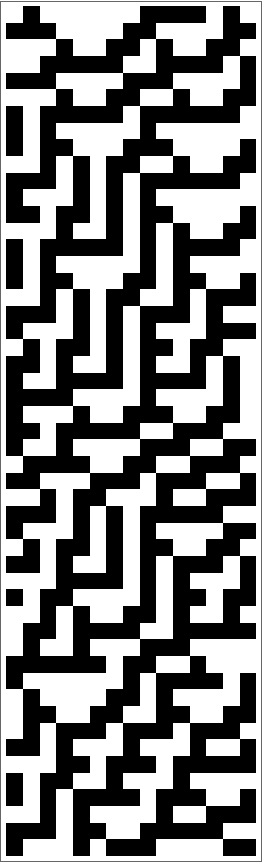
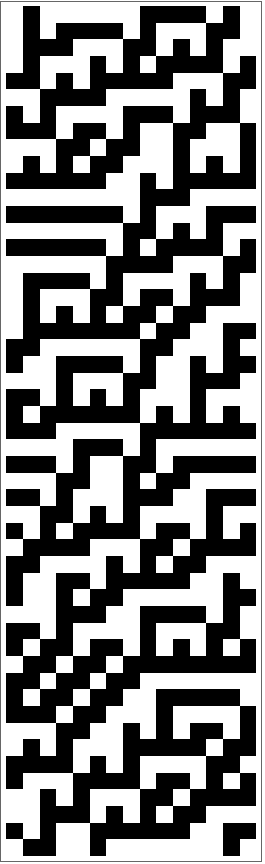
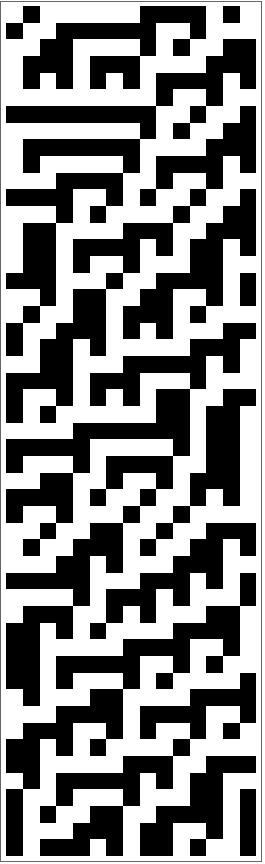
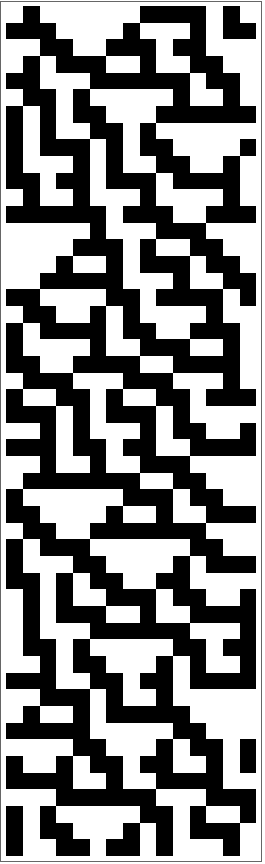
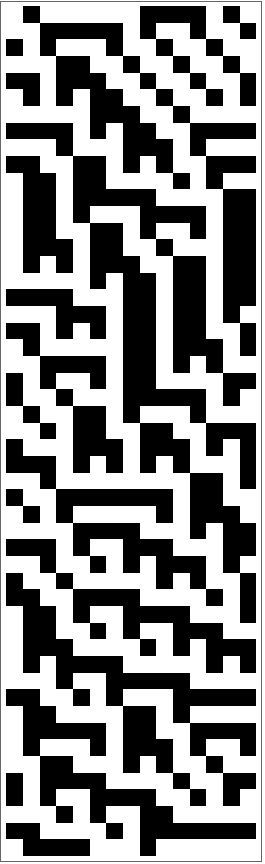
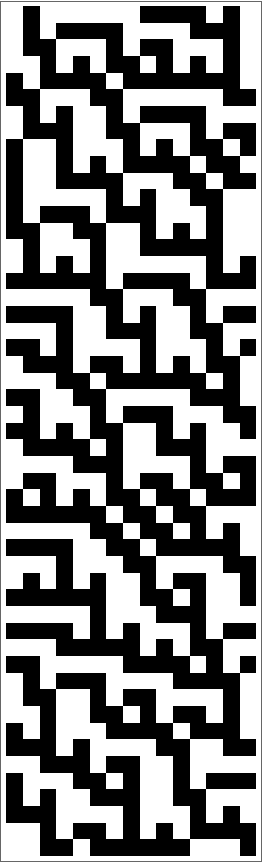
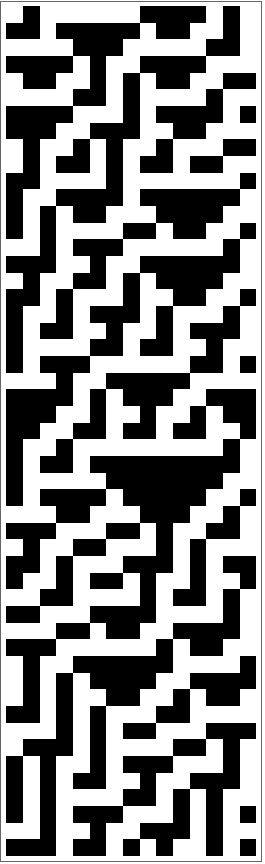
Below are examples of finite cellular automata generated with the same rules but different initial conditions. Note that they appear random as well:
In[]:=
initRow=RandomInteger[1,15]
Out[]=
{0,1,0,0,0,0,0,0,1,1,1,1,0,1,0}
In[]:=
Table[ArrayPlot[CellularAutomaton[i,initRow,{50,All}]],{i,complexPatterns}]
Out[]=
,
,
,
,
,
,
,
Plotting the Center Column
Plotting the Center Column
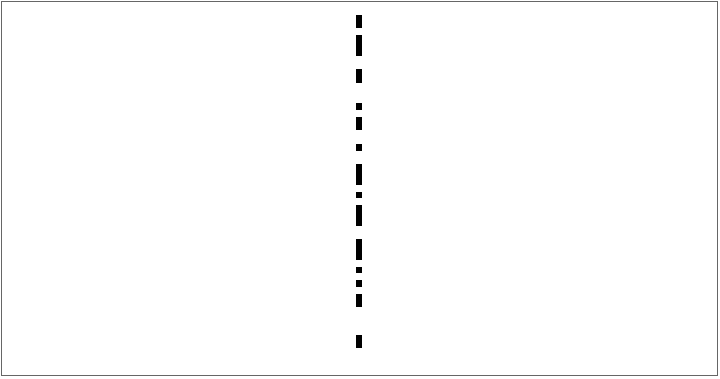
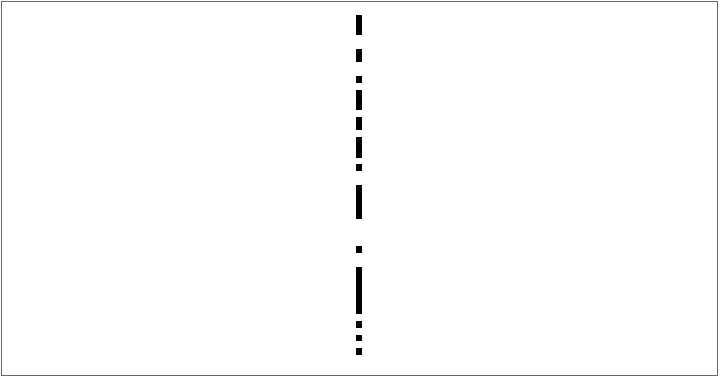
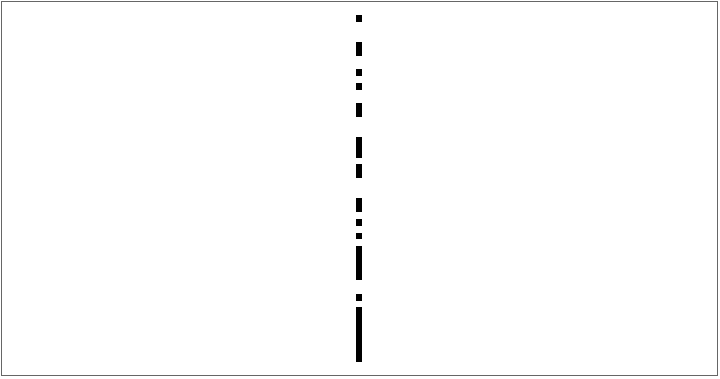
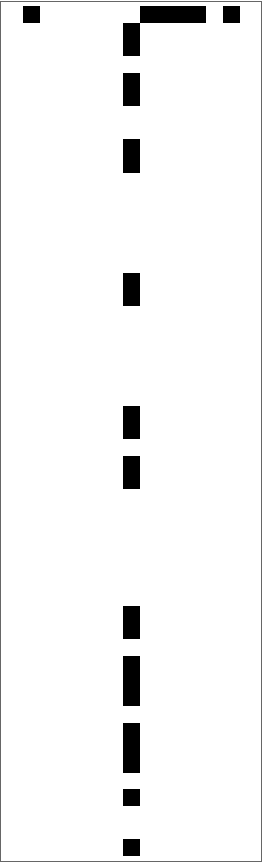
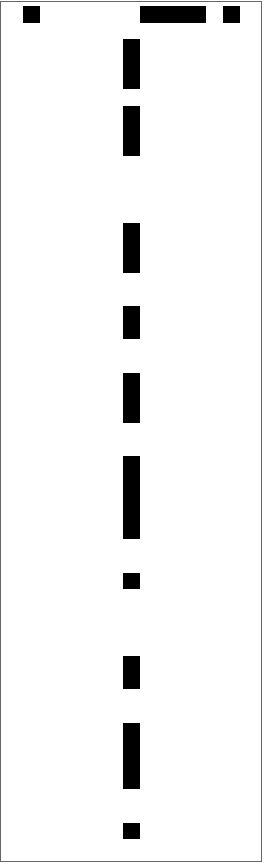
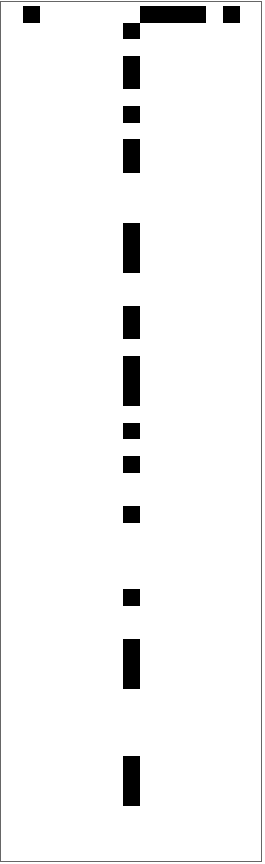
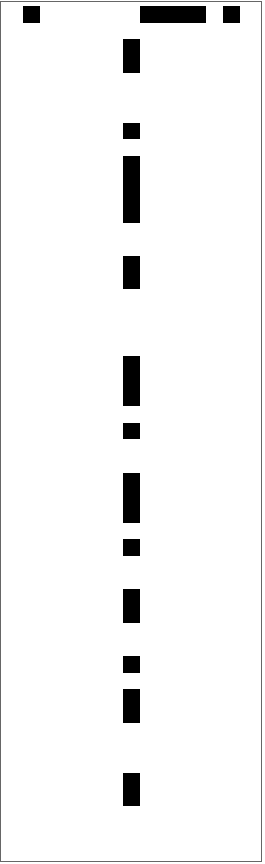
Here, the center columns for each of the complexPatterns are plotted. Like the patterns themselves, the center columns of each of these patterns appears random as well. Since the center columns are random, they can be used to create random numbers.
The function plotCenterColumn plots the center column and initial state given the automata rule:
In[]:=
plotCenterColumn[i_,init_:{{1},0}]:=Module[{automata,c},automata=CellularAutomaton[i,init,{50,All}];c=findCenter[i,50,init];ArrayPlot[FlattenAt[{automata[[1]],Flatten[{Table[0,c-1],#[[c]],Table[0,c-1]}]&/@automata[[2;;-1]]},2]]]
Below are the center columns for the complex patterns with only a single black cell as an initial state:
In[]:=
plotCenterColumn[#]&/@complexPatterns
Out[]=
,
,
,
,
,
,
,
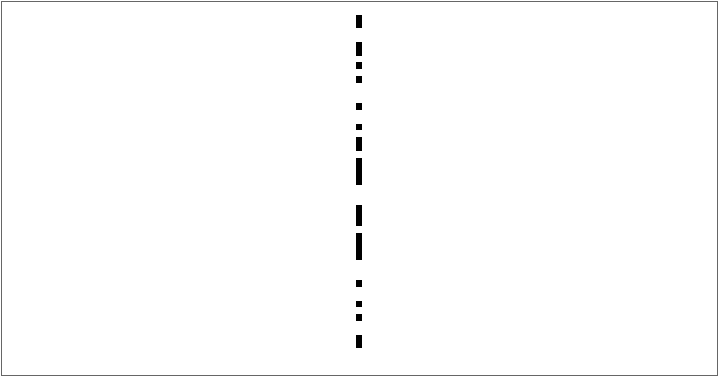
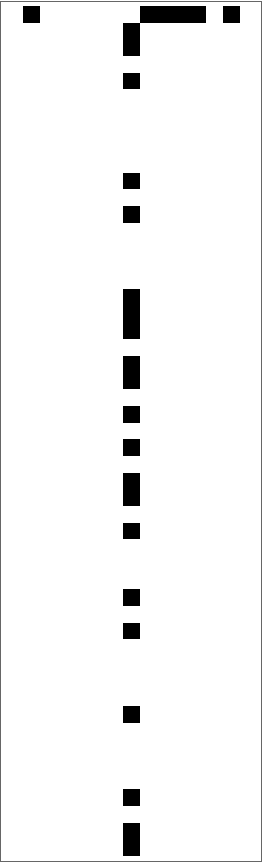
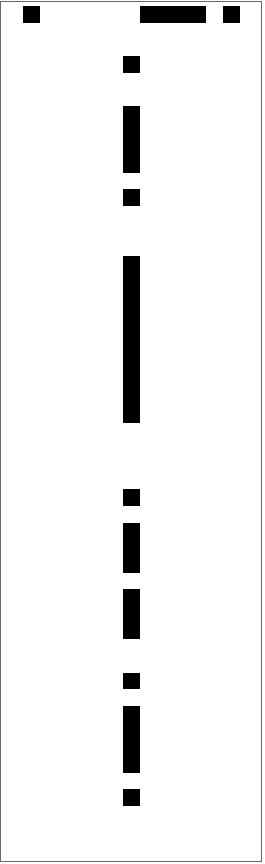
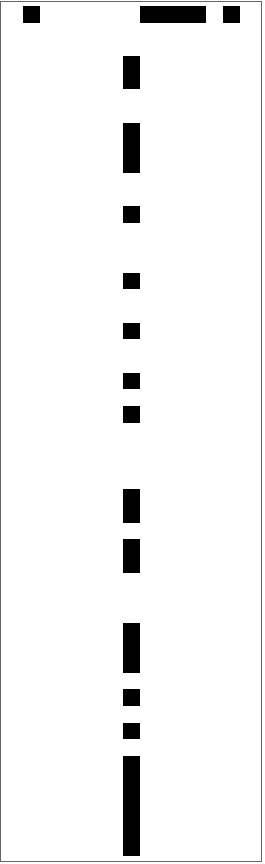
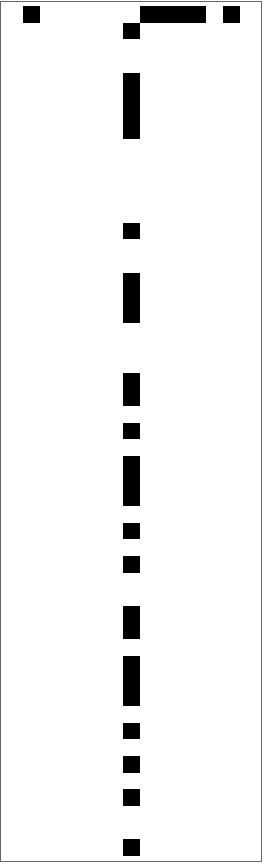
By changing the initial state the center column changes also. As a result there are millions of combinations of initial states and rules, leading to millions of possible center columns. With many possible center columns, there are also many possible random number generators.
The center columns below are plots that use the same rules as the plots above, but generated from a different initial state:
In[]:=
plotCenterColumn[#,initRow]&/@complexPatterns
Out[]=
,
,
,
,
,
,
,
Using Booleans to Represent Cellular Automata
Using Booleans to Represent Cellular Automata
Rather than being represented using just 0s and 1s, cellular automata can be represented using booleans, where a white/0 cell represents a false value and a black/1 cell represents a true value. The goal of this section is to demonstrate how boolean expressions can be used to represent automata states with variables and boolean operators. The SAT-solver is also introduced in this section.
Any cellular automata rule can be represented with booleans and variables x, y, and z, where x, y, and z represent three adjacent cells used to determine the next cell in an automata pattern. For each of the complex patterns from the previous section, there are boolean functions that correspond to each rule.
Below is the rule number, the rule plot, and the boolean expressions representing the rule for each of the complexPatterns found earlier:
SAT-Solvers
SAT-Solvers
SAT-solvers find all possible combinations of truth values that satisfy a boolean expression or boolean function. This is significant because since they solve for boolean variables, they can also be used to solve for the rules.
Representing Automata States with a Boolean Expression
Representing Automata States with a Boolean Expression
The goal of this subsubsection is to create a boolean expression that represents a cellular automata using rule variables.
A rule specifies an output for each of the eight combinations of three black/white cells. The output of each combination can be numbered from 0 to 7, where the 0th output is the output for three black cells and the 7th output is the output for three white cells. These outputs can be represented with boolean variables, where true indicates a black cell as output and false indicates a white cell as output.
Given a boolean expression with unknown rule variables, the SAT-solver can be used to find the rules.
The boolean expression nextAutomataCell has three variables x, y, and z that represent the three cells used to determine the next cell. The expression also has eight variables r0, r1, r2, r3, r4, r5, r6, r7 and r8 that represent the output (true/false) for each rule from 0 to 7 (the 0th rule representing the output for all black squares to the 7th rule representing the output for all white squares). Like a cellular automata function, nextAutomataCell returns true/black if the three variables (x, y, and z) match rule i and rule i outputs true:
In the example below, all three cells (x, y, and z) inputted into nextAutomataCell are black. Since the 0th rule, which corresponds to all the cells being black, outputs a true/black cell as well, the output of the entire function is a black cell (true):
The main difference between the expression in nextAutomataCell and the expression in the test function below is that the rules are known (which is necessary in order for the automata to be generated) and the expression was simplified. Below is the generated output:
Using the SAT-solver to Find Rules for Columns of Width 3 (Generated From a Single Black Cell)
Using the SAT-solver to Find Rules for Columns of Width 3 (Generated From a Single Black Cell)
The goal of this section is to predict the rules for a center column of width 3 using the boolean expression from the previous section and a SAT-solver. When predicting the rules of an automata given a center column of width one, the truth values of many cells are unknown. Compared to a center column of width one, center columns or width three provide more information, which makes it simpler to predict the rule. If it is possible to predict rules given a center column of width three, it should also be possible to predict the rules given a center column of width one.
Initializing the Columns
Initializing the Columns
To start, center columns of width three are constructed using the complex patterns from before.
columnsWidth3 are the center columns of width three generated from complexPatterns:
The array columnsWidth3 is plotted below:
Creating a Boolean Expression to Represent the Columns
Creating a Boolean Expression to Represent the Columns
In this subsection, the boolean expressions from the previous section are used to create a boolean expression representing a center column of width three. Here, a function is created to represent the output of the next cell given a list of three adjacent cells. Another function creates a boolean expression representing the entire center column.
In the function nextCellW3, the boolean expression nextAutomataCell from the previous section is applied each row and set equal to the next cell. It represents the output of three adjacent cellular automata cells using the unknown rule variables:
The function createBEWidth3 represents the an entire cellular automaton column as a boolean expression. createBEWidth3 ANDs of all the boolean expressions representing the three cells in each row.
Below you can see the boolean expression for the first column, the center column of width three for rule 30. Simplified, it has already found the truth values for each rule r0, r1, ... all the way to r7, r8. Given a complex pattern with a center column of size 3, it is easy to find the rules with a boolean expression.
A simplified boolean expression for the first center column, which was generated by rule 30:
boolExpressions is an array of the boolean expressions for all the columns of width three.
Using the SAT-solver
Using the SAT-solver
createBEWidth3 creates a true boolean expression based on the true/false values of the center column. Converting the boolean expression into a boolean function lets us put that function into the SAT-solver, which will output the boolean values of each of the rules in a list format.
If you convert the true/false values from rules, you can see that the boolean expression simplifies to the correct rules (30, 45, 75, 86, 89, 101, 135, and 149, respectively).
The function toRuleNumber converts a list of true/false values representing the rules into an actual rule number:
Below are the rules found for each of the columns of width three, plotted:
Using the SAT-solver to Find Rules for Columns of Width 1
Using the SAT-solver to Find Rules for Columns of Width 1
This section tackles the main goal of this project, which is finding the cellular automata rule given the center column (of width 1) and the initial state. To accomplish this, boolean expressions are created with nested function calls and the rules variables are solved for using the SAT-solver. In this section, rules are found for center columns generated from a single black cell, for center columns generated from a more complex initial state, and for center columns generated by less complicated and random rules.
Finding the Rules for Columns Generated From a Single Black Cell
Finding the Rules for Columns Generated From a Single Black Cell
In this subsection, cellular automata rules are found for columns generated from a single black cell.
Initializing the Columns
Initializing the Columns
First, the initial row and columns are created for each of the complex patterns. Each column is generated from a single black cell.
Below, x represents the number of cells from the center column used to create the boolean expression:
The function findCenterColumn finds the center column of a cellular automata rule.
columns, the center columns of complexPatterns, is defined and plotted below using findCenterColumn and plotCenterColumn:
Creating a Recursive Boolean Expression to Represent the Columns
Creating a Recursive Boolean Expression to Represent the Columns
Here, functions were created to transform the information from the cellular automata center column and initial state into a boolean expression that represents the entire cellular automata pattern using unknown rule variables.
The function nextCell takes in an array row of three cells and converts it into a boolean that represents the output of three cells using the variables r0, r1, r2, r3, r4, r5, r6, and r7:
The cell function creates a boolean expression that represents the true/false value of a cell in the automata. It uses recursion to find the values of unknown cells and state to represent the output of three adjacent cells. (r, c) indicates the position of the cell. If the cell is in the initial row and center column (1, 0), its truth value is true. If the cell is anywhere else in the initial row (1, c), its truth value is false. If the cell is in the center column but not the initial row (r, 0), its truth value is the corresponding value in the center column. In all other case the cell is the output of the three cells above that cell (which can be represented using nextCell):
Note that when the cell is in the center column, the actual column truth value is returned only if the row index is less than n. This is because we want (n, 0) to be represented as a boolean expression rather than just a true/false value.
The function boolExp creates the boolean expression for the entire column by AND-ing all the expressions that represent each cell in the center column (which can be found using cell). If the actual column value is true, then the cell’s boolean expression evaluates to true. Otherwise, the expression equals false, and a NOT is put before the entire expression to make it true:
Note that the function boolExp ANDs the boolean expressions representing all center column cells up until the xth column cell (x is the maxDepth).
Using the SAT-solver
Using the SAT-solver
Using the functions from the previous subsection, a boolean expression can be created to represents the entire center column in terms of the rule variables. This boolean expression can then be inputted into a SAT-solver, which can find the true/false values of the rule variables.
The function solve inputs the boolean expression created by boolExp into a SAT-solver and converts that output into rule numbers:
If you solve for each column and initial row, you can see that the SAT-solver finds all the rules that generate a matching center column.
The rules found from the center columns of 30, 45, 75, 86, 89, 101, 135, and 149 respectively:
The correct rule next to the possible rules that the SAT-solver found:
Since only the first seven cells of the center column were looked at (x = 7), some of the columns found match only the first seven cells of the original column.
A plot of the correct center column next to the center columns of the rules that the SAT-solver found.
Using Brute-Force to Find the Correct Rules
Using Brute-Force to Find the Correct Rules
Some of the rules found were incorrect, as the patterns they generated matched only the first seven cells of the center column (and not the cells after that). Looking at more cells in the center-column would probably output a definite list of rules, but running the SAT-solver on an expression of that size takes too long.
To find the correct rules out of the two-three options that the SAT-solver found, brute force can be used to directly test whether or not each rule found by the SAT-solver actually matches the center column.
The bruteForce function takes in a set a rules and selects the ones that match a center column up until the length of the column:
Now all rules have been eliminated if the first seven cells matched in both columns but the columns did not match otherwise.
Below are all the rules that generate a center column that matches the original center column past the first seven cells:
Due to symmetry, the SAT-solver finds two rules that generate the same center column from an initial black cell.
The correct center column next to the center columns generated from rules found by the SAT-solver:
Plotting the Amount of Time it Took to Find the Rules
Plotting the Amount of Time it Took to Find the Rules
In this section, different data points were plotted to compare how the SAT-solver algorithm worked as the depth of the cells from the center column used in the boolean expression increased from 1 to 7.
Below is a plot of the number of possible rules found for each value of x from 1 to 7, where x represents the number of center column cells used to define the boolean expression.
As the number of cells used to create the expression increases and the expression becomes more specific, the number of possible rules decreases.
Below is a plot of the amount of time it took to find the rules as the number of center column cells used to define the boolean expression increases from 1 to 7.
The amount of time it takes to find the rules increases when the amount of cells increases as well.
Finding the Rules for Columns Generated From a Different Initial State
Finding the Rules for Columns Generated From a Different Initial State
Before, the SAT-solver algorithm was tested only on center columns generated from a singular black cell. In a random number generator, it is possible that the initial state will be a random combination of black and white cells, which can produce a different center column.
In this subsection, the SAT-solver solution from before is tested on columns generated from more complicated initial states.
Initializing the Columns
Initializing the Columns
First, columns were generated from a random initial state.
Below is the random initial state of true/false values used to generate the center columns:
The columns are defined and plotted below:
Modifying the Boolean Expression to Include the Initial State
Modifying the Boolean Expression to Include the Initial State
In the subsection before, the cell function returned true if the cell was the singular black cell located at (1, 0) and false if the cell was located in the initial row (1, c) but was not the initial black cell. Since the initial state is now different, the cell function should instead return the corresponding true/false value of the initial row. As a result, the cell function is modified in this section to account for the different initial state.
Below is the new definition of cell:
Finding the Rules for Less-Complicated Columns
Finding the Rules for Less-Complicated Columns
In this section, the SAT-solver algorithm will be used to find rules given a less-complicated center column. While these simple center columns will not be used for a random number generator, it is still relevant to demonstrate that the SAT-solver solution works for non-complex center columns as well.
Initializing the Columns
Initializing the Columns
First, a set of easy columns will have to be found using findCenterColumn and a small list of rules that generate simple, repetitive patterns.
Below, easyPatterns contains rules that generate simple and repetitive center columns:
The plotted automata pattern and center column:
easyColumns contains the columns themselves:
Modifying the Boolean Expression
Modifying the Boolean Expression
Now that the initial state in a singular black cell again, the cell function has to be redefined as it was originally.
The same cell function used when the initial state was a singular black cell:
Using Memoization to Optimize the SAT-solver
Using Memoization to Optimize the SAT-solver
As you can see from times plots from earlier, running the SAT-solver takes minutes to find the correct answer.
The reason why the algorithm takes a long time is because cell recursively calls itself multiple times until (r, c) is either part of the center column or initial state. Each cell state (r, c) gets called by many different states, and has to be repeatedly re-calculated as a result. (For example, cell (1, 0) gets called by all three cells (1, -1), (1, 0), (1, 1), each of which get called by even more cells below that).
The goal of this section is to decrease the number of times cell is recursively called by storing the output of cell (r, c) after it is calculated.
Memoizing the Boolean Expressions from Cell
Memoizing the Boolean Expressions from Cell
If the boolean expression for each cell (r, c) is be saved in dp, cell (r, c) does not have to be re-computed.
dp stores the boolean expression for each state (r, c) after it is evaluated:
Now, cell only calculates the expression if the state (r, c) is not already in dp.
Plotting the Amount of Time it Took to Find the Rules
Plotting the Amount of Time it Took to Find the Rules
This section plots the amount of time that the optimized version of the algorithm takes and compares that to the old times.
Below is a plot of the amount of time it took to find the rules using memoization as the depth of the expression increases from 1 to 7.
Below is a plot of the original time vs the optimized time (with memoization) for each of the rules in complexPatterns as the amount of the cells looked at in the center column increased from 1 to 7:
In the plots above, the memoization does not make any difference in the amount of time it takes to find the rules.
Finding the Rules for Cellular Automata with an Increased Radius
Finding the Rules for Cellular Automata with an Increased Radius
In a random number generator, not all the rules used to generate a random center column will have a radius of one. The goal of this section is to find the rules for cellular automata columns generated from rules with a radius greater than 1.
The main radius tested in this section is 3/2. With a radius of 3/2, the rules look at four adjacent cells and determine the next output based on the black/white combinations of those four cells.
An example of a cellular automata with a radius of 3/2:
Finding Complex Rules with a Larger Radius
Finding Complex Rules with a Larger Radius
In this subsection, complex rules are found for rules with a radius of 3/2.
Similarly as before, a complex rule is defined as a rule that generates a cellular automata pattern containing all the different combinations of 2r+1 black/white cells in the first 100 rows of its generation. Again, the variance between the frequencies of each of the combinations has to be less than 10 to ensure that one specific combination of cells does not repeat.
Below, isComplexLargeR determines if a rule is complex for rules of radius r:
With an increased radius, there are many more rules that are considered complex.
All the complex automata patterns with a radius of 3/2:
Since there are many complex automata rules with a radius of 3/2, a random sample of 10 is chosen from allLargeRPatterns.
Below are the random complex rules stored in largeRPatterns, plotted:
Initializing the Columns
Initializing the Columns
In this subsection, the columns from each rule in largeRPatterns are extracted and plotted.
The columns for each rule in largeRPatterns:
The columns, plotted:
Modifying the Boolean Expression to Include Larger Rules
Modifying the Boolean Expression to Include Larger Rules
Now that the cellular automata rule is larger, the boolean expression has to be modified to include more rules. For automata with a radius of r, there are 2^(2r+1) rules variables to represent each combination of 2r+1 black/white cells.
In this section, the nextCell and cell functions are modified to account for the increased number of rules.
The function toRuleVariable returns a variable that represents the nth rule.
getBoolFunc returns a function that, like nextCell, takes in a row and returns the output represented with 2^(2r+1) rule variables.
Using the SAT-solver
Using the SAT-solver
A SAT-solver can be used to solve for the rule variables like before. The main difference between solving for the rules for automata with a radius one and automata with a larger radius is that there are more rules, and so the SAT-solver takes longer.
The function SATSolve redefines the cell function and the boolExp function (renamed boolExpR). This time the function nextCell is called on all 2r+1 cells above the current cell.
It is important to note that if a boolean expression is created using more than seven center column cells, the recursion depth limit is exceeded. Without memoization, the recursion depth limit is even exceeded for some depths smaller than and equal to seven.
Breaking a Random-Number Generator
Breaking a Random-Number Generator
This section applies the SAT-solver solution from the previous sections to a random number generator. Given a random number generator that generates 8-bit numbers and has an unknown initial state, the rules can be found using a singular 8-bit number (the first number outputted) that represents the first eight cells in the center column. With that rule we can then predict the next numbers that will generate, and essentially “break” the randomness of the generator.
binaryToInt converts a binary number (from the cellular automata center column) into an integer:
RNG outputs the first x random numbers from rule 30:
Given only the first output of the random number generator, the center column can be created by converting that number back into binary form. Given that and the initial state, the cellular automata rule can be derived.
toCenterColumn converts a number into 0s and 1s that represent the center column.
findRule finds the cellular automata rule and findNext uses the rule to predict what numbers will be generated next.
The output of the random number generator is the same as the numbers predicted by the cellular automata rule.
In this example it is important to note that not all the rules found by the SAT-solver might match the actual rule used by the random number generator past the first seven cells. To fix this, each rule can be brute forced over to generate three random numbers and checked against the first three numbers generated by the random number generator. Doing this requires more information, however, and could be done as an extension of this project.
Conclusion
Conclusion
Using a SAT-solver worked to find the rules for center columns generated from all different types of rules and initial states. Overall, using finding the rules by using the SAT-solver and then brute-forcing over the rules proved to an effective method of finding an automata rule given the center column and initial state. With the findings from this project, random number generators where the initial state is known are no longer random. Since random number generators are used to create keys and session tokens. predicting the next random numbers of a generator is the first step in breaking encrypted data.
Future Directions
Future Directions
One of the things that I could expand upon is the random number generator. I could make the generator pick a random rule (rather than having it set to take numbers from rule thirty) and include rules with a radius greater than one to increase the randomness. I could also use brute force to check if the cellular automata rules found by the SAT-solver are true rather than just taking and using the first rule. Another thing I could expand upon is finding rules for automata with an increased radius. The rules found in the increased radius section were not brute forced over, which could also be done in the future. I could also test radii larger than 3/2 such as 2 and even 5/2.
References
References
1. Weisstein, E. (2025, June 27). Cellular Automaton. Wolfram Math World. Retrieved July 10, 2025, from https://mathworld.wolfram.com/CellularAutomaton.html
Acknowledgements
Acknowledgements
First I would like to thank the Wolfram Summer Research Program and program directors for helping to provide resources necessary to complete the project. I would also like to thank my mentor, Felipe Amorim, and advocate, Nora Popescu, for guiding me through the coding and writing process. Additionally, I would especially like to thank Kevin Toren and the teaching assistants, who really helped me, whether it was to debug errors, find functions, or complete my project overall.
CITE THIS NOTEBOOK
CITE THIS NOTEBOOK
Finding cellular automata rules given the center column and initial state
by Azalea Li
Wolfram Community, STAFF PICKS, July 10, 2025
https://community.wolfram.com/groups/-/m/t/3502411
by Azalea Li
Wolfram Community, STAFF PICKS, July 10, 2025
https://community.wolfram.com/groups/-/m/t/3502411