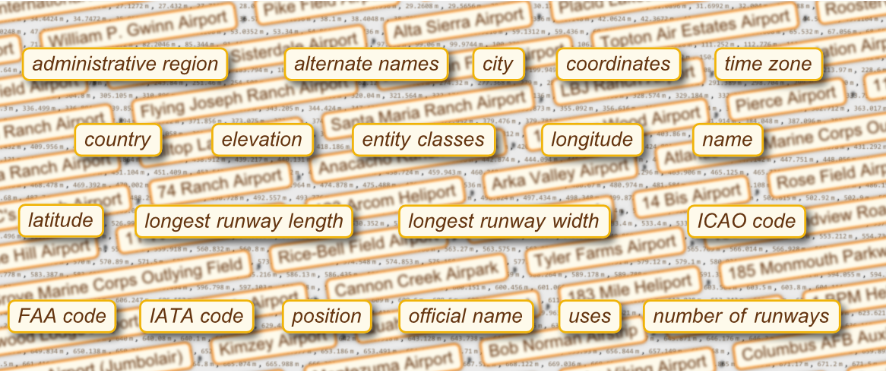
CITE THIS NOTEBOOK: Navigating the Entity framework: short tutorial by Dave Middleton. Wolfram Community May 9 2022.
This is a short tutorial on how to get knowledge from the Wolfram Entity Framework in a consistent manner and with the fewest number of expressions possible. We will show that EntityValue is a key expression to obtain a list of entities, entity classes, properties, property classes and property metadata. We will use the Entity object consistently to retrieve property quantities and metadata. We will show that property metadata can be used to produce time series of some entity properties. We will show how to create a Dataset and other formats of all Entity properties. At last, we will show more advanced topics on Entity and property selection methods to speed up your workflow.
Introduction
Introduction
The Entity Framework is an invaluable source of reference data and temporal data. When needed, I will start with data from the Entity Framework to develop my data analysis and visualization code. Navigating the Wolfram Entity Framework can be confusing and sometimes it can be hit or miss . Often we begin with ( ) for a semantic interpretation to get us started, but where do we go from here? In the very beginning of my Wolfram Language journey I did not grasp the importance and function of EntityClasses, so I naively filtered data as so (yes I really did that): Of course, the performance of this query is atrocious, so I began to wonder if I wasn’t missing anything. I started this tutorial to support my own workflow when we were on version 12 of the Wolfram Language. I use the Wolfram Language almost on a daily basis. However, once I have the data, I don’t use the Entity Framework with the same regularity. So whenever I had a need for data from the framework, I often consulted my own tutorial. Personally, I think the Guides in the Wofram Language & System Documentation Center provide a good reference only if you already know the basic syntax and design philosophy of the Entity Framework. The framework is vast; there are so many functions and ways you can combine functions to achieve the same objective, you can get lost. Hence my motivation for simplification. Wouldn't it be great to get Entity information right from the start with the fewest number of expressions to learn? This is a short tutorial on the Entity Framework with the objective to find Expressions that can give us access to knowledge quickly and reasonably consistently. The key expression to start navigating the entity framework is EntityValue, because it will allow us to produce a list of entities, entity classes, properties, property classes and property metadata. This is the second iteration of this tutorial. I am sure I may make additonal changes with new insights or on how to use new functionality or syntax, in future.

#["Population"]&/@Select#["Country"]==&@EntityValue["City","Entities"]//TakeLargest[5]
Entity Types and Entities
Entity Types and Entities
On the highest level of abstraction in the Entity Framework, there are Entity Types and every Entity belongs to an Entity Type. In some cases you may not know the name of the Entity Type you need, so we'll begin by evaluating EntityValue[ ] to get a list of CanonicalNames of the all the Entity Types available in the framework:
EntityValue[]//Short
Out[]//Short=
{AdministrativeDivision,Aircraft,Airline,Airport,AirportType,Alphabet,332,WritingScriptWhiteSpace,YogaPose,YogaPosition,YogaProp,YogaSequence,ZIPCode}
In this tutorial we’re interested in the Entity Type “Country”. Let’s find the CanonicalName of the Entity Type: this will be the first argument of the next EntityValue expression.
To retrieve all entities associated with the "Country" Entity Type we'll add the “Entities” parameter, but before we do that note that each Entity type may contain thousands of Entity objects which may take some time to load. So let's find out how many Entity objects are associated with this Entity Type (which is also fast to evaluate) as so:
In[]:=
EntityValue["Country","EntityCount"]
Out[]=
250
As expected in the case of countries, this is a manageable number of Entity objects, so we proceed with the “Entities” parameter to produce a list of 250 country Entity objects:
In[]:=
EntityValue["Country","Entities"]//Shallow
Out[]//Shallow=
,,,,,,,,,,240
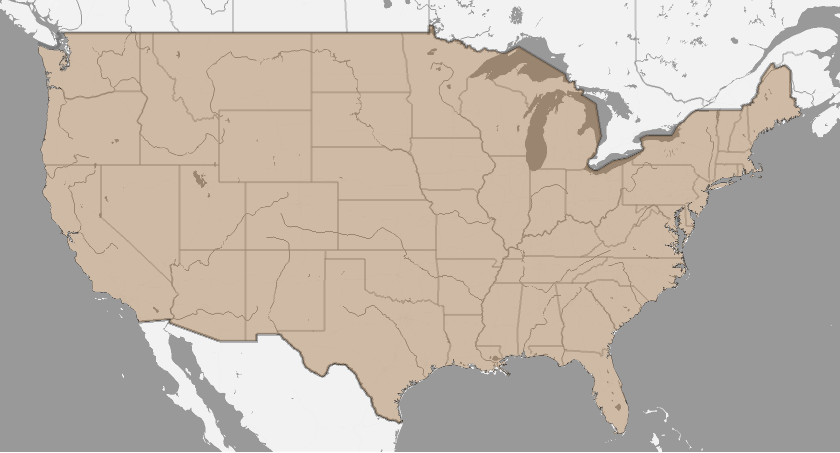
For this quick tutorial we are interested in the United States, which is this Entity object with its InputForm:
Out[]//InputForm=
Entity[Country, UnitedStates]
The Country Entity obviously has geographic information enclosed in the Entity object i.e. we can plot the object directly in e.g. GeoListPlot :
In[]:=
GeoListPlot,
Out[]=
Entity Properties and Values
Entity Properties and Values
So what properties can we find for the United States entity? Entity properties are defined on the highest level i.e. at the level of Entity Type , but we can also find them at the Entity object-level in the same way i.e. through the “Properties” option as so:
EntityValue["Country","Properties"]//Shallow["Properties"];
Out[]//Shallow=
,,,,,,,,,,751
The result is a list of EntityProperty objects which can be very long; in this case the list compromises of 751 objects, which can be retrieved in a similar fashion as the properties: on the Type- or Entity object-level.
In[]:=
EntityValue["Country","PropertyCount"]["PropertyCount"];
Out[]=
761
From the list of EntityProperty objects, you can copy the “Population” object to retrieve the United States population value:
Out[]=
Notes
Notes
CanonicalName of an EntityProperty
CanonicalName of an EntityProperty
We can produce a list of entity properties as a list of CanonicalNames in the same way we did before and search for the one we need. In this example, we already have the Population object, so get its Canonicalname as so:
In[]:=
Out[]=
Population
The alternative method to retrieve property values with a CanonicalName is:
In[]:=
Out[]=
Later in the tutorial you will see that we will need the CanonicalName of EntityProperties to retrieve Property Metadata.
Compute New, Compound Property Values
Compute New, Compound Property Values
A new, compound property e.g. the population density, can be computed using the available properties “population” and “area”. The construct works with an EntityFunction as so:
In[]:=
Out[]=
The EntityFunction is the substitute for a compound EntityProperty.
Note
Note
Annotations
Annotations
Some Entities have additional properties that we can retrieve using two options: “Source” and “Date”. The first is the data source information and the second the data date. In the framework they are called Annotations and they associated with the property of that particular Entity. They can be retrieved with EntityValue as so:
In[]:=
EntityValue,,"Source"
There is also a short-notation:
This information can be relevant during analysis, because some Entity properties may come from different sources or different dates and may therefore show discrepancies in values.
Property Metadata
Property Metadata
There is even more information available and we can get it from the EntityProperties directly as so-called metadata. The complete list of property metadata is (see the WL Reference Documentation):
Property metadata for the population EntityProperty can be retrieved with EntityValue as follows:
QualifierValues Metadata
QualifierValues Metadata
The metadata are directly associated with an EntityProperty, so there is a shorthand notation to retrieve them, for instance the “Qualifiers” for the population property:
The Qualifiers are the keys of a metadata Key-Value pair list: Qualifier->Values. The list can contain additional data that can enhance your data analysis and you will use them the most. Different EntityProperties will have different Qualifier metadata, but not all EntityProperties have them.
We are particularly interested in the QualifierValues which will give a Key-Value list of property metadata :
We are particularly interested in the QualifierValues which will give a Key-Value list of property metadata :
The QualifierValues metadata provide context information to filter EntityProperty values. So the next step is to associate the metadata with an Entity and EntityPropery. We can apply the QualifierValues metadata by using the UnitedStates Entity and the CanonicalName of the EntityProperty as so:
It is possible to combine some QualifierValues metadata of different Qualifier categories in a list for example:
However, not all (sometimes most) QualifierValues metadata combinations will give you any results.
Temporal Qualifier Metadata
Temporal Qualifier Metadata
You can use the temporal QualifierValues metadata if the EntityProperty of interest has Date-> { } information. Some properties do not have temporal information. Also, not all temporal Entity metadata will result in a TimeSeries object. Also, the implementation of the Date->{ } functionality differs per EntityProperty. For “Country” Entity types, we can use a list with a begin date and and an end date in a DateObject format to retrieve a TimeSeries object. The following examples will show you where we will have to use a BEing and End date, an Interval or a DateRange to produce a TimeSeries object of the EntityProperty values.
Example I: Begin and End Dates
Example I: Begin and End Dates
As you have seen in the last example in the previous section, some EntityProperties such as "population" will have temporal QualifierValues metadata information that allows you to create a population TimeSeries as so:
You can retrieve all available temporal data as so:
Example II: DateRange
Example II: DateRange
Venus’ distance from earth of can be retrieved one -date-at-a-time, so if we want a time series we need a few intermediate steps (including the creation of a TimeSeries object ):
Example III: Interval
Example III: Interval
Here we will use the Entity Framework as a source of financial data. The TimeSeries data can be retrieved by employing an Interval of two dates as so:
Remark A DateInterval would have been a more appropriate expression instead of Interval.
Dated Function Applied to Entity
Dated Function Applied to Entity
There is another way to retrieve temporal Entity data i.e. using the Dated[ ] expression directly applied to the Entity object.
We can create a DateListPlot of the US population as a function of time i.e. as an Interval of two dates:
We can create a DateListPlot of the US population as a function of time i.e. as an Interval of two dates:
The Dated expression has an option to show All dated information it has on in the Entity property, for example:
For another example of financial data i.e. the Gold commodity price, we can retrieve the complete Time Series as so:
Again using Dated is still limited to one-date-at-a-time for Jupiter's distance from earth property, so if we want a TimeSeries we have to use the intermediate steps again:
Entity and Property Classes
Entity and Property Classes
Entity Classes
Entity Classes
EntityClasses are abstract and symbolic concepts. Evaluating an EntityClass itself will yield no results. Only when EntityValue is applied to a class, will a call be made to the framework databases. What is the advantage of using classes? Performance. When computing properties over a very large number of entities the use of entityclasses is imperative as it will save you a lot of time.
In the framework, EntityClasses comprise of groups of Entity objects which we can retrieve for the Entity type “Country” as so:
In the framework, EntityClasses comprise of groups of Entity objects which we can retrieve for the Entity type “Country” as so:
Alternatively, before downloading all entity classes, verify the total number of classes available to a particular Entity type as so:
Now let’s find out which countries are part of the European Union:
Note
Note
EntityClassCount is an undocumented parameter; there are a few more undocumented EntityValue parameters, see the section Tips & Tricks.
Property Classes
Property Classes
Some Entity properties are grouped into property classes , similar to entities classes. Property classes are retrieved in a similar way we retrieve EntityProperty from EntityValue i.e. with an option as so:
We can retrieve a list of PropertyClass properties associated with an EntityClass in a similar way we get Entity type properties i.e. through the “Properties” option as so:
Now that we know the EntityPropertiesClass properties, we can use an Entity object to get all the relevant values from the PropertyClass in one go:
Next we can retrieve any property of the property class from the Entity in our example:
From Class to Class
From Class to Class
We can also get values from a PropertyClass of a EntityClass i.e. all PropertyClass values per Entity in the EntityClass e.g.:
In the next section, you’ll learn how we can better display the results of multi-valued output.
Property-Value Output Formats
Property-Value Output Formats
All Property-Values in one Dataset
All Property-Values in one Dataset
The Documentation Center calls the option to change the output format of Entity Property-Value pairs a “Modifier”. So far we focussed on an Entity's single Property's Value, but we can also retrieve all Property-Value pairs of an Entity in e.g. a Dataset display format, directly from the Entity:
The Dataset format also works for a selection of Entity properties e.g.
More Property-Value Formats
More Property-Value Formats
A Dataset is a very convenient format to view and manipulate data, but all Property-Value pairs of a particular Entity can be formatted in more ways than a Dataset. The following formats are available for a single Entity object as well as an EntityClass object:
Multi-Entity Formats
Multi-Entity Formats
However, the following formats will only work with multiple Entity objects, EntityClasses that is. Note that there are more formats possible i.e. between Entity and Property or Entity and Values:
Let’s go back to the last example in the “From Class to Class” section. Given the detailed nature of the PropertyClass, the best format to display the results is “EntityPropertyAssociation”:
Let’s go back to the last example in the “From Class to Class” section. Given the detailed nature of the PropertyClass, the best format to display the results is “EntityPropertyAssociation”:
Note
Note
A Dataset format will hide the details of the GDP keys by collapsing them into one key named “GDP”.
Working with Multiple Entities
Working with Multiple Entities
This section is where a number of things we've learned will come together. The Entity Framework enables you to work with multiple Entities e.g. criteria-based selection using EntityClasses.
Select Entities
Select Entities
..by a Restriction on Property Values
..by a Restriction on Property Values
We can select Entities that satisfy certain restricted property values by defining an EntityClass that does that. Remember, EntityClasses are the expressions to use for multi-Entity purposes. The class we will use here is called an implicit EntityClass. Let's define an implicit EntityClass for all Country Entity Types where the class is defined by the following restriction : select only the first 10 entities with the largest population size:
Once again, this EntityClass expression in isolation will not yield anything; it's still a definition. All we have to do now is to evaluate with “Entities” as so:
We can define an implicit EntityClass for Entity types, Entities and EntityClassess. For example, the smallest 5 countries in the European Union (an EntityClass) by area:
By using the implicit EntityClasses we can make more complex, nested Entity filters too. For example we want to get the 5 largest cities by population size in France. This works because there are shared Properties i.e. “population” with the Entity types “Cities” and “Country”.
..by a custom named compound property
..by a custom named compound property
Earlier in this tutorial we used a EntityFunction for population density to retrieve values from a single Entity. The EntityFunction used two properties to calculate a new property value. For this particular use case, it did not make sense to define our own property name. But what if we could define our own property name for the compound property so we can refer to it when operating on multiple Entities?
The ExtendedEntityClass will enable you to do that. It is called Extended EntityClass because it extends the existing Entity with a new user-defined, computed property, as so:
The ExtendedEntityClass will enable you to do that. It is called Extended EntityClass because it extends the existing Entity with a new user-defined, computed property, as so:
The ExtendedEntityClass only supports the EntityFunction or it won’t work.
Now we will include the extended class into an implicit EntityClass with the new compound property name.
Now we will include the extended class into an implicit EntityClass with the new compound property name.
Undortunately in version 13.2.1 this does not work due to a bug. Possible workarounds are given in the Tips & Tricks seciton at the end of the tutorial:
..with a FilteredEntityClass
..with a FilteredEntityClass
FilteredEntityClass is the Entity-equivalent of the Select expression. A predicate expression using an EntityFunction evaluates whether the result is either True or False. Below we show an example:
..with a SampledEntityClass
..with a SampledEntityClass
SampledEntityClass allows you to select the first number of entities or EntityProperties from an EntityClass, for example
The samples have been taken from an unsorted EntityClass.
Compute Aggregate Properties Values
Compute Aggregate Properties Values
..from an EntityClass
..from an EntityClass
For EntityClasses in the framework, we can retrieve the aggregate property values as so:
..from a Group of Entities
..from a Group of Entities
If you have a group of Entities that share the same property e.g. “population” we can use the EntityGroup to compute its aggregate properties:
..from New Computed Properties
..from New Computed Properties
The AggregatedEntityClass enables one to compute new aggregate property values from multiple Entities that share a common property. It employs the named compound property method with an EntityFunction and it produces a list of property values. Let's put this to work by calculating the total population density of the European Union:
Putting it All Together
Putting it All Together
We can nest the Implicit EntityClass, ExtendedClass and FilteredClass to yield this result:
Rearrange and Structure Entities
Rearrange and Structure Entities
The following EntityClasses allow you to rearrange and structure entities in almost the same way as you use set operations on Lists.
..with SortedEntityClass
..with SortedEntityClass
SortedEntityClass sorts your entities in an EntityClass or a List of Entities by some property. It is the Entity Framework equivalent of (Reverse)SortBy. For example let’s sort the first 5 largest countries by population density in the European Union in descending order:
You can also replace the EntityProperty by a computed property using EntityFunction and sort the entities, for example
Unfortunately, we cannot name our computed property with SortedEntityClass, so the output is just the country Entities ordered by population density.
..with UnionedEntityClass
..with UnionedEntityClass
In this and the following two subsections, the set operations are for EntityClasses only. They will not work with Entity types. Set operations on EntityClasses of dissimilar Entity types will result in new shared Entities and EntityProperties. In the section Tips & Tricks we will show you how to identify these shared properties.
We can combine EntityClasses of dissimilar Entity types that share some properties, such as CapitalCity” in the following example of UnionedEntityClass
We created new compound (unioned) Entities in the process:
..with IntersectedEntityClass
..with IntersectedEntityClass
We can use the IntersectedEntityClass set operator to identify which European Union countries are affiliated with NATO, as so
In this case, we included two EntityClasses of the same Entity type so we did not create any new Entities or EntityProperties.
..with ComplementedEntityClass
..with ComplementedEntityClass
Conversely, we can use ComplementedEntityClass to find countries in the EU that are not affiliated with NATO as so:
Combine EntityClasses
Combine EntityClasses
CombinedEntityClass allows you to combine two EntityClasses where the second EntityClass has to satify a condition. The result is an EntityClass with properties from both EntityClasses. The following example is from All Latest Features of 12:
The condition for the CombinedEntityClass is expressed as an EntityFunction.
Finding good examples of use cases for the more complex CombinedEntityClass is hard. Some other examples can be found in the Tech-Note on Relational Databases.
Finding good examples of use cases for the more complex CombinedEntityClass is hard. Some other examples can be found in the Tech-Note on Relational Databases.
Tips & Tricks
Tips & Tricks
Next Steps
Next Steps
In March 2023 - when Mathematica was already on version 13.2.1 - I found an excellent “Relational Databases Quick Start Tech-Note” in the Wofram Language & System Documentation Center. Even if you are not interested in queries on relational databases, the Tech-Note provides insight into the design philosophy, syntax and more advanced topics on the Entity Framework. I wish I read it before I created this tutorial, but it did confirm my own understanding of the framework.
Also, the Wolfram Mathematica new release features overview can give you some insight and examples of use cases. The New Entity Query Functionality introduced in version 12 has good examples. Of course, whenever you get stuck, or you want to verify an issue, consult the Wolfram Community pages where this tutorial was posted. Alternatively, you can find support in the “Mathematica & Woflram Language” platform at the StackExchange.
Also, the Wolfram Mathematica new release features overview can give you some insight and examples of use cases. The New Entity Query Functionality introduced in version 12 has good examples. Of course, whenever you get stuck, or you want to verify an issue, consult the Wolfram Community pages where this tutorial was posted. Alternatively, you can find support in the “Mathematica & Woflram Language” platform at the StackExchange.
References
References