Out[]=
Overview and Background
Overview and Background
I decided to learn about automata, so I searched for finite state automaton in Mathematica and came across Algorithms on Automata. Algorithms on Automata is a 4 part installation by Jaime Rangel Mondragón on the implementation of algorithms on FA. It was created in 1999, so the code is a bit out of date, specifically the visualizations for FSA which I was looking for. I decided to rewrite the visualizations from scratch as an exercise to start learning about FSA (as well as an excuse to not have to interpret his code). Beyond the code, the information provided is quite good, and helped me understand FSA better.
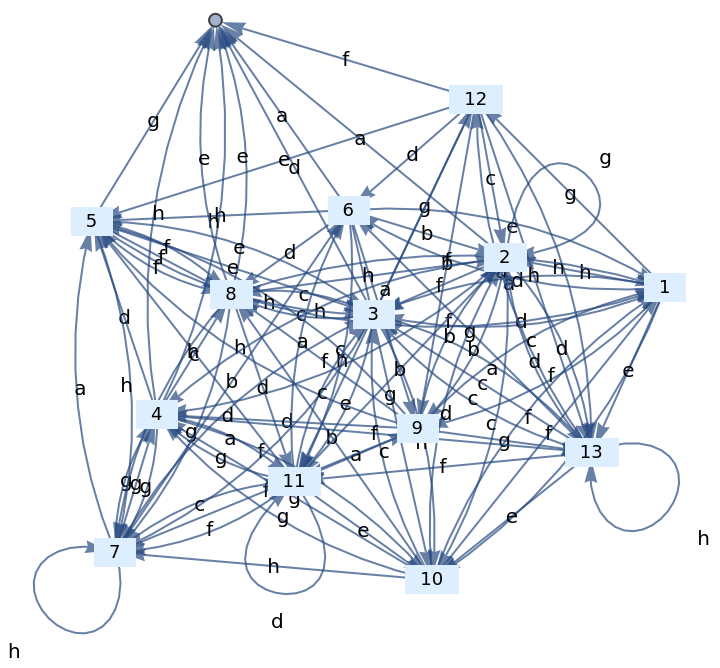
So far I went over Part 1. I created transition function generators, graph generators, and the random graph generator (for visualizing random valid regular grammars, which is the hero image of this notebook). I will come back to update this notebook as I work more on this part and the rest of the four parts.
Created the majority of the code myself, save for a couple of functions, that didn’t need to be redone. I copied and pasted (see below) whichever info I thought was relevant to make this notebook flow properly and be a standalone resource for me to come back to.
For reference, Mondragon’s document states:
“Permission is hereby granted to reproduce part or all of this file for any purpose other than direct profit providing that the source is acknowledged.”
So far I went over Part 1. I created transition function generators, graph generators, and the random graph generator (for visualizing random valid regular grammars, which is the hero image of this notebook). I will come back to update this notebook as I work more on this part and the rest of the four parts.
Created the majority of the code myself, save for a couple of functions, that didn’t need to be redone. I copied and pasted (see below) whichever info I thought was relevant to make this notebook flow properly and be a standalone resource for me to come back to.
For reference, Mondragon’s document states:
“Permission is hereby granted to reproduce part or all of this file for any purpose other than direct profit providing that the source is acknowledged.”
Part I . Generating and Enumerating Words
Introduction
Introduction
FSA Description
FSA Description
A finite automaton (FA) is described by a 5-tuple M=(Q, Σ, δ,, F), wherein Q is a finite set of states, ∑ is an alphabet, δ is the transition function δ: Q x Σ Q, ϵQ is the initial state and F ⊆ Q is the set of final states. A word (string) made from elements in the alphabet is read one character at a time and forces the automaton to change states accordingly.
If a word∈ is such that δ(⋯δ(δ(,),)⋯,)∈F, we say that M accepts or recognizes w. FAs are used to accept regular languages, that is, an automaton will accept only those words belonging to a particular regular language.
q
0
q
0
If a word
w=
w
1
w
2
⋯w
n
*
Σ
q
0
w
1
w
2
w
n
Example: FA accepting *(a+b)aba
Example: FA accepting aba
*
(a+b)
In[]:=
Q={1,2,3,4};Σ={a,b};δ={{{1,a},2},{{1,b},1},{{2,a},2},{{2,b},3},{{3,a},4},{{3,b},1},{{4,a},2},{{4,b},3}};=1;F={1};
q
0
Accepted words according to abaaaba bbaba abababa
*
(a+b)
Useful assumptions to compress the description for FA
Useful assumptions to compress the description for FA
Let us adopt the following assumptions in order to expedite the description of FA:
The set Q will always comprise consecutive numbers from 1 (assumed to be the initial state) to the number of states. This number can always be obtained from the entries in δ so there will be no need to explicitly provide Q.
The previous assumption will also be applied to the alphabet Σ, which will enjoy the same fate as Q with the proviso that when we require to describe transitions (for instance in obtaining the regular expression corresponding to the accepted language) we will assume Σ comprises all lower-case letters in lexicographic order from "a" up to the number of columns of vector δ.
δ will be described by a matrix of dimension (number of states)×(alphabet size) wherein δ〚 i, j 〛 will correspond to the state to which the automaton goes from state i under transition j.
The set Q will always comprise consecutive numbers from 1 (assumed to be the initial state) to the number of states. This number can always be obtained from the entries in δ so there will be no need to explicitly provide Q.
The previous assumption will also be applied to the alphabet Σ, which will enjoy the same fate as Q with the proviso that when we require to describe transitions (for instance in obtaining the regular expression corresponding to the accepted language) we will assume Σ comprises all lower-case letters in lexicographic order from "a" up to the number of columns of vector δ.
δ will be described by a matrix of dimension (number of states)×(alphabet size) wherein δ〚 i, j 〛 will correspond to the state to which the automaton goes from state i under transition j.
Revisiting our example:
Revisiting our example:
So we see that
will represent:
2 | 1 |
2 | 3 |
4 | 1 |
2 | 3 |
Out[]=
| | Element of Alphabet | Element of Alphabet |
| | a | b |
State | 1 | 2 | 1 |
State | 2 | 2 | 3 |
State | 3 | 4 | 1 |
State | 4 | 2 | 3 |
Note that we always start at State 1: = State1
***Something not mentioned in the original notebook.
Therefore we only need to specify the transition function δ and the set of final states to describe the entire FSA.
q
0
***Something not mentioned in the original notebook.
Therefore we only need to specify the transition function δ and the set of final states to describe the entire FSA.
Code for Creating a Graph to visualize a FSA
Code for Creating a Graph to visualize a FSA
In[]:=
(*edgeLabelsFunctiongetspassedtoedgeLabelsFunc*)edgeLabelsFunction[Qnum_,Σnum_,qxσToStates_]:=MapThread[ReplaceAll,{Flatten[Table[ioutState->letter,{i,Qnum},{letter,Take[Alphabet[],Σnum]}]],Table[outState->qxσToStates[[i]],{i,Length[qxσToStates]}]}]edgeLabelsFunc[deltaMatrix_]:=edgeLabelsFunction[Length[deltaMatrix],Length[deltaMatrix[[1]]],Flatten[deltaMatrix]]transitionsList[edgeLabels_]:=Table[edgeLabels[[i]][[1]],{i,Length[edgeLabels]}](*TheabovetwogetpassedtoFSAGraph*)(*FSAGraphgetspassedtoFSAGraphMaker*)panelLabel[lbl_]:=Panel[lbl,FrameMargins0,BackgroundLightBlue];FSAGraph[edgeLabelsFunc_,transitionsList_]:=Graph[transitionsList,VertexLabelsTable[iPlaced[" "<>ToString[i]<>" ",Center,panelLabel],{i,Union[Table[transitionsList[[i]][[1]],{i,Length[transitionsList]}]]}],EdgeLabels->edgeLabelsFunc]FSAGraphMaker[deltaMatrix_]:=FSAGraph[edgeLabelsFunc[deltaMatrix],transitionsList[edgeLabelsFunc[deltaMatrix]]](*FSAGraphMakeristheonlyfunctionthatgetsusedwhencreatingthegraph*)
Examples
Examples
On Σ={a,b}
On Σ={a,b}
On Σ={a,b,c}
On Σ={a,b,c}
On Σ={a,b,c,...}
On Σ={a,b,c,...}
Generating random FSA graphs
Generating random FSA graphs
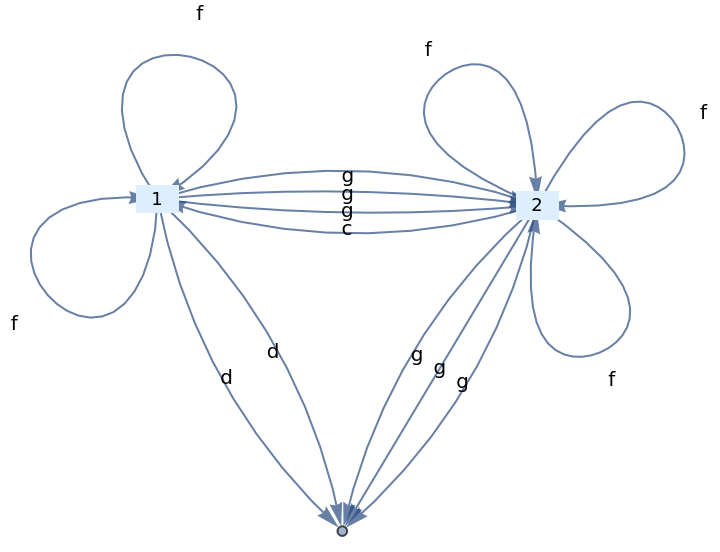
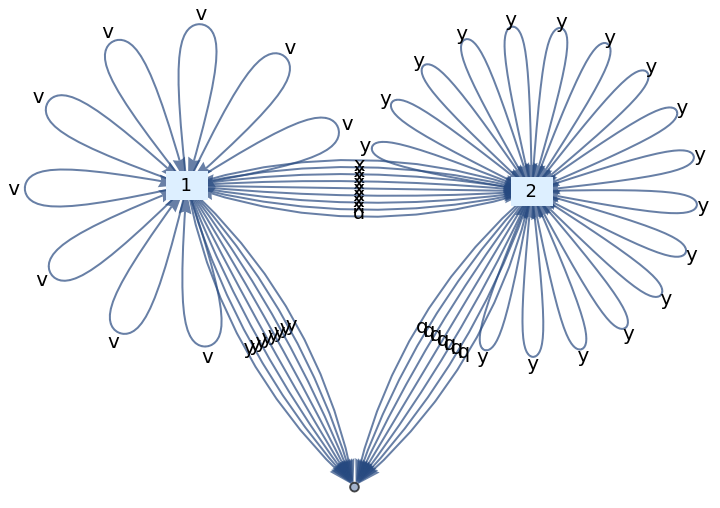
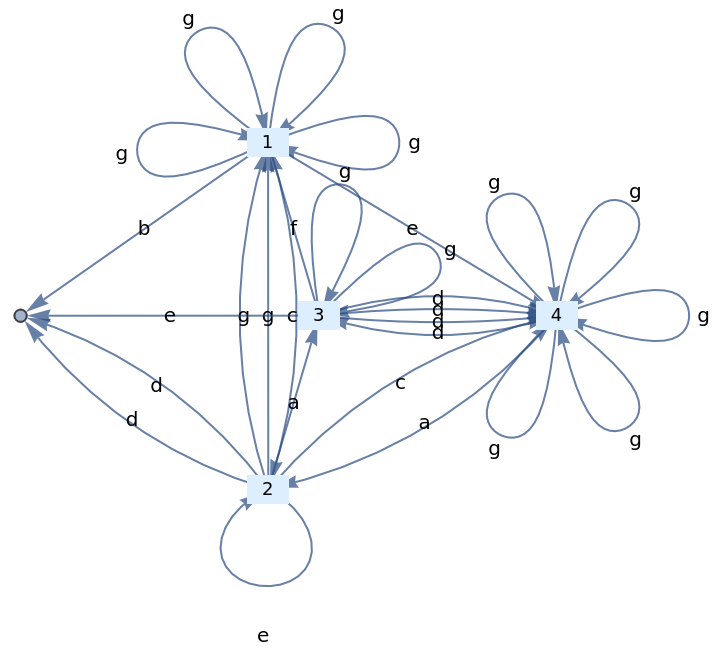
To begin creating this:1) I will have to create a Random Transition Function Matrix2) The matrix has dimensions of: Statenumber x AlphabetLength a) Statenumber can be any number 1 to n b) Alphabet length will be capped at 263) The elements of Random Transition Function Matrix must not exceed the the Statenumber, otherwise it would be pointing to states not defined in Q.As long as the Random Delta Matrix is created according to those specifications, it should be encompassing a valid regular grammar.And I can just pass that into FSAGraphMaker[]
In[]:=
FSARandGraphMaker[maxstates_]:=Module[{staterand=RandomInteger[{1,maxstates}],alphrand=RandomInteger[{1,26}]},FSAGraphMaker[Table[RandomInteger[staterand],{m,staterand},{n,alphrand}]]]
Random FSA Examples
Random FSA Examples
Number of States = 5
Number of States = 5
In[]:=
FSARandGraphMaker[5]
Out[]=
In[]:=
FSARandGraphMaker[5]
Out[]=
In[]:=
FSARandGraphMaker[5]
Out[]=
Number of States = 10
Number of States = 10
Number of States = 20
Number of States = 20
Number of States = 100
Number of States = 100
Generating length-n words accepted by a given automata
Generating length-n words accepted by a given automata
[Will get back to this]
References
References
Algorithms on Finite Automata, parts I - IV by Jaime Rangel-Mondragón:
https://library.wolfram.com/infocenter/MathSource/892/
https://library.wolfram.com/infocenter/MathSource/892/
CITE THIS NOTEBOOK
CITE THIS NOTEBOOK
Algorithms on Automata [Adapted]
by Arihant Gadgade
Wolfram Community, STAFF PICKS, August 8, 2024
https://community.wolfram.com/groups/-/m/t/3243540
by Arihant Gadgade
Wolfram Community, STAFF PICKS, August 8, 2024
https://community.wolfram.com/groups/-/m/t/3243540