Over the past couple of months, I’ve been interning at Wolfram and developing a video course on COVID-19 Data Analysis and Visualization.The journey of making this course was extremely rewarding and fun, and I actually just wrote an article on the Wolfram Blog about it! You can read it here. In the process of making this video course, I came across a particular package by Robert Nachbar, a project director at Wolfram Solution. His “CompartmentalModeling” package proved to be very helpful in visually explaining compartmental models and helped me understand them much better early on.
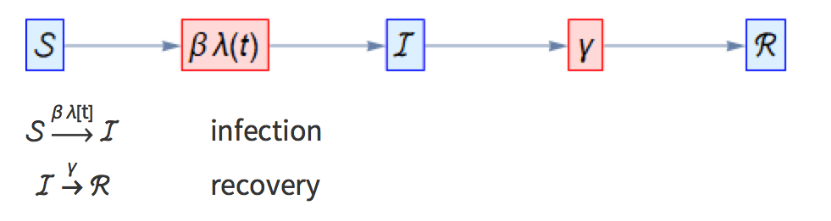
Compartmental models are mathematical models of the evolution of infectious diseases like the flu and COVID-19. They are huge in epidemiology and are the backbone of many public health policy decisions. The essence of these models is people transitioning between multiple "compartments," essentially health states. The simplest is the SIR, or Susceptible-Infected-Recovered, model, in which a susceptible population can contract a disease, move into the infected compartment and then finally into the recovered compartment after they recover. However, as these models get more complex (through adding more compartments such as exposed, quarantined, deceased, etc), they become increasingly hard to visualize and wrap your head around. I thought I'd share a simple way to generate effective diagrams explaining these models, as seen above, using Robert Nachbar's package.
Importing the Package
Importing the Package
The package can be obtained from https://www.wolframcloud.com/obj/rnachbar/Published/CompartmentalModeling.wl. To load it into a notebook, we can simply use the Needs function and follow the package name with a backquote (`):
In[]:=
Needs["CompartmentalModeling`"]
Generating the Backbone
Generating the Backbone
We will start with the simple text diagram, something like this one:
βλ[t] → | infection |
ℐ γ → | recovery |
This model outlines that the compartmental model is an SIR model where S feeds into I, and I feeds into R, and the rates of change are β λ[t] and γ, respectively. This diagram does not actually need the CompartmentalModeling package. In fact, one can generate this representation using the Grid function.
In[]:=
ℐ,"infection",ℐℛ,"recovery"Gridℐ,"infection",ℐℛ,"recovery",Alignment{{Center,Left}},Spacings3,BaseStyle{18}
βλ[t]
→
γ
→
βλ[t]
→
γ
→
Out[]=
ℐ,infection,ℐℛ,recovery
βλ[t]
→
γ
→
Out[]=
βλ[t] → | infection |
ℐ γ → | recovery |
To enter text above the arrows, simply select them and press Ctrl+7.
We can vary some of the options here:
We can vary some of the options here:
In[]:=
Gridℐ,"infection",ℐℛ,"recovery",Alignment{{Left,Right}},Spacings5,BaseStyle{24},BackgroundLightBlue
βλ[t]
→
γ
→
Out[]=
βλ[t] → | infection |
ℐ γ → | recovery |
Using the Package to get the Diagram
Using the Package to get the Diagram
The next step, generating the schematic diagram, is also very simple. One can simply take the code we typed above and insert it into the CompartmentalModelGraph function from our package.
In[]:=
?CompartmentalModelGraph
Out[]=
In[]:=
CompartmentalModelGraphℐ,ℐℛ
βλ[t]
→
γ
→
Out[]=

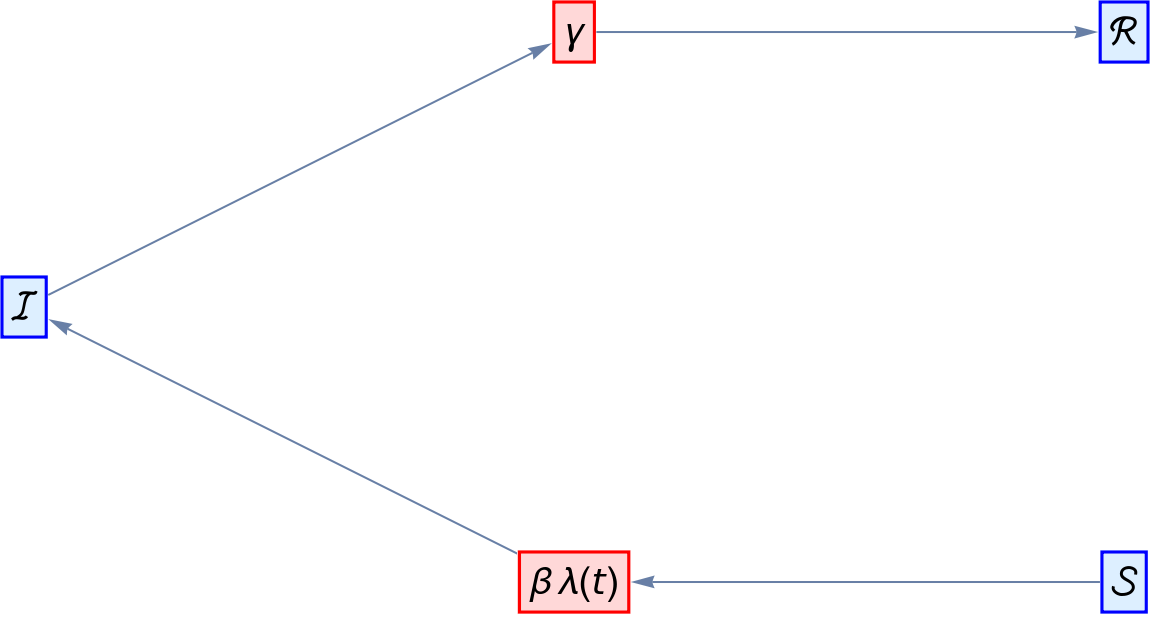
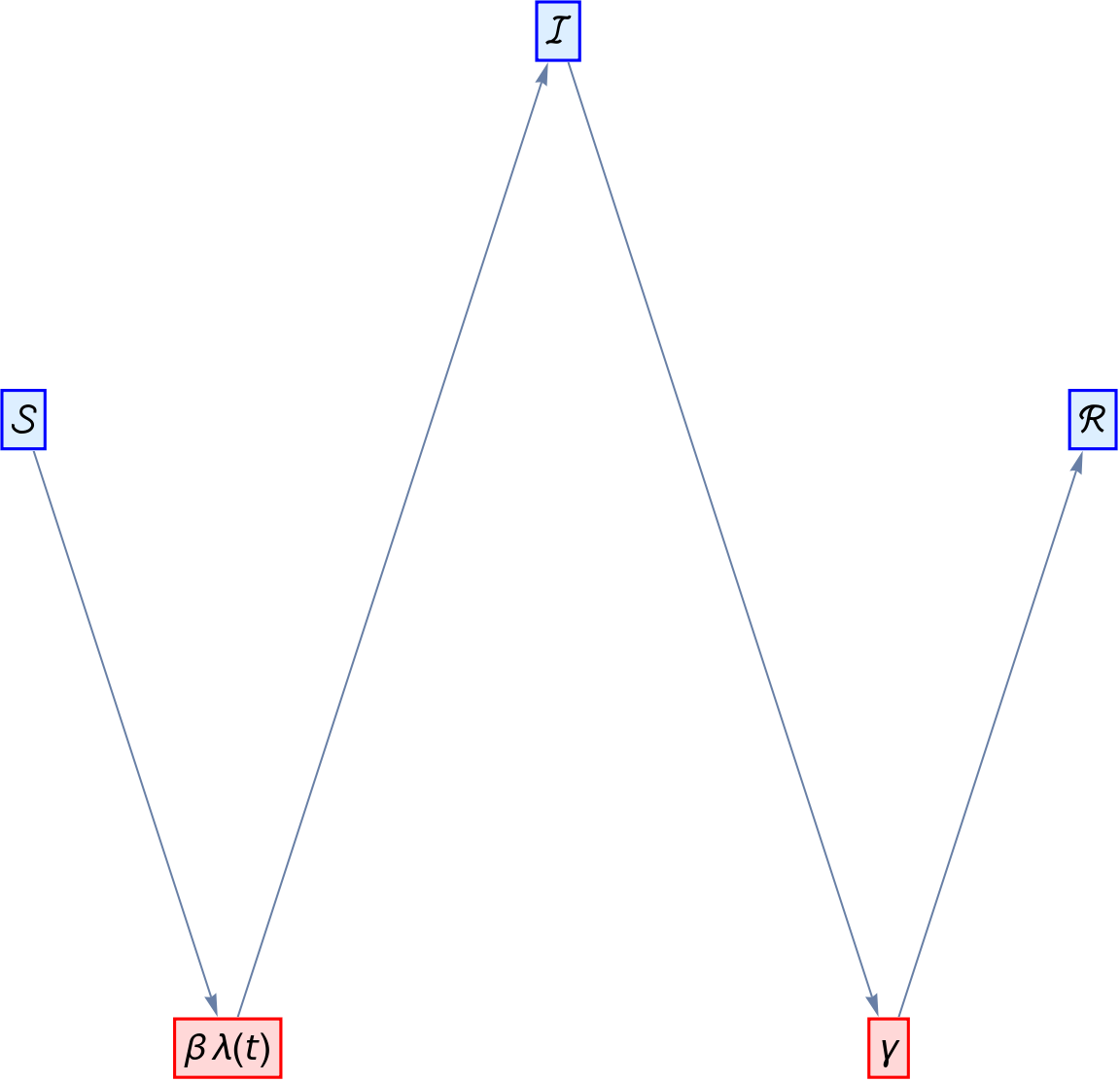
The blue boxes are compartments while the red boxes indicate the rates of change. This diagram is really a representation of a set of differential equations describing the evolution of a particular infectious disease.
Customizing the Diagram
Customizing the Diagram
There are many options we can customize here. What we are dealing with is a graph, so we can use the GraphLayout option and others relevant to graphs to customize our schematic diagram.
CompartmentalModelGraphℐ,ℐℛ,GraphLayout{"LayeredDigraphEmbedding","Orientation"Left},BaseStyle{18},ImageSizeLarge
βλ[t]
→
γ
→
Out[]=

Here’s another graph layout:
In[]:=
CompartmentalModelGraphℐ,ℐℛ,GraphLayout{"LayeredEmbedding","Orientation"Left},BaseStyle{18},ImageSizeLarge
βλ[t]
→
γ
→
Out[]=
And another one:
In[]:=
CompartmentalModelGraphℐ,ℐℛ,GraphLayout{"TutteEmbedding"},BaseStyle{18},ImageSizeLarge
βλ[t]
→
γ
→
Out[]=
We can even keep the graph as an abstract set of vertices and edges:
In[]:=
CompartmentalModelGraphℐ,ℐℛ,GraphLayout{"None"},BaseStyle{18},ImageSizeLarge
βλ[t]
→
γ
→
Out[]=
Graph


My favorite layout by far is the LayeredDigraphEmbedding, but to each their own! We can also try out different, more complex models. Let’s take a look at the SEIQRD, or Susceptible-Exposed-Infected-Quarantined-Recovered-Deceased, model.
In[]:=
GridmodelGrid=ℰ,"infection",ℰℐ,"incubation",ℐ,"quarantine",ℐℛ,"recovery",ℛ,"recovery",ℐ,"death",,"death",Alignment{{Center,Left}},Spacings3,BaseStyle{18}
βλ[t]
→
ζ
→
δ
→
γ
→
γ
→
μ
→
μ
→
Out[]=
βλ[t] → | infection |
ℰ ζ → | incubation |
ℐ δ → | quarantine |
ℐ γ → | recovery |
γ → | recovery |
ℐ μ → | death |
μ → | death |
Now putting our input into the CompartmentalModelGraph function:
In[]:=
model=First/@modelGrid;CompartmentalModelGraph[model,GraphLayout{"LayeredDigraphEmbedding","Orientation"Left},BaseStyle{18},ImageSizeLarge]
This would have been very difficult to do by hand! That is why the CompartmentalModelGraph function can be so useful. Through its simplicity and quickness, it can be used in many ways to teach, apply, and research compartmental models. This package has much more to it, and a lot of the applications can be found in Robert Nachbar’s community post: https://community.wolfram.com/groups/-/m/t/1896178.
Will you be using this package? Let me know!
Will you be using this package? Let me know!