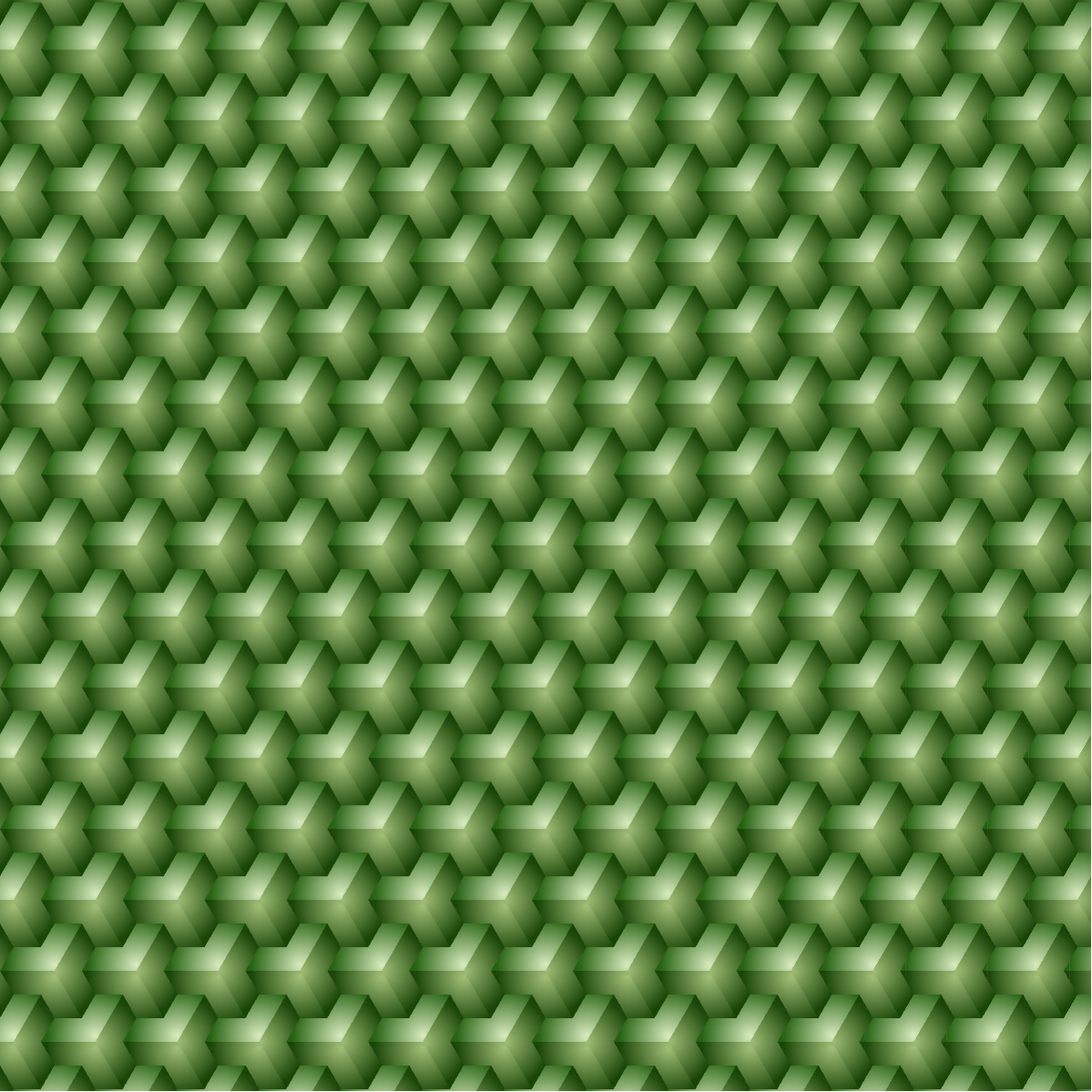
Use simple polygon to build an illusional cube tessellation in WL. RadialGradientFilling adds color gradient to create a nice 3D visual effect. Inspired by the YouTube video for a tutorial about Adobe Illustrator.
Building blocks
Building blocks
The building block is the J dominos:
In[]:=
baseShape1=Polygon{0,0},{-2,0},-1.5,
3
2.,-0.5,3
2.,0,3.
,1,3.
Out[]=
Polygon


Let’s rotate the domino 120 degree and 240 degree CCW:
In[]:=
baseShape2=RotationTransform[120Degree][baseShape]
Out[]=
Polygon

In[]:=
baseShape3=RotationTransform[240Degree][baseShape]
Out[]=
Polygon

In[]:=
flat={{RGBColor["#092c5c"],baseShape1},{RGBColor["#8fbce6"],baseShape2},{RGBColor["#f5d130"],baseShape3}};
In[]:=
Graphics[flat]
Out[]=

Color gradient
Color gradient
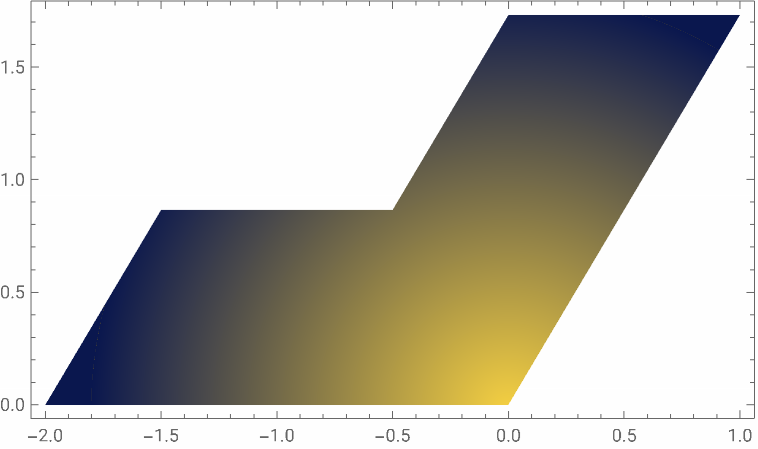
To have the best visual of 3D effect, using color gradient will be better than the flat color above. The coordinate and radii used in for the radial gradient filling is scaled. It depends on the aspect ratio of the bounding box of the polygon. For instance, use the first J dominos and center of radial gradient at {0,0}:
In[]:=
(*boundingboxratiolong/short*)λ=
3.
;In[]:=
Graphics[{RadialGradientFilling[{,},{{2./3,1/2-1/2*1/λ},{.6,.6}}],baseShape1},AspectRatio->1/λ,Frame->True]

Out[]=
Hexagonal grid points
Hexagonal grid points
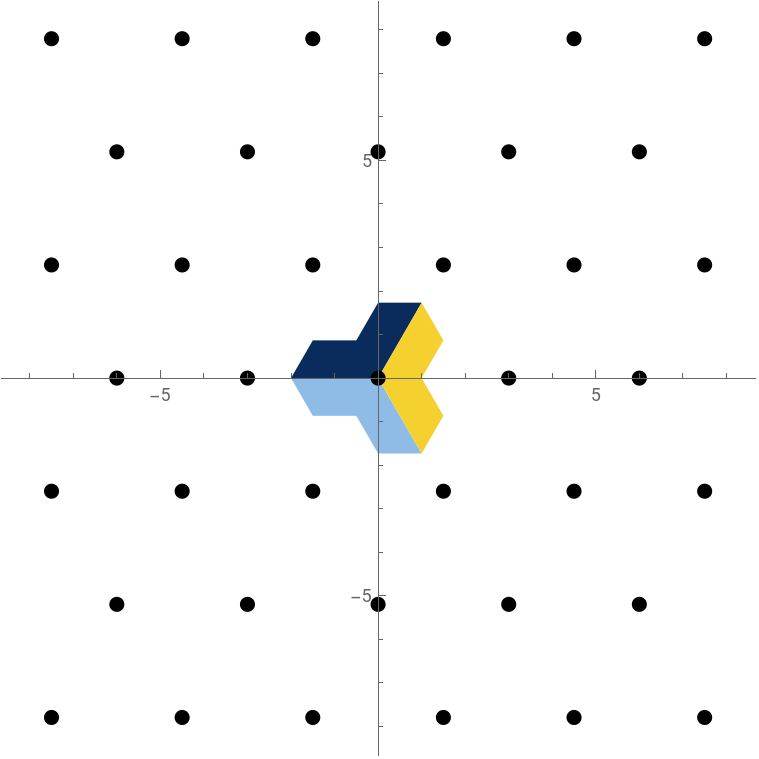
Use simple arithmetic you can find that the center of all compound shape should stay at hexagonal grid:
In[]:=
gridPoints=3*ResourceFunction["FlatTable"]i+j*12,j*
3
2,{i,-20,20},{j,-20,20};In[]:=
Graphics{flat,PointSize[0.02],Point[gridPoints]},PlotRange->{{-1,1},{-1,1}}*5
3
,Axes->True//FramedOut[]=
Make a copy the compound shape at each center on the hexagonal lattice:
In[]:=
grp1=TranslationTransform[#][baseShape1]&/@gridPoints;
In[]:=
grp2=TranslationTransform[#][baseShape2]&/@gridPoints;
In[]:=
grp3=TranslationTransform[#][baseShape3]&/@gridPoints;
Apply RadialGradientFilling function at the meeting point of three J dominos:
In[]:=
group={RadialGradientFilling[{RGBColor["#daecc0"],RGBColor["#246110"]},{{2./3,1/2-1/2*1/λ},{.6,.6}}],grp1},{RadialGradientFilling[{Lighter@RGBColor["#76a136"],RGBColor["#184406"]},{{2/3,1/2+1/2*1/λ},{.6,.6}}],grp2},RadialGradientFilling{Lighter@RGBColor["#76a136"],RGBColor["#184406"]},.5-
3.
8,12,{.5,.5},grp3;In[]:=
g=Graphics[group,PlotRange->{{-1,1},{-1,1}}*20]
Out[]=
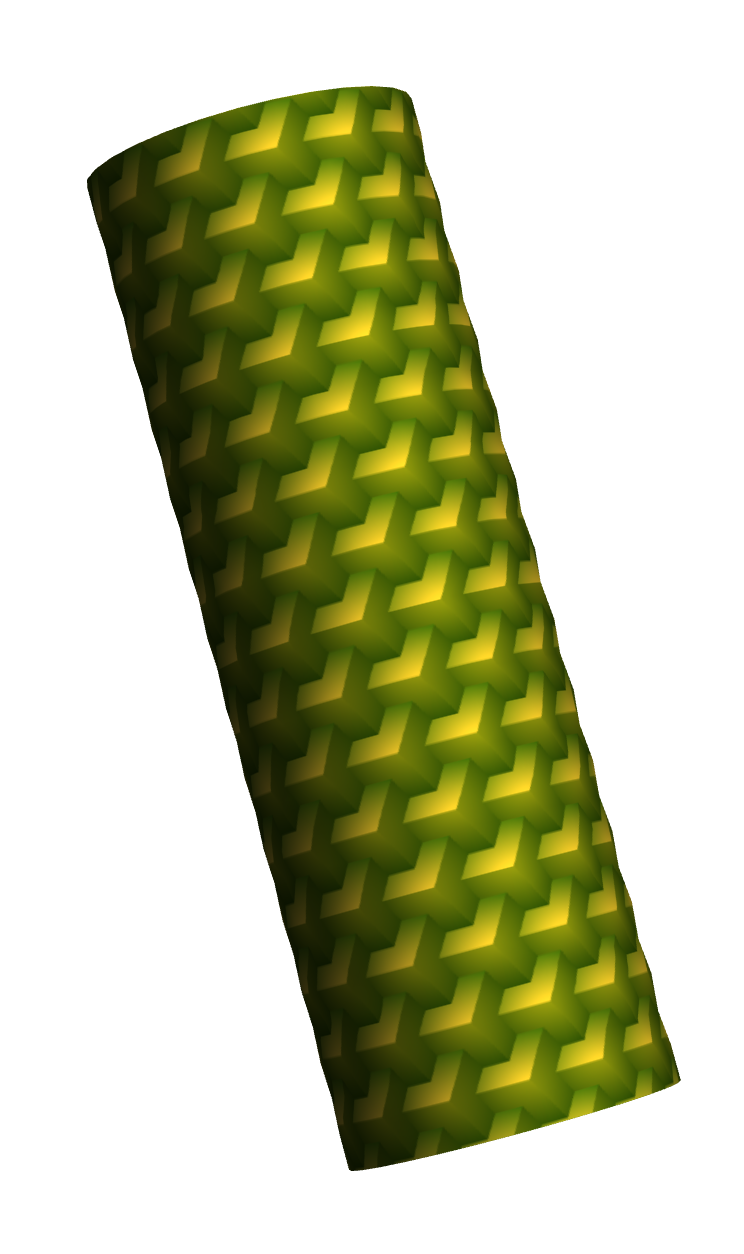
Use it as texture on 3D surface:
In[]:=
ParametricPlot3D[{Cos[θ],Sin[θ],3*z},{θ,0,2π},{z,-1,1},Mesh->None,PlotStyle->{Opacity[1],Texture[g]},Boxed->False,Axes->None]
Out[]=
Playground: Other gradient
Playground: Other gradient
CITE THIS NOTEBOOK
CITE THIS NOTEBOOK
Cube illusion with radial color gradient
by Shenghui Yang
Wolfram Community, STAFF PICKS, March 18, 2025
https://community.wolfram.com/groups/-/m/t/3418731
by Shenghui Yang
Wolfram Community, STAFF PICKS, March 18, 2025
https://community.wolfram.com/groups/-/m/t/3418731