This notebook is one of the support materials that I’ve prepared for students of Phonetics at the Department of Linguistics, Stockholm University. The complete title of this notebook is “Demonstrating polynomial approximations for students of Experimental Phonetics”. Francisco Lacerda ©
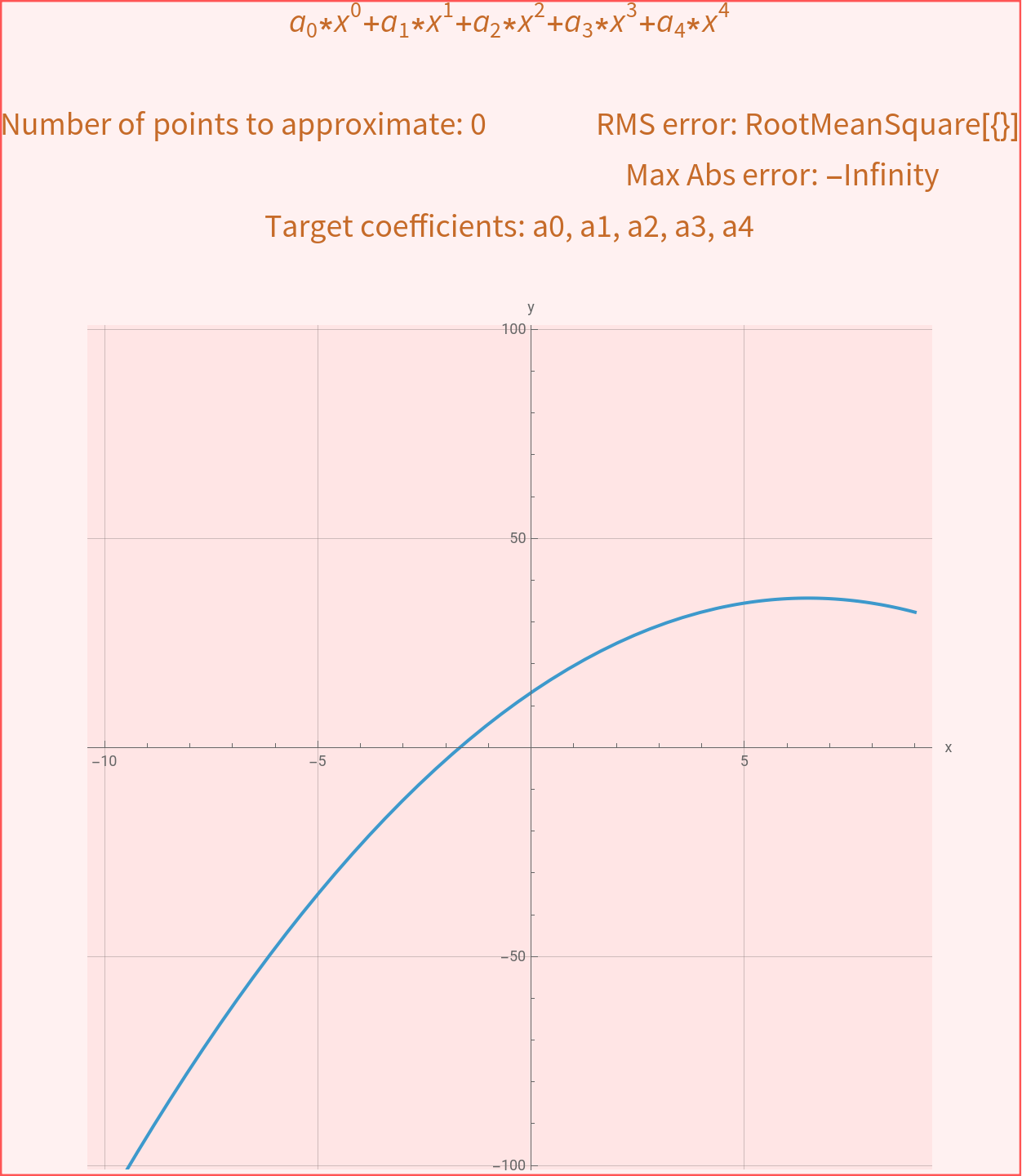
The plot below shows the graphic representation of a polynomial function of the fourth grade ( i.e. the expression’s highest exponent is four, in )The function is y =*+*+*+*+*Note that = 1 (by definition, any number to the power of zero is 1) and that is the same as x.All the coefficients, from to are initially set to zero and therefore y = 0, i.e. the function is simply a horizontal line crossing the y-axis at zero, for all values of x.If you change just the coefficient, the line will move to the new constant value that you define for the coefficient. This is because all the other coefficients still are set to zero and therefore y = Make also non-zero. Now the horizontal line tilts as this coefficient changes. The expression you see in the graphic representation at this point is y = *+*+0*+0*+0*, which simplifies as Note that this function represents a straight line, i.e. a linear relationship between y and x. This linear relationship means that y is proportional to x, with a proportionality given by and an additive constant .If you reset all the coefficients back to zero and thereafter make just non-zero, you will see that the curve turns into a parable (also called a quadratic function of x) y = *Note that symmetrical x-values (e.g. -3 and 3) result now on the same y-value.Explore what happens when other coefficients are non-zero:How does the function look like?How do the y-values vary as a function of x under different combinations of coefficients?
4
x
a
0
0
x
a
1
1
x
a
2
2
x
a
3
3
x
a
4
4
x
0
x
1
x
a
0
a
4
a
0
a
0
a
1
a
0
0
x
a
1
1
x
2
x
3
x
4
x
y=+*x
a
0
a
1
a
1
a
0
a
2
a
2
2
x
In[]:=
a0=RandomReal[{-10,10}];a1=RandomReal[{-10,10}];a2=RandomReal[{-0.5,0.5}];a3=RandomReal[{-0.2,0.2}];a4=RandomReal[{-0.01,0.01}];xValues=RandomReal[{-10,10},RandomInteger[{2,20}]];xmin0=Floor[Min[xValues]]-1;xmax0=Ceiling[Max[xValues]]+1;yValues=a0+a1*xValues+a2*xValues^2+a3*xValues^3+a4*xValues^4+RandomReal[{-1,1}];ymax0=Ceiling[1.1Max[Abs[yValues],10]];ymin0=-ymax0;simulateDataPoints=Table[{xValues[[i]],yValues[[i]]},{i,1,Length[xValues]}];Print[Style["Demonstrating polynomial approximations for students of Experimental Phonetics","Section"],Style["\n\tFrancisco de Lacerda\t\"Det vardagliga talets musik\" (LIN020)\tStockholm University\n","Subsubtitle",FontSlant"Italic"],Style["\nInstructions\n","Subsubsection"],Style["This demonstration is intended to show how an underlying pattern conveyed by a series of two-dimensional, (x,y), data points can be expressed by a polynomial model.\nThe data points on the plot simulate the series of experimental data, where x is the independent variable and y the dependent variable (i.e. y=f(x), and a small random fluctuation is added to the y values so that they do not exactly follow the polynomial function).\nThe points on display were created by the polynomial function displayed on the top of the graph, using randomly selected , , , , coefficients. The number of points on display is also randomly selected to be between 2 and 20 points.\nYour task is to use the sliders on the left of the display in order to find the polynomial curve that best fits the data points.\nNote how the errors (\"RMS error\" - root mean square error - and \"Max Abs error\" - max absolute error, i.e. the largest difference in y-values) and shape of the curve (representing the polynomial that you define using the sliders) changes as you change the coefficients' values.\nThe goal is to get as low error as possible, given a certain degree of the polynomial. All coefficients are set to zero at the onset. Start by trying a linear approximation (i.e. using only the and sliders, while keeping the remaing coefficients at zero) and see how good an approximation of the data points you can get. Your current and coefficients are the parameters that you would obtain by running a linear regression analysis on these data points. Once settled, try to include the quadratic term (a parabolic curve) to see if that further reduces the error. You may have to readjust your previoulsy selected and coefficients.\nIf necessary, use the \"range\" boxes under to sliders to adjust the variation range of the coefficients.\nFinally, the \"Target coefficients\" displayed on the top of the graph show the actual coefficient values used to create the data points. Inputing these values directly on the sliders will typically create a good approximation of the data points (low error). However, because the data points were created with a small random error, the approximation created using the original coefficient values is not necessarily the \"best\" approximation, just quite close. Different definitions of error will also lead to different optimal values for the coefficients.\n\n","Text"]];Manipulate[(*a0=RandomReal[-10,10];a1=RandomReal[-10,10];a2=RandomReal[-10,10];a3=RandomReal[-10,10];a4=RandomReal[-10,10];*)rms=RootMeanSquare[Table[yValues[[i]]-*+*+*+*+*,{i,1,Length[xValues]}]];abs=Max[Table[Abs[yValues[[i]]-*+*+*+*+*],{i,1,Length[xValues]}]];Plot[*+*+*+*+*,{x,xmin,xmax},PlotRange{ymin,ymax},AxesLabel{"x","y"},PlotLabelStyle["*+*+*+*+*\n\nNumber of points to approximate: "<>ToString[Length[xValues]]<>"\tRMS error: "<>ToString[N[rms]]<>"\n\t\t\t\t\tMax Abs error: "<>ToString[N[abs]]<>"\nTarget coefficients: "<>ToString[a0]<>", "<>ToString[a1]<>", "<>ToString[a2]<>", "<>ToString[a3]<>", "<>ToString[a4]<>"\n","Subsection"],BaseStyle{FontFamily"Arial",FontSize12},GridLinesAutomatic,ImageSizeLarge,AspectRatio1,Prolog{PointSize[Large],Orange,Point[simulateDataPoints]}],{{,0},-a0Range,a0Range,Appearance"Labeled"},{{,0},-a1Range,a1Range,Appearance"Labeled"},{{,0},-a2Range,a2Range,Appearance"Labeled"},{{,0},-a3Range,a3Range,Appearance"Labeled"},{{,0},-a4Range,a4Range,Appearance"Labeled"},{xmin,xmin0},{xmax,xmax0},{ymin,ymin0},{ymax,ymax0},{a0Range,20},{a1Range,20},{a2Range,2},{a3Range,1},{a4Range,1}]
a
0
a
1
a
2
a
3
a
4
a
0
a
1
a
0
a
1
a
0
a
1
a
0
0
xValues[[i]]
a
1
1
xValues[[i]]
a
2
2
xValues[[i]]
a
3
3
xValues[[i]]
a
4
4
xValues[[i]]
a
0
0
xValues[[i]]
a
1
1
xValues[[i]]
a
2
2
xValues[[i]]
a
3
3
xValues[[i]]
a
4
4
xValues[[i]]
a
0
0
x
a
1
1
x
a
2
2
x
a
3
3
x
a
4
4
x
a
0
0
x
a
1
1
x
a
2
2
x
a
3
3
x
a
4
4
x
a
0
a
1
a
2
a
3
a
4
Demonstrating polynomial approximations for students of Experimental Phonetics Francisco de Lacerda "Det vardagliga talets musik" (LIN020) Stockholm UniversityInstructionsThis demonstration is intended to show how an underlying pattern conveyed by a series of two-dimensional, (x,y), data points can be expressed by a polynomial model.The data points on the plot simulate the series of experimental data, where x is the independent variable and y the dependent variable (i.e. y=f(x), and a small random fluctuation is added to the y values so that they do not exactly follow the polynomial function).The points on display were created by the polynomial function displayed on the top of the graph, using randomly selected , , , , coefficients. The number of points on display is also randomly selected to be between 2 and 20 points.Your task is to use the sliders on the left of the display in order to find the polynomial curve that best fits the data points.Note how the errors (RMS error - root mean square error - and Max Abs error - max absolute error, i.e. the largest difference in y-values) and shape of the curve (representing the polynomial that you define using the sliders) changes as you change the coefficients' values.The goal is to get as low error as possible, given a certain degree of the polynomial. All coefficients are set to zero at the onset. Start by trying a linear approximation (i.e. using only the and sliders, while keeping the remaing coefficients at zero) and see how good an approximation of the data points you can get. Your current and coefficients are the parameters that you would obtain by running a linear regression analysis on these data points. Once settled, try to include the quadratic term (a parabolic curve) to see if that further reduces the error. You may have to readjust your previoulsy selected and coefficients.If necessary, use the range boxes under to sliders to adjust the variation range of the coefficients.Finally, the Target coefficients displayed on the top of the graph show the actual coefficient values used to create the data points. Inputing these values directly on the sliders will typically create a good approximation of the data points (low error). However, because the data points were created with a small random error, the approximation created using the original coefficient values is not necessarily the best approximation, just quite close. Different definitions of error will also lead to different optimal values for the coefficients.
a
0
a
1
a
2
a
3
a
4
a
0
a
1
a
0
a
1
a
0
a
1
Out[]=