In the field of data visualizing it is sometimes desirable to show different relations between data points simultaneously. When these relations represent distances between entities in different spaces, it is natural to ask whether it’s possible to embed them in one higher dimensional space so that all distances are somehow preserved.
For instance, let’s pick a simple graph representing a sample of nature’s food chain
In[]:=
g=ExampleData[{"NetworkGraph","SimpleFoodWeb"}]
Out[]=
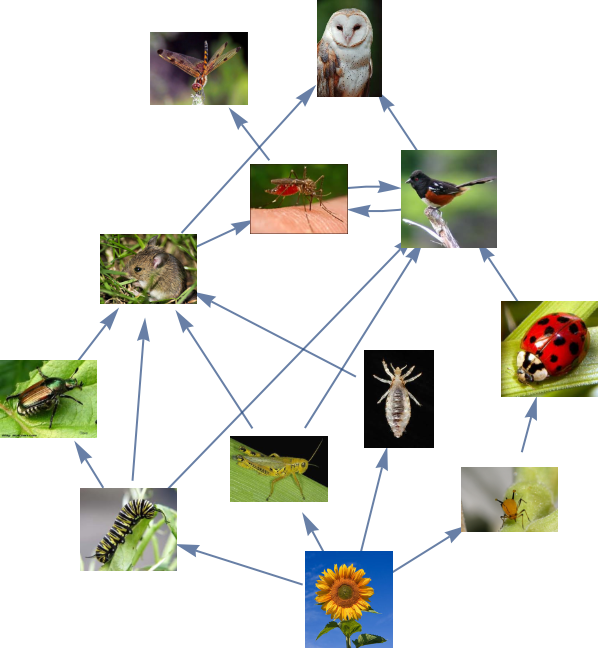
This would be one type of relations between objects, living organism in this case.
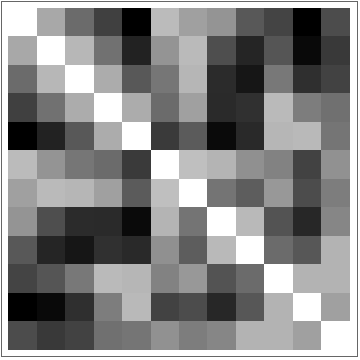
And this relation can be translated into a distance matrix
And this relation can be translated into a distance matrix
In[]:=
d1=Normalize[DistanceMatrix[GraphEmbedding@g],Max];ArrayPlot[d1,ImageSizeSmall]
Out[]=
Another relation may be extracted from a taxonomy graph or geographical habitat locations for example.
But one easy way would be to exploit rich image feature extraction of Wolfram Languge and automatically embed images in 2D with FeatureSpacePlot
But one easy way would be to exploit rich image feature extraction of Wolfram Languge and automatically embed images in 2D with FeatureSpacePlot
In[]:=
images=Map[Magnify[#,0.25]&,VertexList[g]/.(VertexShape/.Options[g])];
In[]:=
plot=FeatureSpacePlot[images,LabelingFunctionCallout]
Out[]=
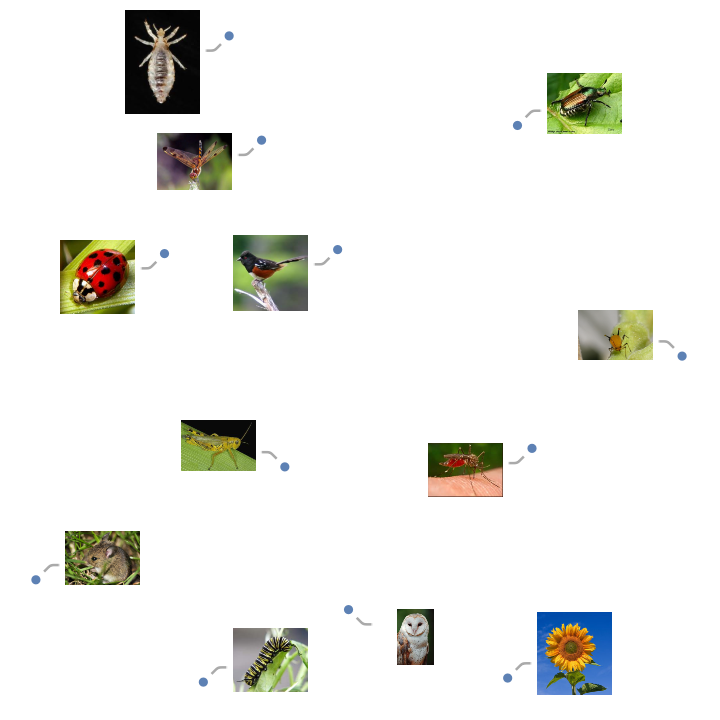
It is possible to build a second distance matrix from this plot
In[]:=
d2=Normalize[DistanceMatrix[FirstCase[plot,_Point,{},{0,Infinity}]〚1〛],Max];
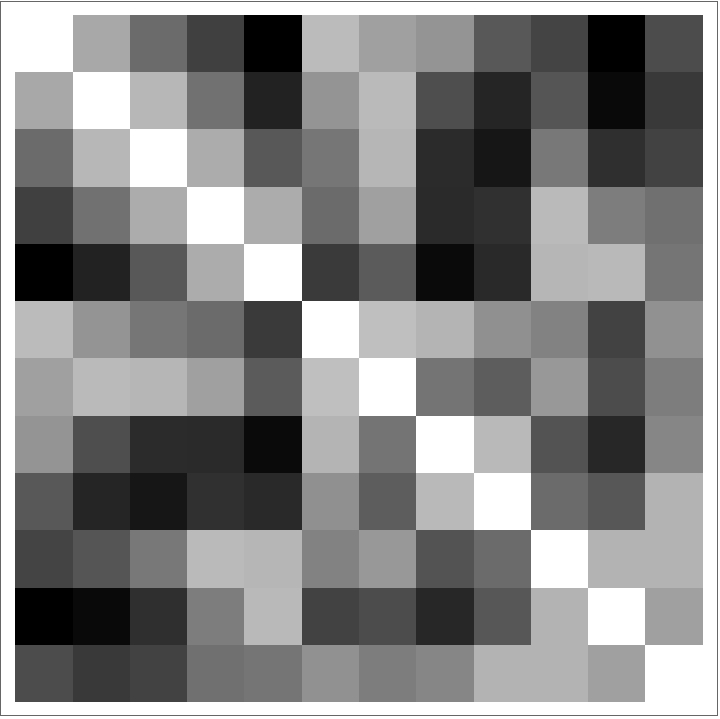
And now we got two different distances between our objects
In[]:=
ArrayPlot/@{d1,d2}
Out[]=
,
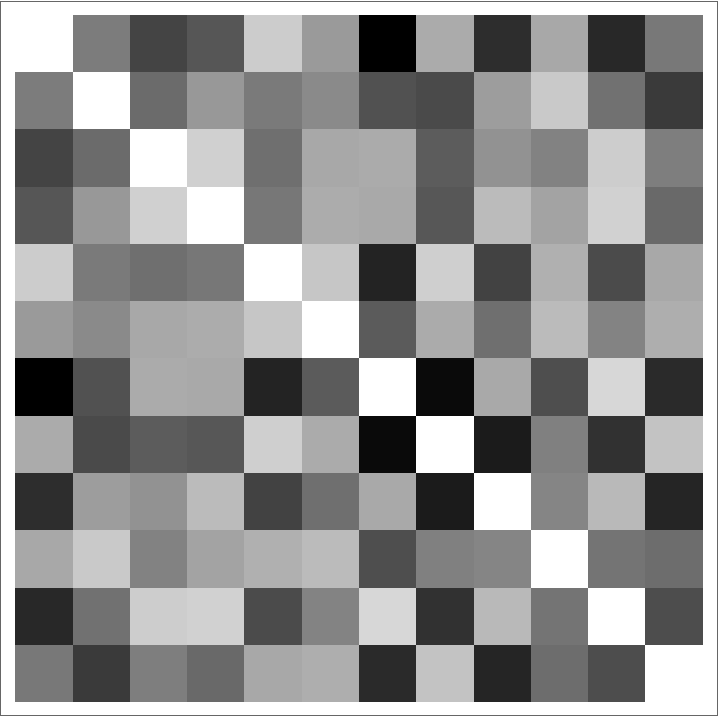
There is an algorithm called Multi Perspective Simultaneous Embedding described in https://arxiv.org/abs/1909.06485, that unleashes the power of gradient descent optimization on this problem.
It allows to find a 3D embedding of our objects, so that after being projected onto different 2D planes, distances between them would be as close to the desired input distances as possible.
It allows to find a 3D embedding of our objects, so that after being projected onto different 2D planes, distances between them would be as close to the desired input distances as possible.
Let’s run the algortithm on the above distance matrices
Load the related resource functions first:
In[]:=
MultiPerspectiveEmbedding=ResourceFunction;MultiPerspectiveEmbeddingViewer=ResourceFunction;MultispacePlot3D=ResourceFunction;
In[]:=
mpse=MultiPerspectiveEmbedding[{d1,d2},"TrainingProgressReporting""Verbose"]
Out[]=
Embedding{{0.617169,0.414635,0.0536084},{0.365186,0.432391,0.436961},{0.0738028,0.270592,0.540799},{0.00458407,-0.0440755,0.494763},{0.414185,-0.589461,0.296622},{0.233457,0.304675,0.0864517},{-0.250783,0.480849,0.449617},{0.42821,0.276246,-0.222024},{-0.284631,0.399162,-0.0111382},{0.22269,-0.18872,0.300126},{-0.235773,-0.257935,0.419949},{0.243126,-0.198902,-0.0922532}},Normals{{0.840935,-0.45689,-0.289966},{0.0410011,0.951101,-0.306148}}
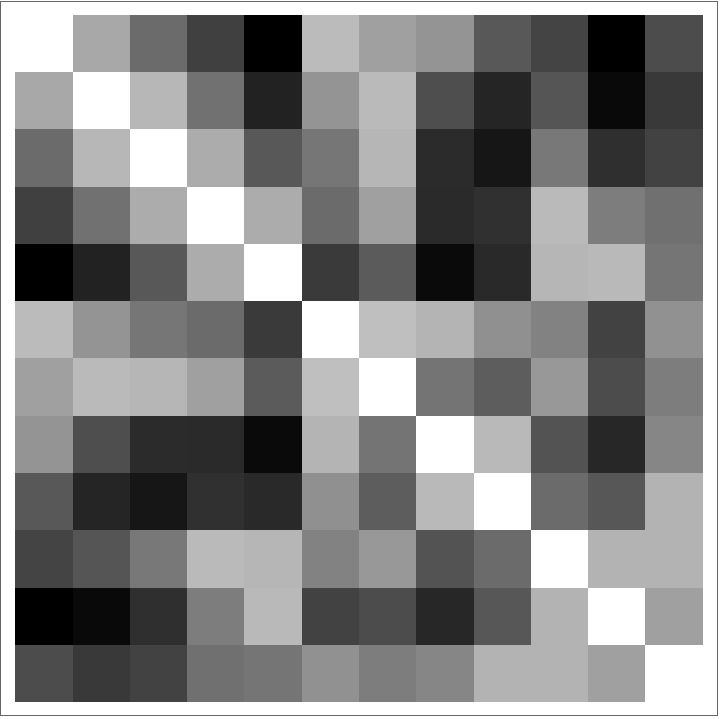
The result contains a 3D embedding of the objects and two normal vectors that describe from what direction one ought to view the objects so they would appear separated by a corresponding distance relation.
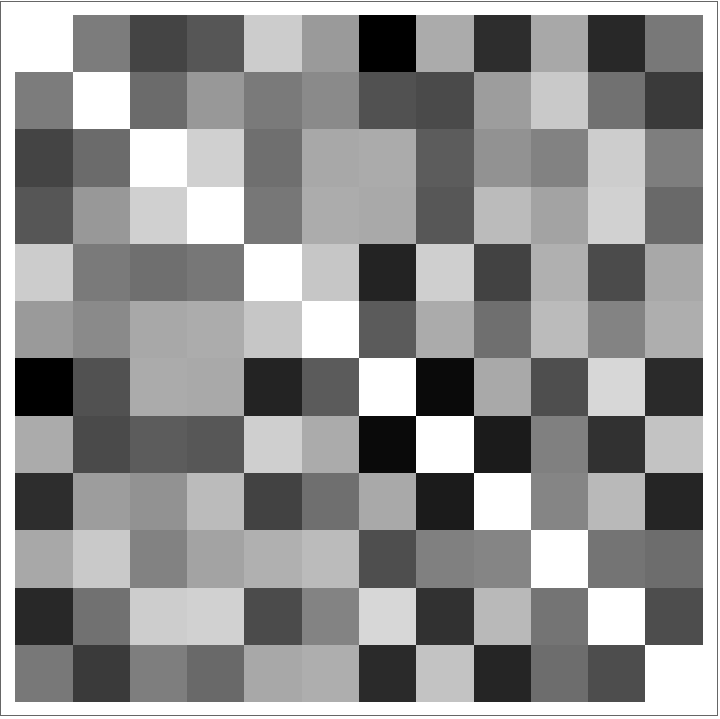
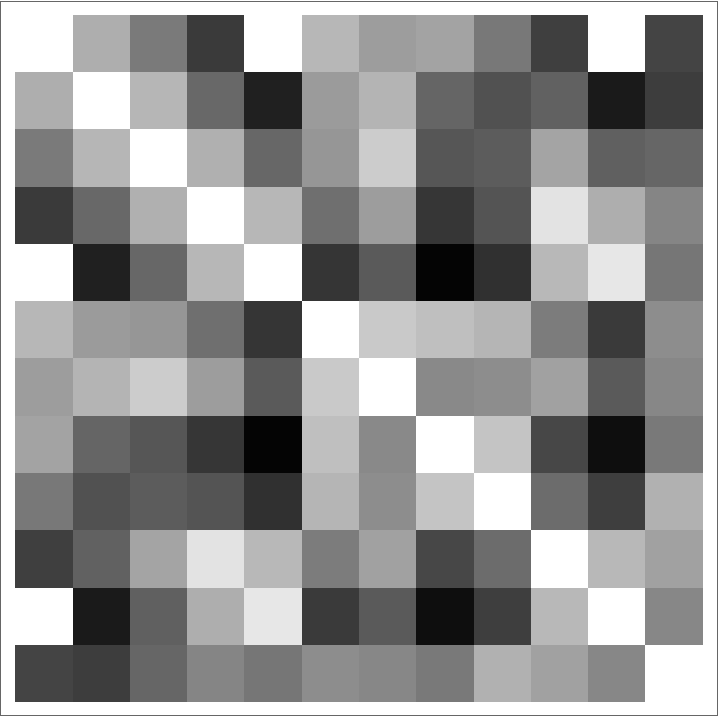
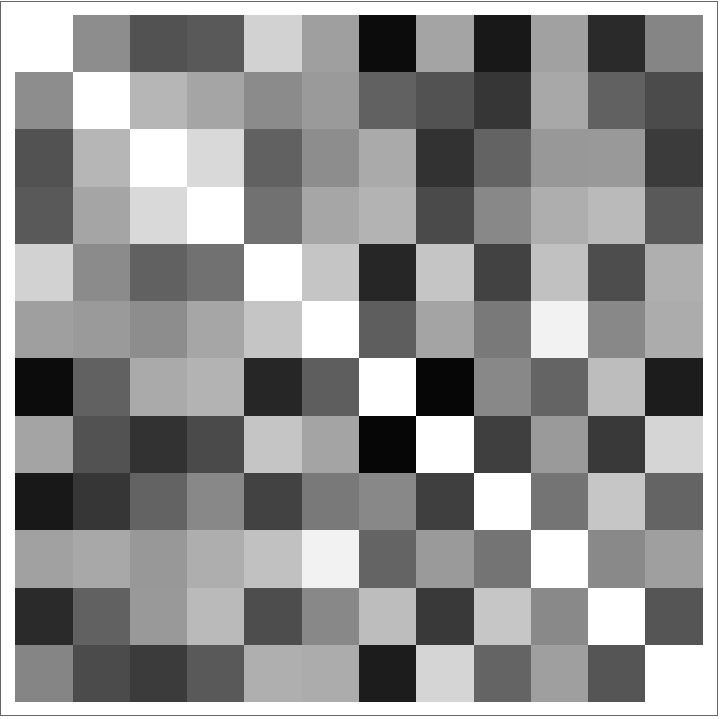
This is how different the resulting and the desired matrices look like:
In[]:=
normalVectorOrthonormalBasis//ClearAllnormalVectorOrthonormalBasis[n_/;Dimensions[n]==={3}]:=With[{i=If[n〚1〛n〚2〛==0,{1,0,0},Normalize@{-n〚2〛,n〚1〛,0}]},{i,RotationTransform[90°,n][i]}]normalProjections[x_,qs_]:=x.normalVectorOrthonormalBasis[#]&/@qs
In[]:=
{d1′,d2′}=DistanceMatrix/@normalProjections[mpse["Embedding"],mpse["Normals"]];Grid[Map[ArrayPlot[#,PlotRange{0,1}]&,{{d1,d2},{d1′,d2′},{d1-d1′,d2-d2′}},{2}]]
Out[]=


We can just put them side by side of cource
In[]:=
vertexImages=VertexShape/.Options[g];vertexShapeFunction=Inset[Magnify[Lookup[vertexImages,#2],0.3],#1]&;
In[]:=
GraphicsRow[{g,plot}]
Out[]=
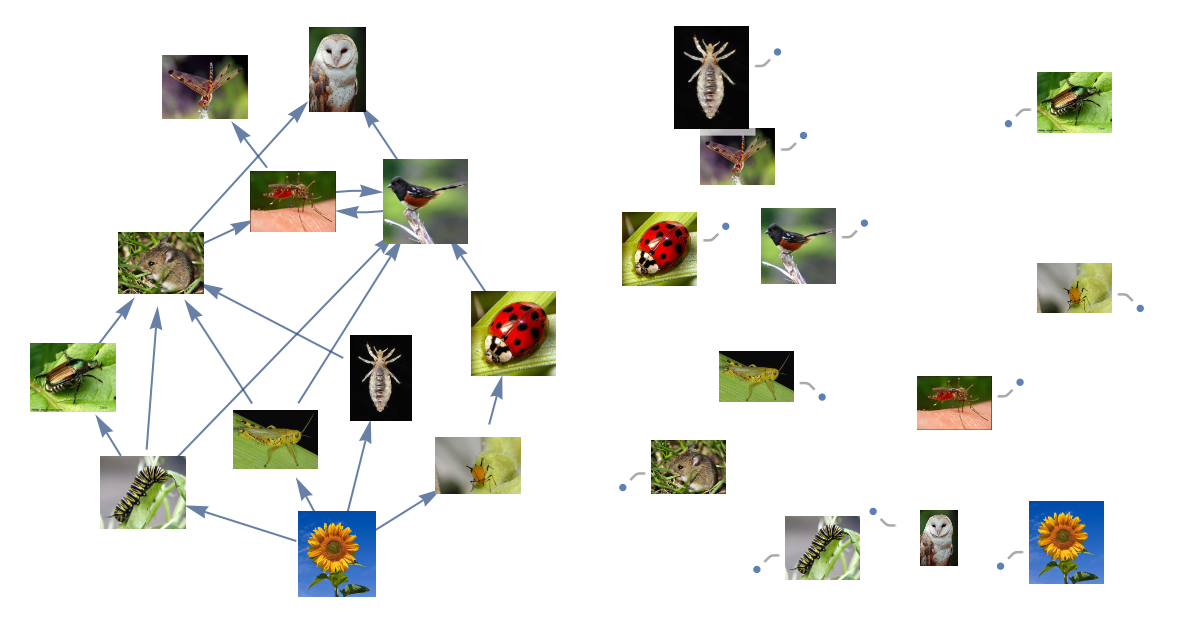
But we can also visualize the objects simultaneously, when one representation is one rotation away from the other
Ok, what else is possible with this algorithm. Here is an example inspired by the art project
1,2,3
by James Hopkins, 2014
by James Hopkins, 2014
And the famous book cover
It is necessary to relate the points between different projections. I’m going to do it just using some simple ‘nearest neighbor’ algorithm, which is not perfect but enough to see the point.
So showing just a sample of which points are considered the same, we have two datasets of three fold relations
So showing just a sample of which points are considered the same, we have two datasets of three fold relations
Running the Multi Perspective Simutaneous Embedding algorithm on the dataset we produce a 3D embedding of points with multi perspective view on each of the objects.
Setting “InitialProjection” to “Cylinder” for the digits and to “Orthogonal” for GEB, algorithm would search for projections starting from their inspirational counterparts, but it would converge to a more appropriate one in the process of optimization. Unless we also set “FixProjection” to True to fix them in place.
With some convenient controls over the visualization it’s possible to see the smooth transitions between projections
If it doesn’t look any good, this is mostly because of the way the points are connected together. Simple programs can’t solve everything for you, that’s why it is art.
The story of The Physics Project and multispace
The Wolfram Physics Project contains many kinds of graphs in its formalism. That’s why it was the original inspiration for trying out these 3D visualization techniques in practice. In particular for the notion of multispace, which represents both spatial and branchial relations between states and updating events.
For a multiway string substitution system evolution of states and its branchial connections can be generated with MultiwaySystem:
Or for a multiway turing machine:
Or for a Wolfram Model:
So let’s put them in 3D!
These of course are far from being the best examples of either showing the usefulness of the embedding algorithm or illuminating some underlying obscure structure of multispace. But it is still was fun exploring and devoloping it while trying to solve this problem.