Interpreting the intricate folding pattern or structure of the human brain is essential for understanding its functionalities. In this project, I used the Wolfram Language and MRI (Magnetic Resonance Imaging) scan datasets on healthy human brains to categorize brains based on their shape. From my results, I found that subjects in the age range of 50-70 had similar brain widths but longer lengths as compared to subjects in the younger age range of 20-30 years. The reasoning for this may be because the frontal lobe (front of brain) is still growing or forming new links at and beyond the age of 30.
Introduction
Introduction
The brain stands as the command center of the human body, orchestrating a complex symphony of thoughts, emotions, and actions. Despite centuries of study, the brain’s intricacies continue to captivate scientists and researchers. This is a project using the Wolfram Language that involves observations on the basic shape of the brain. The subjects in this project are extracted from two datasets, and they range from ages 21 to 67, both female and male. Subjects are right/left handed, or ambidextrous.
The two datasets utilized are from openneuro.org.
The Song Dataset was worked on by Hayoung Song, Won Mok Shim, and Monica D. Roseberg. Version 1.0.1 of this dataset was created on June 16th, 2023.
The NIMH Intramural Healthy Volunteer Dataset was with Allison C. Nugent, Adam G Thomas, Margaret Mahoney, Alison Gibbons, Jarrod Smith, Antoinette Charles, Jacob S Shaw, Jeffrey D Stout, Anna M Namyst, Arshitha Basavaraj, Eric Earl, Travis Riddle, Joseph Snow, Shruti Japee, Adriana Pavletic, Stephen Sinclair, Vinai Roopchansingh, Peter A Bandettini, and Joyce Chung. Version 1.0.2 was created on January 19th, 2023.
The two datasets utilized are from openneuro.org.
The Song Dataset was worked on by Hayoung Song, Won Mok Shim, and Monica D. Roseberg. Version 1.0.1 of this dataset was created on June 16th, 2023.
The NIMH Intramural Healthy Volunteer Dataset was with Allison C. Nugent, Adam G Thomas, Margaret Mahoney, Alison Gibbons, Jarrod Smith, Antoinette Charles, Jacob S Shaw, Jeffrey D Stout, Anna M Namyst, Arshitha Basavaraj, Eric Earl, Travis Riddle, Joseph Snow, Shruti Japee, Adriana Pavletic, Stephen Sinclair, Vinai Roopchansingh, Peter A Bandettini, and Joyce Chung. Version 1.0.2 was created on January 19th, 2023.
Data
Data
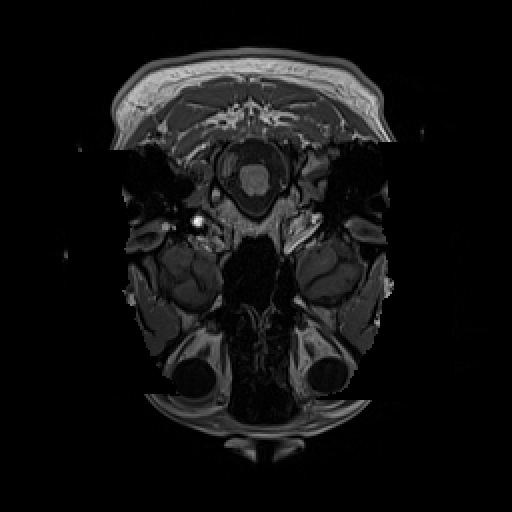
The prerequisite of this project is getting the viable datasets in order to be able to produce the images. In order to do that, we go through several MRI scan databases. Of the databases, two in particular provide the adequate information to be able to compare multiple categories between patients. This section extracts an interactive MRI scan and Frame #150 of each patient.
MRI Scan of Patients: SONG Dataset
MRI Scan of Patients: SONG Dataset
We hand pick a few subjects from the SONG Dataset on openneuro.org that are healthy young adults, female and male. There are an even amount of each. All patients are between the ages of 20-30.
There are 4 patients in particular that we select: Cases 02, 03, 05, and 09.
There are 4 patients in particular that we select: Cases 02, 03, 05, and 09.
Patient/Subject Information
Patient/Subject Information
◼
Case 02 : Female, Right Handedness, 21 Y/O, Healthy
◼
Case 03: Female, Right Handedness, 27 Y/O, Healthy
◼
Case 05: Male, Right Handedness, 23 Y/O, Healthy
◼
Case 09: Male, Right Handedness, 28 Y/O, Healthy
Function for Getting the GIF and Frame 150 of Patients
Function for Getting the GIF and Frame 150 of Patients
We first create a function that provides us with GIFs and single frames of a patient’s scan.
This “gifAndFrame” function extracts an interactive MRI Scan GIF of the patient and the 150th axial angle frame of that particular GIF.
In[]:=
gifAndFrame[importFile_] := Module[{file=importFile}, framesRaw = Flatten[Import[file]]; frames = ImageAdjust /@ framesRaw;Row[{ListAnimate[Table[frames[[i]], {i, 16, 256, 16}]], frames[[150]]}]]
Variables for Files of Patients
Variables for Files of Patients
This makes the SONG Patients variables.
We set the GIF files of each patient as a variable for our own convenience when later applying it in a function.
sub002 = CloudObject[
https://www.wolframcloud.com/obj/ruilinzhu2016/Brain_Morphology/TEST-sub-002_ses-01_T1w
.nii
];sub003 = CloudObject[https://www.wolframcloud.com/obj/ruilinzhu2016/Brain_Morphology/TEST-sub-003_ses-01_T1w
.nii
];sub005 = CloudObject[https://www.wolframcloud.com/obj/ruilinzhu2016/Brain_Morphology/TEST-sub-005_ses-01_T1w
.nii
];sub009 = CloudObject[https://www.wolframcloud.com/obj/ruilinzhu2016/Brain_Morphology/TEST-sub-009_ses-01_T1w
.nii
];150th Frame of MRI Scans
150th Frame of MRI Scans
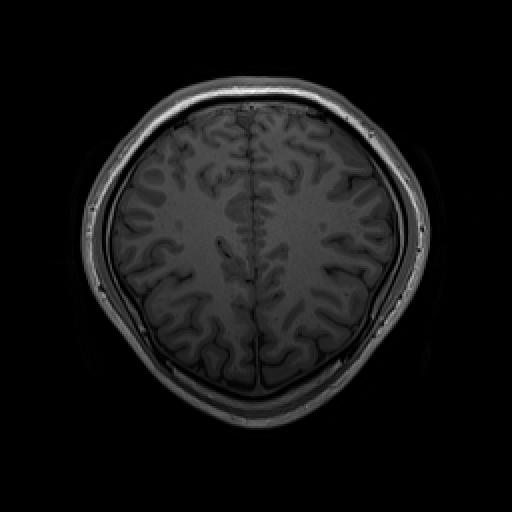
The 150th layer of the axial angle is able to display the general shape of the brain best, which is why we choose that specific frame.
This code gives us the single 150th layer of every subject’s MRI Scan.
In[]:=
Row[ frame150ofTWO = gifAndFrame[sub002][[1]][[2]], frame150ofTHREE = gifAndFrame[sub003][[1]][[2]], frame150ofFIVE = gifAndFrame[sub005][[1]][[2]], frame150ofNINE = gifAndFrame[sub009][[1]][[2]] ]
Out[]=
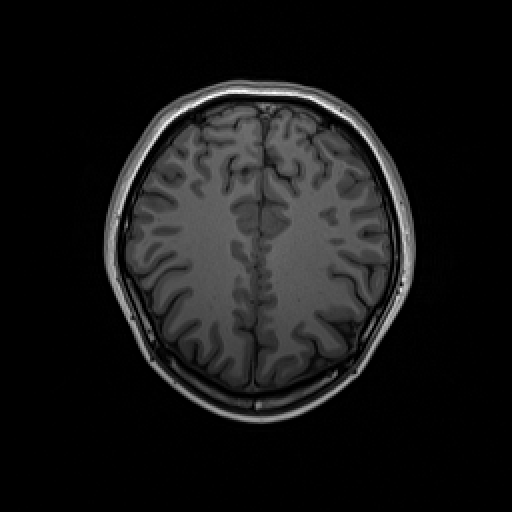
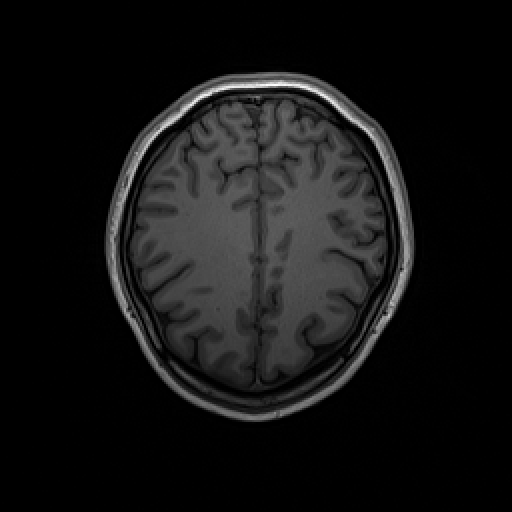
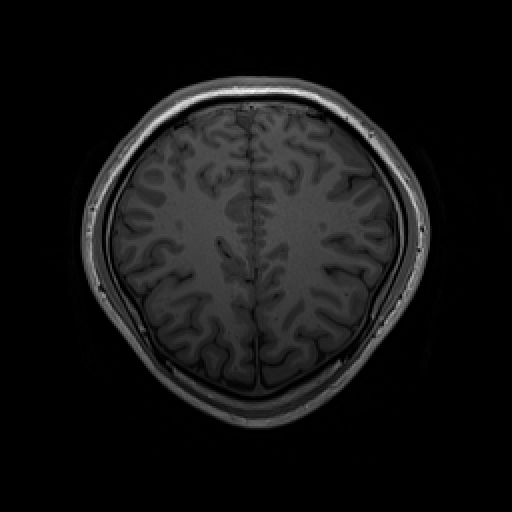
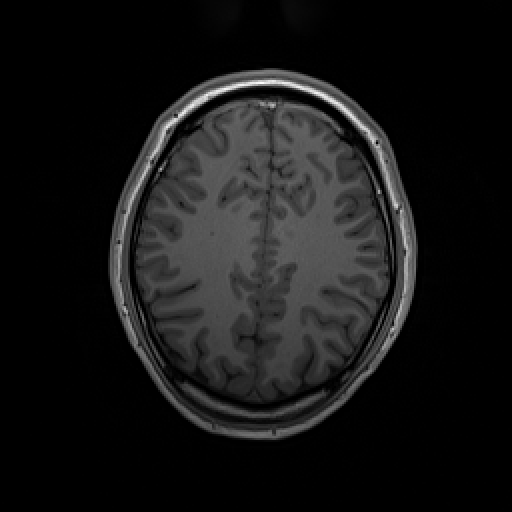
Result
Result
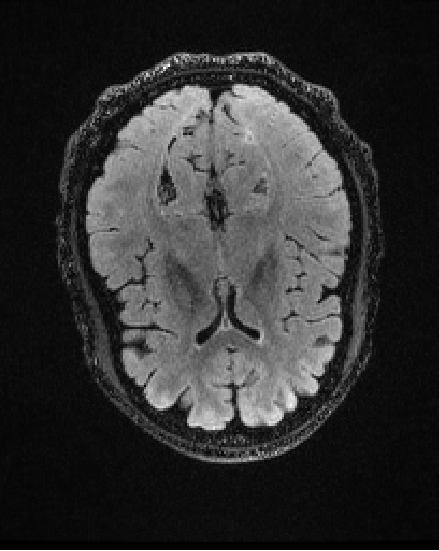
MRI GIF scan and Frame 150 of Patient 05 displayed while all other patients suppressed because we get the general idea of the brain structure.
In[]:=
Column[{"Patient 05", gifAndFrame[sub005]}]
Out[]=
Patient 05 |
MRI Scan Data of Patients: NIMH Intramural Healthy Volunteer Dataset
MRI Scan Data of Patients: NIMH Intramural Healthy Volunteer Dataset
Similarly to the previous data set, we will choose a few subjects from the NIMH Dataset on openneuro.org that are healthy seniors, female and male. There are an equal distribution of each gender and dominant hand(s). There are 6 patients in particular that we select : Cases 02747, 08571, 33827, 65553, 54886, and 94856.
Information
Information
◼
Case ON02747 : Female, Ambidextrous, Healthy 54 Y/O
◼
Case ON08571: Male, Right Handedness, Healthy 67 Y/O
◼
Case ON33827: Male, Ambidextrous, Healthy 30 Y/O
◼
Case ON65553: Male, Left Handedness, Healthy 63 Y/O
◼
Case ON54886: Female, Right Handedness, Healthy 65 Y/O,
◼
Case ON94856: Female, Left Handedness, Healthy 54 Y/O
Variables for Files of Patients
Variables for Files of Patients
For our own convenience:
sub02747 = CloudObject[
https://www.wolframcloud.com/obj/ruilinzhu2016/Brain_Morphology/TEST-sub-02747_ses-01
_T1w.nii
];sub08571 = CloudObject[https://www.wolframcloud.com/obj/ruilinzhu2016/Brain_Morphology/TEST-sub-08571_ses-01
_T1w.nii
];sub33827 = CloudObject[https://www.wolframcloud.com/obj/ruilinzhu2016/Brain_Morphology/TEST-sub-33827_ses-01
_T1w.nii
];sub65553 = CloudObject[https://www.wolframcloud.com/obj/ruilinzhu2016/Brain_Morphology/TEST-sub-65553_ses-01
_T1w.nii
];sub54886 = CloudObject[https://www.wolframcloud.com/obj/ruilinzhu2016/Brain_Morphology/TEST-sub-54886_ses-01
_T1w.nii
];sub94856 = CloudObject[https://www.wolframcloud.com/obj/ruilinzhu2016/Brain_Morphology/TEST-sub-94856_ses-01
_T1w.nii
];150th Frame of MRI Scans
150th Frame of MRI Scans
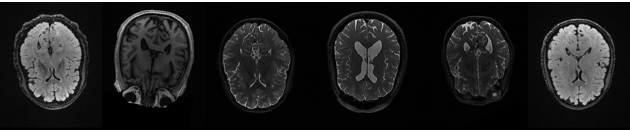
Just the 150th frame of each subject’s MRI Scan.
In[]:=
Row[ frame150of02747 = gifAndFrame[sub02747][[1]][[2]], frame150of08571 = gifAndFrame[sub08571][[1]][[2]], frame150of33827 = gifAndFrame[sub33827][[1]][[2]], frame150of65553 = gifAndFrame[sub65553][[1]][[2]], frame150of54886 = gifAndFrame[sub54886][[1]][[2]], frame150of94856 = gifAndFrame[sub94856][[1]][[2]] ]
Out[]=
Result
Result
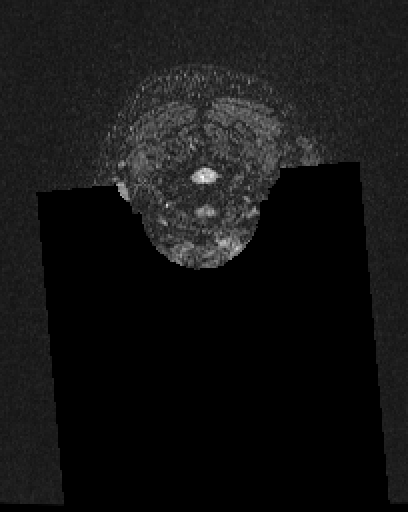
GIFs and Frame 150 of each NIMH Dataset Subject labeled: Cases 02747, 08571, 33827, 65553, 54886, and 94856, respectively. We suppress all the results since they are the same idea as the GIF shown from the SONG Dataset above.
In[]:=
Column[{"Subject 02747", gifAndFrame[sub02747]}]
Out[]=
Subject 02747 |
Patient Variables:
Patient Variables:
In this section, we are making SONG and NIMH Dataset Subjects as variables with all their patient information stored.
We sorted patients based on their original dataset.
Next, we combined all the patients into one list.
The “allPatientList” variable has all the subjects used in this project stored inside itself, along with all the patient information in each “sub-variable”:
Brain Perimeter Calculation
Brain Perimeter Calculation
Verification of Number of Frames in Each MRI GIF
Verification of Number of Frames in Each MRI GIF
The first step to categorize the general shapes of the brains (after obtaining all the necessary data) is to get the outline of frame 150 for each brain. Frame 150 displays the intricate shape of the brain best. However, in order to have accurate data, we have to make sure there are a set amount of frames per GIF and it is the same for all . This function counts all the separate frames in each GIF, which proves to all be 256. Knowing this makes it safe for us to select a specific frame and be consistent with it for all patients.
Function for getting the total frames of a patient’s MRI scan file:
Frame number information displayed:
Function that Produces Perimeter and Outline
Function that Produces Perimeter and Outline
SONG Dataset MRI Processor
Next, we need to obtain the outlines and amount of white and black pixels of each brain using a function. The amount of black pixels would represent the general perimeter, although it is not an accurate measurement. To do this we start off with function “mriOutlineProcessor” which would provide us with all the information we need as long as we give it two inputs: the image of the brain and the threshold amount. We would then repeat the same function and name it “mriOutlineProcessor2”, but change “EnclosingComponentCount” from 1 to 0, as it works better for the NIMH Dataset.
The “mriOutlineProcessor” function spits out an outline of any brain once we give it the image and threshold number. We first start by binarizing the image with a threshold, which gives us a solely black and white image. Then we delete the small components (small messy pieces in the brain that does not need to be displayed), and get the edge of the brain with “EdgeDetect”:
NIMH Intramural Healthy Volunteer Dataset MRI Processor
Below is the same function but with some minute changes (changing Enclosing Component Count from 1 to 0) due to the subjects in dataset NIMH responding differently with the same numbers used in the function above:
Outline and Parameters
Outline and Parameters
This paragraph of code grabs the outline of Frame 150 of all subjects and gets its perimeters. The first chunk is the SONG dataset and the second is NIMH.
The output displays the outline of the brain, 0, representing “white”, and 1, representing “black”. The number of black pixels would be the perimeter of the brain:
Converting Brain Outlines into Ellipses
Converting Brain Outlines into Ellipses
The third step will be to convert all the brain outlines into an ellipse and measure the ratios between the semiaxes. By doing this, we can see how oval or circle shaped a brain is. The closer the eccentricity is to 0, the more perfect of a circle it is. After obtaining the ratios of each of the brains, we can compare the categories that some patients have in common. For example, we can compare females vs males, or young adults vs older adults.
Functions
Functions
Function “ellipsoidProducer” gives you an ellipse when provided with an input of a brain outline:
Function “ellipsoidDimensions” tells you the semiaxes of an ellipse:
Function “eccentricity” plugs the given semiaxes into an equation that tells you the ratio (width v length):
Variable Setting
Variable Setting
Setting the outlines of the brains to variables for our own convenience (and for later usage of then storing these variables as a list in another variable).
This paragraph of code assigns each outline of a brain to its corresponding subject/patient:
Producing the Ellipses
Producing the Ellipses
“listOfOutlines” is the variable that contains all 10 patient brain outlines:
“ellipseFormater” is the function for obtaining ellipses by giving it an outline of a brain and the corresponding patient number:
Results
Results
We are getting the ellipsoids of all the brains using variable “theEllipsoids”, then formatting the output for a nicer visual:
Variable Setting Pt. 2
Variable Setting Pt. 2
Setting variables makes it easier for plugging them into functions later on.
“patientNumberList” is as it sounds, it contains a list of the 10 subjects used in this project:
“allEllipseValues” are all the brain ratios combined into one list:
“songEllipses” are ratio values of the brain ellipses in the SONG dataset (first 4), and “nimhEllipses” are ratio values of the brain ellipses in the NIMH dataset (last 6):
Sorting
Sorting
The fourth and final step of the project would be to categorize brains based on our observations.
We first make an association “caseAssociation” so that each patient is represented by their ellipsoid ratio value. Then, we sort the subjects by their sex and obtained the average ratio of each group. There was not an obvious enough difference between both parties to make any conclusions.
Association
Association
Getting the eccentricity of all the ellipses: The closer to 0 the ratio is, the more perfect of a circle. The closer it is to 1, the more oval it is.
“caseAssociation” is the association that shows you each case represented by its ellipsoid value:
Sorting By Gender
Sorting By Gender
We organized male and female subjects into 2 different groups and finding the average ratio in each group. There were no significant differences.
Male Patient Average Ratio:
Female Patient Average Ratio:
Sorting By Age
Sorting By Age
Our next category of comparison would be age. We set two variables; “myKeys” (the patient information), and “myValues” (the patients’ ages), to correspond with each other.
Then, we organized the patients in two separate groups, the younger half vs. the older half, and got the average of each. There was a significant difference between these two groups of 0.167933.
Youngest (Five) Patient Averages:
Oldest (Five) Patient Averages:
Difference of Ratios:
Conclusion
Conclusion
After obtaining the results, we found and read some articles (medicalxpress.com, nytimes.com, and menshealth.com) to find out if there was any correlation between age and the length of the brain. Although no major or certain conclusions were made, I think that this project could be a stepping stone into something more.
Future Steps
Future Steps
With more time I would like to get a cleaner outline of more patient brains, preferably some number in the hundreds . From there, I can make conclusions with more accuracy and certainty . Additionally, the original direction of this project was to explore the general border of brains and categorize brains by its curvature . Unfortunately, that would require much more time and additional coding skills that take time to develop.
References
References
◼
Hayoung Song and Won Mok Shim and Monica D. Rosenberg (2023). SONG dataset. OpenNeuro. [Dataset] doi: doi:10.18112/openneuro.ds004592.v1.0.1
◼
Allison C. Nugent and Adam G Thomas and Margaret Mahoney and Alison Gibbons and Jarrod Smith and Antoinette Charles and Jacob S Shaw and Jeffrey D Stout and Anna M Namyst and Arshitha Basavaraj and Eric Earl and Travis Riddle and Joseph Snow and Shruti Japee and Adriana Pavletic and Stephen Sinclair and Vinai Roopchansingh and Peter A Bandettini and Joyce Chung (2023). The NIMH Healthy Research Volunteer Dataset. OpenNeuro. [Dataset] doi: doi:10.18112/openneuro.ds004215.v1.0.2
◼
Edwards, L. (2010, June 2). Teenagers cannot concentrate because their brains are undeveloped. Medical Xpress - medical research advances and health news. https://medicalxpress.com/news/2010-06-teenagers-brains-undeveloped.html
◼
Zimmer, C. (2016, December 21). You’re an adult. your brain, not so much. The New York Times. https://www.nytimes.com/2016/12/21/science/youre-an-adult-your-brain-not-so-much.html
◼
Matthews, M. (2021, November 2). You’re not *really* an adult until you turn 30. Men’s Health. https://www.menshealth.com/health/a26868313/when-does-your-brain-fully-mature/
Acknowledgements
Acknowledgements
I would like to thank my mentor Jeremy Stratton Smith for guiding me through this project and always helping me to improve it. I would also like to thank TAs Zoya Brahimzadeh and Sophie Chen for helping me with so much of my code. The support I was provided with is something I will always remember about this project and program.
CITE THIS NOTEBOOK
CITE THIS NOTEBOOK
Creating categorizations of brains
by Ruilin Zhu
Wolfram Community, STAFF PICKS, July 13, 2023
https://community.wolfram.com/groups/-/m/t/2964154
by Ruilin Zhu
Wolfram Community, STAFF PICKS, July 13, 2023
https://community.wolfram.com/groups/-/m/t/2964154