Background and Goals:How does the feedback from physics teachers work in a middle-school classroom? The teacher observes the student making a mistake, and then tries to give a hint-question, that would push the student to realize the mistake. Such feedback converts the incorrect answer to a basis for a further exploration and helps to build understanding. The goal of this project is to develop a prototype of framework for feedback intervention, that would take in a student answer to a given introductory physics problem and give an adaptive feedback based on the mistakes done.
Design
We developed a package with defined necessary functions, information about the questions (original and possible supplementary) and response structure. The “start” notebook assesses the package and generates a new notebook(“student” notebook). The student is asked a question, which may depend on randomised parameters. The system then assesses whether the student’s answer is correct and, if not, whether it belongs to a list of anticipated errors specified by the author. It then responds adaptively: depending on the student’s response, there may be additional hints or supplementary questions.
1
.Question
Each question is an association with the several keys. The following table clarifies what are the keys for the question and what they stand for. The values for the keys for each question are to be input manually.
Dataset[<|question0-><|questionName->"Name of the question",questionDestination->"The notebook where the question will be printed",questionText->"Question Text",parameters->"List of parameters this question requires, e.g.{a,b}",answerValue->"Correct answer, e.g. (a+b)/2",answerType->"Type of the answer, e.g. String",anticipatedErrors->"List of possible anticipated errors that could be made, e.g. a+b",gradingFunction->"The way we test the student's input against the correct answer/anticipated errors in this quesiton",correctAnswerFeedback->"Some text feedback: Well done!",anticipatedErrorFeedback->"Some text feedback: This is incorrect and we might know why!",unaticipatedErrorFeedback->"Some text feedback: This is incorrect, but we are not sure why.",correctAnswerSupplementaries->"Name of the question we move on to if the student answered correctly",IncorrectAnswerSupplemetaries->"List of the question names (hint-questions) to move on to for each possible anticipated error or for unticipated error"|>|>]
Out[]=
2
.Grading Functions
Depending on what question is asked, the grading function may (and should!) differ. Here are some basic options that have been used in the project:
2
.1
. Is the input equal to the correct answer?
This grading function checks if the input expression is equal to the correct answer:
gradingfunction1=TrueQ[#1==#2]&;gradingfunction1[(20+30)/2,25]
Out[]=
True
2
.2
.Is the sentiment of the answer positive/negative?
This function can be used for example in yes/no type of questions without limiting the student to these particular words .
gradingfunction2[inputAnswer_]:=TrueQ[Classify["Sentiment"][inputAnswer]=="Positive"];gradingfunction2["definitely"]gradingfunction2["no way"]
Out[]=
True
Out[]=
False
2
.3
.Does the text mention these specific words that form part of the names of physical constants or units?
In case of short answer questions, we might want to check if the names of physical constants or units, that are crucial to the answer, are mentioned.
gradingfunction3=(Length[Intersection[#1,Normal[TextContents[#2,{"PhysicalConstant","Unit"}][All,1]]]]>0&);text1="the mass is 5 kg";text2="5 moles";answerset={"Avogadro constant","moles"};gradingfunction3[answerset,text1]gradingfunction3[answerset,text2]
Out[]=
False
Out[]=
True
Test Task
Test Task
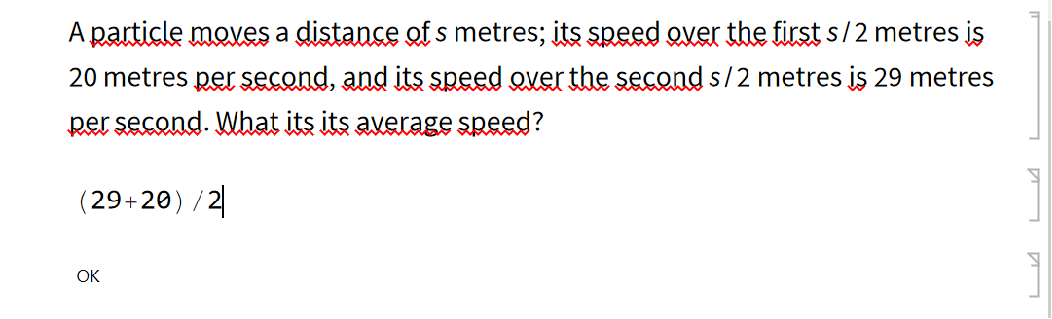
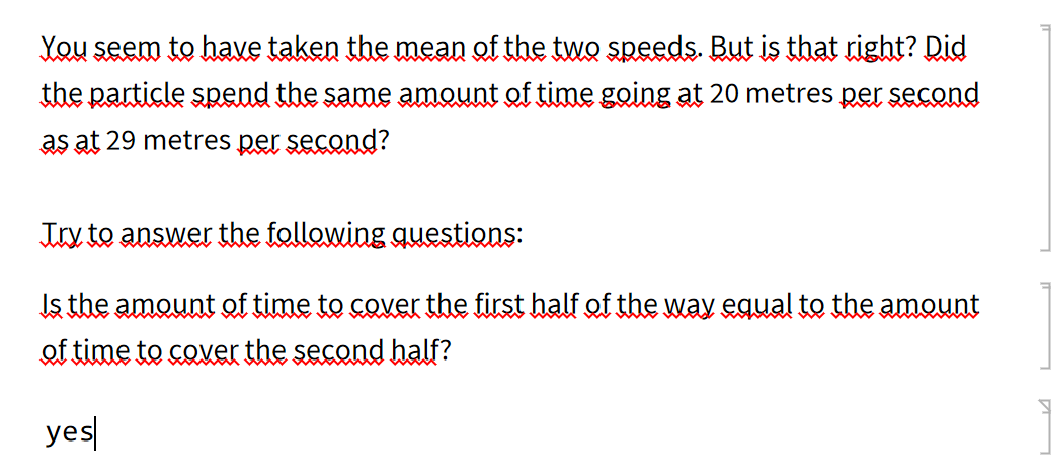
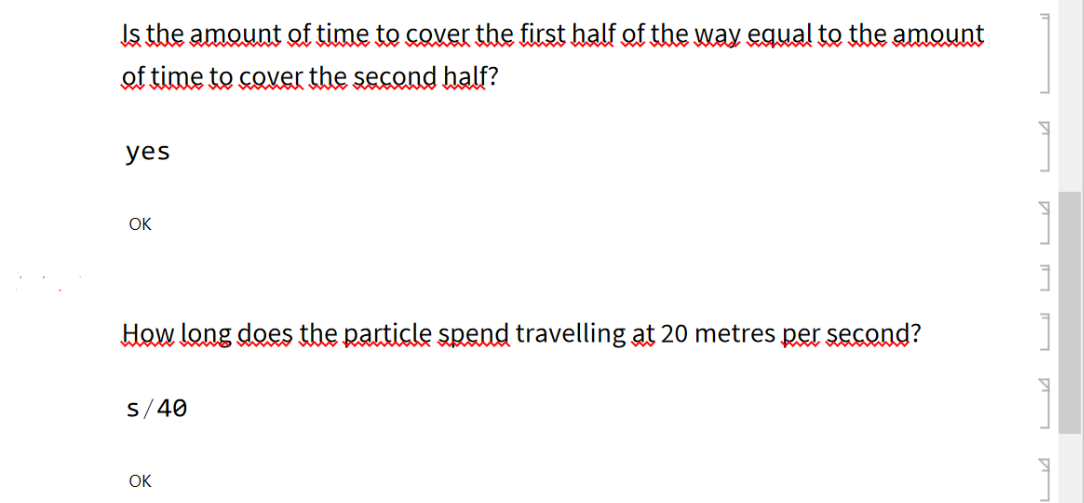
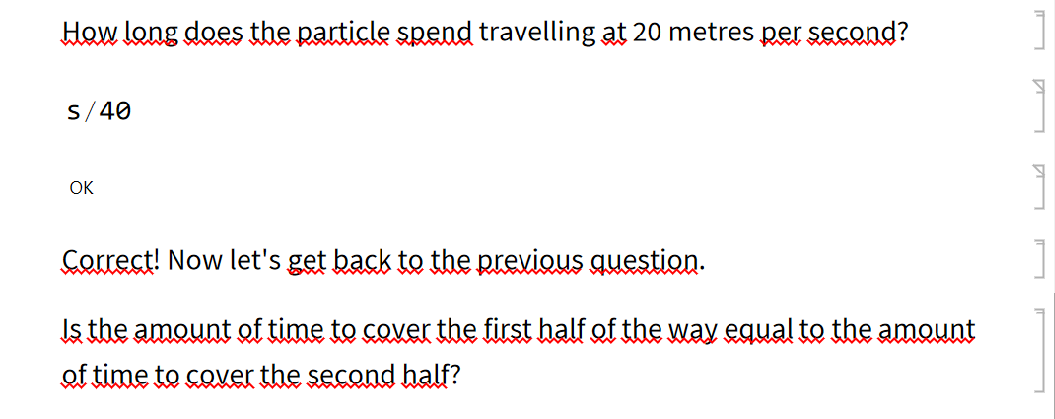
We tested the framework on a simple middle school physics task that has anticipated errors (based on the teaching experience).
Further Work
Further Work
The next steps to take:
1) Develop more grading functions, especially the ones based on the freefrom input.
2) Add the possibility to collect student mistakes data for further analysis.
3) Develop the implementation of grade collection.
4) Use of Forms and authoring environment in this project was one of the first ideas, but we had to go another way. Yet we pursue the possibility to implement a collection of Forms in the future, since that will make the process more user-friendly.
1) Develop more grading functions, especially the ones based on the freefrom input.
2) Add the possibility to collect student mistakes data for further analysis.
3) Develop the implementation of grade collection.
4) Use of Forms and authoring environment in this project was one of the first ideas, but we had to go another way. Yet we pursue the possibility to implement a collection of Forms in the future, since that will make the process more user-friendly.