A fascinating intersection of art and mathematics is the study of wallpaper groups. Wallpaper groups are the plane symmetry groups which can be obtained through composing reflections, translations, rotations, and glide reflections. There are exactly seventeen wallpaper groups. In crystallographic notation, these are p1, p2, pm, pg, cm, pmm, pmg, pgg, cmm, p4, p4m, p4g, p3, p3m1, p31m, p6, and p6m. Wallpaper groups can also be represented with orbifold notation. One notable use of wallpaper groups is in the art of M.C. Escher. My goal was to develop a function, wallpaperTessellate, that can tessellate images into wallpaper groups such that an end user can upload any image and specify a wallpaper group in crystallographic or orbifold notation to generate a beautiful wallpaper-like pattern.
Tessellating Images Into Wallpaper Groups
Tessellating Images Into Wallpaper Groups
Overall Approach
Overall Approach
My approach to tessellating images into wallpaper groups depended on various built-in functions in the Wolfram Language that apply geometric transformations. Specifically, I used the function GeometricTransformation with RotationTransform, ReflectionTransform, and Translate. I also wrote my own helper function, glideReflect, to have a shorthand implementation of glide reflections: a translation composed with a reflection.
These particular functions act on Graphics primitives, so I had to do some preprocessing of the images before transforming them. I did this by using ImageGraphics to create vectorized versions of the images that were given as input.
I then went through several wallpaper groups and wrote definitions for wallpaperTessellate to apply the appropriate transformations for each wallpaper group.
Defining Wallpaper Tessellate for Various Wallpaper Groups
Defining Wallpaper Tessellate for Various Wallpaper Groups
Wallpaper Group p1
Wallpaper Group p1
The wallpaper group p1 (or o in orbifold notation) is the simplest wallpaper group. It only involves translations. I chose to to translate the input image on a rectangular lattice. It is worth noting that p1 can be translated on other parallelogram lattices.
This code vectorizes the image and translates it downward by the height of the image and to the right by the length of the image.
In[]:=
wallpaperTessellate[img_Image, ("p1" | "o")]:= Module[ gImg = (FullForm@ImageGraphics@img)[[1,1]], pattern, length = (ImageDimensions[img])[[1]], height = (ImageDimensions[img])[[2]] , pattern = Graphics[gImg, Translate[gImg, {length, 0}], Translate[gImg,{0,height}],Translate[gImg,{length,height}]] ]
Here is a picture of a dog.
In[]:=
Out[]=
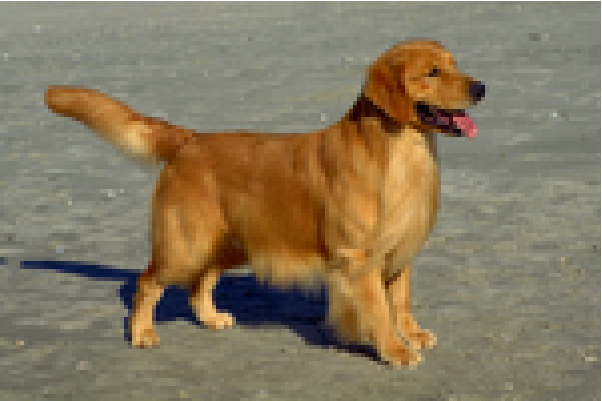
This function can tessellate that picture into p1.
In[]:=
wallpaperTessellate, "p1"
Out[]=
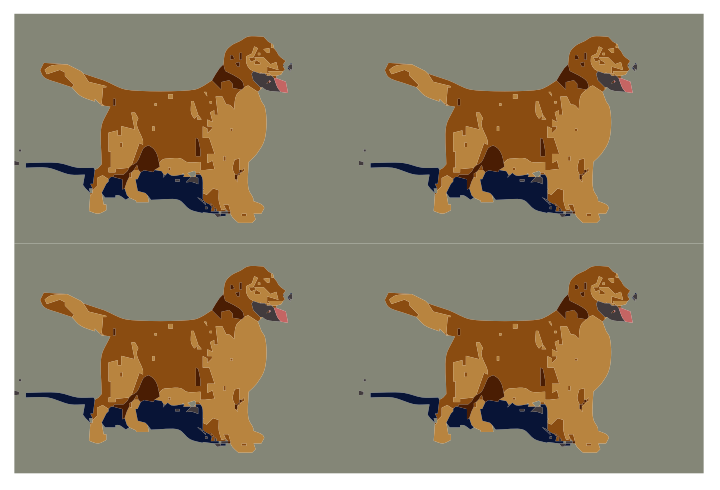
Giving the parameter for the wallpaper group in orbifold notation gives the same result.
In[]:=
wallpaperTessellate, "o"
Out[]=
Wallpaper Group p2
Wallpaper Group p2
The wallpaper group p2 (2222 in orbifold notation) has four centers of twofold rotation.
This code includes the picture rotates the image by 180 degrees.
In[]:=
wallpaperTessellate[img_Image, ("p2" | "2222")]:= Module[ gImg = (FullForm@ImageGraphics@img)[[1,1]], rotateFunc = RotationTransform[Pi], pattern , pattern = Graphics[{gImg, GeometricTransformation[gImg,rotateFunc]}]; ImageAssemble[{{pattern,pattern}}] ]
Here is a picture of a cow.
In[]:=
Out[]=
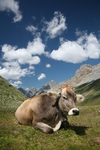
This cow can now be tessellated into the wallpaper group p2.
In[]:=
wallpaperTessellate,"p2"
Out[]=
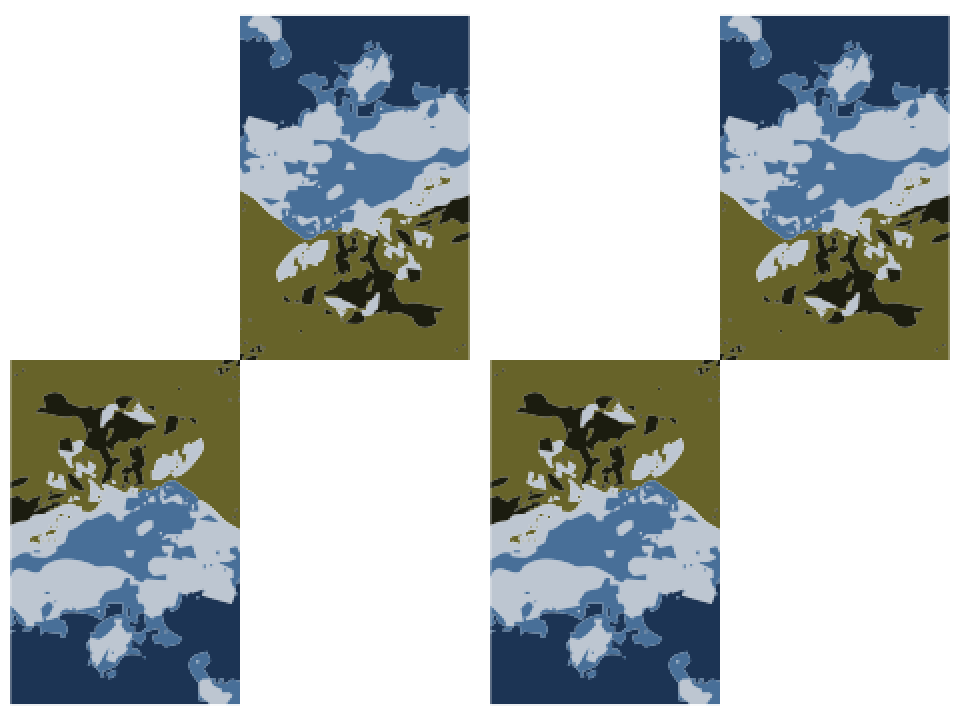
Vectorizing images often does not give perfect output, but this is ideal for end users who would like a cow wallpaper but feel too self-conscious to have a non-obfuscated cow.
Wallpaper Group pmm
Wallpaper Group pmm
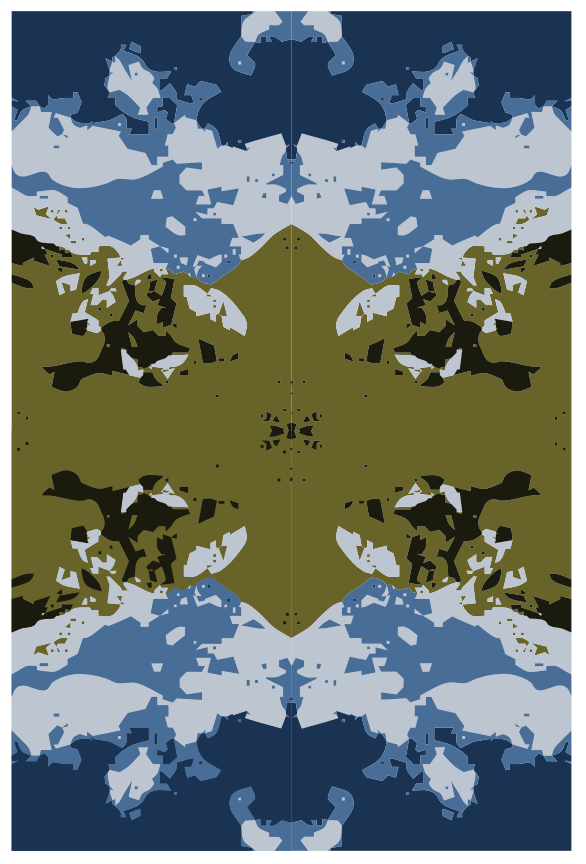
The wallpaper group pmm (*2222) is similar to p2, but it includes a reflection.
This function applies a 180 degree rotation and a reflection over the y-axis.
In[]:=
wallpaperTessellate[img_Image, ("pmm" | "*2222")]:= Module[ gImg = (FullForm@ImageGraphics@img)[[1,1]], reflectFunc = ReflectionTransform[{1,0}], rotateFunc = RotationTransform[Pi], Graphics[gImg, GeometricTransformation[gImg,reflectFunc], GeometricTransformation[gImg, rotateFunc], GeometricTransformation[gImg, rotateFunc], GeometricTransformation[GeometricTransformation[gImg, rotateFunc],reflectFunc]] ]
Here is an example of tessellating the cow from above into pmm using wallpaperTessellate.
In[]:=
wallpaperTessellate, "pmm"
Out[]=
Glide Reflections
Glide Reflections
Some of the wallpaper groups include glide reflections. First, I had to write a function to implement glide reflections.
This function translates a graphics complex from a vector graphics image to the right by the length of the image and reflects that over the x-axis.
The choice to reflect over the x-axis was somewhat arbitrary. It can be just as useful to reflect over the y-axis, but I chose to use the x-axis when I wrote that code for the sake of simplicity.
Wallpaper Group pg
Wallpaper Group pg
The wallpaper group pg (××) consists of glide reflections only. I used glideReflect as defined above to implement this wallpaper group.
The image given as input is vectorized and then translated to the right by the length of the image and reflected over the x-axis.
Here is a picture of a flamingo.
Here is that flamingo tessellated into pg.
I ran into issues with image spacing in pg that I would try to fix in future work on this project.
Wallpaper Group pmg
Wallpaper Group pmg
The wallpaper group pmg includes a reflection and two centers of twofold rotation.
Wallpaper Group cm
Wallpaper Group cm
The wallpaper group cm (*×) includes reflections and glide reflections.
Here is a picture of a beach ball.
Here is that beach ball tessellated into cm.
Unfortunately, this definition for cm has spacing issues that I did not have sufficient time to address during the summer camp.
Wallpaper Group p4
Wallpaper Group p4
The wallpaper group p4 contains two centers of fourfold rotation. Here, I worked on the basis of the repeating pattern. I did not get to tessellating it.
This code repeatedly rotates an image 90 degrees as it would be rotated in p4m.
Here is a picture of a cactus.
Here is a cactus put in the basic pattern of p4 without the tessellation.
Tessellation for this and some other wallpaper groups would be implemented in future work.
Wallpaper Group p4m
Wallpaper Group p4m
The wallpaper group p4m is similar to p4, but it also contains a reflection.
Here is the definition of wallpaperTessellate for p4m; it includes a reflection over the line y = x.
Here is an example of p4m with the previous cactus as input:
It is not yet complete because I have not yet implemented tessellation.
Wallpaper Group p3
Wallpaper Group p3
The wallpaper group p3 (333) contains three centers of threefold rotation. I ran out of time to implement tessellation here.
This will generate multiple 120 degree rotations of the image.
This is a picture of a daffodil.
Here is the pattern generated by wallpaperTessellate using p3 for that daffodil.
The output for this would look better if the function had cut the image into a different shape, e.g. a triangle. I did not have enough time at camp to implement this, but this could be an area of future work. My implementations of the next few wallpaper groups in this post have similar issues.
Wallpaper Group p3m1
Wallpaper Group p3m1
The wallpaper group p3m1 (*333) is similar to p3, but it also includes a reflection.
Here is the definition of wallpaperTessellate for p3m1.
Here is what it looks like applied to the same daffodil as above.
As stated previously, this output would look better with some more image preprocessing.
Wallpaper Group p6
Wallpaper Group p6
The last of the wallpaper groups that I was able to implement was p6 (632). This wallpaper group includes a center of sixfold rotation, a center of threefold rotation, and a center of twofold rotation.
This definition involves multiple 60 degree rotations.
Here is the output when wallpaperTessellate is applied for the daffodil and the p6 wallpaper group.
Future Work
Future Work
Due to limited time, I was not able to implement the following wallpaper groups: pm, pgg, cmm, p4g, p31m, and p6m. This is also the reason that my implementation of some of the wallpaper groups do not produce a tessellation yet. These would be the immediate focuses of future work.
More future work on this project would include:
◼
Fixing spacing issues
◼
Using machine learning to choose what to include in cropped images when trying to tessellate
◼
Allowing user input of the dimensions of the desired wallpaper.
Further Reading
Further Reading