CITE THIS NOTEBOOK: Wolfram R&D LIVE: Latest features in System Modeler by Jan Brugard. Wolfram Community MAR 1 2023.
When Can I Use System Modeler?
When Can I Use System Modeler?
Dynamic models in a wide variety of domains and combinations thereof
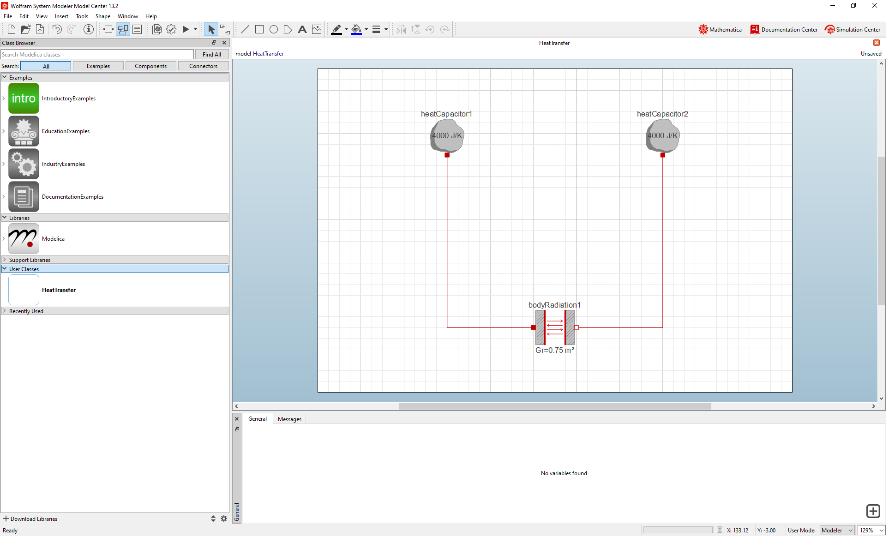
Example—Heat Transfer
Example—Heat Transfer
What’s New?
What’s New?
New in System Modeler
New in System Modeler
New in Blogs
New in Blogs
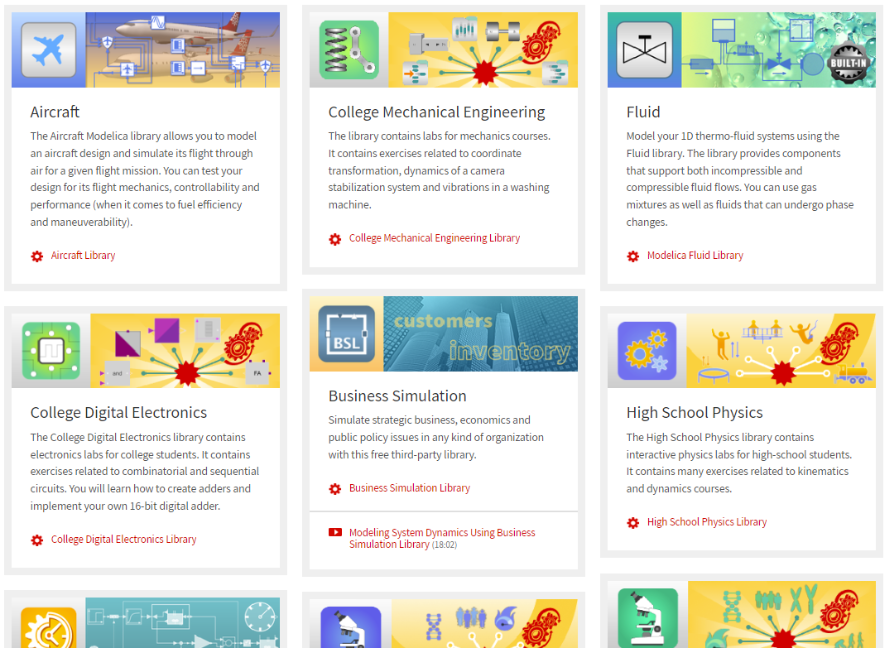
New in Libraries
New in Libraries
Energy • SaaS • Aircraft
Energy • SaaS • Aircraft
Model of an Electric Grid
Model of an Electric Grid
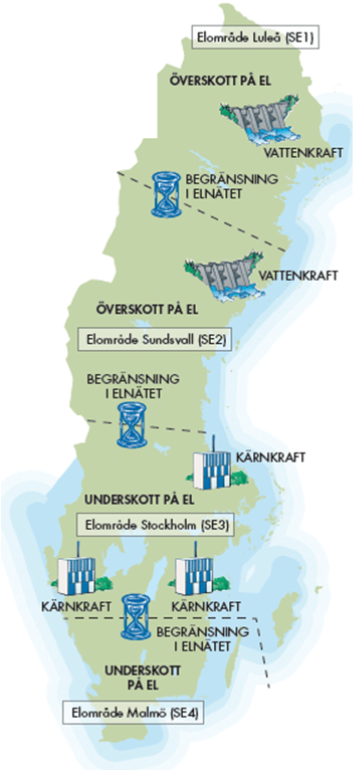
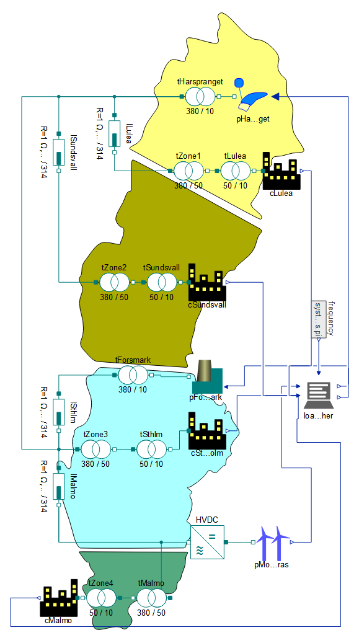
Very simplified version of Sweden’s electric grid
Background
Background
◼
Power sources:
◼
Nuclear (Forsmark)
◼
Hydro (Harsprånget)
◼
Wind (Mönsterås)
◼
Consumers:
◼
Luleå
◼
Sundsvall
◼
Stockholm
◼
Malmö
◼
Dispatcher:
◼
Manages power distribution among power sources
The Model
The Model
Air Conditioning: Effect of Building Orientation
Air Conditioning: Effect of Building Orientation
Collect data
Collect data
Dataset obtained from A. Tsanas and A. Xifara, “Accurate Quantitative Estimation of Energy Performance of Residential Buildings Using Statistical Machine Learning Tools,” Energy and Buildings, 49, pp. 560-567, 2012.
Preprocess data
Preprocess data
Covert the dataset into a form suitable for training a neural net.
Add suitable names to headers:
Helper function to check for missing data:
Check if the dataset has missing data:
There are rows with empty elements. They need to be removed before feeding it to the neural net.
Remove unused columns and rows, and filter out any missing data:
Obtain numeric values:
Labelled data:
Train a Neural Net
Train a Neural Net
The data is split for training and validation. A neural net consisting of multiple layers is created, and all its learnable parameters are initialized.
Split data for training and validation:
Create and initialize a neural net:
Train for 2 minutes:
Create a SystemModel
Create a SystemModel
The trained neural net is converted to an input-output block that can be connected to other models.
Extract trained net:
Create a SystemModel from the trained net:
Connect to the Building Model
Connect to the Building Model
The model is then attached to a single-room building model that consists of walls, roofs and an air conditioner. The connected model can be fed with external temperature data, and its energy performance can be tested.
Energy • SaaS • Aircraft
Energy • SaaS • Aircraft
Introduction—Business Simulations
Introduction—Business Simulations
Why?
Why?
How?
How?
Example—Growth Strategy of a SaaS Company
Example—Growth Strategy of a SaaS Company
Model
Model
Simulation results
Simulation results
Automatically create dashboards
Automatically create dashboards
Energy • SaaS • Aircraft
Energy • SaaS • Aircraft
Introduction
Introduction
With the Aircraft library you can model:
◼
The aerodynamic forces locally on each surface of the aircraft
◼
The forces and torques due to the aircraft's mass properties
◼
Consequently, the aircraft’s motion through air can be modeled and simulated as a 6DOF flight mechanics model
When to use
◼
Enables quick testing of the aircraft design for any flight trajectory with high fidelity
◼
Early testing can be done in one single tool which derives aircraft properties from the properties that are available at the conceptual design stage
Example—Tow and Glide
Example—Tow and Glide
What about the Simulator?
What about the Simulator?
Sneak Peak—Rotating Machinery
Sneak Peak—Rotating Machinery
◼
Compatible with Modelica Multibody library.
◼
Includes gears, masses, shafts, supports and rolling bearings.
◼
Easily parametrize 100s of bearings from SKF, NSK, KOYO, etc
Example—Bearing
Example—Bearing
Simulate system with a defect on the outer ring.
Plot the default plot (roller force for a specific roller)
Plot the forces for 6 different rollers
Example—Planetary Gear
Example—Planetary Gear