AI LLM image models are getting impressive! In a couple of years, we’ll go from basic drawings to convincing photorealistic synthetic images!!
First of all we need to set our individual key, in this case for OpenAI on the OS Linux and MAC such as:
export OPENAI_API_KEY=zzzzzzzzzzzzzzzzzzzzzz
export OPENAI_API_KEY=zzzzzzzzzzzzzzzzzzzzzz
Or it can be set by GUI menu: Edit, Preferences, AI Settings or/and Services for AI.
GPT Image 2 (gpt-image-2) is OpenAI’s state-of-the-art image generation and editing model, released on April 21, 2026, as the successor to previous GPT Image versions (and integrated into ChatGPT Images 2.0).
It excels at fast, high-quality text-to-image and image-to-image tasks, delivering superior photo-realism, pixel-perfect text rendering (including multilingual support), better instruction-following, improved layouts, and stronger editing capabilities compared to earlier models.
Available via the OpenAI API and ChatGPT, it supports flexible image sizes (up to near-4K resolutions with constraints), high-fidelity image inputs, and complex visual tasks like product photography, posters, and precise designs, making it particularly useful for both creative and commercial applications.
OpenAI runs gpt-image-2 on its own massive datacenter infrastructure, which heavily relies on advanced NVIDIA GPUs (part of their broad partnership with NVIDIA for training and inference at scale). Exact details on the specific boards or cluster configurations for this model are not publicly disclosed, but OpenAI’s workloads generally use high-end NVIDIA accelerators such as:
- H100/H200: Common for high-throughput inference.
- H100/H200: Common for high-throughput inference.
Blackwell-series (B200, GB200 NVL72, etc.): For newer, more efficient large-scale deployments.
These enterprise GPUs provide the massive VRAM (80–141+ GB HBM), high-bandwidth memory, and Tensor Core performance needed for fast diffusion-style or transformer-based image generation at high resolutions and batch sizes. Consumer boards like game PC RTX 4090s are irrelevant here, OpenAI uses datacenter-grade hardware in large clusters for production serving.
In short, we cannot run the real gpt-image-2 kinds of models on our own hardware (local or self-hosted); we must use OpenAI’s cloud service. For fully local image generation, alternatives like open-source models (Stable Diffusion 3, Flux, Aurora, etc.) running on consumer or datacenter NVIDIA GPUs are the way to go.
We can set in Wolfram Language the model to use as follows, simple examples:
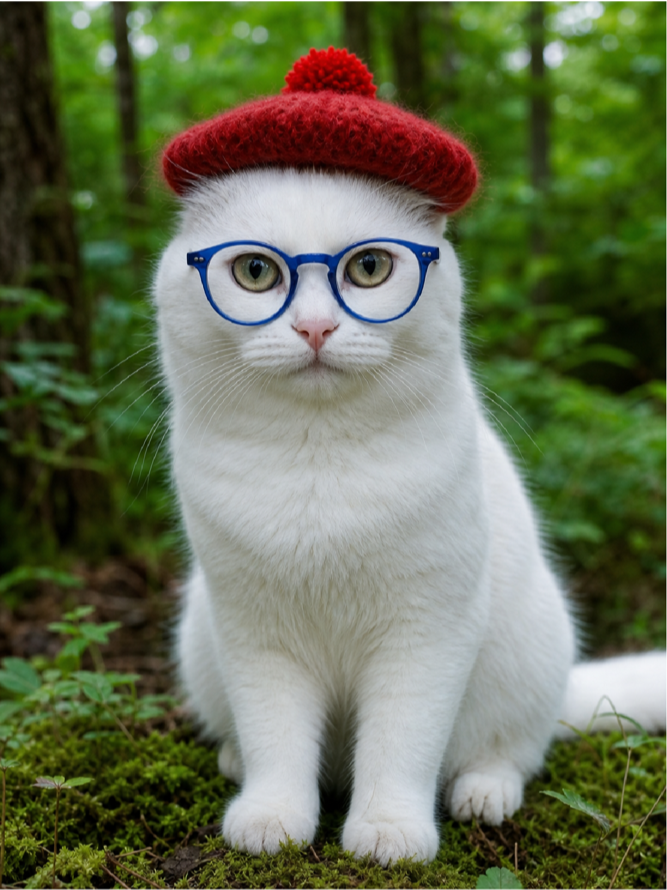
Example: with a cat, as all the Internet are crazy about cats
Example: with a cat, as all the Internet are crazy about cats
ImageSynthesize["A white cat with a red hat and blue glasses in a forest with a green background, photorealistic",LLMEvaluator->LLMConfiguration["Model"-><|"Service"->"OpenAI","Name"->"gpt-image-2"|>]]
Out[]=
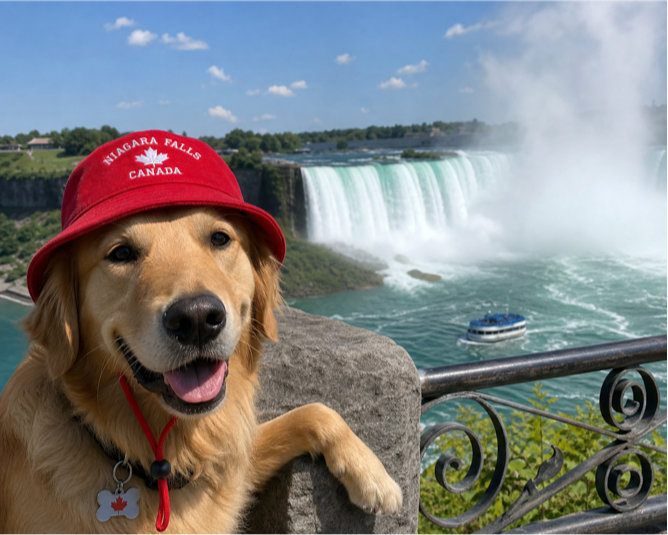
Example: now with a dog
Example: now with a dog
ImageSynthesize["Dog with red hat at Niagara Falls",LLMEvaluator->LLMConfiguration["Model"-><|"Service"->"OpenAI","Name"->"gpt-image-2"|>]]
Out[]=
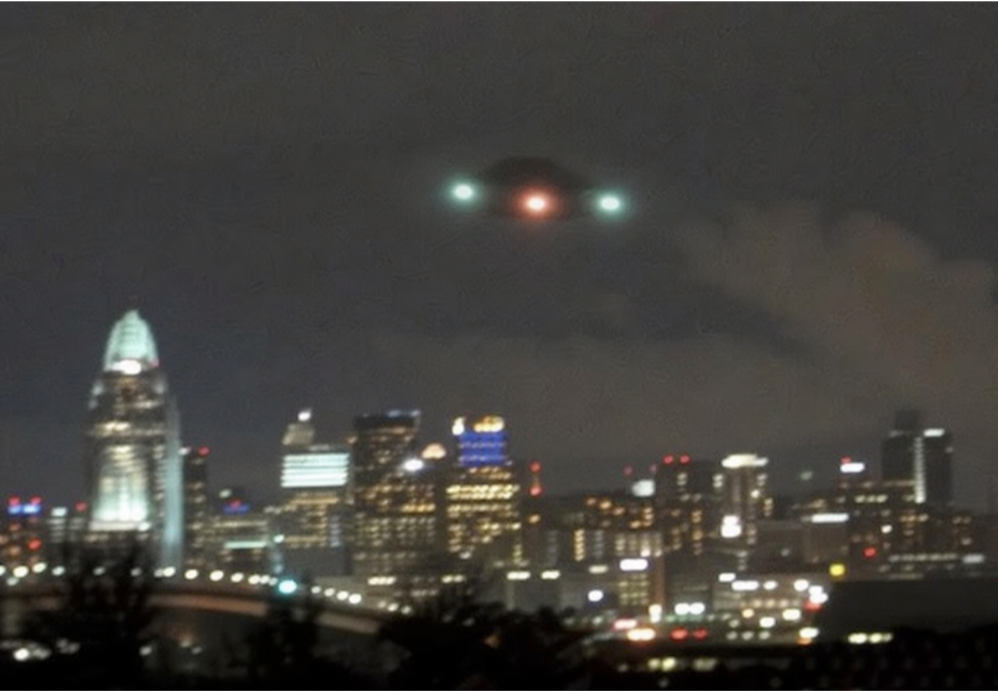
Example: Lets create a fake UFO typical noisy image
Example: Lets create a fake UFO typical noisy image
In[]:=
ImageSynthesize["Create a blury fake UFO image over a downtown at night",LLMEvaluator->LLMConfiguration["Model"-><|"Service"->"OpenAI","Name"->"gpt-image-2"|>]]
Out[]=
GPT Image 2 (gpt-image-2) is a natively integrated multimodal image generation model from OpenAI, deeply coupled with the underlying GPT architecture (not a standalone diffusion model like earlier DALL·E versions). It processes text prompts (and optional image inputs) through advanced language understanding, often employing a “thinking” or reasoning mode that plans, composes, self-verifies, and can even incorporate web search before generating the final output in a more efficient single-pass architecture. This enables superior instruction-following, precise layouts, near-perfect text rendering (including multilingual), photo-realism, and complex edits.
It was trained on massive multimodal datasets combining internet-scale image-text pairs, high-quality curated visuals, and synthetic data, using a combination of supervised fine-tuning, reinforcement learning from human/AI feedback (RLHF/RLAIF), and iterative optimization focused on fidelity, instruction adherence, and safety—building on the foundation of prior GPT multimodal training at OpenAI.
More advanced elaborated prompt engineering:
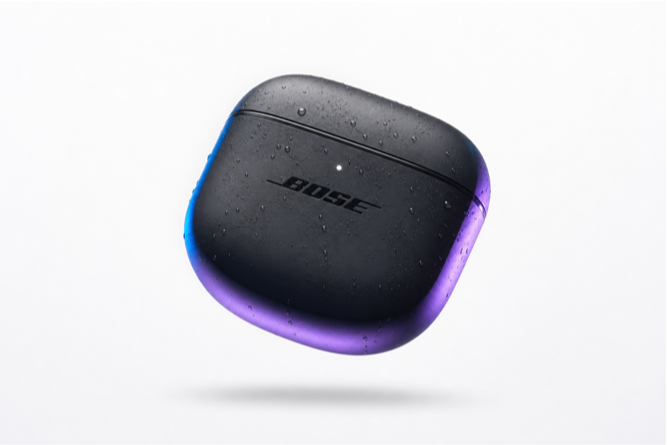
Example: Product Photography (Great for commercial/brand use)
Example: Product Photography (Great for commercial/brand use)
In[]:=
ImageSynthesize["A premium product photography of a sleek black wireless earbuds case floating in mid-air with subtle water droplets, dramatic studio lighting with soft blue and purple rim light, clean white background with minimal shadow, ultra-realistic, 8k detail, shot on Canon EOS R5, commercial advertising style",LLMEvaluator->LLMConfiguration["Model"-><|"Service"->"OpenAI","Name"->"gpt-image-2"|>]]
Out[]=
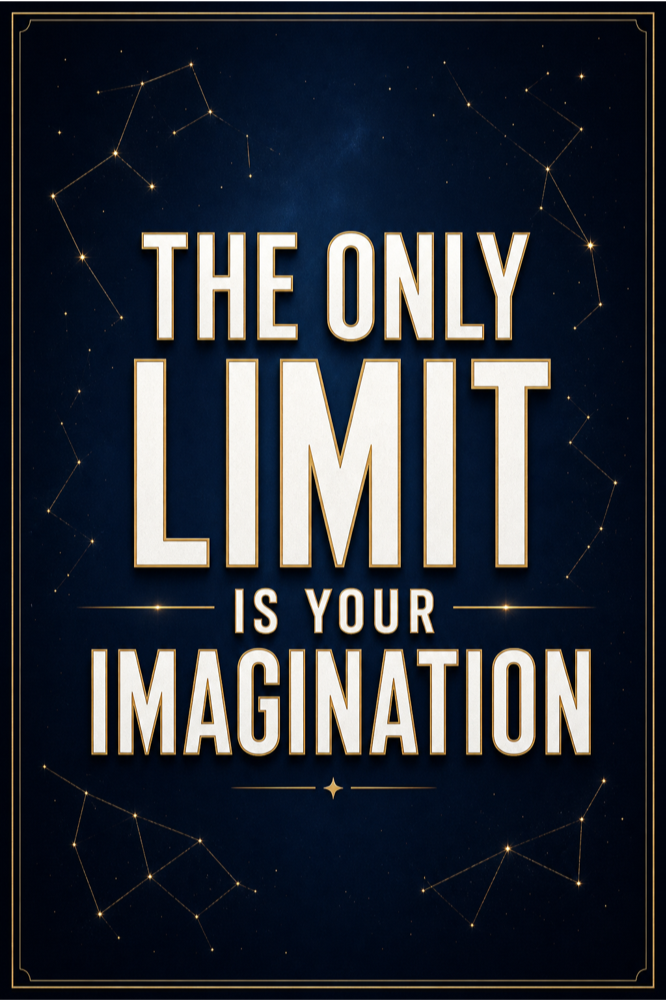
Example: Text-Heavy Illustration (Showcases text rendering strength)
Example: Text-Heavy Illustration (Showcases text rendering strength)
In[]:=
ImageSynthesize["A minimalist motivational poster with bold sans-serif typography that reads 'The only limit is your imagination' in elegant white text with subtle gold outline, dark navy blue gradient background with faint constellation patterns, modern luxury aesthetic, high contrast, perfect text alignment, cinematic composition, 2K resolution",LLMEvaluator->LLMConfiguration["Model"-><|"Service"->"OpenAI","Name"->"gpt-image-2"|>]]
Out[]=
Example: Fantasy Scene with Complex Composition
Example: Fantasy Scene with Complex Composition
Common use cases
Common use cases
1. Marketing and advertising
1. Marketing and advertising
Generate:
◼
product hero shots
◼
social media creatives
◼
banner ads
◼
concept visuals for campaigns
◼
packaging mockups
◼
posters and flyers
Example:
2. Rapid concept art
2. Rapid concept art
Useful for:
◼
game environments
◼
character ideation
◼
cinematic mood boards
◼
architecture concepts
◼
creature design
◼
fantasy and sci-fi world-building
This is often one of the biggest productivity wins: generating many directions quickly before committing to manual production.
3. Storyboarding and pre-visualization
3. Storyboarding and pre-visualization
For film, animation, games, and presentations:
◼
scene roughs
◼
camera framing ideas
◼
lighting mood exploration
◼
costume and prop concepts
◼
location visualization
4. Graphic design drafts
4. Graphic design drafts
Generate first-pass designs for:
◼
posters
◼
album covers
◼
book covers
◼
invitation cards
◼
presentation backgrounds
◼
editorial illustrations
Text rendering has historically been weak in many systems, but newer models are much better for layout-heavy work.
5. E-commerce and product visualization
5. E-commerce and product visualization
Create:
◼
clean catalog images
◼
lifestyle product scenes
◼
alternate colorways
◼
seasonal backgrounds
◼
staged product compositions
◼
packaging previews
This is especially useful when photography is expensive or slow.
6. Educational content
6. Educational content
Produce:
◼
historical scene illustrations
◼
scientific concept art
◼
visual explanations
◼
classroom posters
◼
geography and culture visuals
◼
children’s educational material
7. Publishing and media
7. Publishing and media
Generate images for:
◼
blog posts
◼
magazine concepts
◼
article headers
◼
newsletters
◼
thumbnails
◼
infographics backgrounds
8. UI/UX and app prototyping
8. UI/UX and app prototyping
Designers can create:
◼
onboarding illustrations
◼
empty-state artwork
◼
visual themes
◼
conceptual dashboard art
◼
branded imagery for prototypes
9. Personalized creative content
9. Personalized creative content
Generate custom:
◼
greeting cards
◼
wallpapers
◼
avatars
◼
profile images
◼
family storybook illustrations
◼
gifts and novelty prints
10. Architectural and interior visualization
10. Architectural and interior visualization
Use prompts for:
◼
room redesign ideas
◼
facade concepts
◼
landscape mood studies
◼
furniture staging
◼
lighting variations
◼
material/finish exploration
11. Fashion and beauty
11. Fashion and beauty
Generate:
◼
editorial looks
◼
apparel concept designs
◼
style boards
◼
cosmetic campaign imagery
◼
accessory mockups
12. Synthetic data and simulation
12. Synthetic data and simulation
Potentially useful for:
◼
creating varied image sets
◼
scenario simulation
◼
visual stress testing
◼
generating examples for downstream workflows
Though for serious ML dataset creation, quality control and bias review are very important.
Beyond pure text-to-image
Beyond pure text-to-image
◼
text-only generation
◼
image variation
◼
inpainting transparent regions
◼
masked editing of a selected region
That makes image models useful not only for creating images, but also for editing them.
Best-fit business uses
Best-fit business uses
In practice, text-to-image is strongest when you need:
◼
speed over traditional production
◼
many variations
◼
low-cost ideation
◼
custom visuals on demand
◼
niche imagery that stock photos do not cover
Limitations and cautions
Limitations and cautions
Important caveats:
◼
outputs may be inconsistent across runs
◼
prompt wording strongly affects results
◼
fine details may still fail
◼
brand/logo accuracy may be imperfect
◼
legal and copyright policies matter
◼
bias and safety issues must be reviewed
◼
photorealistic fake imagery can be misused
In one sentence
In one sentence
Text-to-image models are most useful for fast visual ideation, custom marketing graphics, product visualization, concept art, design drafts, and image editing workflows.
CITE THIS NOTEBOOK
CITE THIS NOTEBOOK
AI LLM text to image models
by Daniel Carvalho
Wolfram Community, STAFF PICKS, July 5, 2026
https://community.wolfram.com/groups/-/m/t/3745213
by Daniel Carvalho
Wolfram Community, STAFF PICKS, July 5, 2026
https://community.wolfram.com/groups/-/m/t/3745213