Introduction
Introduction
The Ring Nebula in Near Infrared
The Ring Nebula in Near Infrared
from Wikipedia:
The Ring Nebula (also catalogued as Messier 57, M57 and NGC 6720) is a planetary nebula in the northern constellation of Lyra. Such a nebula is formed when a star, during the last stages of its evolution before becoming a white dwarf, expels a vast luminous envelope of ionized gas into the surrounding interstellar space.
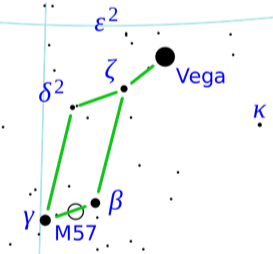
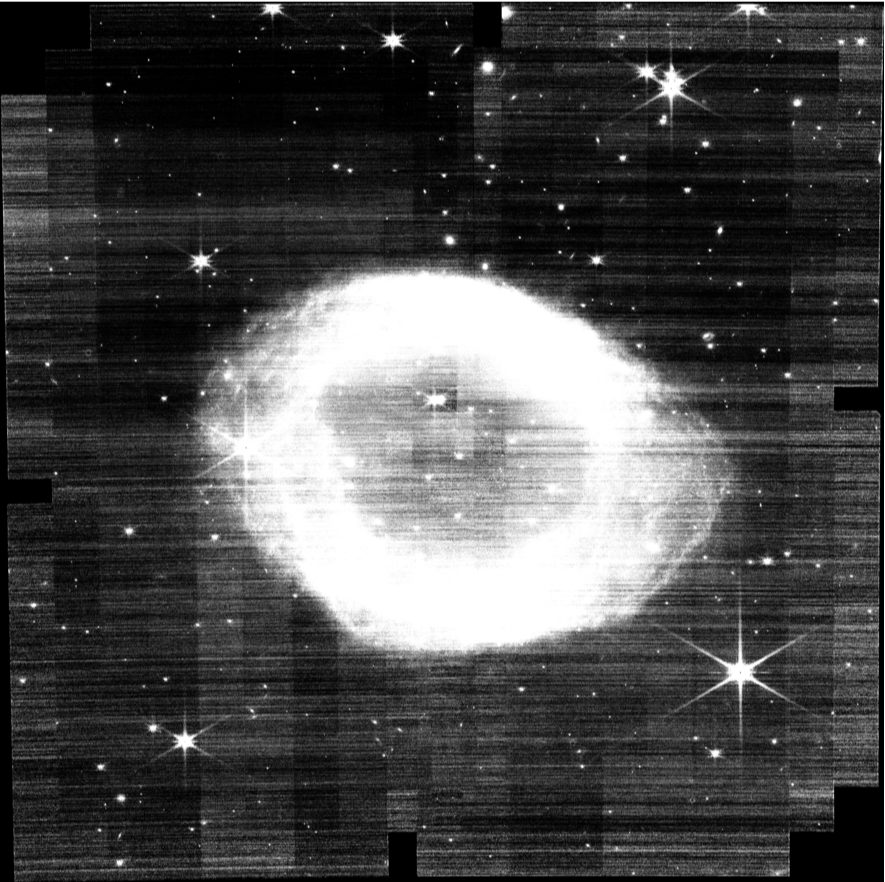
Recently, the James Webb Space Telescope imaged M57 in infrared light using its NIRCam scientific camera. Unlike normal digital cameras, scientific CCD cameras almost always take monochrome images, generally through one or more colored filters that are centered on scientifically interesting wavelengths. In this manner, information can be gained on the chemistry of the object being imaged. If we have a set of these monochrome images, using Mathematica, we can construct a false color image by assigning each filter to the “red”, “green” and “blue” channels.
All the data collected by the JWST is available for public download in different forms based on the position in the imaging pipeline. For our purposes, we want the fully calibrated monochrome FITS files for each filter used. You can download the data from the JWST mission as well as other missions yourself from the Barbara A. Mikulski Archive for Space Telescopes (MAST):
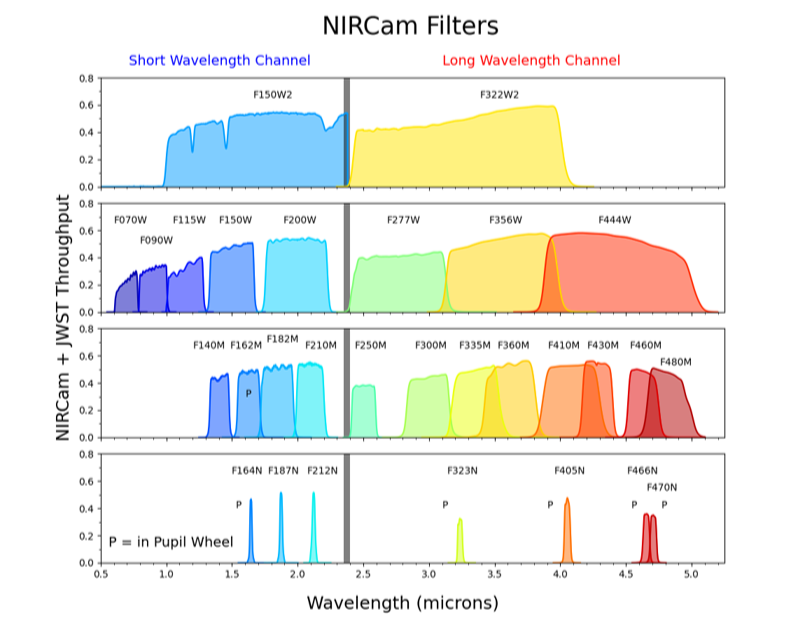
In this notebook, I’ve downloaded the FITS files corresponding to the f300M filter (3.0μ), the f335M filter (3.4μ), and the f150W-f162M (about 1.5μ)
Spectrographic plots showing the color bands in microns for the different NIRCam filters
Spectrographic plots showing the color bands in microns for the different NIRCam filters
Load FITS images for the 3 filters
Load FITS images for the 3 filters
The FITS files that were the basis of this image were downloaded from the NASA web site where all the JWST data is archived: HERE
In[]:=
f300=FileNameJoin[{NotebookDirectory[],"RingNebula","jw01558-o005_t001_nircam_clear-f300m_i2d.fits"}];
In[]:=
f335=FileNameJoin[{NotebookDirectory[],"RingNebula","jw01558-o005_t001_nircam_clear-f335m_i2d.fits"}];
In[]:=
f162=FileNameJoin[{NotebookDirectory[],"RingNebula","jw01558-o005_t001_nircam_f150w2-f162m_i2d.fits"}];
The second data segment in these FITS files is the image data we are seeking
The second data segment in these FITS files is the image data we are seeking
In[]:=
f300img=Import[f300][2];
In[]:=
f335img=Import[f335][2];
In[]:=
f162img=Import[f162][2];
Manually Aligning the Image Channels
Manually Aligning the Image Channels
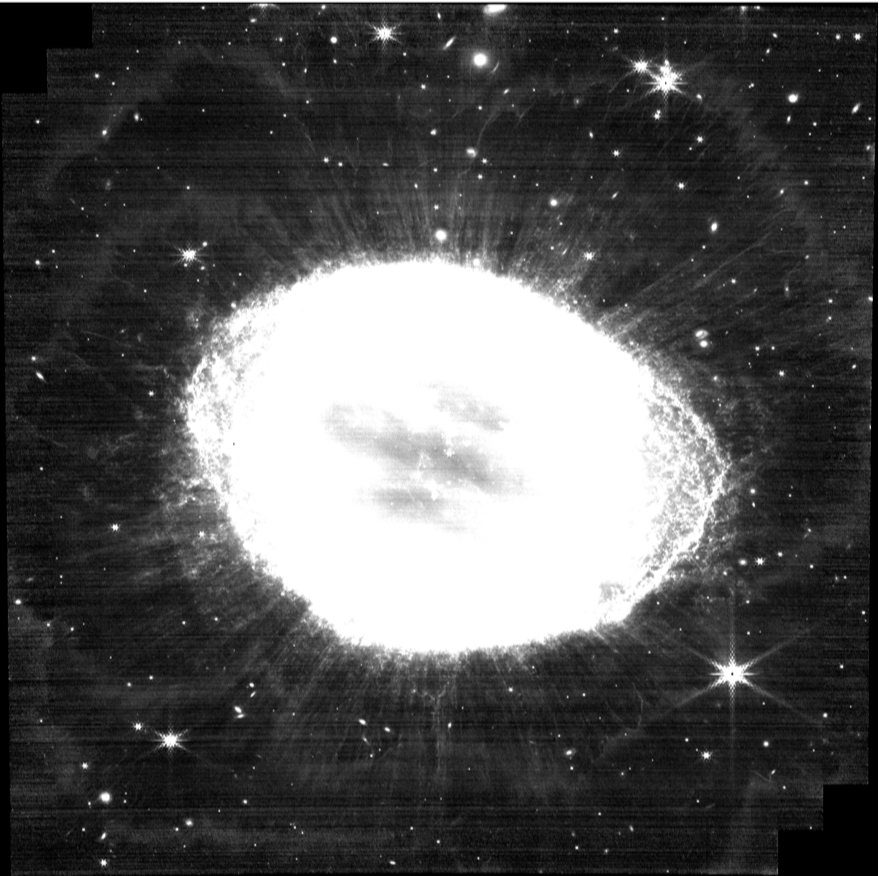
Before we can create a 3 color image from the 3 monochrome color channels the images have to be aligned with one another. Unfortunately, the images corresponding to the different NIRCam colored filters aren’t always the same size and the stars don’t generally line up. Noise and other factors make these images hard to align using conventional astronomical image alignment algorithms. Fortunately, Mathematica makes it easy to pick the centers of 3 widely spaced stars and then use those coordinates to derive the transforms that will bring the images into perfect alignment. All you have to do to get the coordinates is to click on an image and then use the Coordinates Tool from the image palette to copy the coordinates of the same 3 stars in each image.
Pick f300 image alignment points
Pick f300 image alignment points
In[]:=
f300img
Out[]=
In[]:=
f300pts={{499.8585237820883`,1643.3102464856001`},{1931.2041482619554`,538.2817591928533`},{447.94443377504655`,361.77385316891105`}};
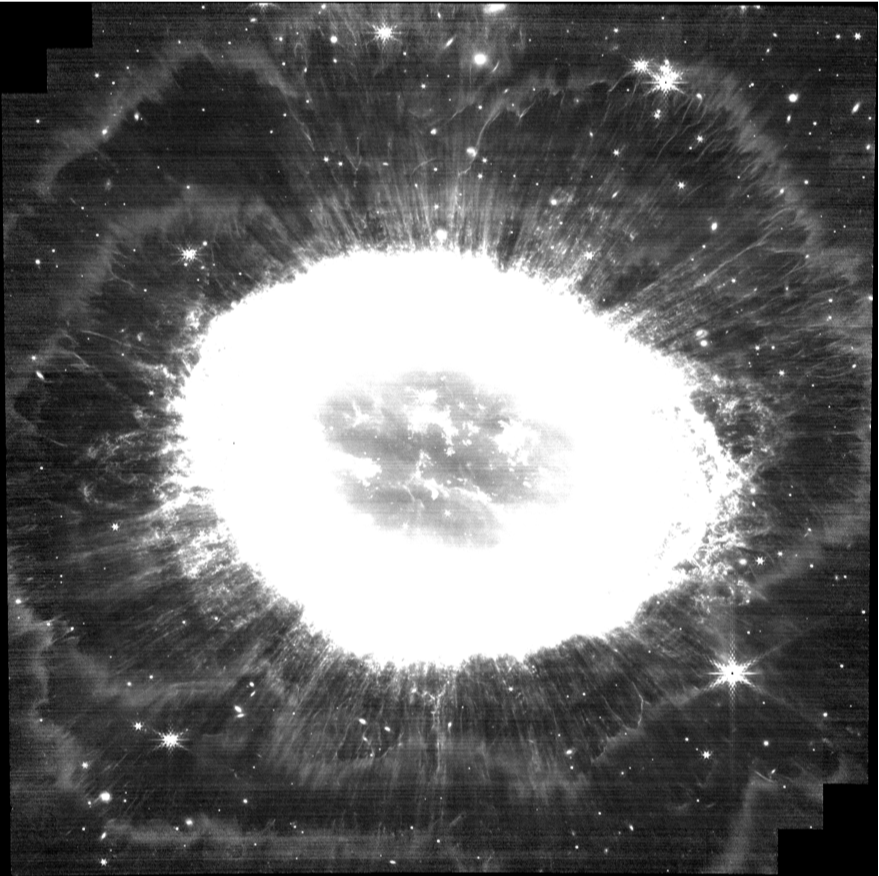
Pick f335 image alignment points
Pick f335 image alignment points
In[]:=
f335img
Out[]=
In[]:=
f335pts={{499.8585237820883`,1642.99321991013`},{1929.7208885474686`,537.9647326173833`},{447.94443377504655`,361.4568265934412`}};
Pick f162 image alignment points
Pick f162 image alignment points
In[]:=
f162img
Out[]=
Compute Transforms
Compute Transforms
Find the transform that takes the f162 image into the f335 image:
Find the transform that takes the f300 image into the f335 image :
Align f162 and f300 Images with f335 Image
Align f162 and f300 Images with f335 Image
Create the aligned images using ImagePerspectiveTransformation and correct the different image sizes in the process:
Create Color Composite and Final Stretch
Create Color Composite and Final Stretch
Here we create the initial color composite from the raw f335 image as well as the transformed f300 and f162 images. This false color image uses the infrared f335 filter as the Red channel, the infrared f300 filter as the Green channel and the infrared f162 image as the Blue channel.
Adjust the image to bring down the brightness and reveal fine structure in the halo of M57:
Use ColorToneMapping to compress luminance values to reveal additional details:
Further Examples
Further Examples
Carina Nebula
Carina Nebula
There are other locations on the internet where JWST data can be accessed. In this case it is through an API, which will be the subject of a future posting. For now, here are the raw URLs.
Import the files, reversing the order to put them into long-to-short wavelength order for eventual RGB combination:
Picking points for the red channel
Picking points for the red channel
Picking points for the green channel
Picking points for the green channel
Reverse these points because I didn’t pick them in the correct order
Picking points for the blue channel
Picking points for the blue channel
Compute Transforms
Compute Transforms
Find the transform that takes the f090 image into the f444 image:
Find the transform that takes the f200 image into the f444 image :
Align f090 and f200 Images with f444 Image
Align f090 and f200 Images with f444 Image
Create the aligned images using ImagePerspectiveTransformation and correct the different image sizes in the process:
Eagle Nebula (M16)
Eagle Nebula (M16)
This is a JWST image of the famous ‘Pillars of Creation’ in the Eagle Nebula. Here, as before, I’ve downloaded calibrated FITS data from the MAST archive.
This time, the data comes from the MIRI instrument and represents medium infrared data.
This time, the data comes from the MIRI instrument and represents medium infrared data.
Flip around the order to get them into a more pleasing color combination for the false color image:
Luckily, the MIRCam images are already the same size and pretty well aligned, so we can just go ahead and color combine them without computing the transforms.
Final stretch, crop and sharpening:
Conclusion
Conclusion
The image processing facilities of Mathematica make it easy to build spectacular images from the basic scientific data from the James Webb Space Telescope that is publicly available on the internet.
CITE THIS NOTEBOOK
CITE THIS NOTEBOOK
False-color Image Processing of Messier 57 Using Filters
by Tom Sherlock
Wolfram Community, STAFF PICKS, August 23, 2023
https://community.wolfram.com/groups/-/m/t/2997129
by Tom Sherlock
Wolfram Community, STAFF PICKS, August 23, 2023
https://community.wolfram.com/groups/-/m/t/2997129