Magnitude Interpretation
Magnitude Interpretation
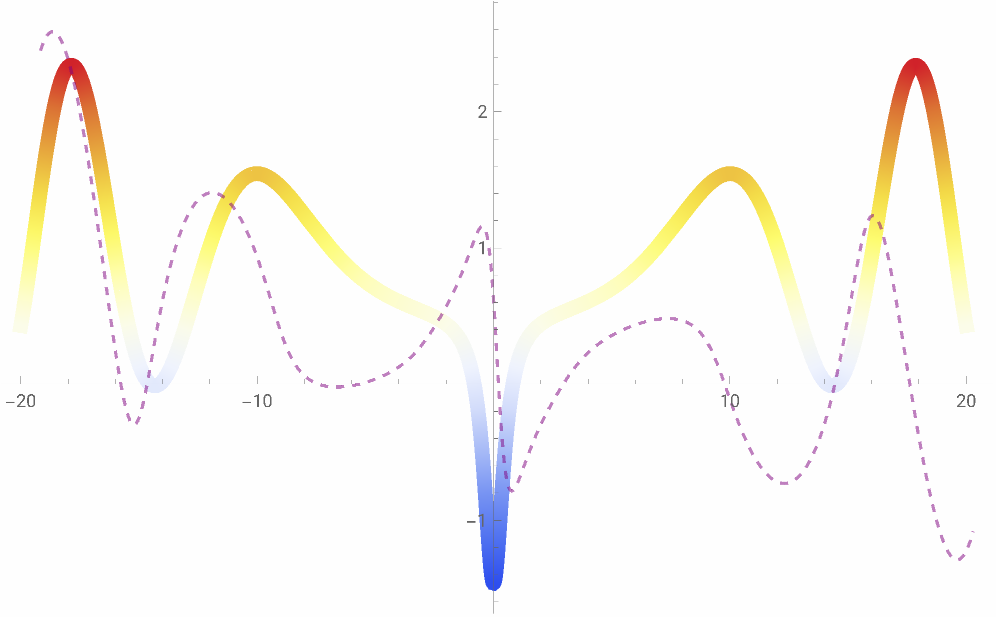
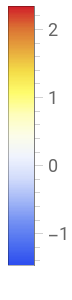
This code generates a visual representation of the real part of the Riemann Zeta function, Re[Zeta[1/2 + I t]], for varying ‘t’ values. The plot incorporates a complex parametric curve as an overlay. The color of the curve is determined by the magnitude of the real part of the Zeta function, demonstrating the function’s behavior as it approaches complex values of ‘t’.
In[]:=
ClearAll[zetaFunction,customStyle,complexLineStyle]zetaFunction[s_]:=Zeta[s]complexLineStyle[t_]:=Sin[t]+(0.5+0.5I)Exp[-0.1t]-0.2IErfi[0.05(t-10)]+0.1Exp[-0.05(t-5)^2]Sin[0.2t];customStyle={ColorFunction->"TemperatureMap",PlotStyle->Thickness[0.015],FrameStyle->Directive[FontFamily->"Arial",16],FrameLabel->{Style["t",18,Italic],Style["Re(Zeta[1/2 + I t])",18,Italic]},PlotLegends->Placed[BarLegend[Automatic,LegendLabel->Style["Magnitude",16]],Right]};plot=Plot[Re[zetaFunction[1/2+It]],{t,-20,20},PlotRange->All,Evaluate[customStyle]];complexLine=ParametricPlot[{t,Im[zetaFunction[1/2+It]]}+0.3{Re[complexLineStyle[t]],Im[complexLineStyle[t]]},{t,-20,20},PlotStyle->Directive[Opacity[0.5,Purple],Dashed]];Show[plot,complexLine]
Out[]=
Magnitude and Phase
Magnitude and Phase
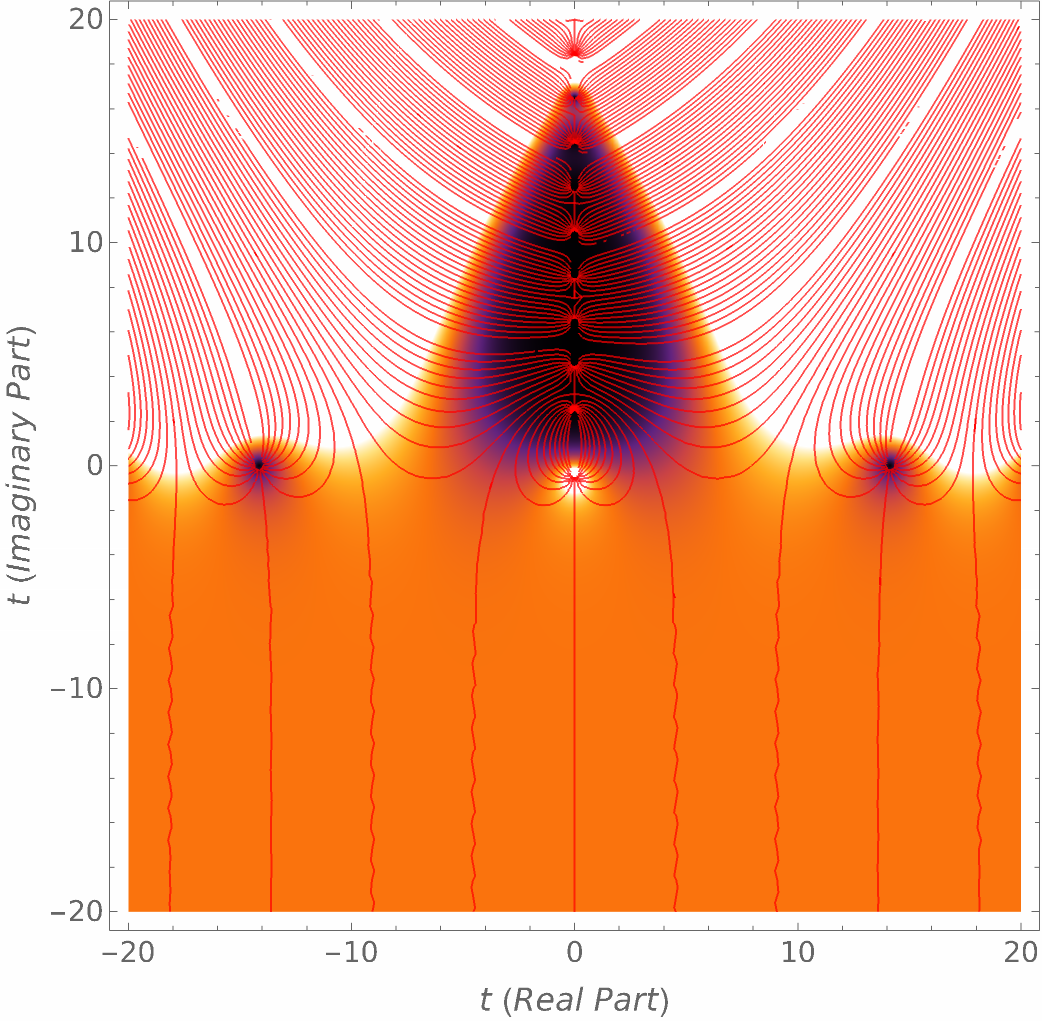
This code shows a visualization of the Riemann Zeta function by plotting its magnitude as a density plot and its phase as contour lines. The density plot uses “SunsetColors” to represent magnitude, while contour lines in red depict phase variations.
In[]:=
ClearAll[zetaFunction]zetaFunction[s_]:=Zeta[s]customStyle={ColorFunction->"SunsetColors",PlotLegends->Placed[BarLegend[{"SunsetColors",{0,2}},LegendLabel->"Magnitude"],Right],FrameLabel->{Style["t (Real Part)",16,Italic],Style["t (Imaginary Part)",16,Italic]},FrameStyle->Directive[FontFamily->"Arial",14]};densityPlot=DensityPlot[Abs[zetaFunction[1/2+I(x+Iy)]],{x,-20,20},{y,-20,20},Evaluate[customStyle],PlotPoints->200,PlotRange->{0,2}];contourPlot=ContourPlot[Arg[zetaFunction[1/2+I(x+Iy)]],{x,-20,20},{y,-20,20},ContourShading->None,Contours->20,ContourStyle->Directive[Red,Opacity[0.7]],PlotRange->All];Show[densityPlot,contourPlot]
Out[]=

3D Real Part
3D Real Part
This code shows a grid of complex values in the form (x, y, Re[Zeta[3/2 + I (x + I y)]]) and plots these points as a 3D scatter plot. We can see how the real part of the Zeta function varies across the complex plane.
ClearAll[zetaFunction]zetaFunction[s_]:=Zeta[s];xyValues=Tuples[Range[-10,10,0.5],2];points=Append[#,Re[zetaFunction[3/2+I(#[[1]]+I#[[2]])]]]&/@xyValues;pointPlot=ListPointPlot3D[points,BoxRatios->{1,1,1}];Show[pointPlot,Boxed->True,AxesStyle->Directive[Black,Thick],ImageSize->Medium]
Out[]=

CITE THIS NOTEBOOK
CITE THIS NOTEBOOK
Complex behavior in the Riemann Zeta function
by Dashel Myers
Wolfram Community, STAFF PICKS, September 30, 2023
https://community.wolfram.com/groups/-/m/t/3024352
by Dashel Myers
Wolfram Community, STAFF PICKS, September 30, 2023
https://community.wolfram.com/groups/-/m/t/3024352