MGroups is a Mathematica package that implements a part of finite group theory. It offers a user-friendly interface for performing a range of computations involving finite groups including (), , , and many more. Computational tools play a vital role in modern mathematics by automating complex and often tedious calculations, thereby freeing users from manual labour and enabling deeper exploration of abstract concepts. In that essence, MGroups is designed primarily for undergraduate students beginning with group theory, as well as for educators seeking a user-friendly tool to demonstrate group-theoretic concepts interactively.
Z
n
C
n
D
n
U
n
Installation
Installation
The package (paclet) is available on the Wolfram Paclet Repository at this link and can be installed by running
In[]:=
PacletInstall["Taggar/MGroups"]
Out[]=
PacletObject

Introduction
Introduction
Let’s start with an easy example: , the additive group of integers modulo 6. To define it, we need the domain () and the binary operator .
Z
6
{0,1,...,5}
(x,y)↦xy
⊕
6
In[]:=
dom=Range[0,6-1];bin[x_,y_]:=Mod[x+y,6]
Now, to define the group, we use FormMGroup command:
In[]:=
<<Taggar`MGroups`
In[]:=
Z
6
Out[]=
MGroup

Clicking on the “+” button above reveals that identity of this group is 0. This was automatically calculated by the paclet, for the arbitrary domain and binary operator I provided. Now, we can do a lot of things with this MGroup object. For example, to see the Cayley table:
In[]:=
MCayleyTable[]
Z
6
Out[]//TableForm=
0 | 1 | 2 | 3 | 4 | 5 | |
0 | 0 | 1 | 2 | 3 | 4 | 5 |
1 | 1 | 2 | 3 | 4 | 5 | 0 |
2 | 2 | 3 | 4 | 5 | 0 | 1 |
3 | 3 | 4 | 5 | 0 | 1 | 2 |
4 | 4 | 5 | 0 | 1 | 2 | 3 |
5 | 5 | 0 | 1 | 2 | 3 | 4 |
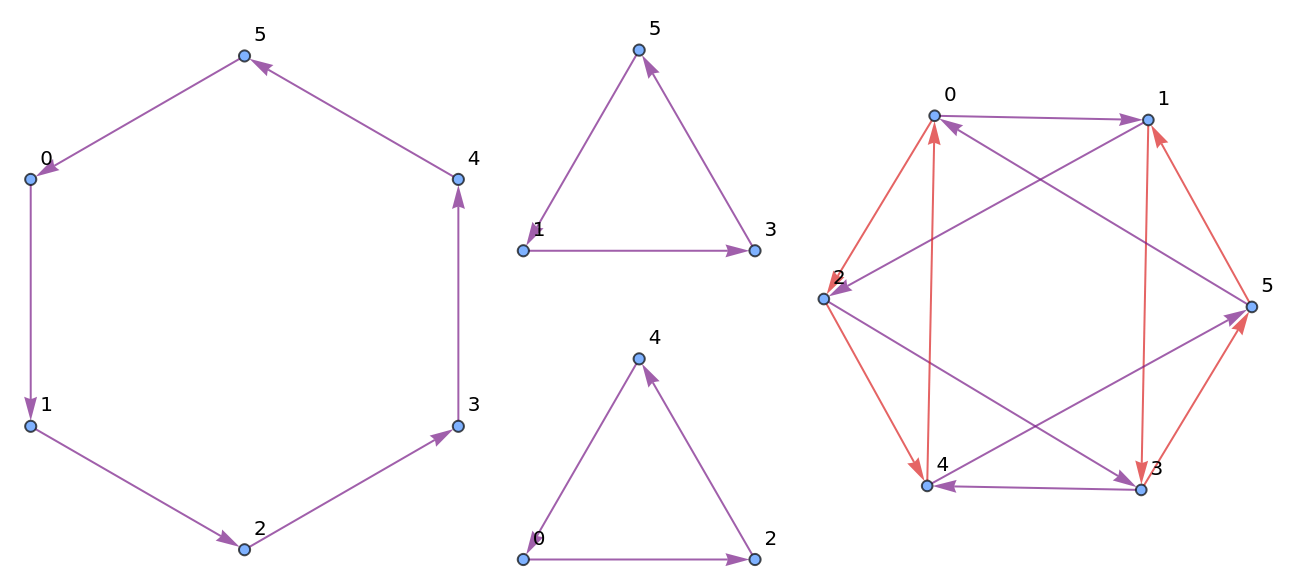
or the Cayley graph generated by various generators:
In[]:=
MCayleyGraph[,#]&/@{{1},{2},{1,2}}//GraphicsRow
Z
6
Out[]=
To check if a subset forms a subgroup:
In[]:=
MSubgroupQ[,{0,3}]
Z
6
Out[]=
True
or to find all subgroups:
In[]:=
MSubgroups[]
Z
6
Out[]//TableForm=
Subgroup | Generated by |
{0,1,2,3,4,5} | 5 |
{0,2,4} | 4 |
{0,3} | 3 |
{0} | 0 |
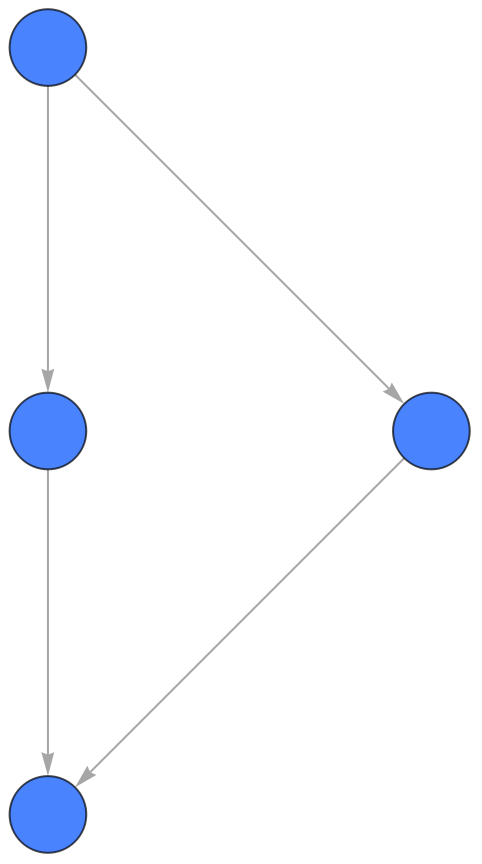
or to see the subgroup lattice:
In[]:=
MSubgroupLattice[]
Z
6
Out[]=
Subgroup lattices
Subgroup lattices
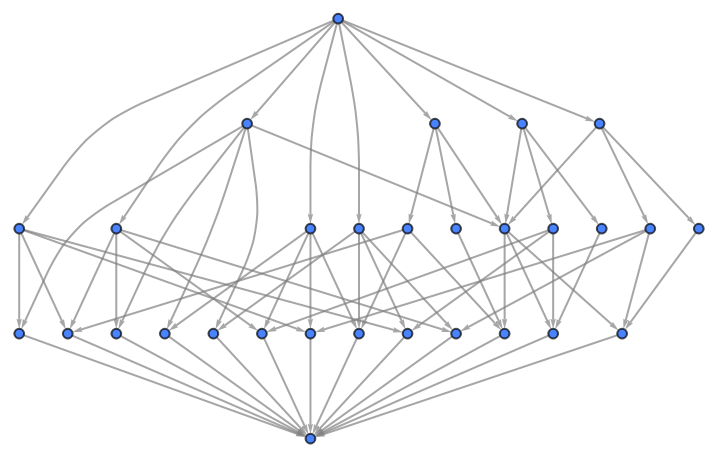
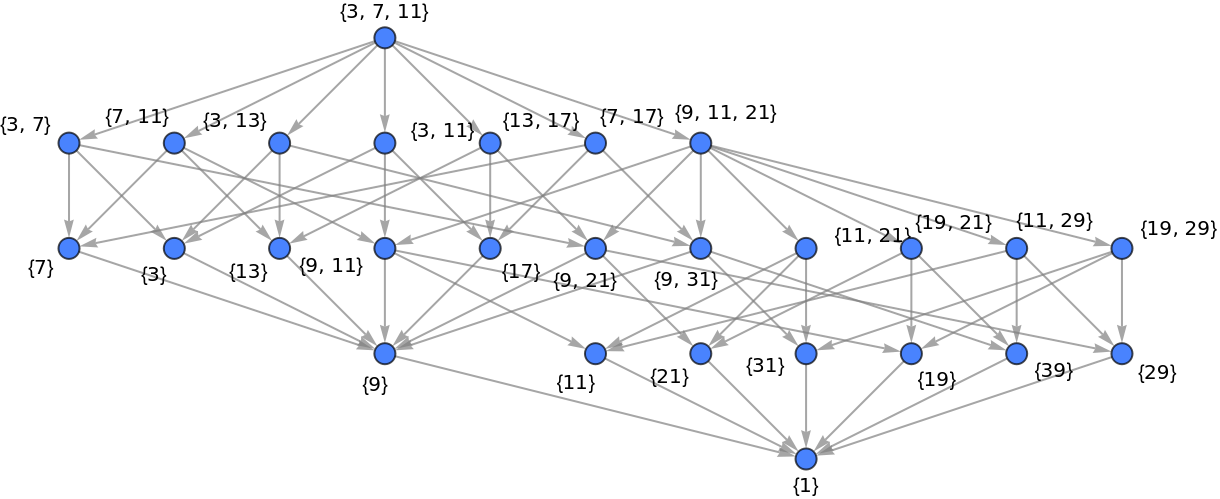
I like to say that this is a selling point of the paclet. On that note, here are some more examples:
S4
S
4
In[]:=
MSubgroupLattice[MPermutationsGroup[4]]
Out[]=
U30
U
30
In[]:=
MSubgroupLattice[MMultiplicativeGroup[40],MShowInfo->"Generators",MCombinationsLimit->3]
Out[]=
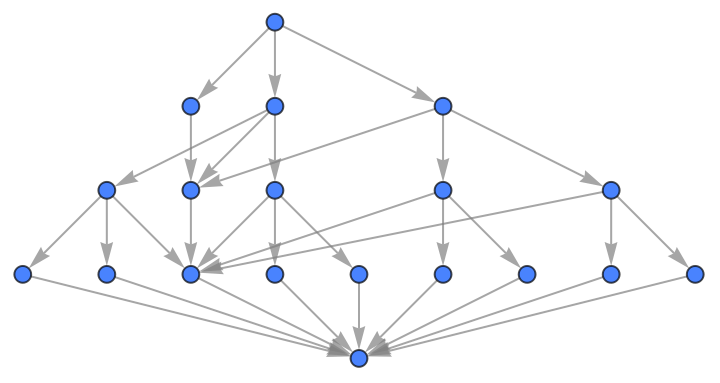
D8
D
8
In[]:=
MSubgroupLattice[MDihedralGroup[8]]
Out[]=
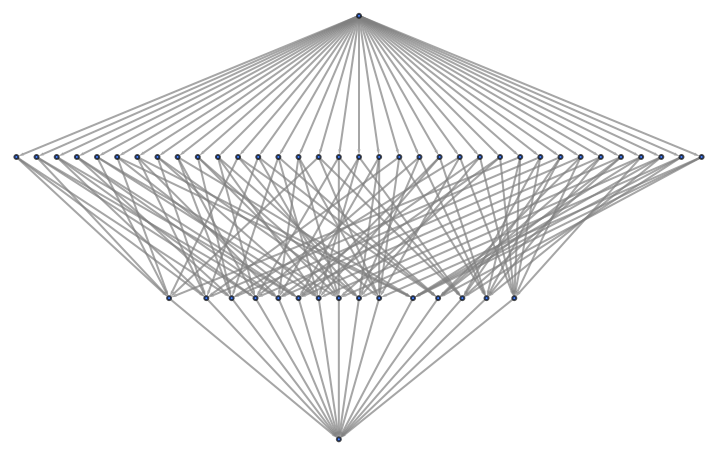
Z2⊕Z2⊕Z2⊕Z2
Z
2
Z
2
Z
2
Z
2
In[]:=
MSubgroupLattice[MEDP@@Table[MAdditiveGroup[2],{i,4}]]
Out[]=
Some more stuff
Some more stuff
but,
but the reflections do not:
Ending note
Ending note
That’s not all. The package offers a lot of functionality and some of the prominent commands are CyclicQ, MHomomorphism, MGenerateSubgroup, MNormalSubgroups, MFactorGroup, and a lot more! This post illustrated how MGroups can be used to explore finite group theory through concrete computation and visualisation. The package is intended as a pedagogical supplement, not a replacement for theory, and is especially useful for classroom demonstrations, labs, and exploratory assignments in an undergraduate group theory course. Feedback, suggestions, and experiences using MGroups in teaching or learning contexts are welcome. Thanks for reading the post, I hope you enjoyed it!
Similar works
Similar works
Mathematica itself has in-built support for group theory, mainly in terms of groups of permutations. GAP is the industry standard for discrete algebras. Talking of other such Mathematica paclets, there are GTPack, GroupMath, and perhaps one or two more. MGroups does not compare with any of these and intentionally stands as one that is specifically intended for pedagogical support on the under-graduate level. It was in fact created by me during my UG in Mathematics as a sort of fun project to better understand the project.
CITE THIS NOTEBOOK
CITE THIS NOTEBOOK
MGroups package: teaching finite group theory
by Naman T.
Wolfram Community, STAFF PICKS, January 24, 2026
https://community.wolfram.com/groups/-/m/t/3623800
by Naman T.
Wolfram Community, STAFF PICKS, January 24, 2026
https://community.wolfram.com/groups/-/m/t/3623800